Images
Page 4 of 8: 1 · 2 · 3 · 4 · 5 · 6 · 7 · 8
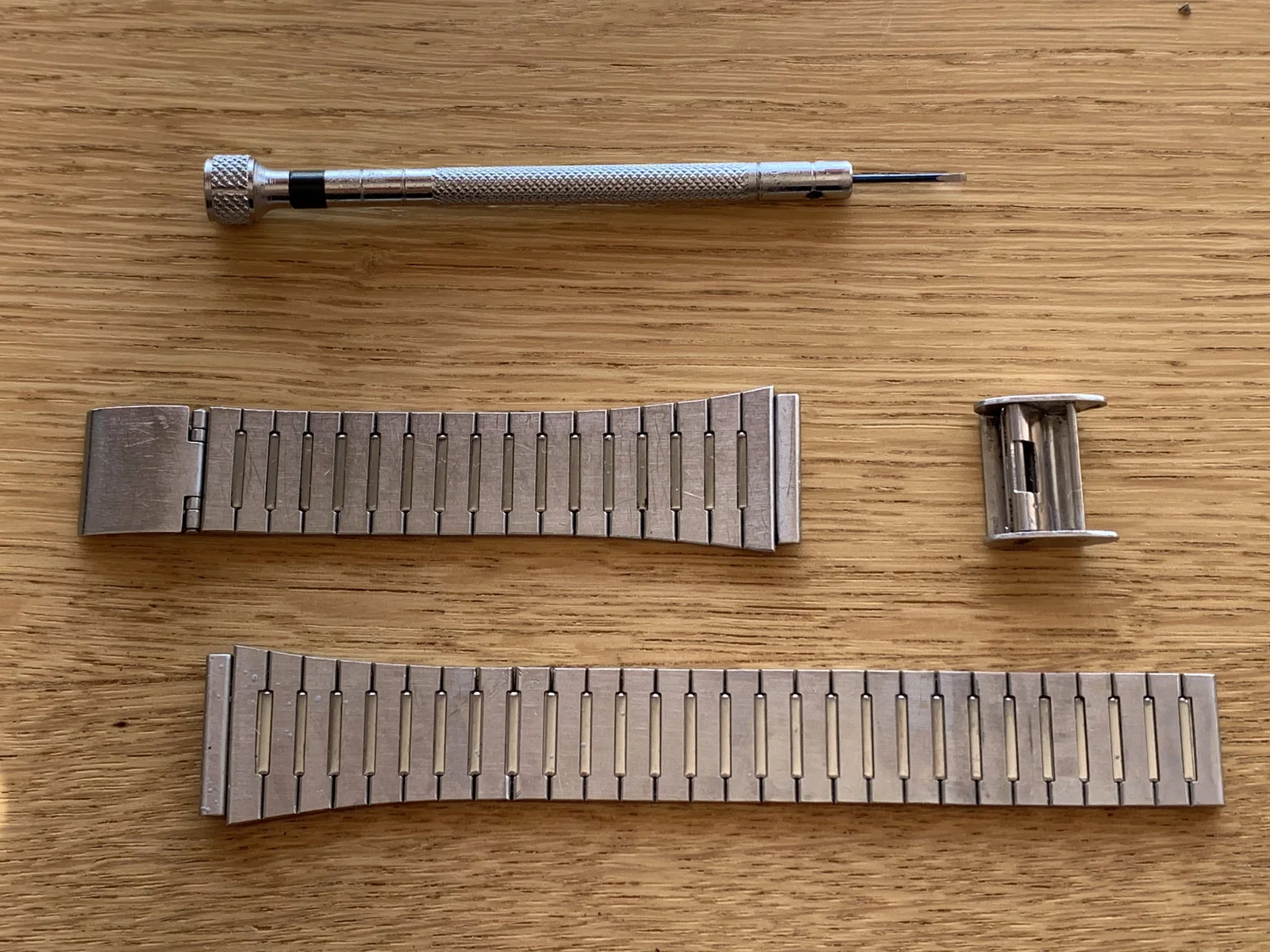
- image The cleaned bracelet A spring bar tool lies above two detached stainless steel watch bracelet sections and a clasp piece on a wooden table. (machine-described)
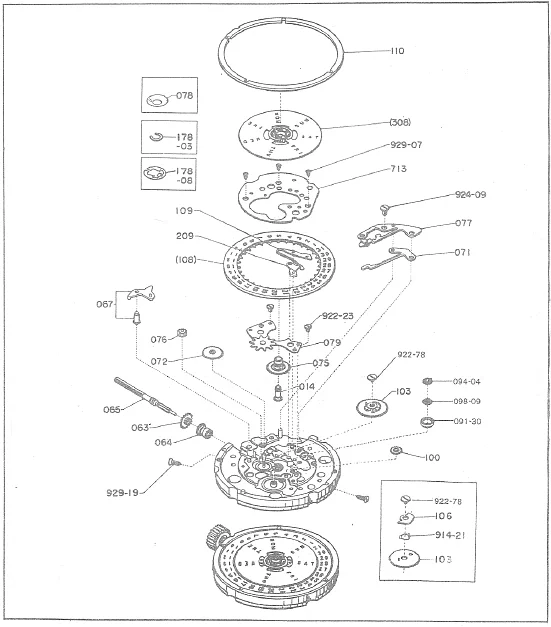
watch tool, bracelet, spring bar tool, clasp, repair(Cleaning a vintage watch) - image Citizen 6000 movement A technical exploded parts diagram of a watch movement, showing components with reference numbers on a white background. (machine-described) text in image:
110 178-03 178-08 078 308 929-07 713 924-09 077 071 109 209 108 067 076 072 922-23 079 075 014 922-78 103 094-04 098-09 091-30 100 065 063 064 929-19 106 914-21
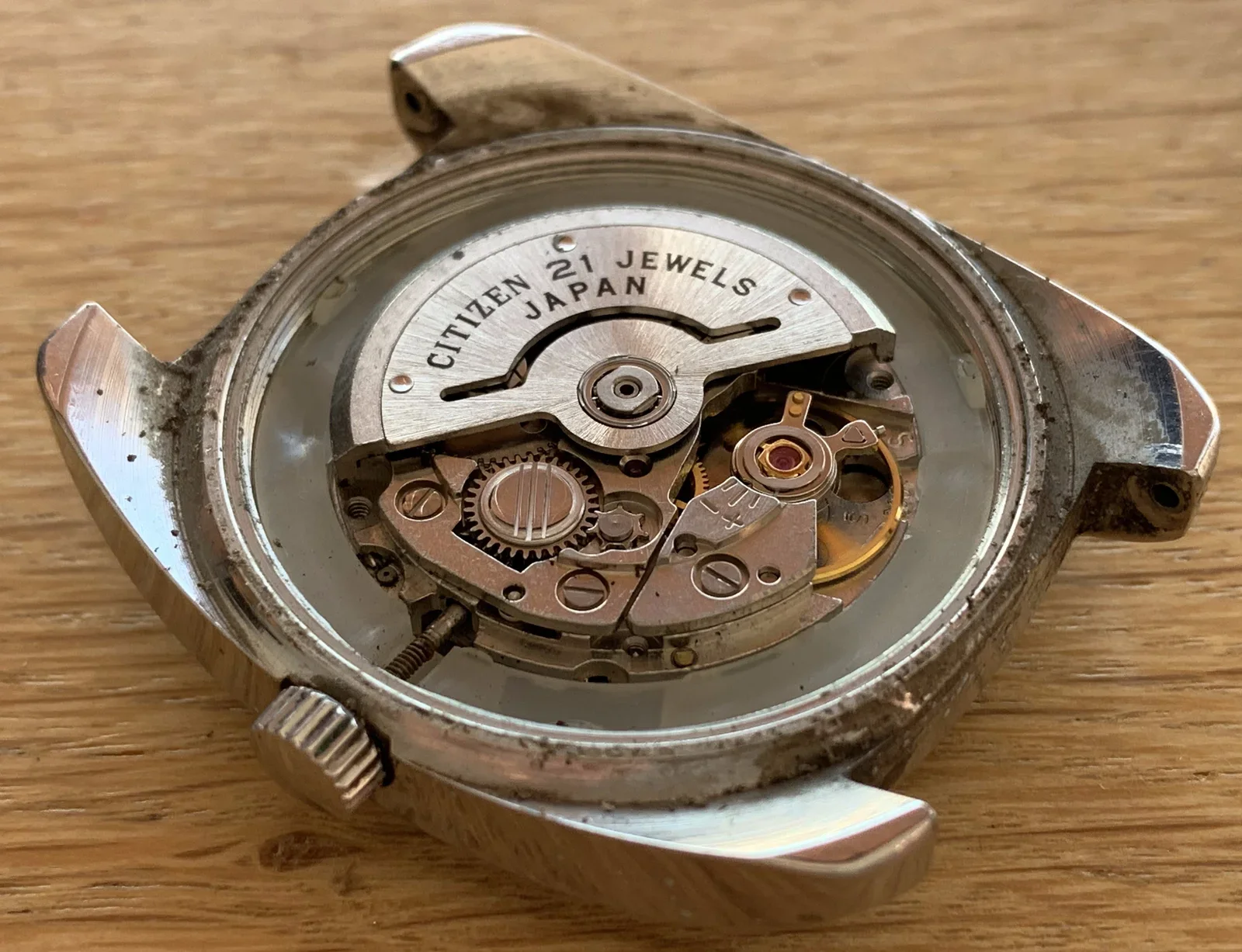
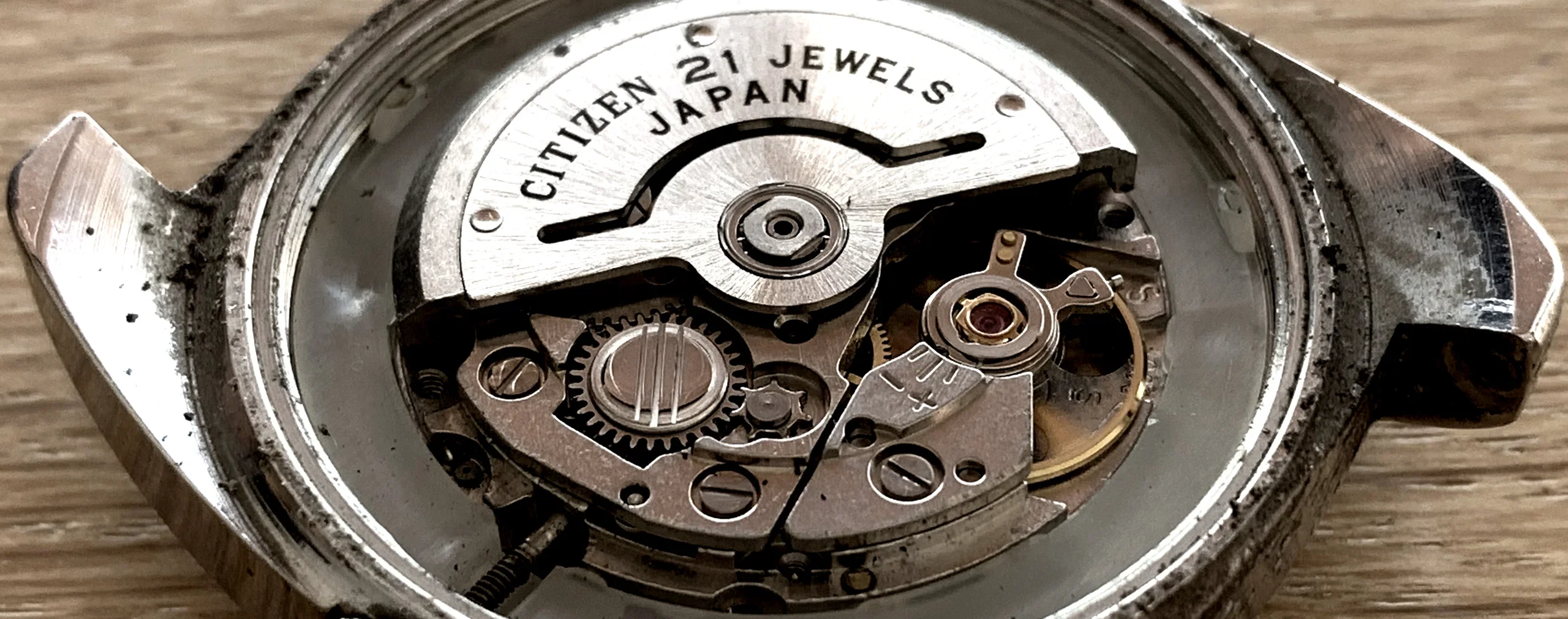
diagram, watch movement, exploded view, schematic, parts list(Cleaning a vintage watch) - image There is a rotor that winds the watch when it is moved (on the wrist), a clever system that negates the need for batteries Close-up of an open vintage Citizen automatic watch case revealing the movement and rotor, with dust visible around the case edges. (machine-described) text in image:
CITIZEN 21 JEWELS JAPAN
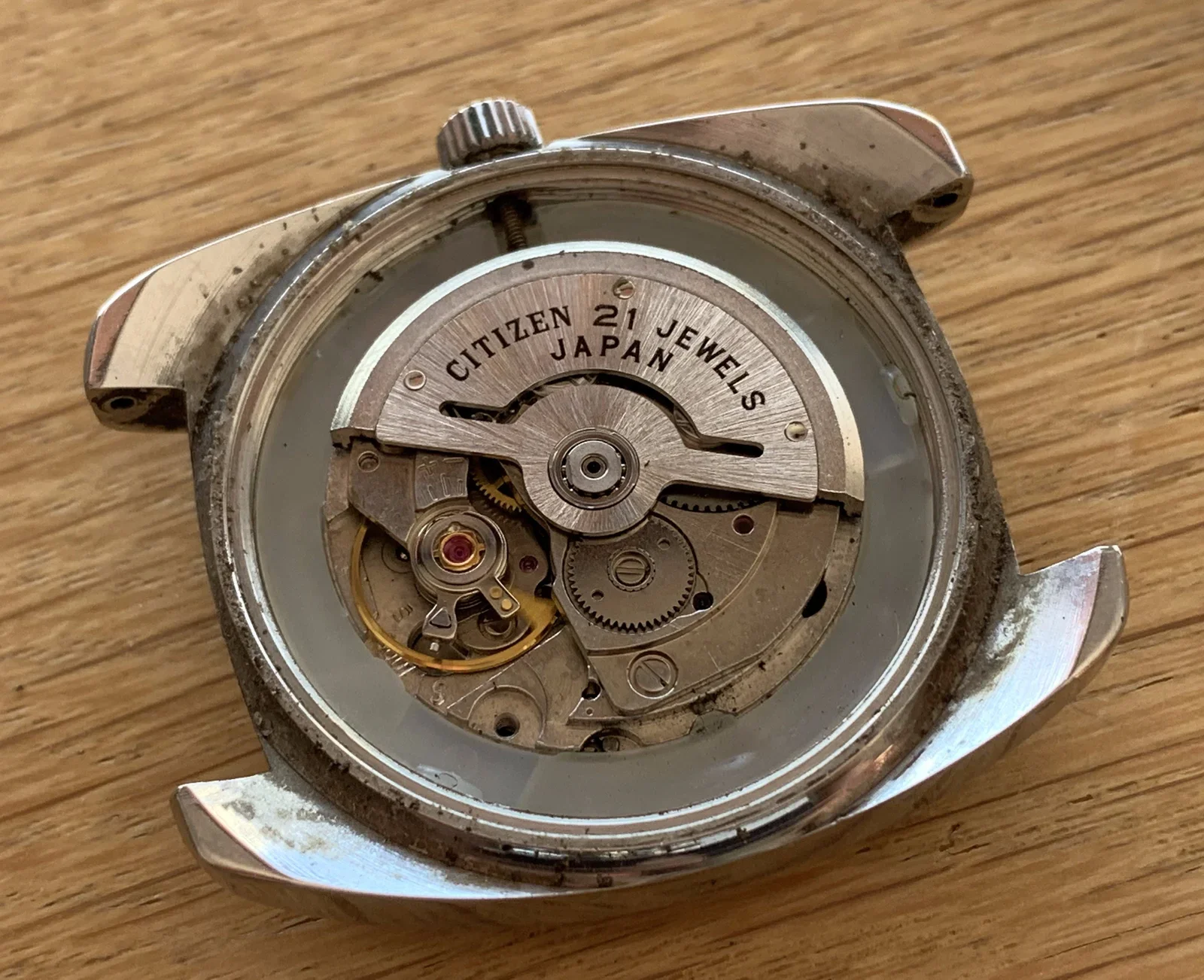
watch movement, rotor, citizen, mechanism, case(Cleaning a vintage watch) - image This watch has an automatic Citizen 6000 movement with 21 jewels Close-up of an open vintage Citizen watch case showing the automatic rotor and movement, with dust around the case rim. (machine-described) text in image:
CITIZEN 21 JEWELS JAPAN
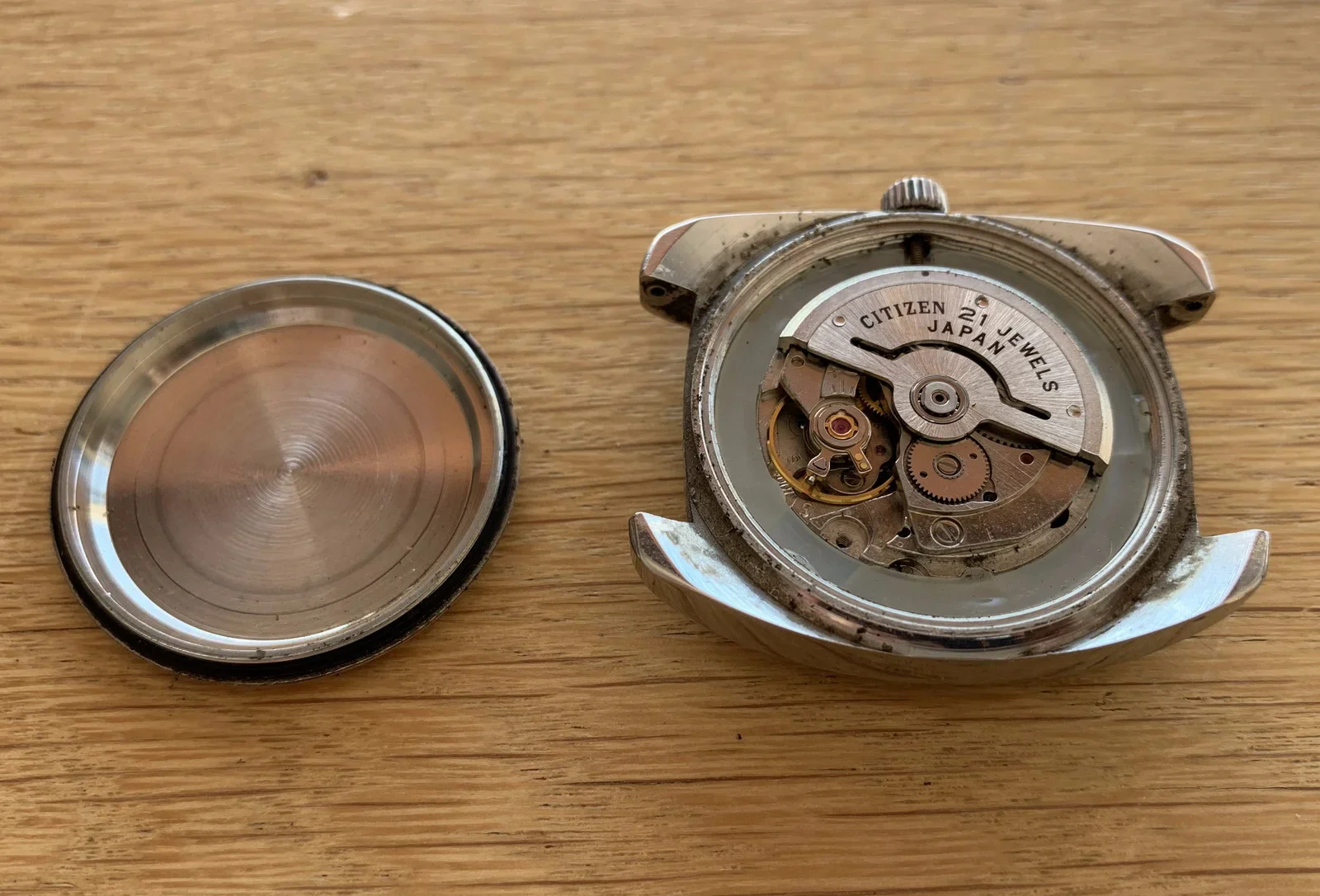
watch movement, rotor, citizen, mechanism, dust(Cleaning a vintage watch) - image You can rotate the case back and remove it from the watch head to reveal the movement A removed blank case back lies beside the open vintage Citizen watch case showing its movement on a wooden table. (machine-described) text in image:
CITIZEN 21 JEWELS JAPAN
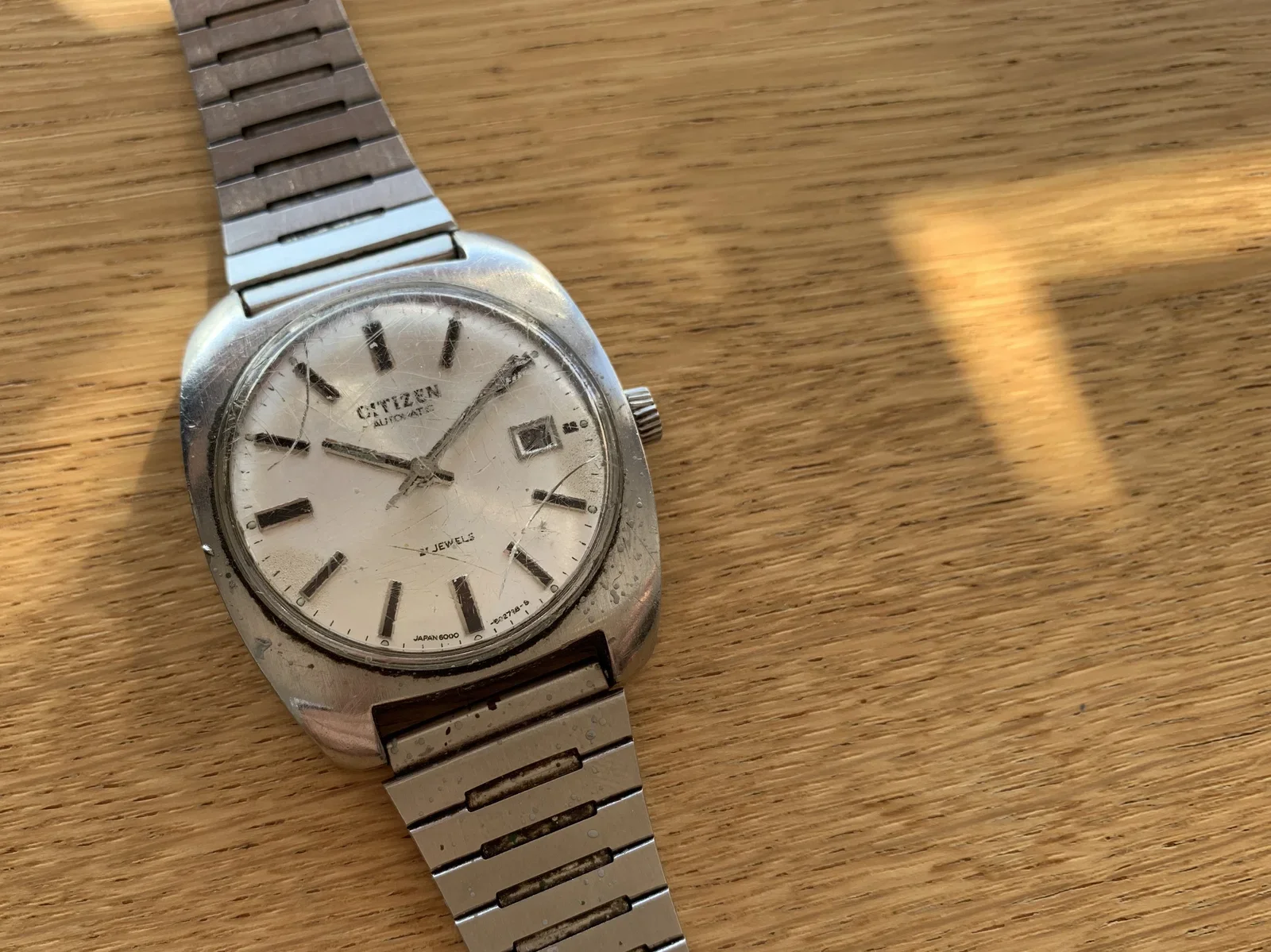
watch, caseback, movement, citizen, disassembly(Cleaning a vintage watch) - image Citizen Automatic, 21 jewels, 6000, 4-601084-Y A vintage Citizen automatic watch with a steel bracelet lies on a wooden table, dial facing up. (machine-described) text in image:
CITIZEN AUTOMATIC 21 JEWELS JAPAN 6000
watch, dial, citizen, bracelet, wooden table(Cleaning a vintage watch) - image A silver Citizen automatic wristwatch with a metal link bracelet rests on a wooden surface. (machine-described) text in image:
CITIZEN AUTOMATIC 21 JEWELS JAPAN 6000
watch, bracelet, wood, timepiece(Cleaning a vintage watch) - image A close-up view of the internal mechanical movement of a watch, revealing gears, a balance wheel, and a rotor engraved with text, all housed within a metallic case. (machine-described) text in image:
CITIZEN 21 JEWELS JAPAN
watch movement, gears, mechanism, jewels, rotor(Cleaning a vintage watch) - image A silver Citizen automatic wristwatch with a metal bracelet rests on a wooden surface. (machine-described) text in image:
CITIZEN AUTOMATIC 21 JEWELS JAPAN 6000
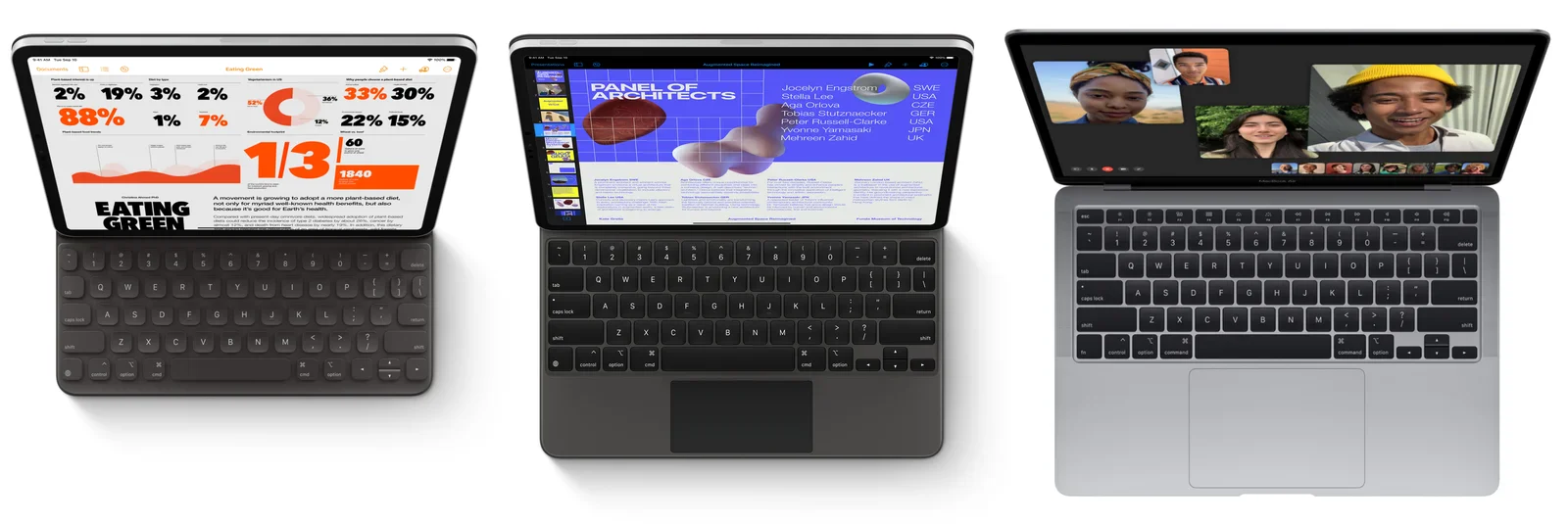
watch, bracelet, wood, timepiece(Cleaning a vintage watch) - image If you want a laptop experience, why not just buy a MacBook? Three tablet and laptop devices with attached keyboards are shown from above side by side, an iPad Mini style device, an iPad Pro with Magic Keyboard, and a MacBook, each displaying different on-screen content. (machine-described) text in image:
Eating Green. 2% 19% 3% 2% 33% 30% 88% 1% 7% 52% 36% 12% 22% 15% 1/3 60 1840. PANEL OF ARCHITECTS. Jocelyn Engstrom SWE. Stella Lee USA. Aga Orlova CZE. Tobias Stutznaecker GER. Peter Russell-Clarke USA. Yvonne Yamasaki JPN. Mehreen Zahid UK. Augmented Space Reimagined.
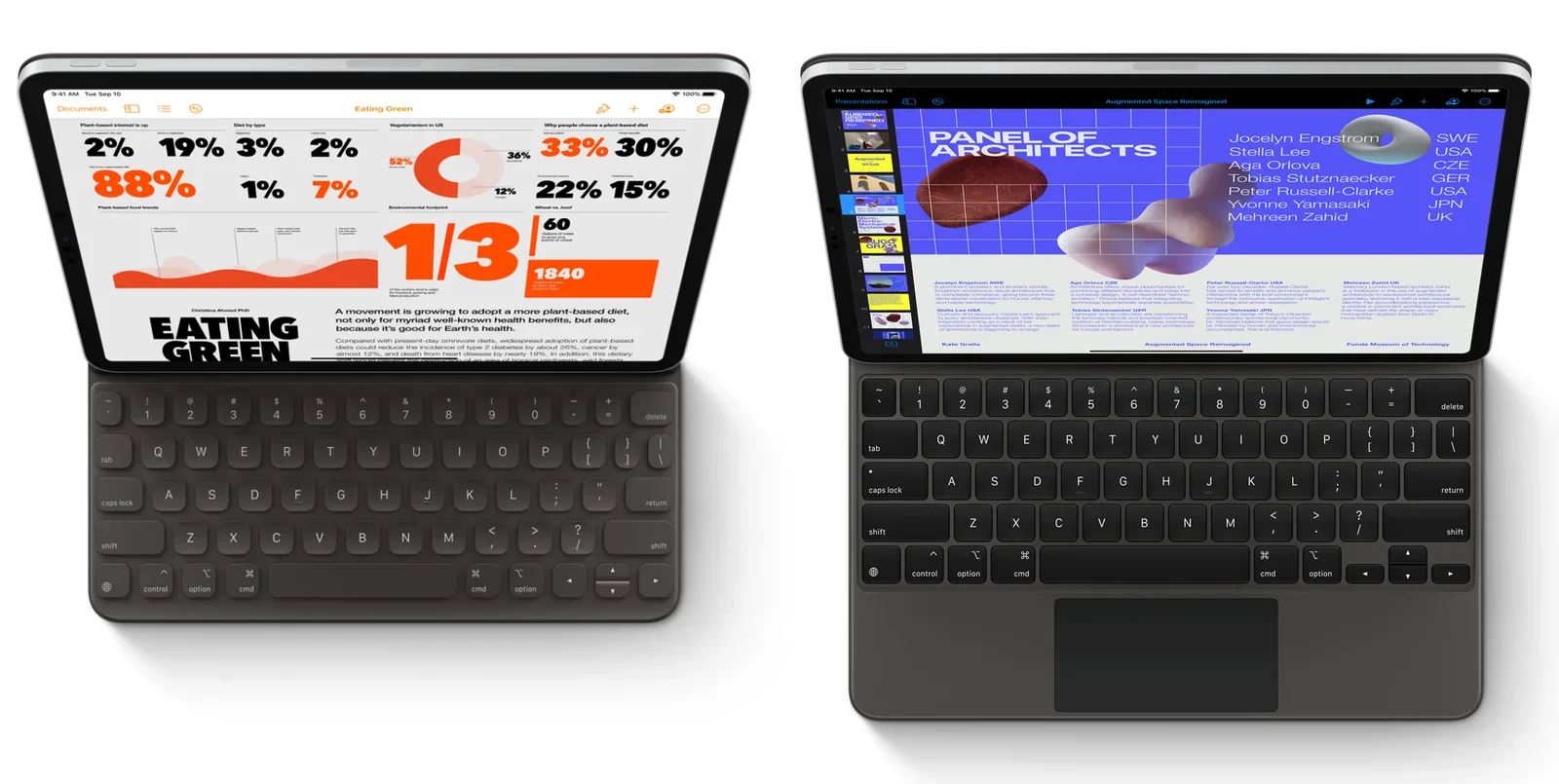
ipad, macbook, keyboards, comparison, overhead, devices(The best keyboard for iPad) - image Smart Keyboard Folio vs Magic Keyboard for iPad Two tablets with attached keyboards are shown from above, the left displaying a data-heavy infographic titled Eating Green and the right displaying a presentation slide titled Panel of Architects with attendee names and countries. (machine-described) text in image:
Eating Green. 2% 19% 3% 2% 33% 30% 88% 1% 7% 52% 36% 12% 22% 15% 1/3 60 1840. A movement is growing to adapt a more plant-based diet, not only for its myriad well-known health benefits, but also because its good for Earths health. PANEL OF ARCHITECTS. Jocelyn Engstrom SWE. Stella Lee USA. Aga Orlova
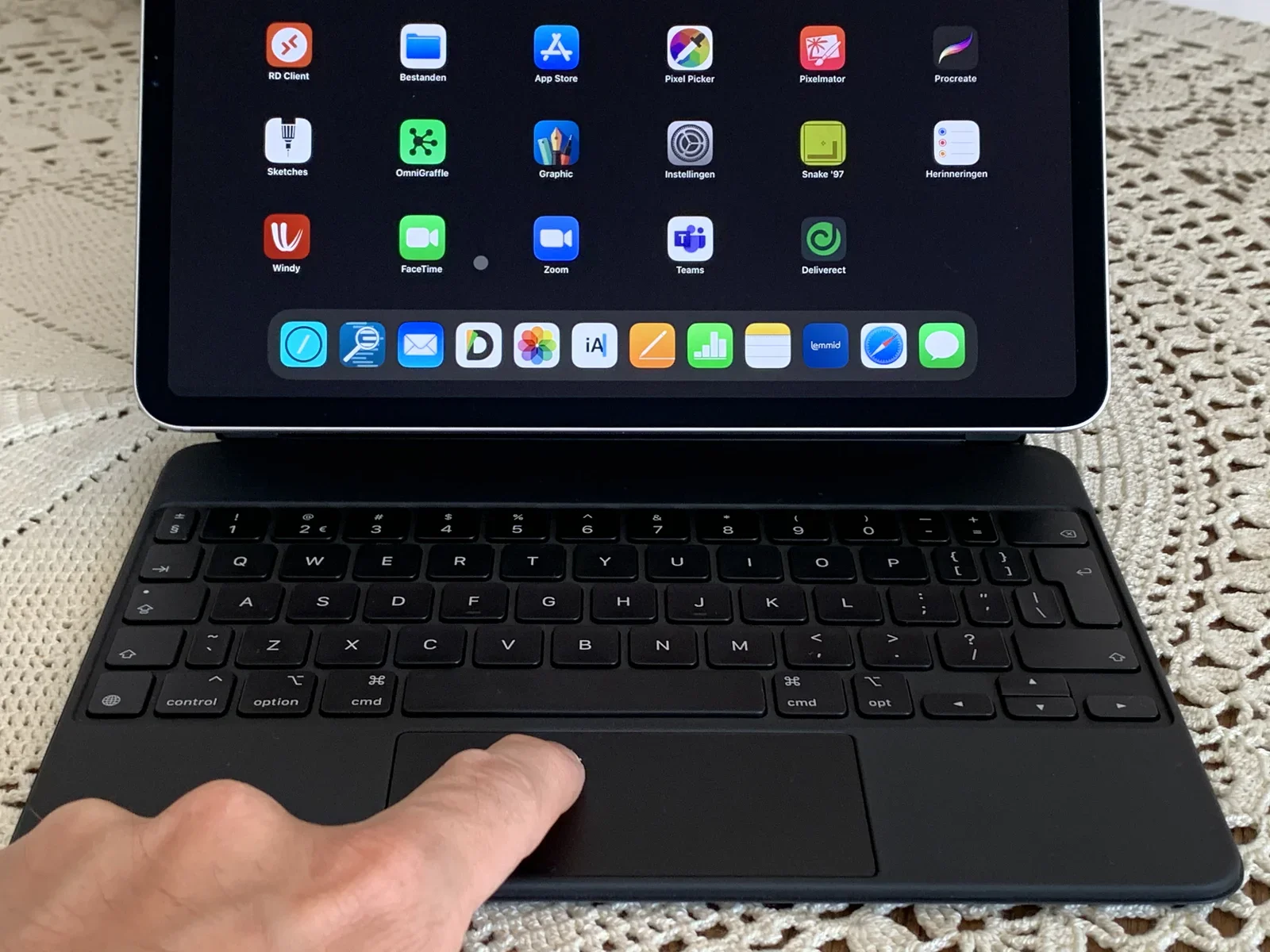
ipad, keyboard, infographic, presentation, overhead, screens(The best keyboard for iPad) - image The trackpad on the Magic Keyboard for iPad Pro is great - you can see the 'cursor' being a grey circle (just between the FaceTime and Zoom icons) A hand touches the trackpad of an iPad with a black keyboard case, its screen showing a home screen full of app icons and a dock, resting on a crocheted tablecloth. (machine-described) text in image:
RD Client. Bestanden. App Store. Pixel Picker. Pixelmator. Procreate. Sketches. OmniGraffle. Graphic. Instellingen. Snake 97. Herinneringen. Windy. FaceTime. Zoom. Teams. Deliverect. iA. Lemmid.
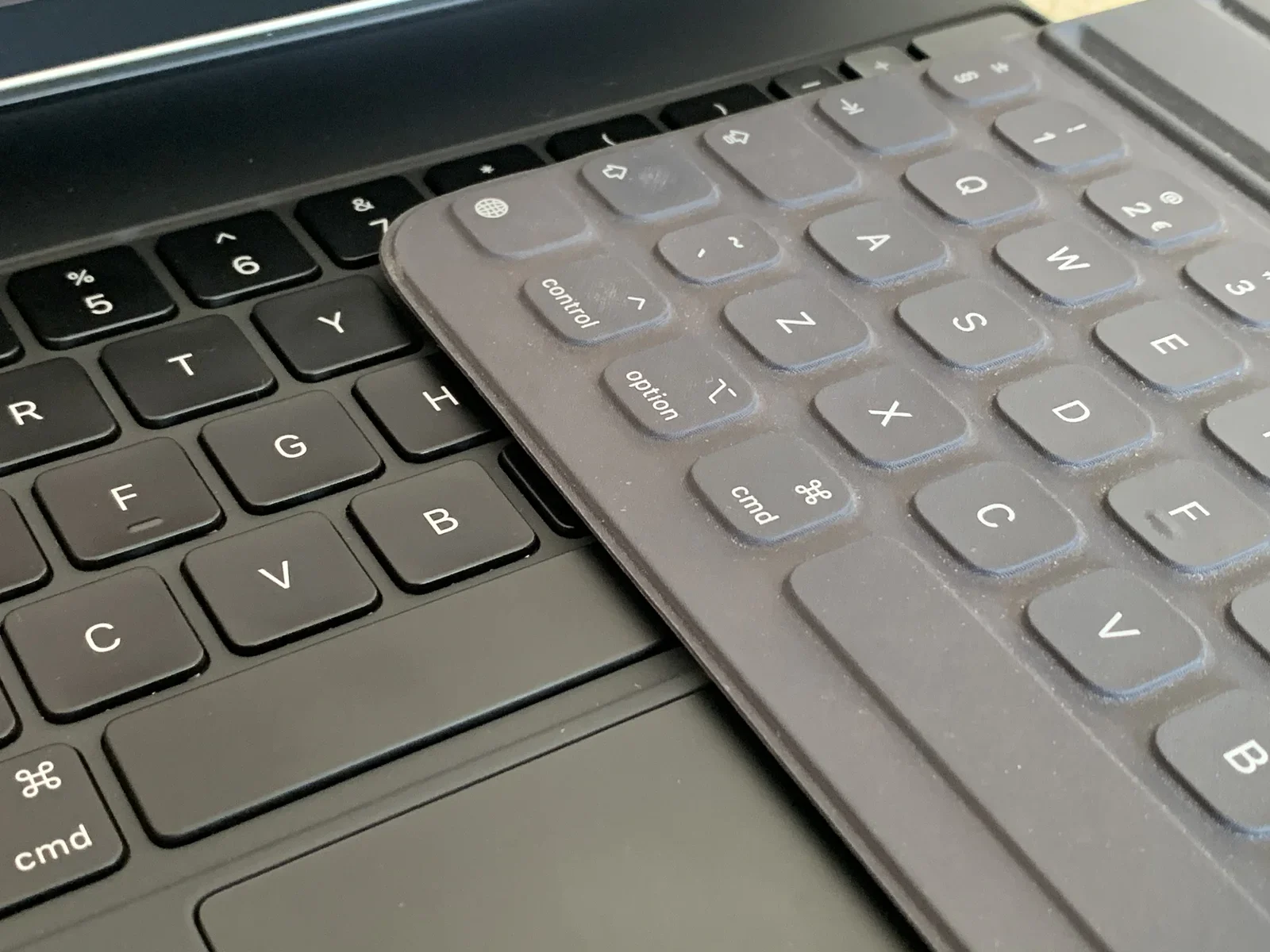
ipad, keyboard case, app icons, home screen, trackpad, tablecloth(The best keyboard for iPad) - image The Magic Keyboard is made like a laptop keyboard (with distinct keys and ditto mechanisms) - the Smart Keyboard Folio is made with a woven fabric from a single piece of material A macro close-up shows a black keyboard overlapping the corner of another black keyboard, comparing key layouts including control, option and cmd keys. (machine-described)
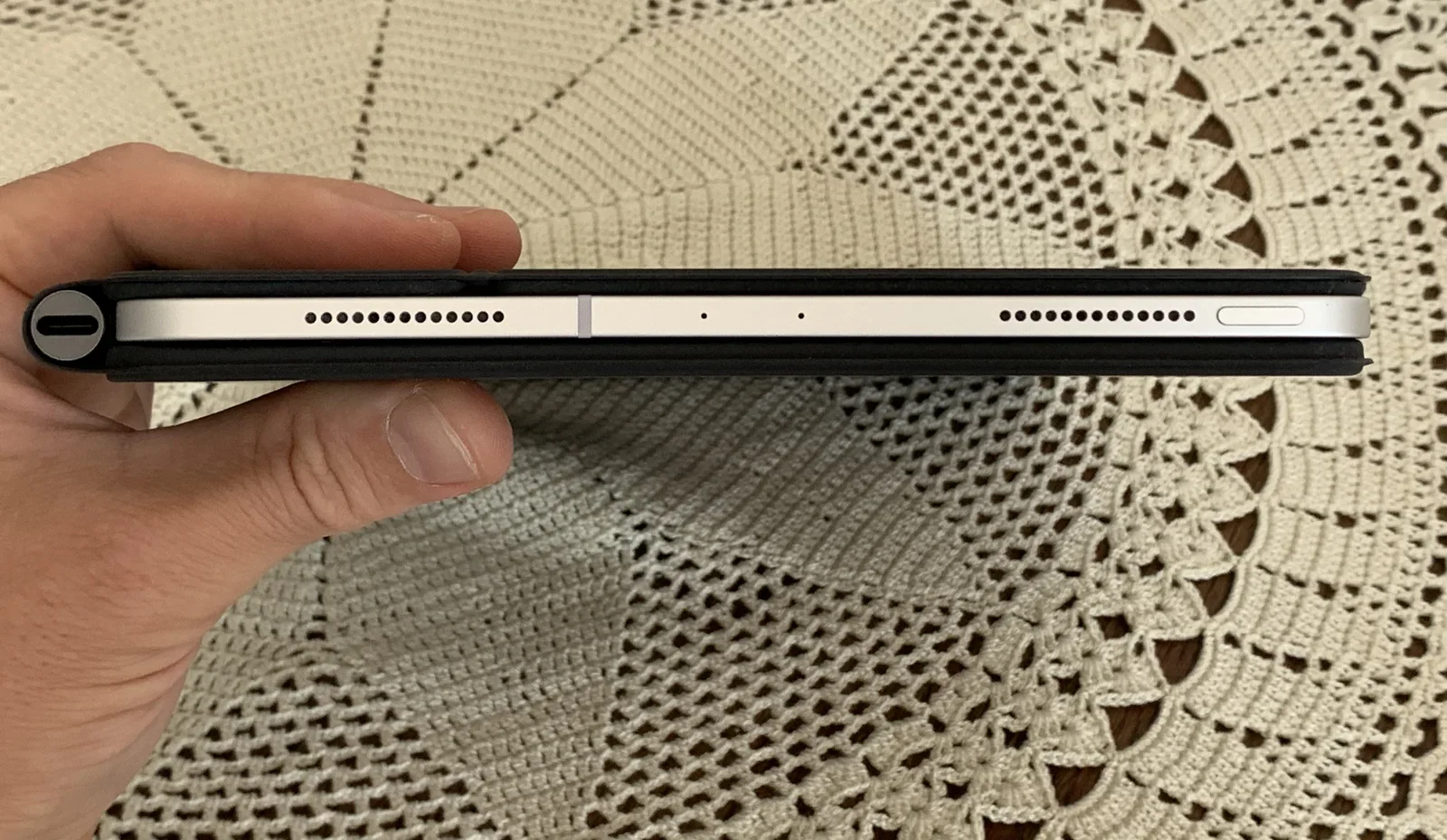
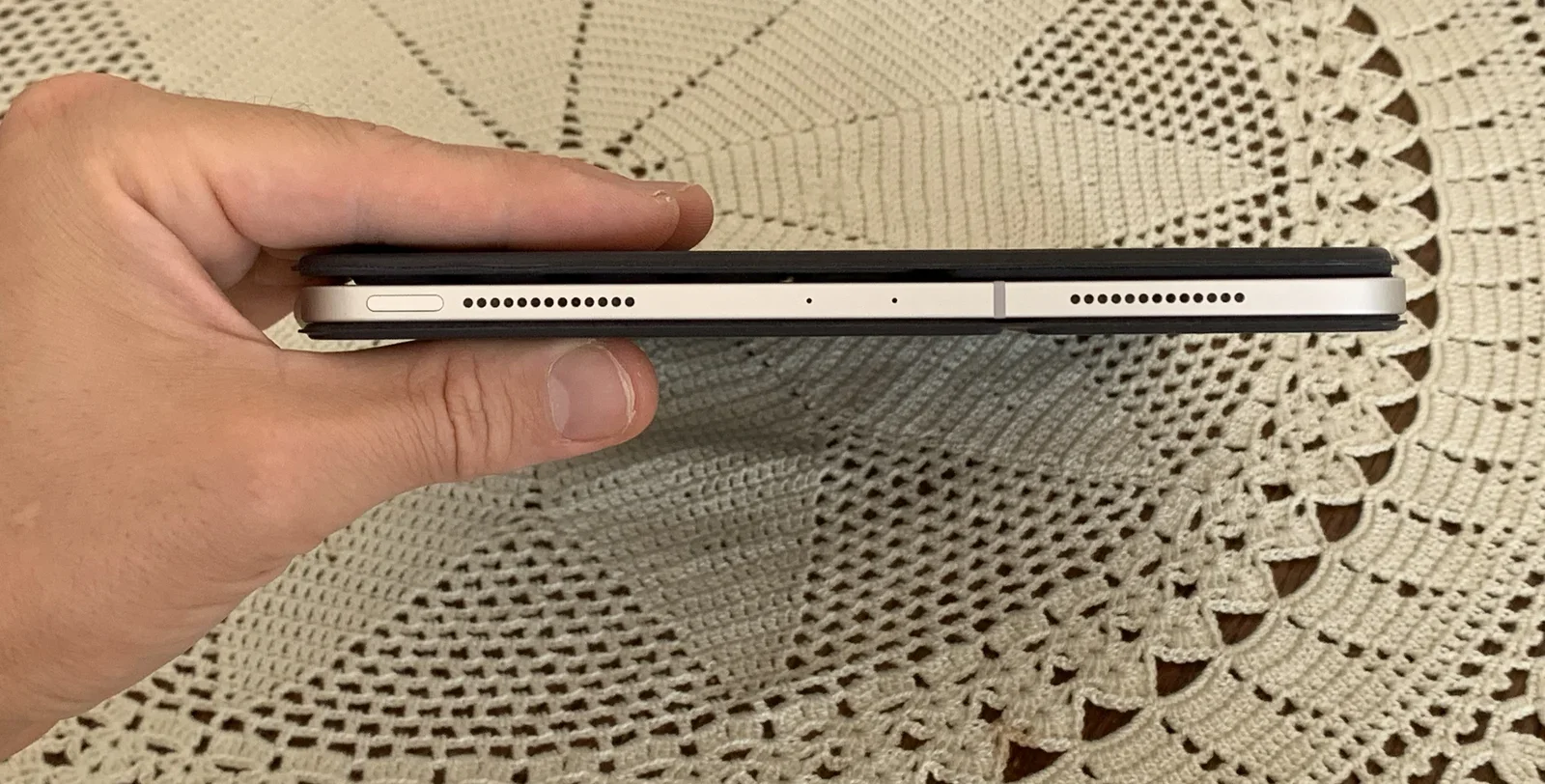
keyboard, macro, keys, comparison, close-up, layout(The best keyboard for iPad) - image iPad Pro Magic Keyboard as seen from the side, it is thicker and it has a dark aluminium hinge sticking out (on the left side) A hand holds the edge of a black keyboard case attached to a tablet, showing the speaker grilles, a Smart Connector strip and microphone holes along the bottom edge, on a crocheted tablecloth. (machine-described)
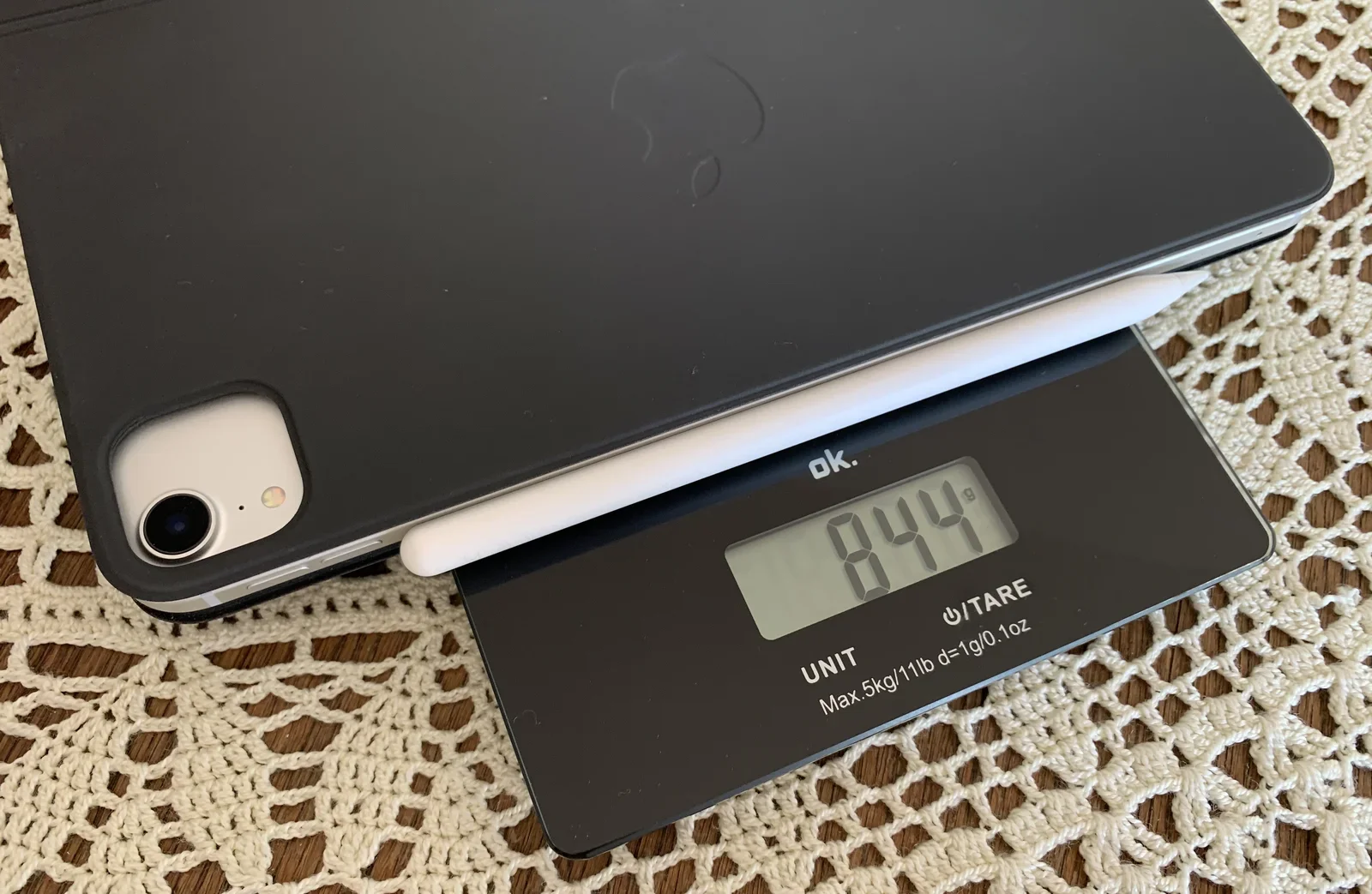
tablet, keyboard case, speaker grille, edge, hand, tablecloth(The best keyboard for iPad) - image Smart Keyboard Folio (11-inch) with iPad Pro and Apple Pencil weighs 844 grams (that's about 59% heavier than the Smart Keyboard Folio) A tablet in a black case and its stylus rest on a digital kitchen scale reading 844 grams, on a wooden floor with a crocheted doily. (machine-described) text in image:
ok. 844 g. UNIT. TARE. Max.5kg/11lb d=1g/0.1oz.
kitchen scale, tablet, stylus, weighing, digital display, doily(The best keyboard for iPad) - image iPad Pro Smart Keyboard Folio as seen from the side A hand holds the edge of a lighter-coloured tablet in a black case, showing its speaker grilles and Smart Connector strip, on a crocheted tablecloth. (machine-described)
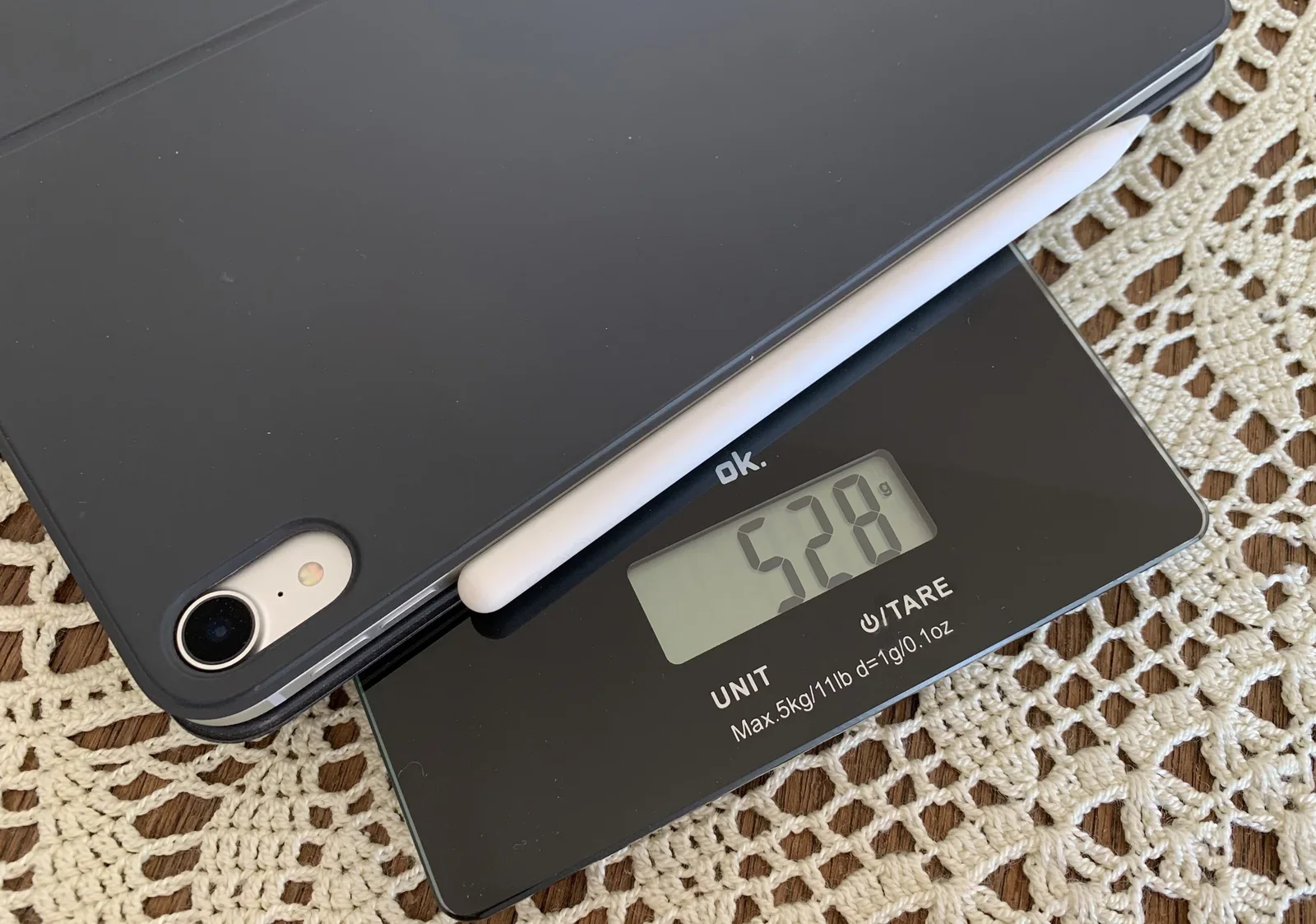
tablet, keyboard case, edge, speaker grille, hand, tablecloth(The best keyboard for iPad) - image Smart Keyboard Folio (11-inch) with iPad Pro and Apple Pencil weighs 528 grams A tablet in a black case and its stylus rest on a digital kitchen scale reading 528 grams, on a wooden floor with a crocheted doily. (machine-described) text in image:
ok. 528 g. UNIT. TARE. Max.5kg/11lb d=1g/0.1oz.
kitchen scale, tablet, stylus, weighing, digital display, doily(The best keyboard for iPad) - image Don't underestimate the powers of the CMD / OPTION / Arrow / Shift keys: I bet I am faster than most folks using a mouse Two fingers rest on the arrow and shift keys of a black Smart Keyboard attached to an iPad, whose screen shows a blue-highlighted block of on-screen keyboard shortcut help text. (machine-described) text in image:
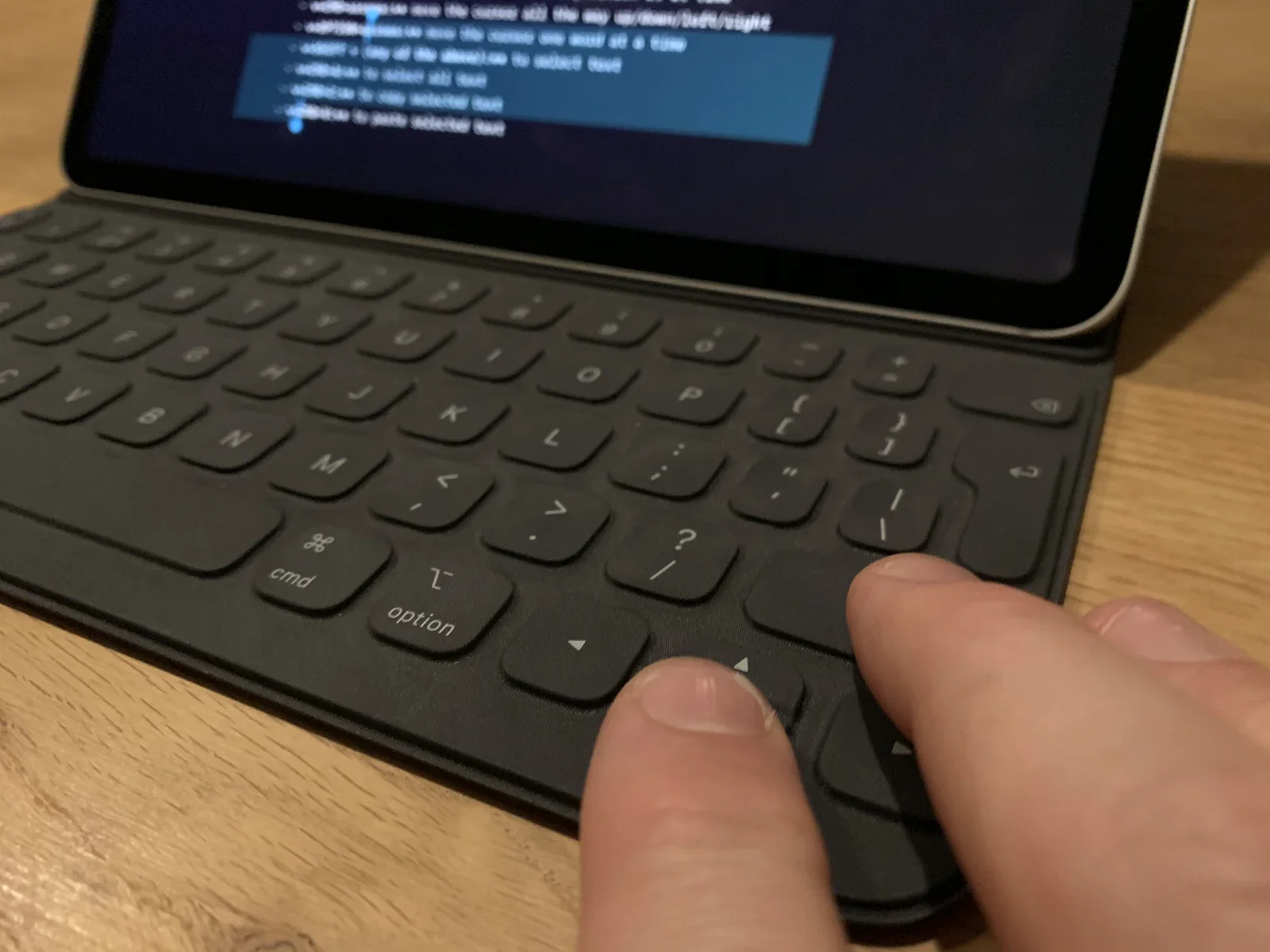
Text on screen is a list of keyboard shortcuts, mostly too small and out of focus to transcribe reliably; one legible fragment reads use to select all text.
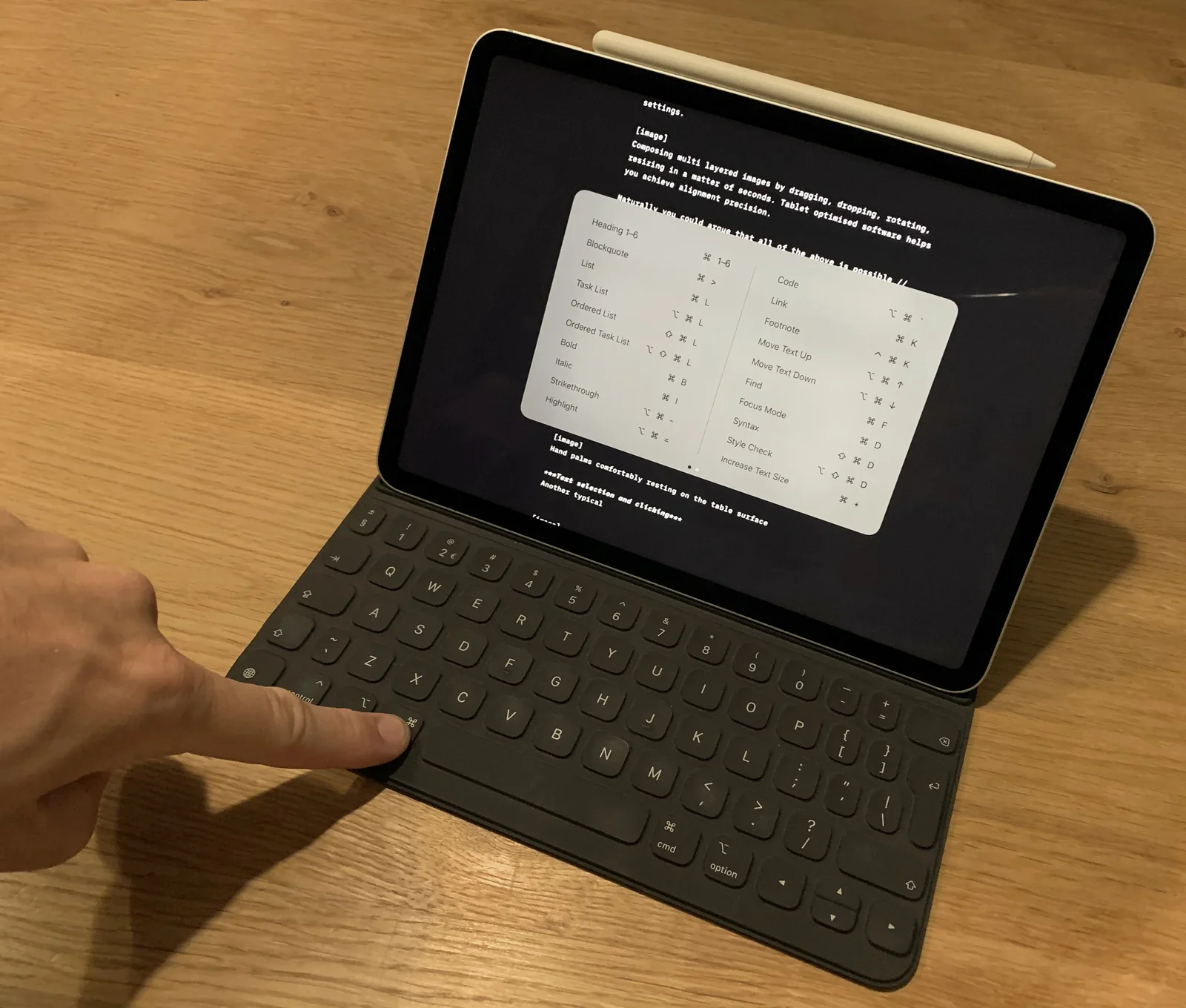
ipad, keyboard, shortcuts, fingers, screen, close-up(The best keyboard for iPad) - image Reveal available keyboard combinations by long-pressing the CMD-key in any app A finger touches the shift key of a black Smart Keyboard attached to an upright iPad displaying a two-column list of Markdown formatting keyboard shortcuts alongside a draft article, with an Apple Pencil resting above the screen. (machine-described) text in image:
settings. [image] Composing multi layered images by dragging, dropping, rotating, resizing in a matter of seconds. Tablet optimised software helps you achieve alignment precision. Naturally you could prove that all of the above is possible. Heading 1-6, Blockquote, List, Task List, Ordered List, Ord
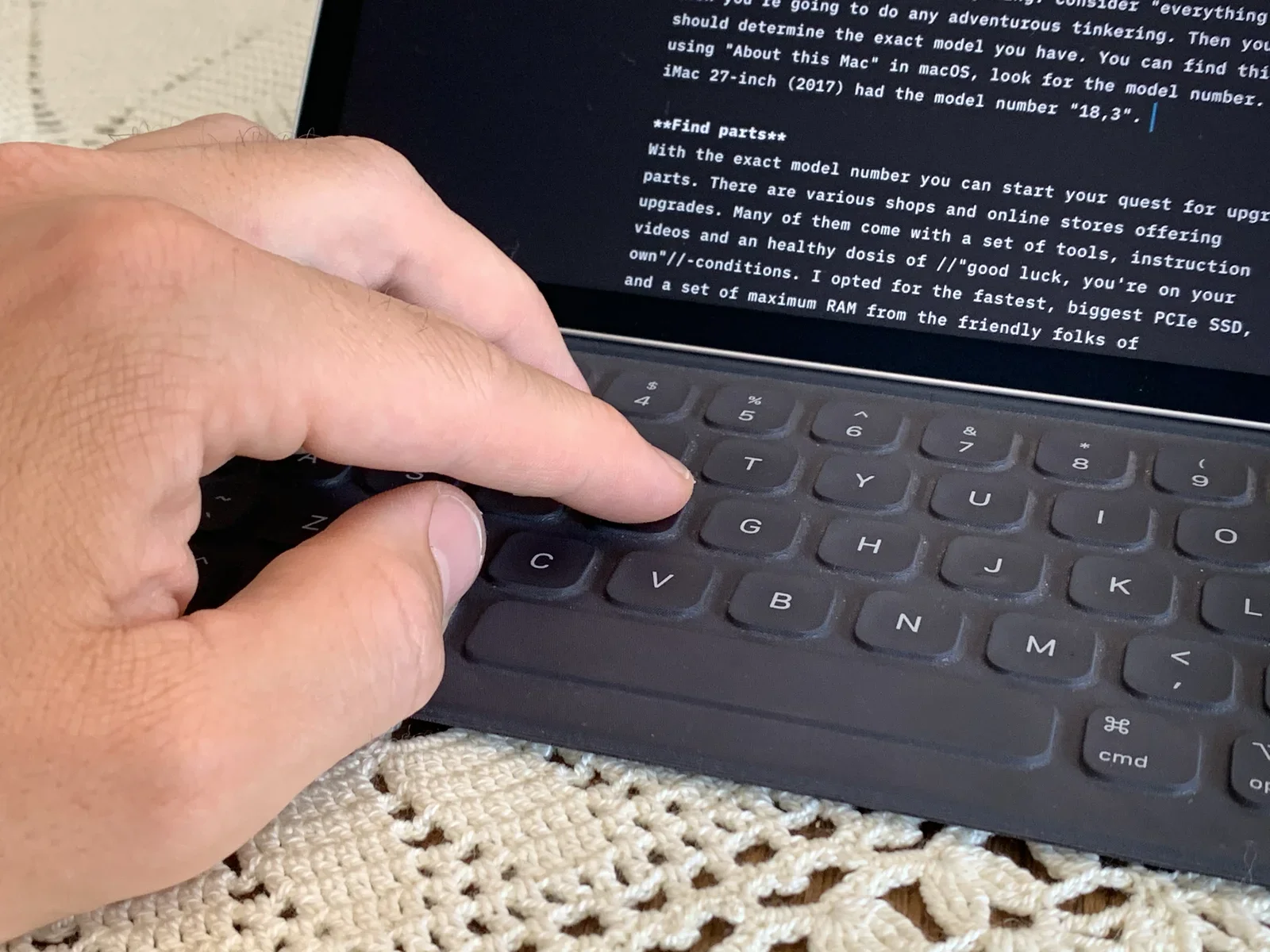
ipad, keyboard, markdown, shortcuts, draft article, apple pencil(The best keyboard for iPad) - image Hand palms comfortably resting on the table surface A finger touches the T key of a black Smart Keyboard attached to an iPad displaying a draft article about finding the exact iMac model number and sourcing upgrade parts, resting on a crocheted tablecloth. (machine-described) text in image:
If youre going to do any adventurous tinkering, consider everything should determine the exact model you have. You can find this using About this Mac in macOS, look for the model number. iMac 27-inch (2017) had the model number 18,3. Find parts. With the exact model number you can start your quest f
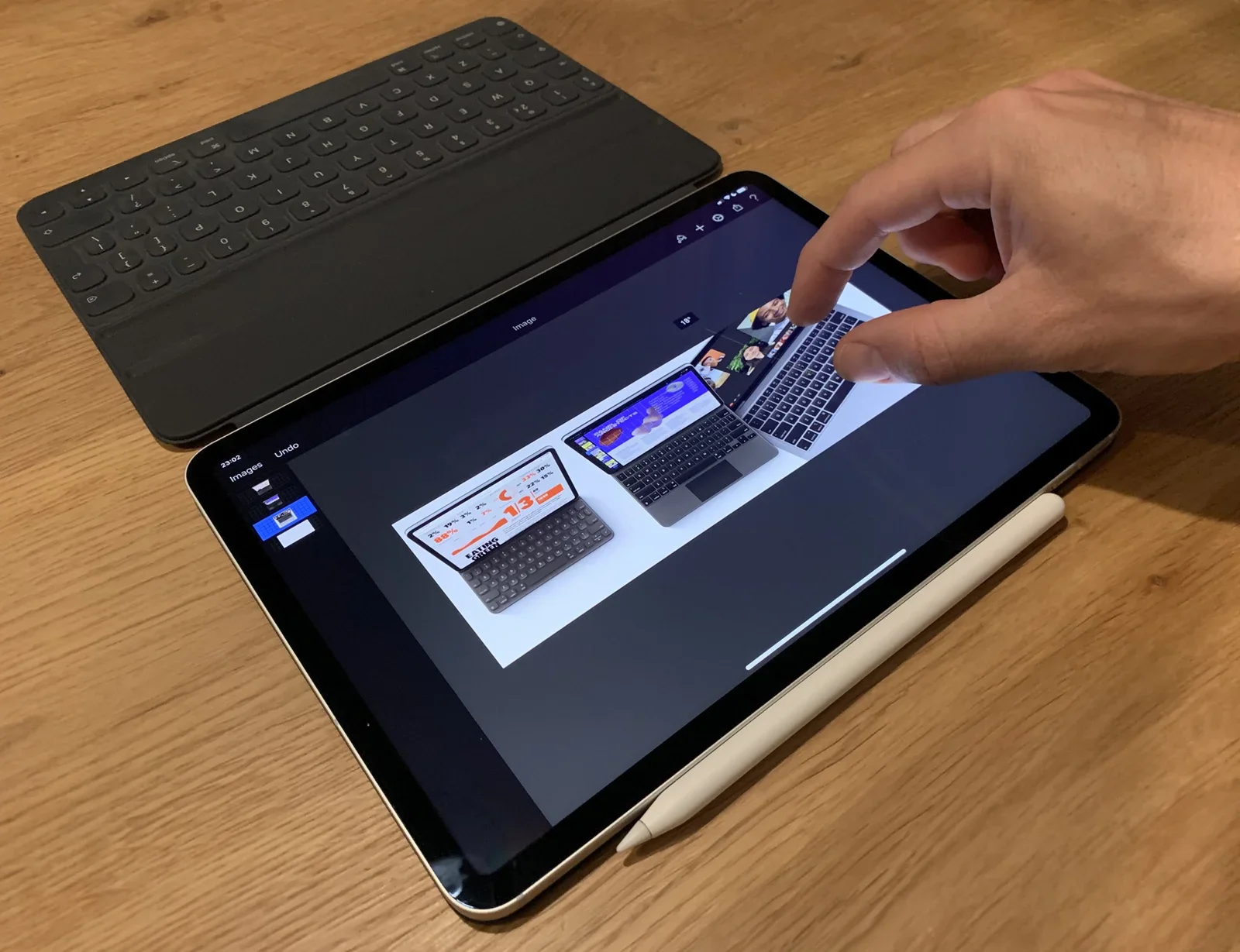
ipad, keyboard, draft article, imac, upgrade, tablecloth(The best keyboard for iPad) - image Composing multi layered images by dragging, dropping, rotating, resizing in a matter of seconds. Optimised tablet apps help you achieve alignment precision using guides and rulers. A finger touches the screen of an iPad running an image editing app showing layered product photos of tablets and a laptop with keyboards, with a black Smart Keyboard folded behind it on a wooden desk. (machine-described) text in image:
Images. Undo. Image. 23:02.
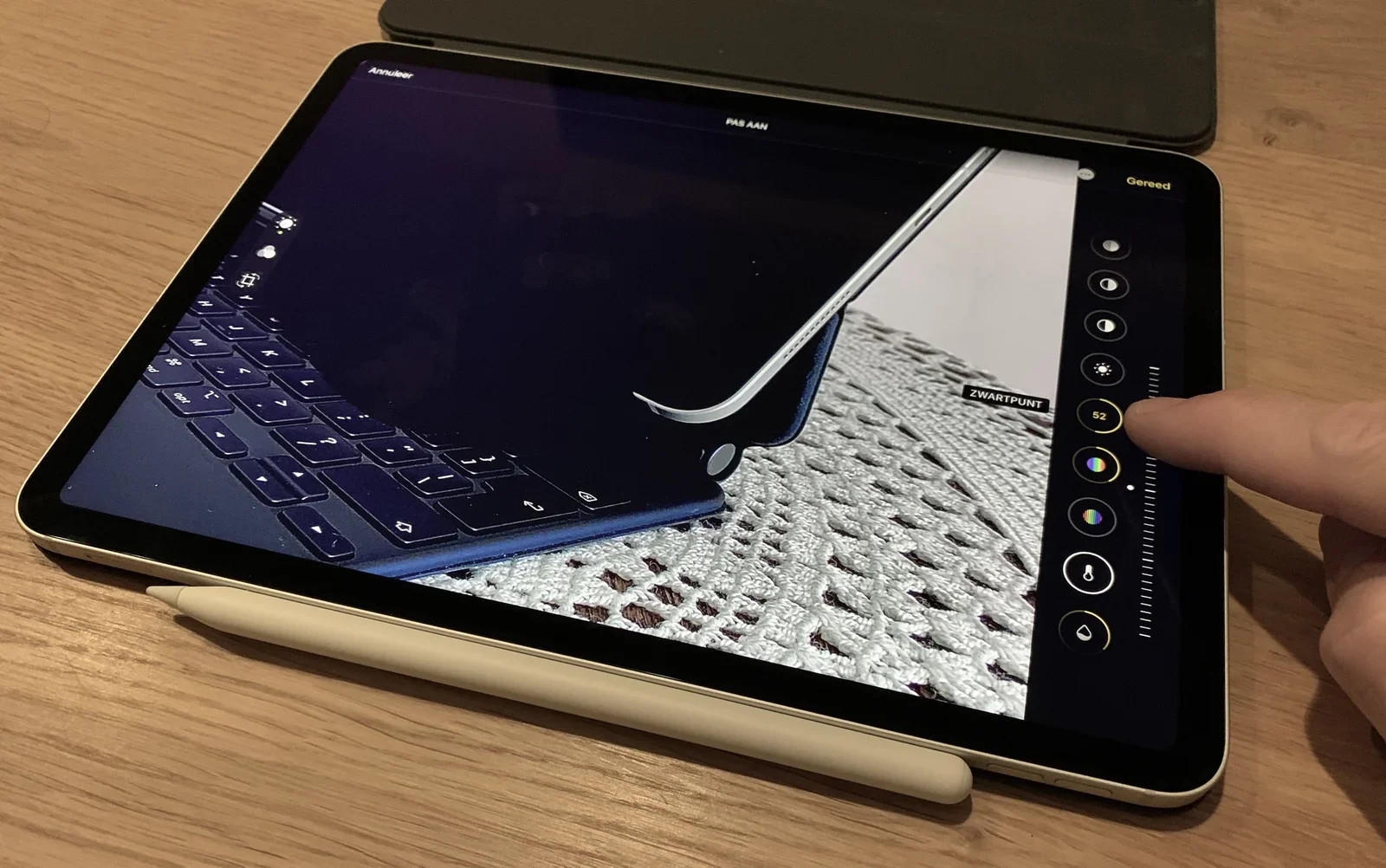
ipad, image editing, procreate, layers, keyboard, desk(The best keyboard for iPad) - image Precisely adjusting sliders and immediately see their effects, zoom in with a simple pinching gesture while trying different settings. A finger adjusts a black point slider in the Photos editing screen on an iPad, showing a photo of an Apple Pencil on a crocheted surface, with a keyboard case and stylus resting alongside on a wooden desk. (machine-described) text in image:
Annuleer. PAS AAN. Gereed. ZWARTPUNT 52.
ipad, photos app, editing, dutch, apple pencil, desk(The best keyboard for iPad) - image Cropping and rotating photos feels natural, making multiple adjustments (size, rotation, dimensions) with one gesture instead of multiple mouse clicks A finger touches a photo of a tablet and keyboard on a crocheted tablecloth inside the iPad Photos crop tool, with alignment gridlines overlaid and editing controls on the right. (machine-described) text in image:
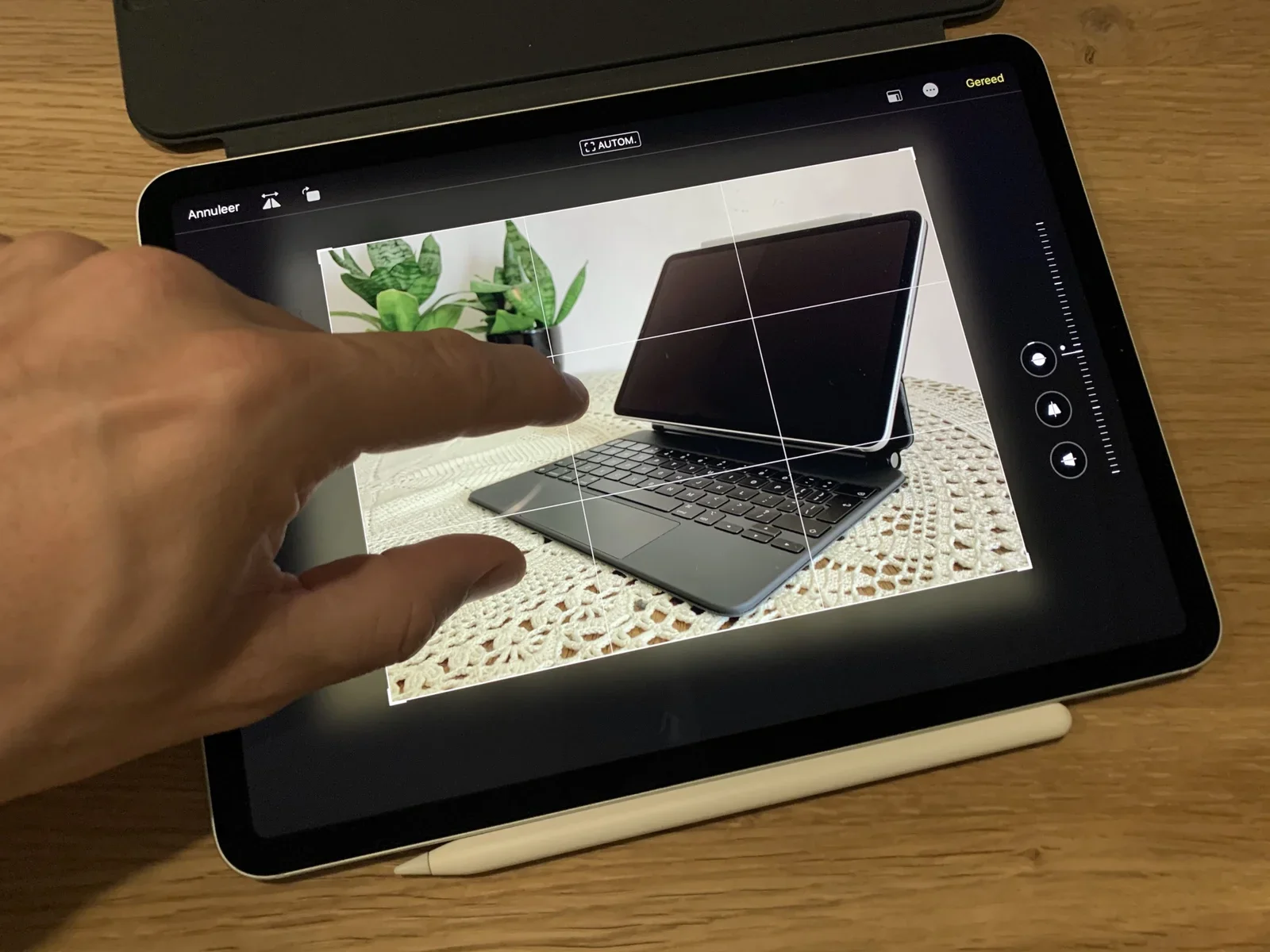
AUTOM. Annuleer. Gereed.
ipad, photos app, crop tool, gridlines, editing, tablecloth(The best keyboard for iPad) - image Touching is an integral part of the tablet experience - your hand can rest on a table for most tasks A hand touches an app icon on an iPad home screen full of app icons, next to two potted houseplants, with an Apple Pencil resting on top of the tablet. (machine-described) text in image:
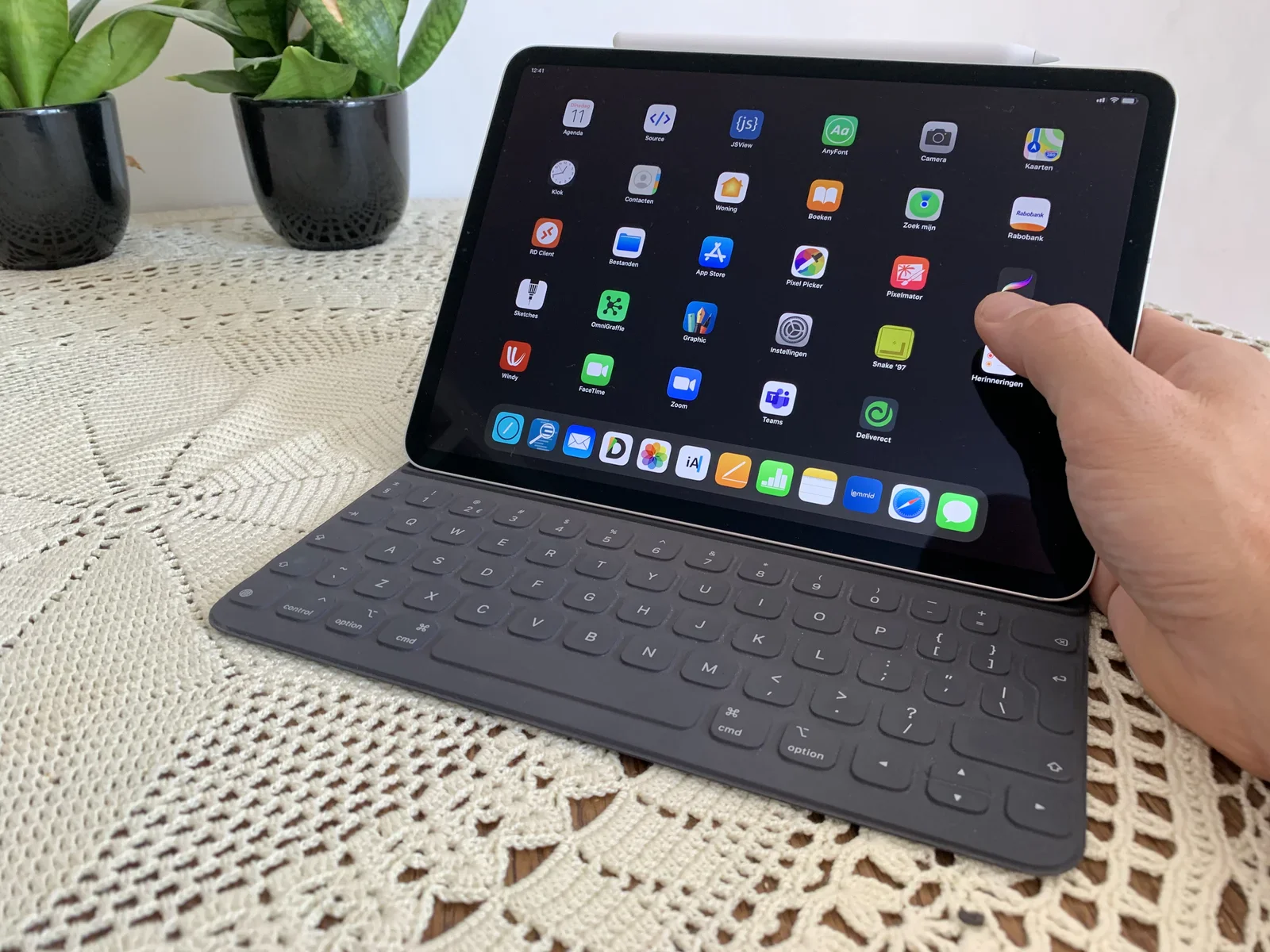
12:41. Agenda. Source. JSView. AnyFont. Camera. Kaarten. Klok. Contacten. Woning. Boeken. Zoek mijn. Rabobank. RD Client. Bestanden. App Store. Pixel Picker. Pixelmator. Sketches. OmniGraffle. Graphic. Instellingen. Snake 97. Herinneringen. Windy. FaceTime. Zoom. Teams. Deliverect. iA. Lemmid.
ipad, home screen, app icons, houseplants, apple pencil, dock(The best keyboard for iPad) - image Smart Keyboard Folio (left) and the new Magic Keyboard (right) Two tablets in keyboard cases stand side by side on a crocheted tablecloth in front of two snake plants, a lighter grey tablet with a fabric-textured keyboard on the left and a black tablet with a dark keyboard on the right. (machine-described)
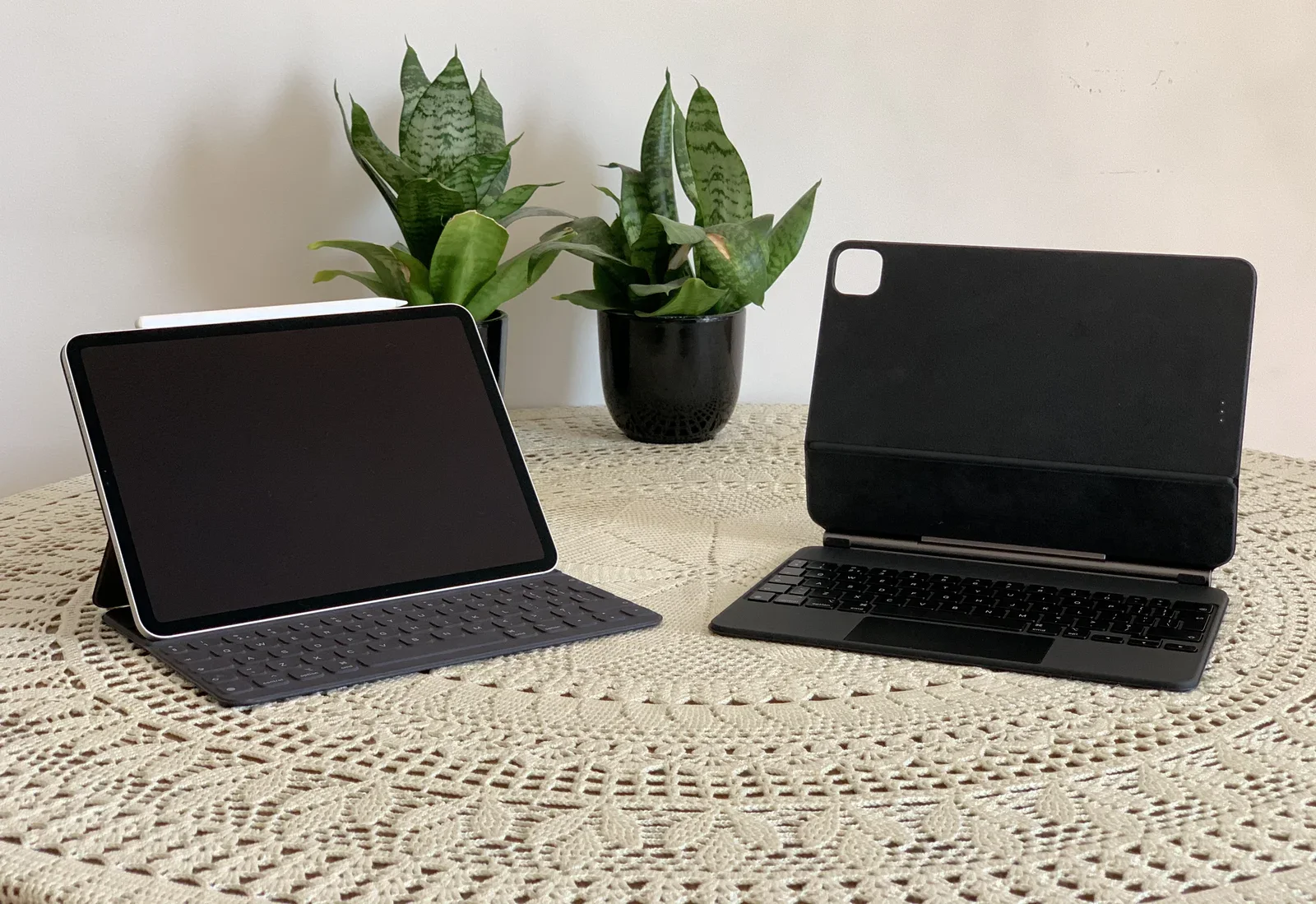
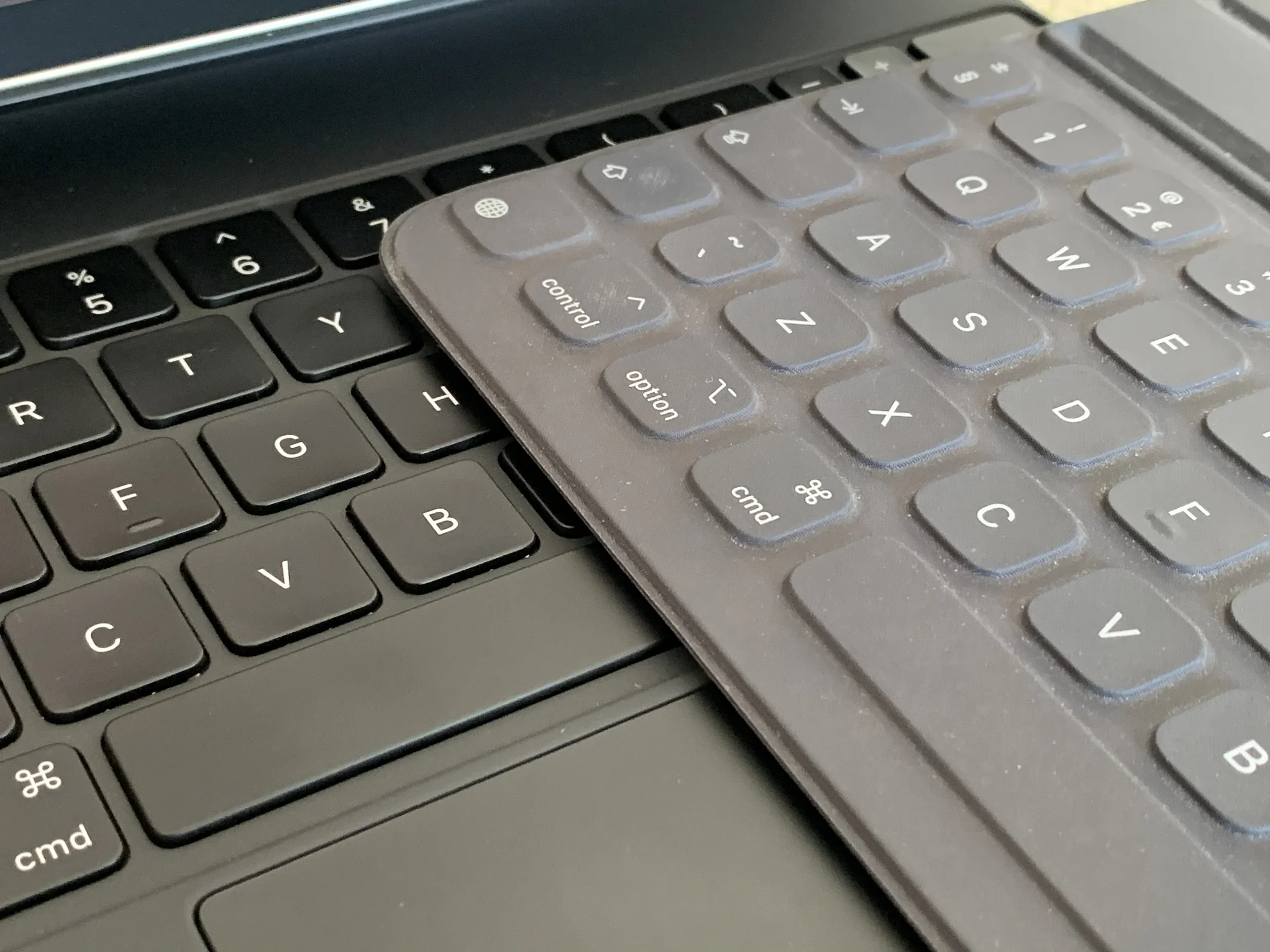
tablets, keyboard cases, comparison, houseplants, tablecloth, side by side(The best keyboard for iPad) - image A gray silicone keyboard cover is placed diagonally over the black keys of a laptop keyboard. (machine-described) text in image:
cmd option control
keyboard, laptop, keyboard cover, keys, silicone(The best keyboard for iPad) - image A grey silicone keyboard cover is placed diagonally over the black keys of a laptop keyboard. (machine-described) text in image:
cmd option control cmd 5 6 7 R T Y F G H C V B A Z X Q W S D E F V B
keyboard, laptop, cover, keys, technology(The best keyboard for iPad) - image A grey silicone keyboard cover is placed diagonally over the black keys of a laptop keyboard. (machine-described) text in image:
cmd option control cmd 5 6 R T Y F G H C V B A Z X S D W E Q 2 3
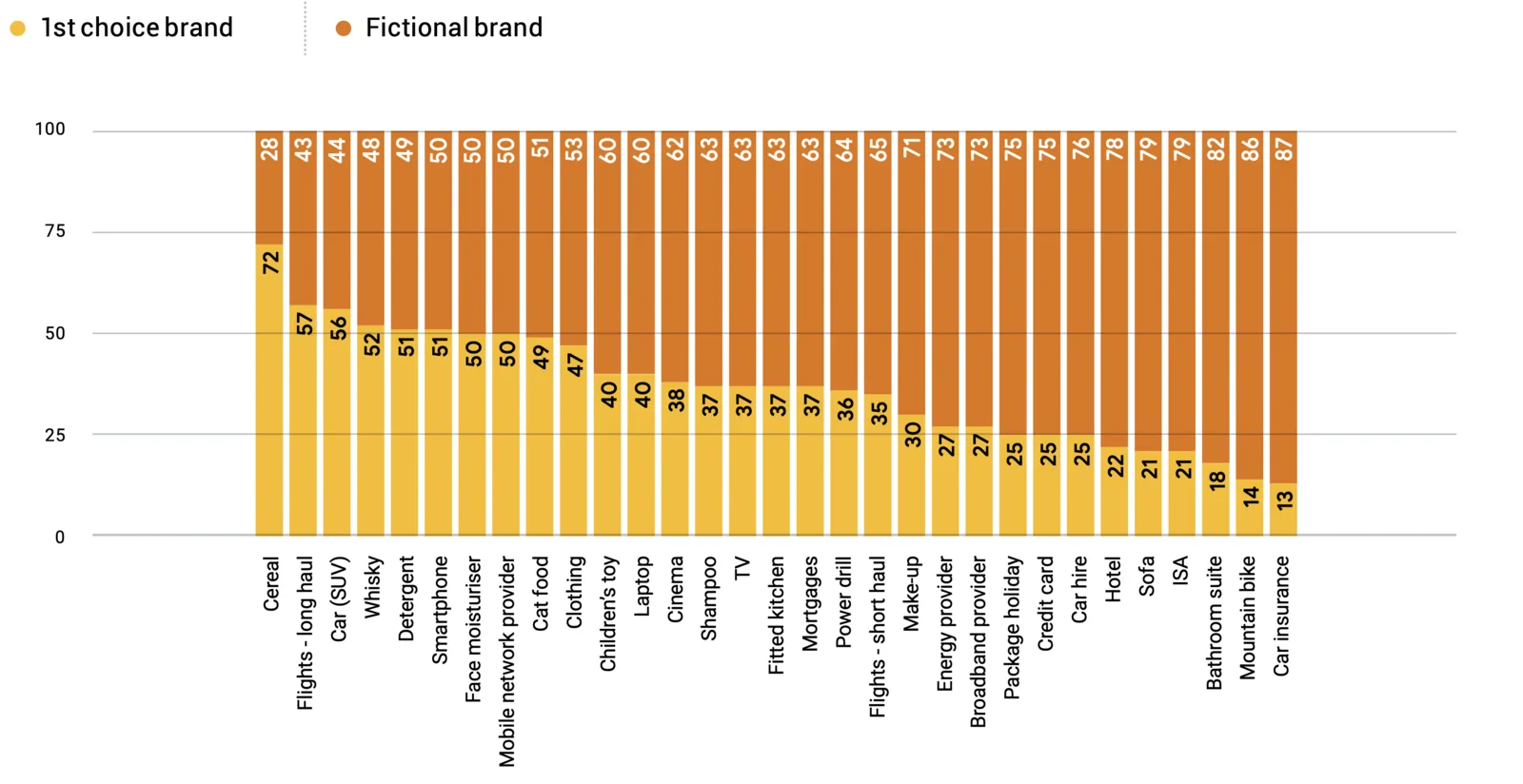
keyboard, laptop, cover, keys(The best keyboard for iPad) - image Transfer of preference from original choice to fictional brand, per shopping category (Rennie Et Al., 2020) A stacked bar chart compares first choice brand versus fictional brand recognition percentages across many product and service categories, from cereal at the top to car insurance at the bottom. (machine-described) text in image:
1st choice brand. Fictional brand. Cereal 72/28. Flights - long haul 57/43. Car (SUV) 56/44. Whisky 52/48. Detergent 51/49. Smartphone 51/50. Face moisturiser 50/50. Mobile network provider 50/50. Cat food 49/51. Clothing 47/53. Childrens toy 40/60. Laptop 40/60. Cinema 38/62. Shampoo 37/63. TV 37/6
bar chart, brand recognition, survey, data, categories, marketing(Influencing purchase behaviour) - image Fictional brands, made up by the researches, won significant market share after applying the six biases (Rennie Et Al., 2020) A grid of thirty invented brand logos in varied styles and colours is arranged in six rows of six, covering categories such as insurance, whisky, energy and hotels. (machine-described) text in image:
4sure Car Insurance. AXIA. Scrubbs Bathrooms. Intergo. CreditGo. SURFACE. Trail Cycles. PRV car hire. PVR energy. IMPACT. HYSKEIR Scotch Whisky. Caliente Getaways. ETHOS. Maka Soft. Gem mobile. Honey Cs. Jetbeyond. Pure. Lava. Leaf. Miller oooh. Opal Air. Paws Delight. PLUS building society. REVIVE.
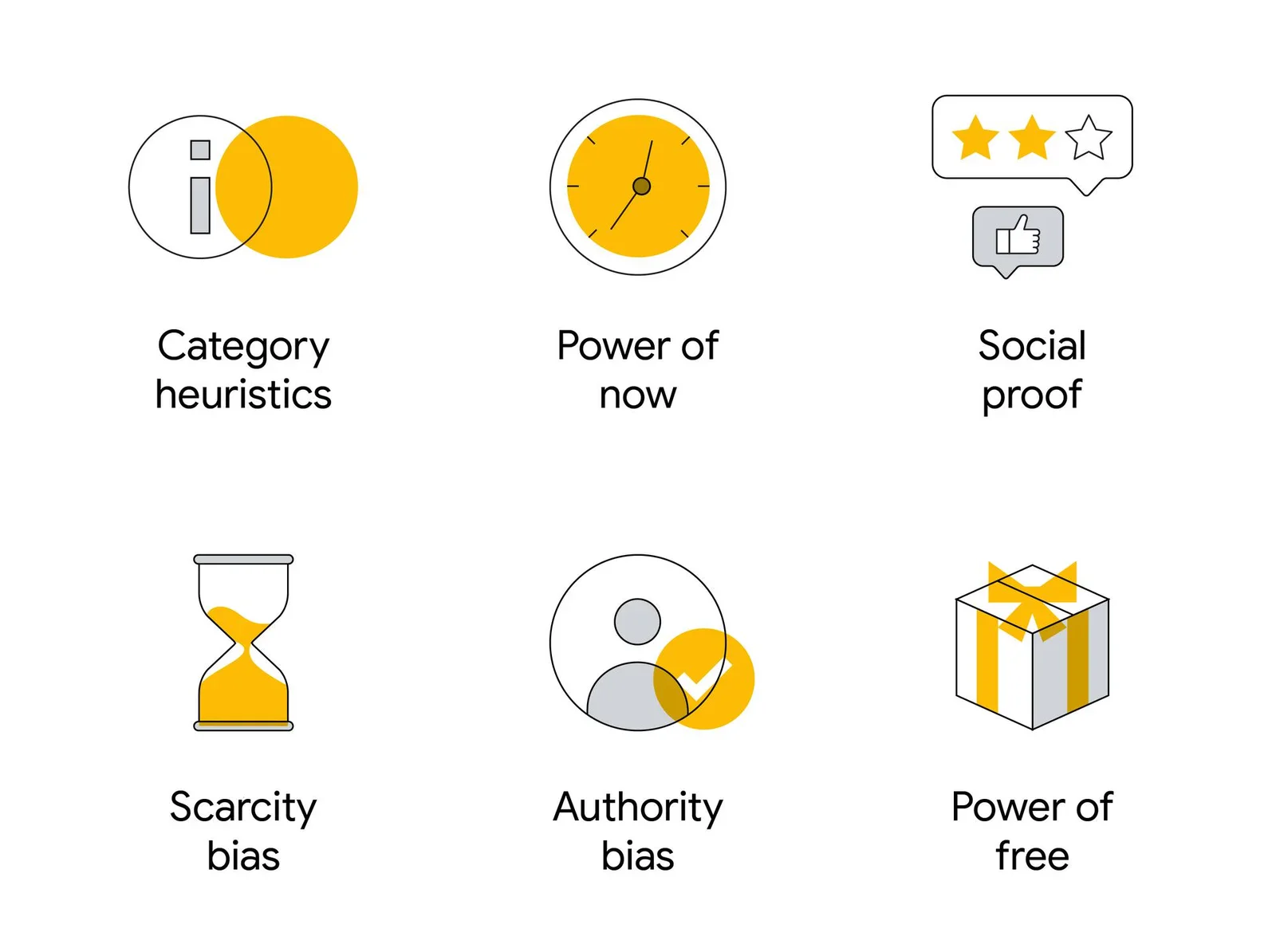
logos, fictional brands, grid, branding, icons, marketing(Influencing purchase behaviour) - image Six biases influencing the purchase decision process (Think with Google) A diagram presents six psychological purchase-influence concepts as yellow and grey line icons with labels arranged in two rows of three. (machine-described) text in image:
Category heuristics. Power of now. Social proof. Scarcity bias. Authority bias. Power of free.
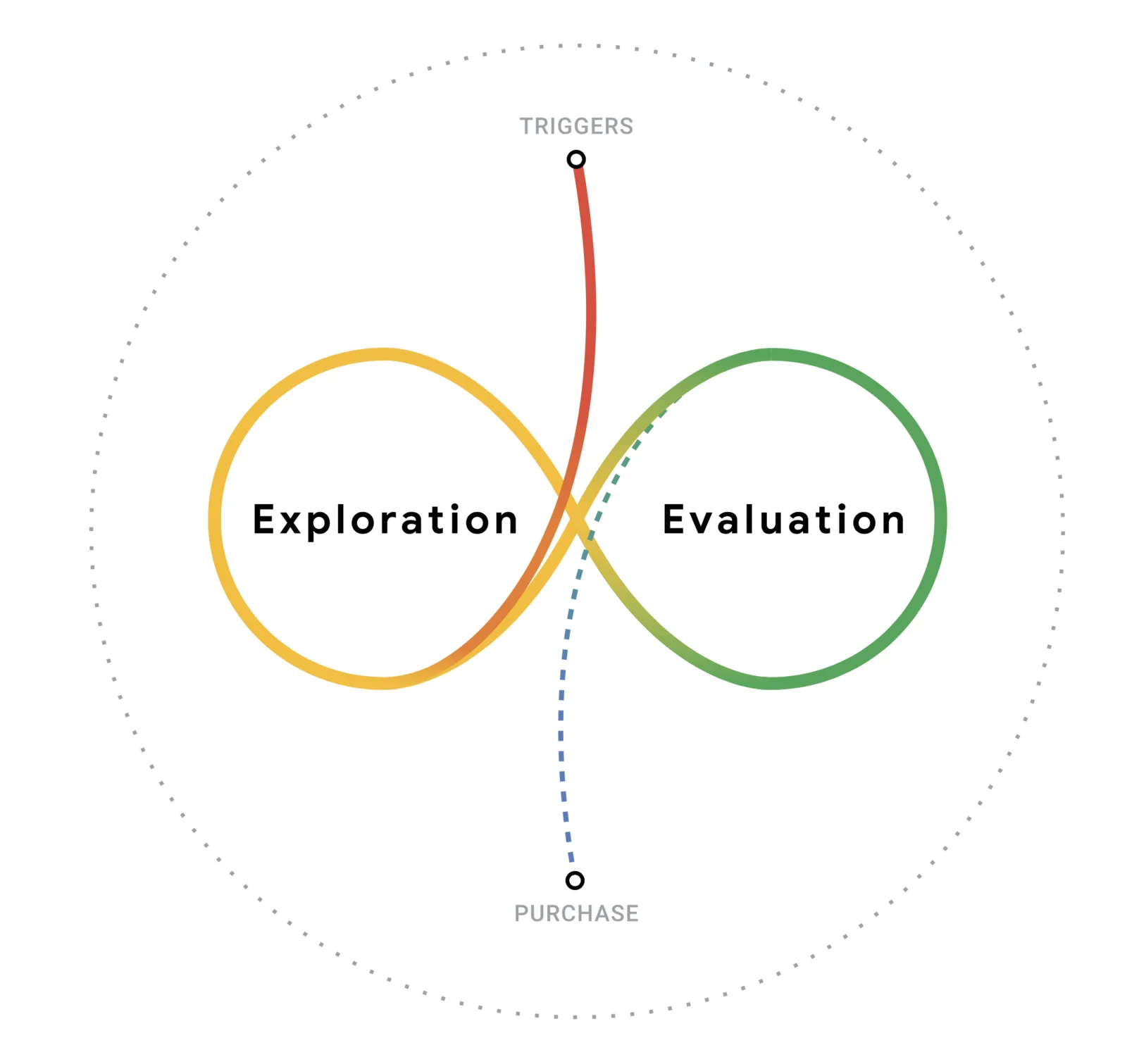
icons, diagram, psychology, marketing, behaviour, labels(Influencing purchase behaviour) - image The Messy Middle model (Rennie Et Al., 2020) A diagram shows an infinity-loop shaped customer journey with a red Triggers line entering the crossing point, looping through Exploration on the left and Evaluation on the right, then exiting as a dashed Purchase line, inside a dotted circle border. (machine-described) text in image:
TRIGGERS. Exploration. Evaluation. PURCHASE.
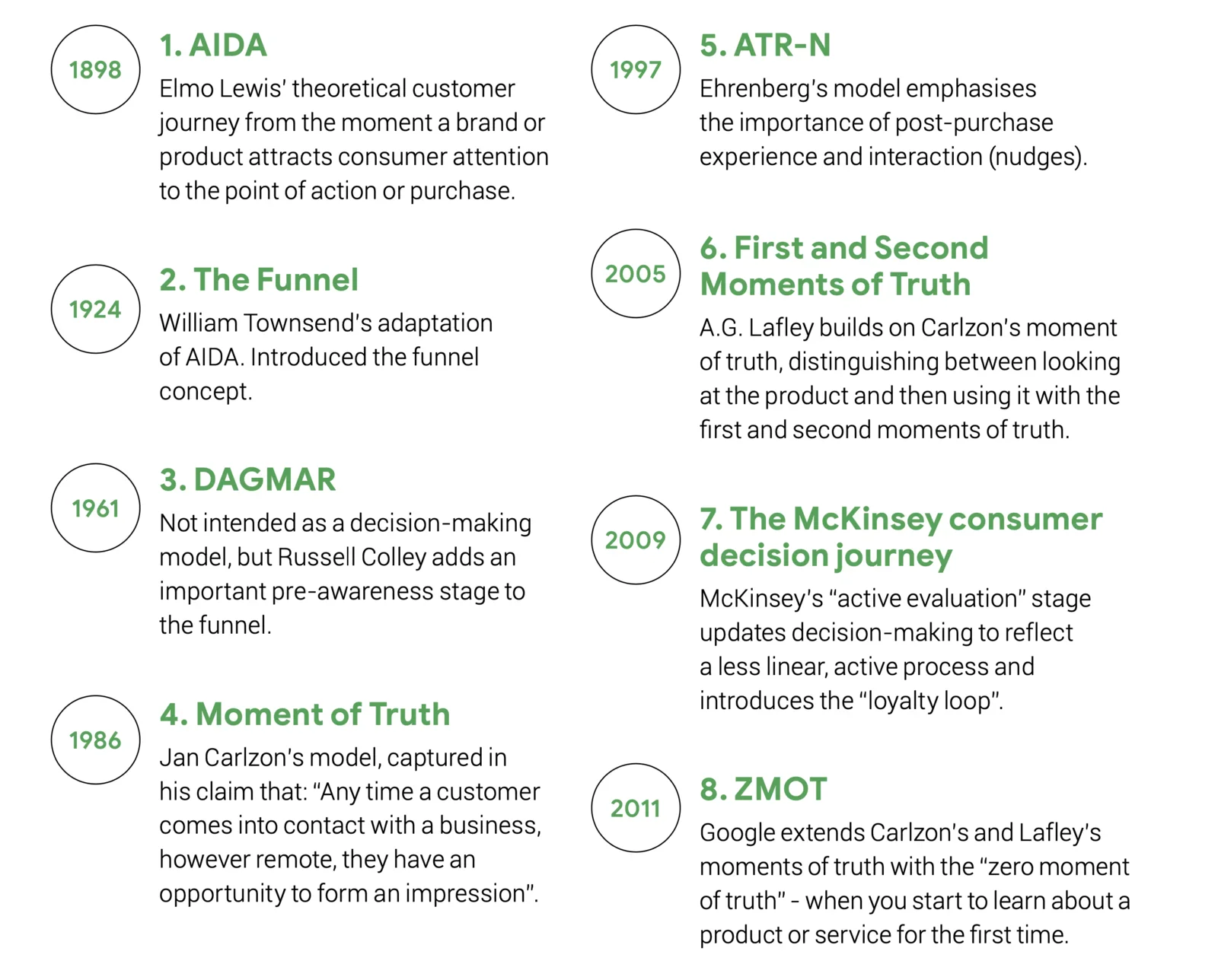
diagram, customer journey, infinity loop, triggers, purchase, marketing(Influencing purchase behaviour) - image A brief history of the evolution of marketing models (Rennie Et Al., 2020) A two-column timeline lists eight historical marketing and consumer-decision models in green circles with years and short descriptions, from 1898 to 2011. (machine-described) text in image:
1. AIDA 1898. Elmo Lewis theoretical customer journey from the moment a brand or product attracts consumer attention to the point of action or purchase. 2. The Funnel 1924. William Townsends adaptation of AIDA. Introduced the funnel concept. 3. DAGMAR 1961. Not intended as a decision-making model, b
timeline, marketing history, models, infographic, consumer journey, list(Influencing purchase behaviour) - image Six icons arranged in two rows of three on a light gray background, each paired with a descriptive label. (machine-described) text in image:
Category heuristics Power of now Social proof Scarcity bias Authority bias Power of free
icon, text, clock, hourglass, gift box, star rating(Influencing purchase behaviour) - image A black and white image showing a circular arrangement of rectangular blocks surrounding a central flower-like drawing on a grainy background. (machine-described)
blocks, drawing, pattern, flower, circle(Influencing purchase behaviour) - image Six icons arranged in two rows on a light gray background, each accompanied by a text label below it. (machine-described) text in image:
Category heuristics Power of now Social proof Scarcity bias Authority bias Power of free
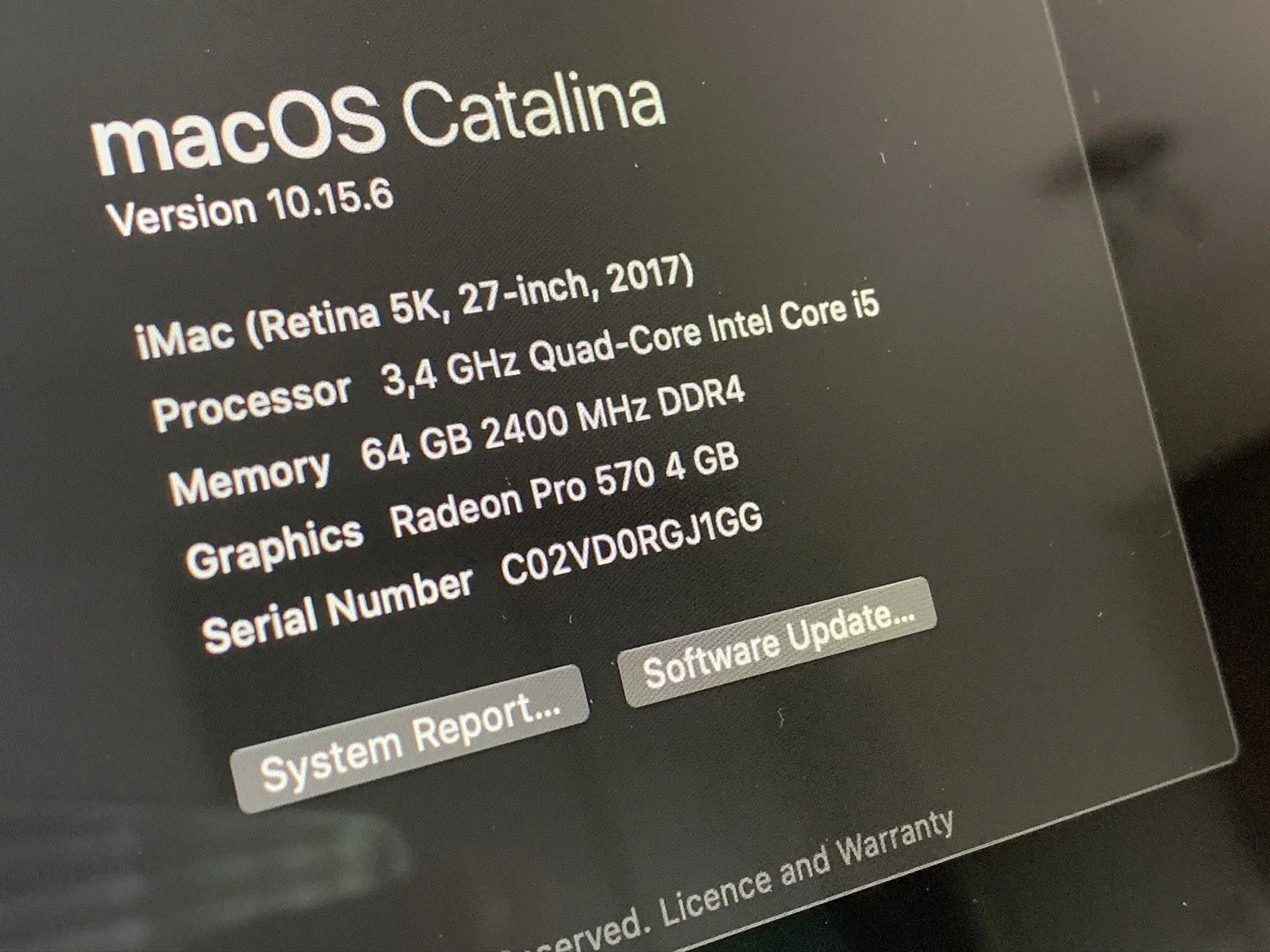
icon, text, clock, hourglass, gift, star(Influencing purchase behaviour) - image After installing the new RAM, I powered on my iMac to see if the new modules worked - they did! A close-up photo of a Mac About This Mac window shows macOS Catalina system specifications for a 27-inch iMac including processor, memory, graphics and serial number. (machine-described) text in image:
macOS Catalina Version 10.15.6 iMac (Retina 5K, 27-inch, 2017) Processor 3,4 GHz Quad-Core Intel Core i5 Memory 64 GB 2400 MHz DDR4 Graphics Radeon Pro 570 4 GB Serial Number C02VD0RGJ1GG System Report... Software Update... Reserved. Licence and Warranty
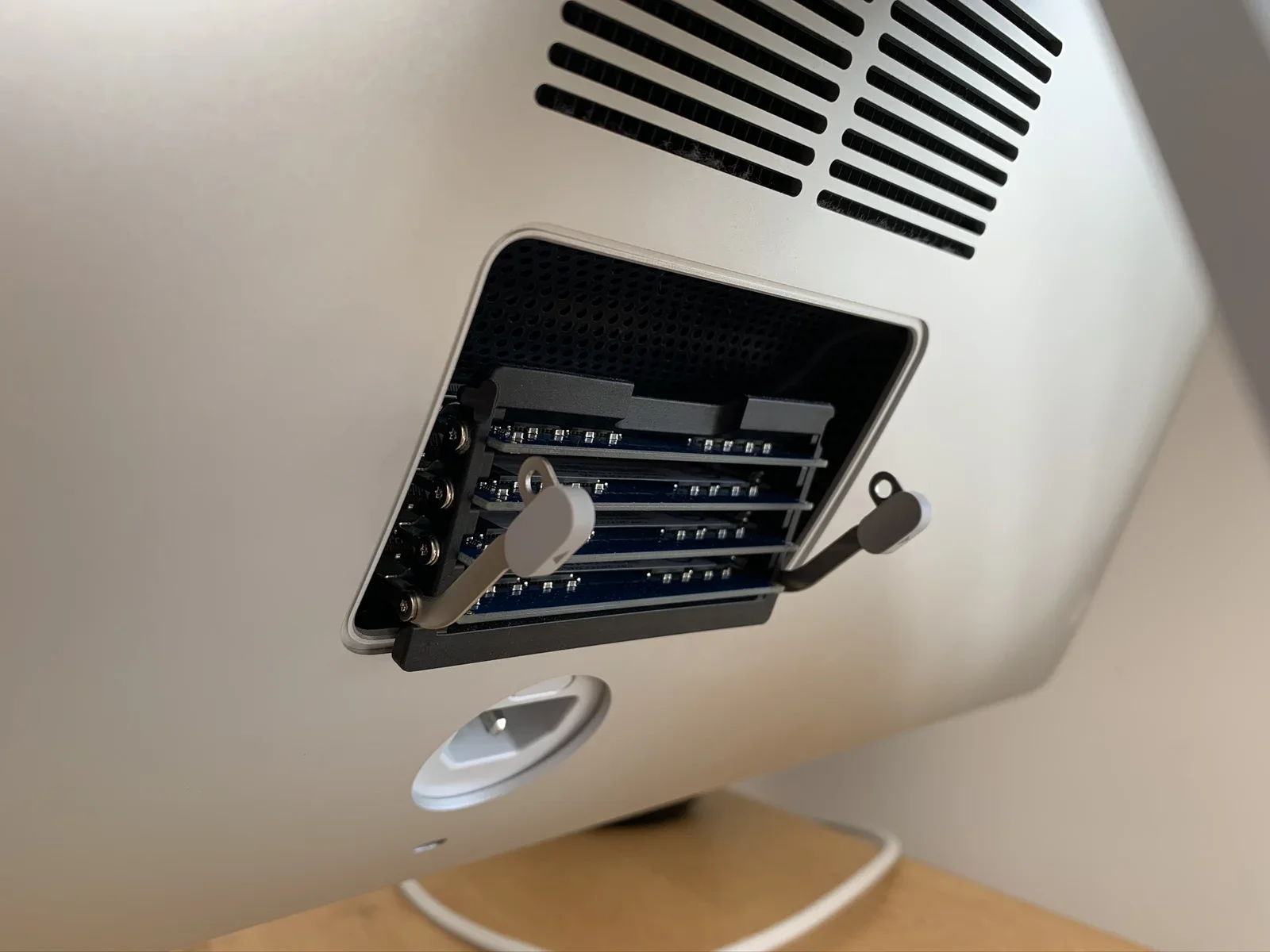
screenshot, macos, imac, system info, specifications(Upgrading a 27-inch iMac 5K to 14 terabytes) - image The RAM hatch pops open using the secret button inside the power connector A close-up shows the open memory compartment on the back of an iMac with two DIMM slots pulled out, revealing four installed RAM modules. (machine-described)
imac, ram, memory, upgrade, hardware, closeup(Upgrading a 27-inch iMac 5K to 14 terabytes) - image It contained the 64GB RAM and the 2TB PCIe Aura Pro X2 for iMac A retail package of OWC 64GB RAM modules lies next to a small box for an OWC Aura Pro X2 SSD and an opened OWC shipping box, all with visible barcodes and serial numbers. (machine-described) text in image:
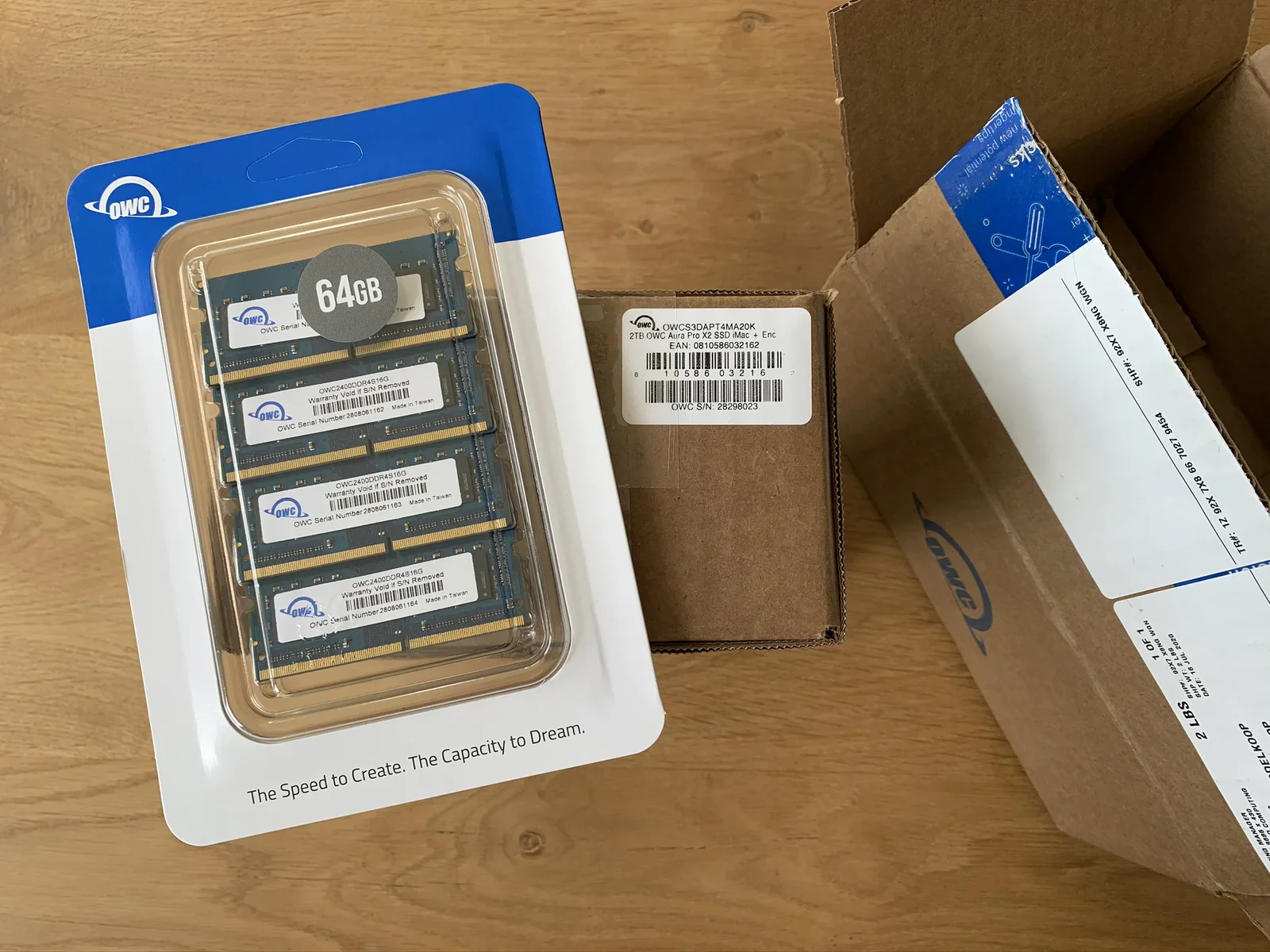
OWC 64GB OWC2400DDR4S16G Warranty Void if S/N Removed OWC Serial Number 2808061162 OWC Serial Number 2808061163 OWC Serial Number 2808061164 Made in Taiwan The Speed to Create. The Capacity to Dream. OWCS3DAPT4MA20K 2TB OWC Aura Pro X2 SSD iMac + Enc EAN: 0810586032162 OWC S/N: 28298023
ram, memory, ssd, owc, packaging, upgrade(Upgrading a 27-inch iMac 5K to 14 terabytes) - image Few days after ordering my parts, a magic box appeared on my desk A sealed brown cardboard shipping box printed with the OWC logo and blue tape reading OWC-10-07-04 sits on a wooden table. (machine-described) text in image:
OWC-10-07-04 OWC Docks Expansion Storage Upgrades BOX CERTIFICATE EDGE CRUSH TEST
box, owc, packaging, shipping, cardboard(Upgrading a 27-inch iMac 5K to 14 terabytes) - image The ultimate iMac Pro, 18 cores, 256GB RAM, 4TB SSD... € 16.308! A tablet browser shows the Apple.com iMac Pro configurator page with selected specifications and a price of 16,308 euro. (machine-described) text in image:
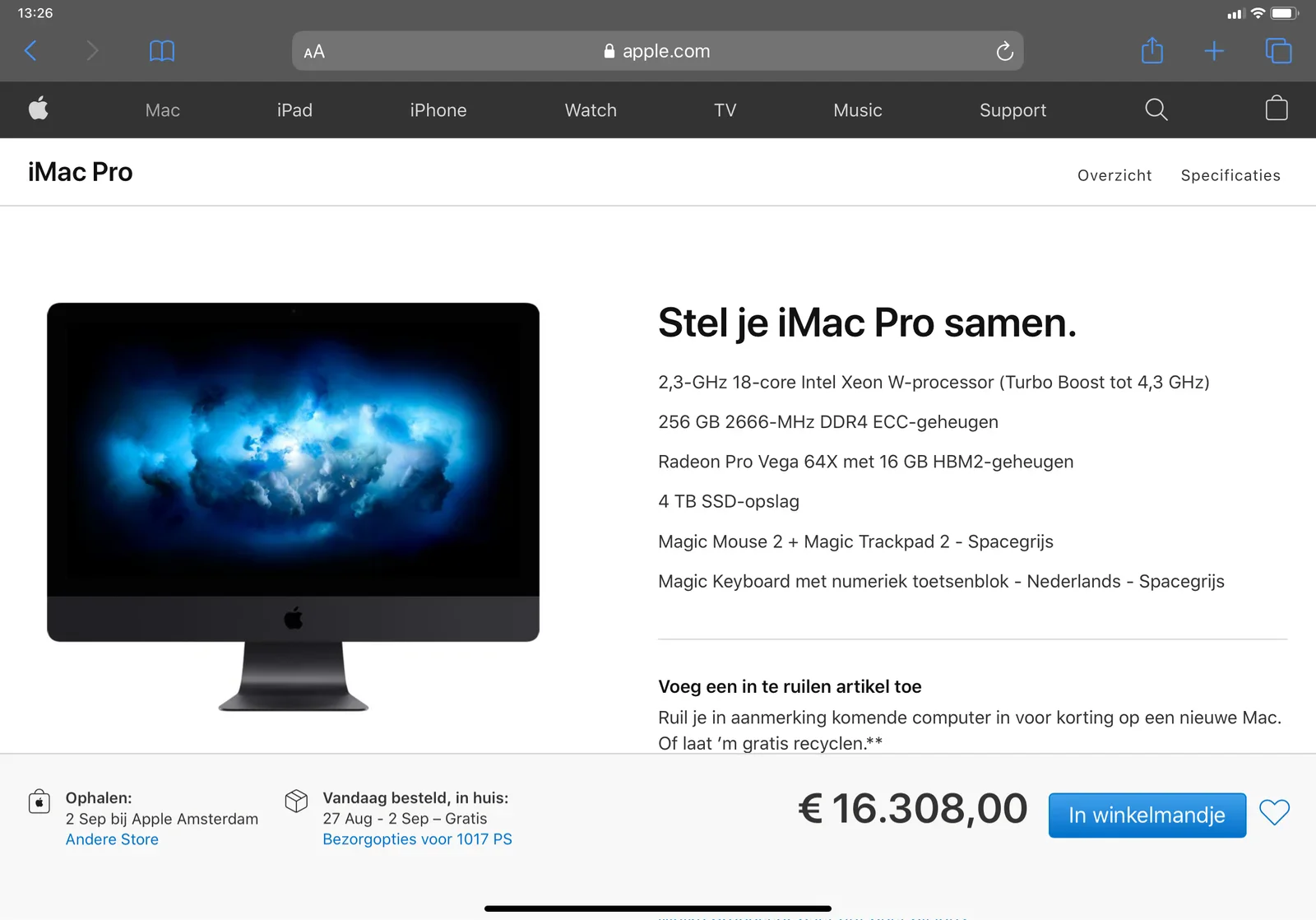
apple.com iMac Pro Overzicht Specificaties Stel je iMac Pro samen. 2,3-GHz 18-core Intel Xeon W-processor (Turbo Boost tot 4,3 GHz) 256 GB 2666-MHz DDR4 ECC-geheugen Radeon Pro Vega 64X met 16 GB HBM2-geheugen 4 TB SSD-opslag Magic Mouse 2 + Magic Trackpad 2 - Spacegrijs Magic Keyboard met numeriek
app, screenshot, apple, imac pro, configurator, price(Upgrading a 27-inch iMac 5K to 14 terabytes) - image (not published on willem.com) A white line-art icon of two suitcases on a green background with the text 'lemid' below. (machine-described) text in image:
lemid
suitcase, luggage, icon, logo, text(Upgrading a 27-inch iMac 5K to 14 terabytes) - image Many hours later, the iMac was working again! An iMac on a wooden desk beside a plant, keyboard and mouse, displaying the willem.com homepage with a profile photo and blog links in a browser. (machine-described) text in image:
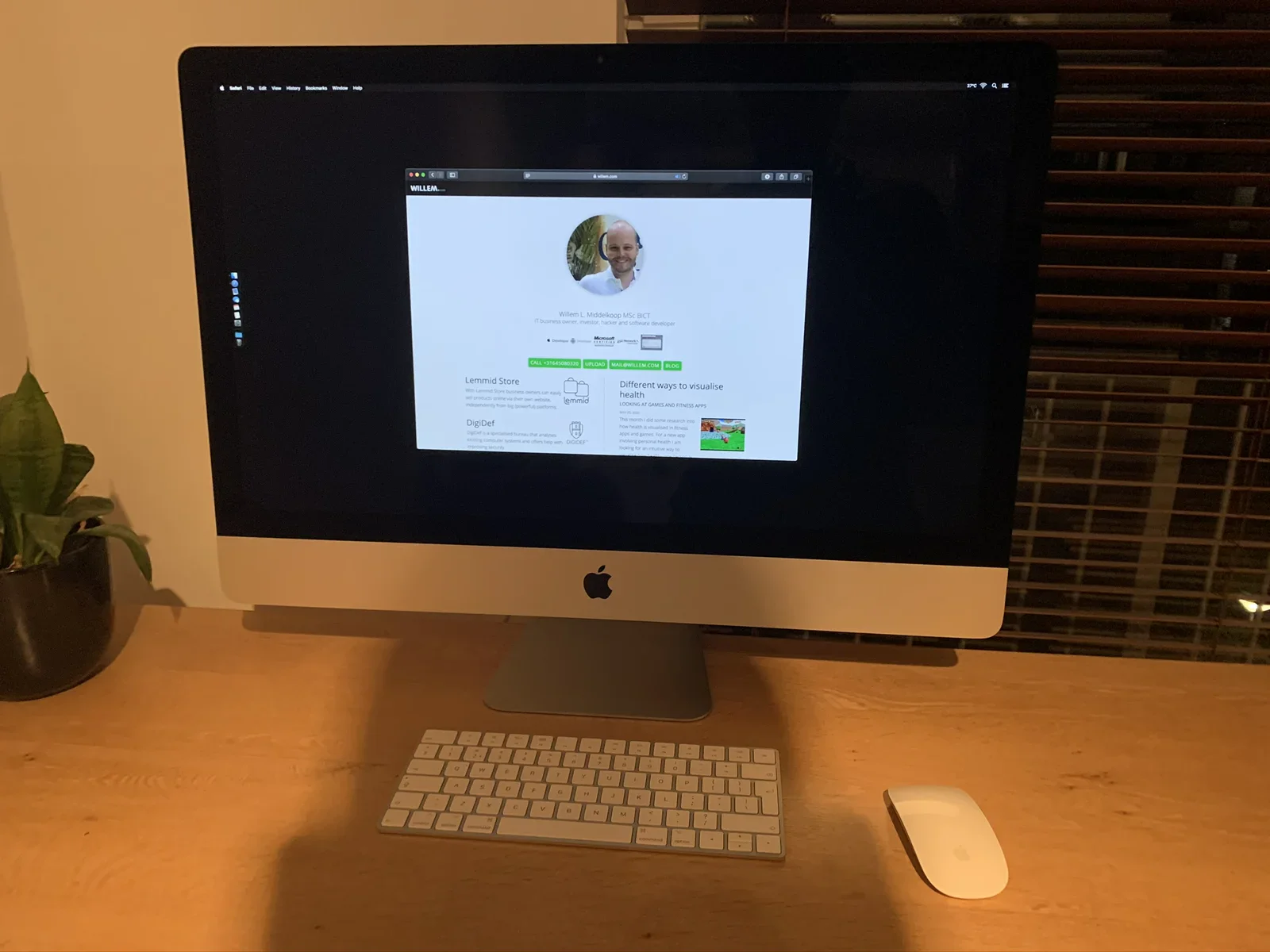
WILLEM... Willem L. Middelkoop MSc BICT IT business owner, investor, hacker and software developer CALL +31645086320 UPLOAD MAIL@WILLEM.COM BLOG Lemmid Store With Lemmid Store business owners can apply sell products online via their own website, independently from big powerful platforms DigiDef Digi
imac, desk, willem.com, homepage, office, desktop(Upgrading a 27-inch iMac 5K to 14 terabytes) - image YES, it works! The new logic board accepted keyboard input and allowed me to proceed with macOS installation A close-up of a Mac screen shows macOS Catalina installing onto a disk named OWC Aura Pro X2, with an estimated 15 minutes remaining. (machine-described) text in image:
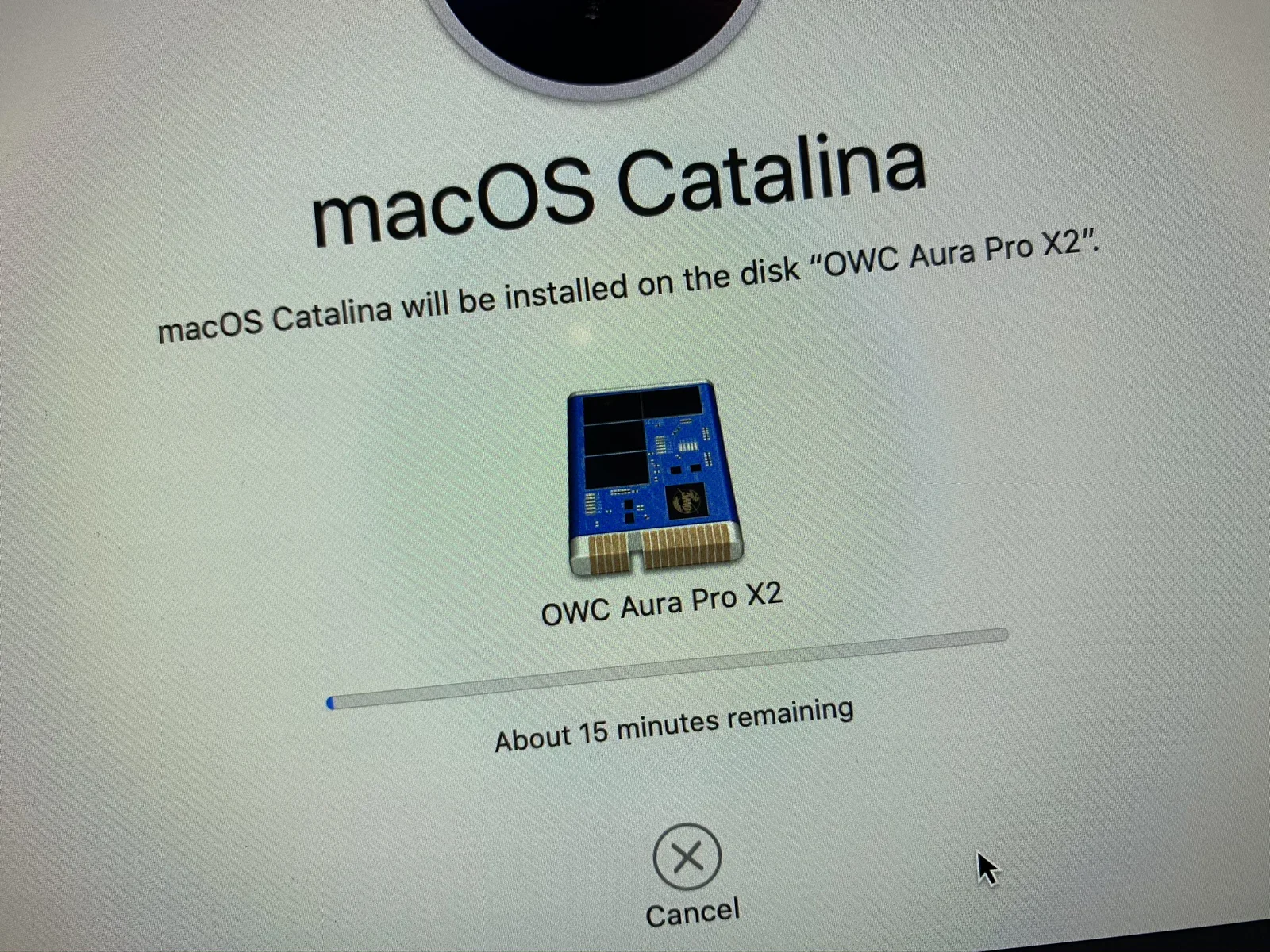
macOS Catalina macOS Catalina will be installed on the disk "OWC Aura Pro X2". OWC Aura Pro X2 About 15 minutes remaining Cancel
screenshot, macos, installation, ssd, owc, progress(Upgrading a 27-inch iMac 5K to 14 terabytes) - image Migrating the RAM modules to the new logic board A close-up shows an opened iMac RAM compartment with five memory modules seated in their slots, held by two blue release tabs. (machine-described)
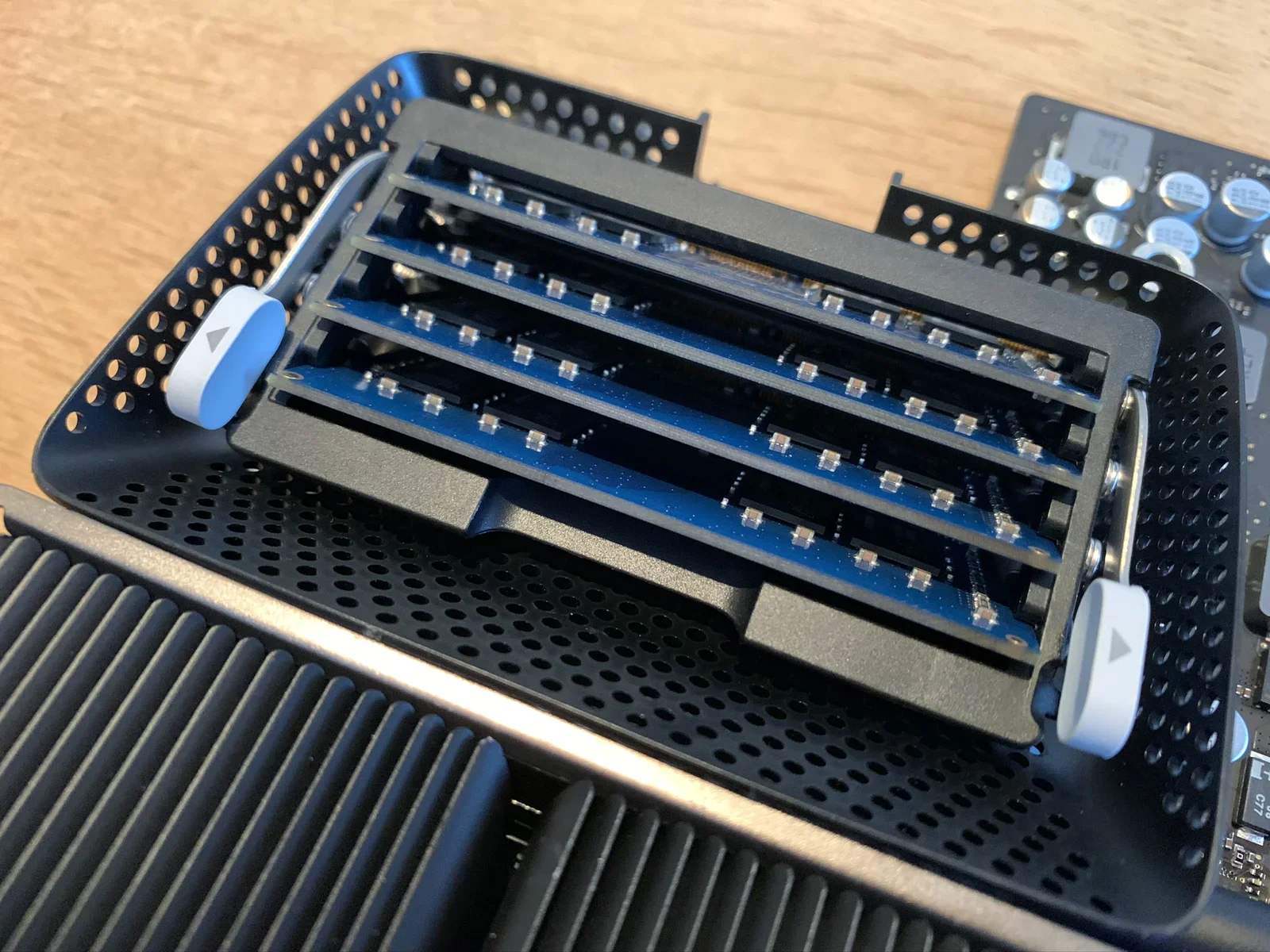
imac, ram, memory, hardware, upgrade, closeup(Upgrading a 27-inch iMac 5K to 14 terabytes) - image Double, tripple, quadruple checking the PCIe SSD drive A close-up of an iMac logic board shows a blue OWC Aura Pro X2 SSD module installed in an M.2 slot next to the CPU and port connectors. (machine-described) text in image:
OWCS3DAPT4MB20 OW20031010062002B 2TB LBA: 3907029168 2TB 3.3VDC 1.2A PCIe Assembled in Mexico Warranty Void if Label Removed
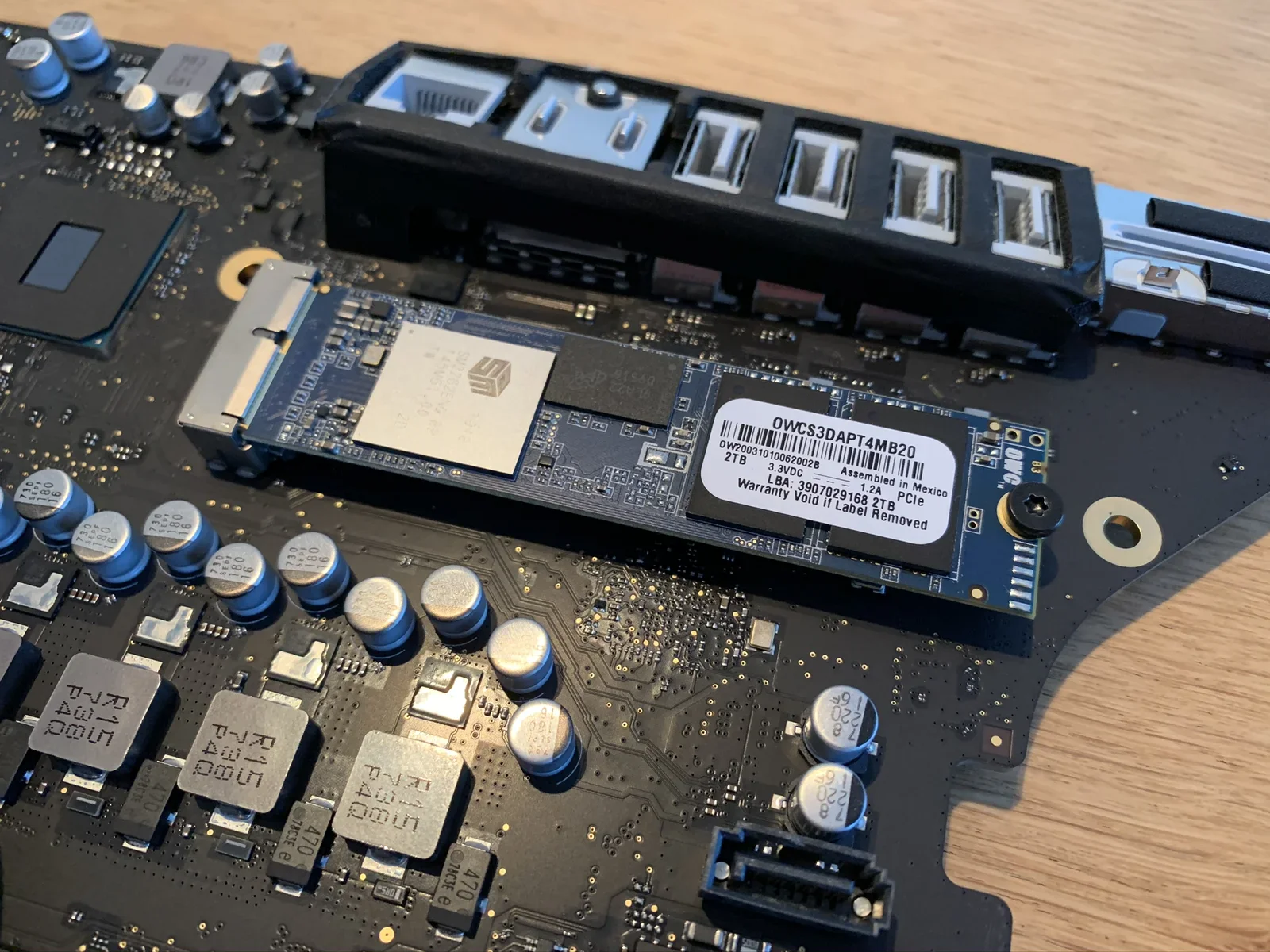
imac, logic board, ssd, owc, upgrade, motherboard(Upgrading a 27-inch iMac 5K to 14 terabytes) - image Holding the Quad core processor in my hand A hand holds a small square computer chip above an opened iMac logic board with a coin-cell battery and other components visible. (machine-described)
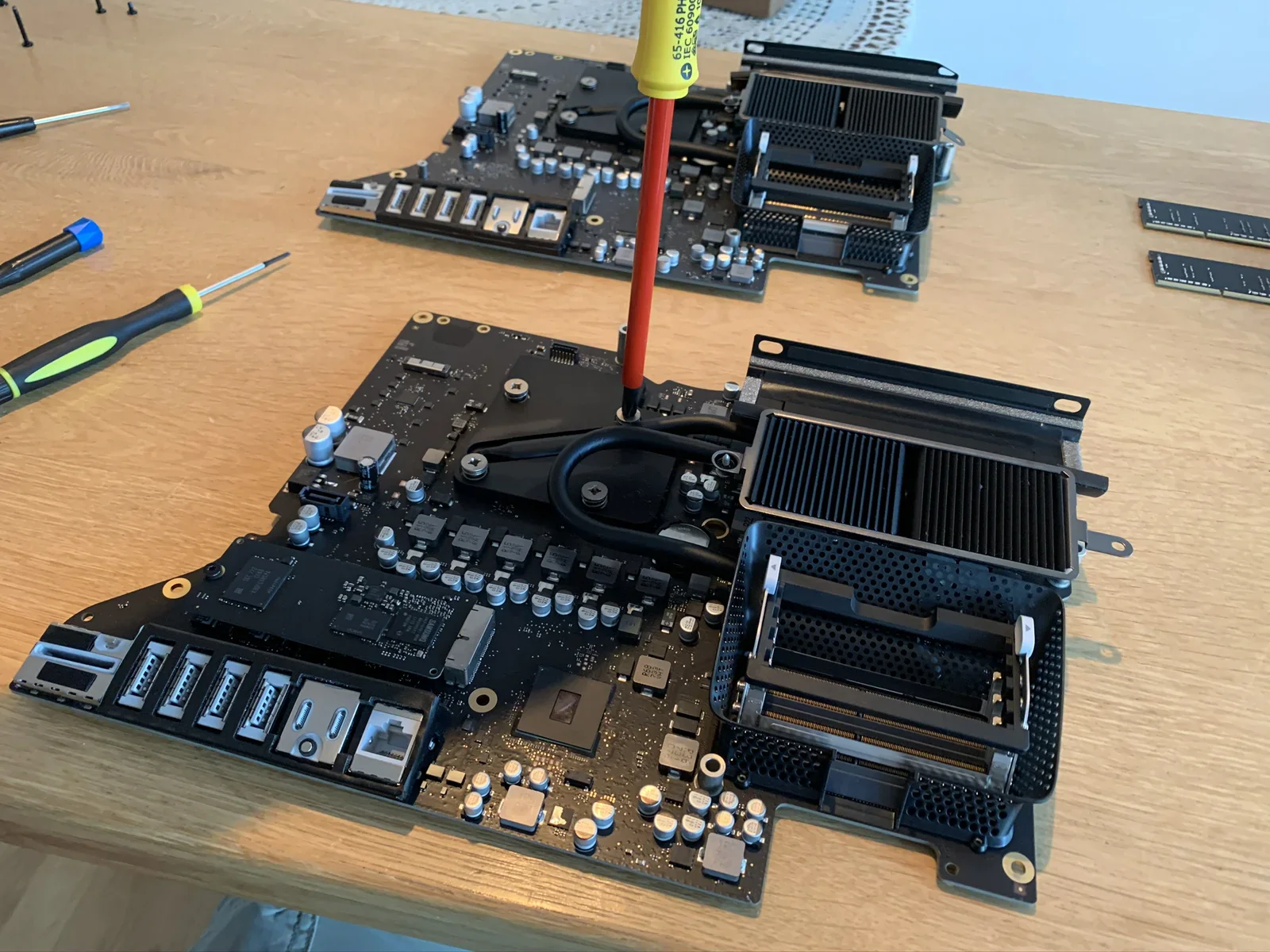
imac, chip, logic board, repair, hardware, cpu(Upgrading a 27-inch iMac 5K to 14 terabytes) - image Removing the heatsink from the logic board Two disassembled iMac logic boards lie on a table with heatsinks, a red screwdriver inserted into a screw, and RAM modules to the side. (machine-described) text in image:
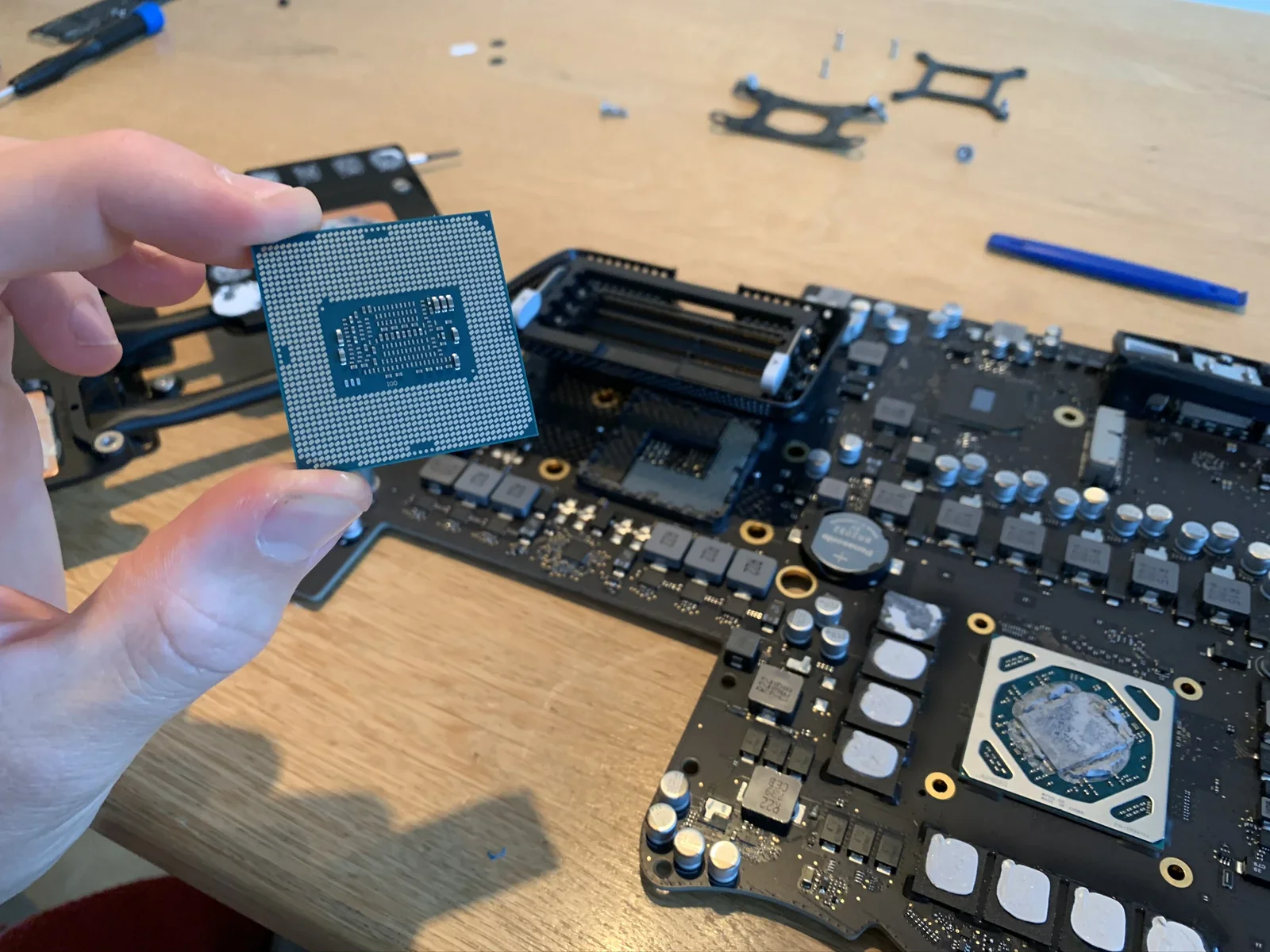
65-416 IEC 60900
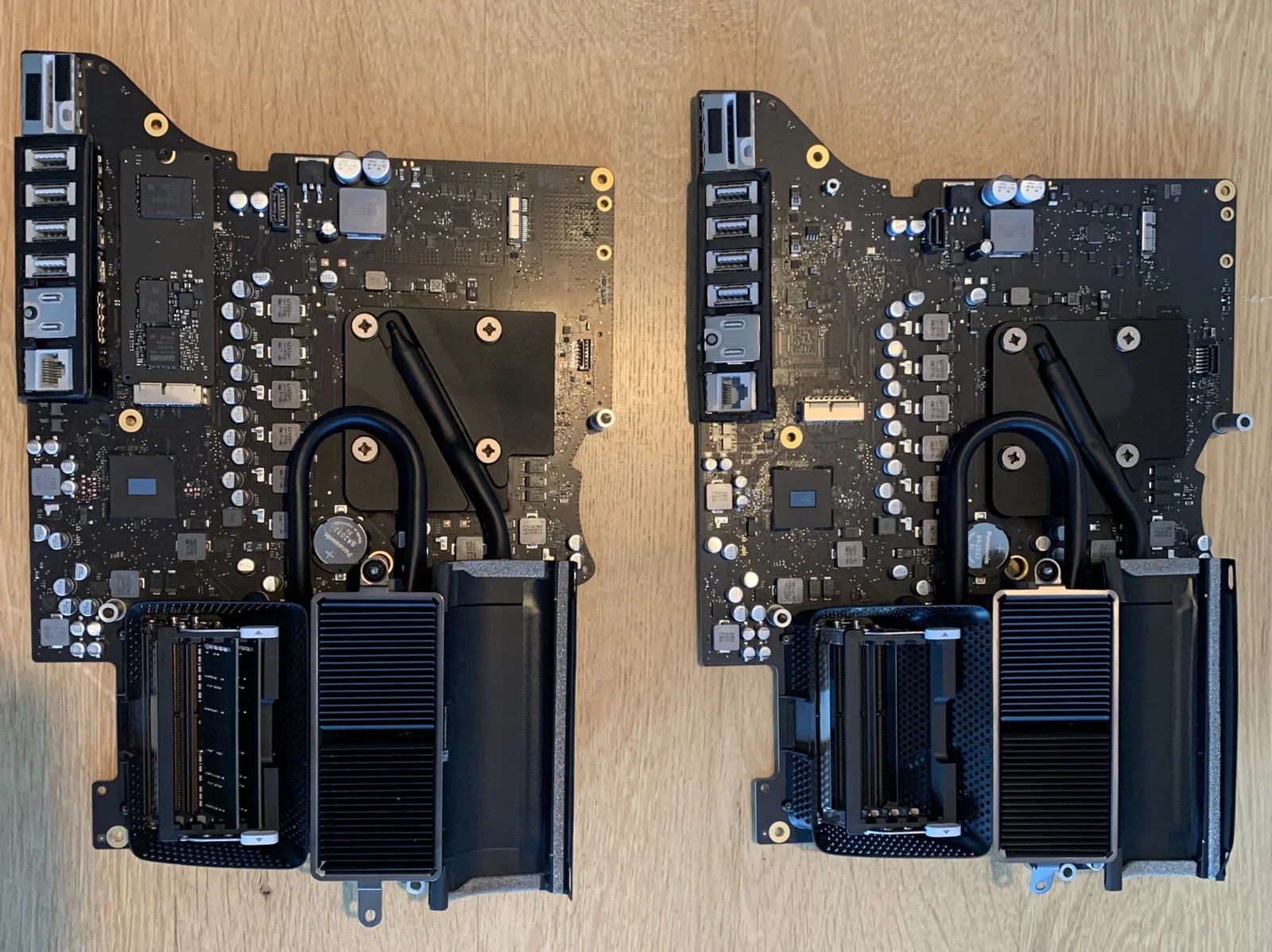
imac, logic board, repair, disassembly, heatsink, tools(Upgrading a 27-inch iMac 5K to 14 terabytes) - image It contained a new logic board, but without a processor Two disassembled iMac logic boards lie side by side on a wooden table, both with RAM slots, heatsinks and rear port clusters visible. (machine-described)
imac, logic board, comparison, hardware, motherboard, repair(Upgrading a 27-inch iMac 5K to 14 terabytes) - image Another box with parts - this time from Ireland A cardboard shipping box covered in courier labels shows a Priority Parcel barcode, an Amsterdam sort centre sticker, a documents enclosed label, a computer parts customs declaration and a handwritten Netherlands delivery address. (machine-described) text in image:
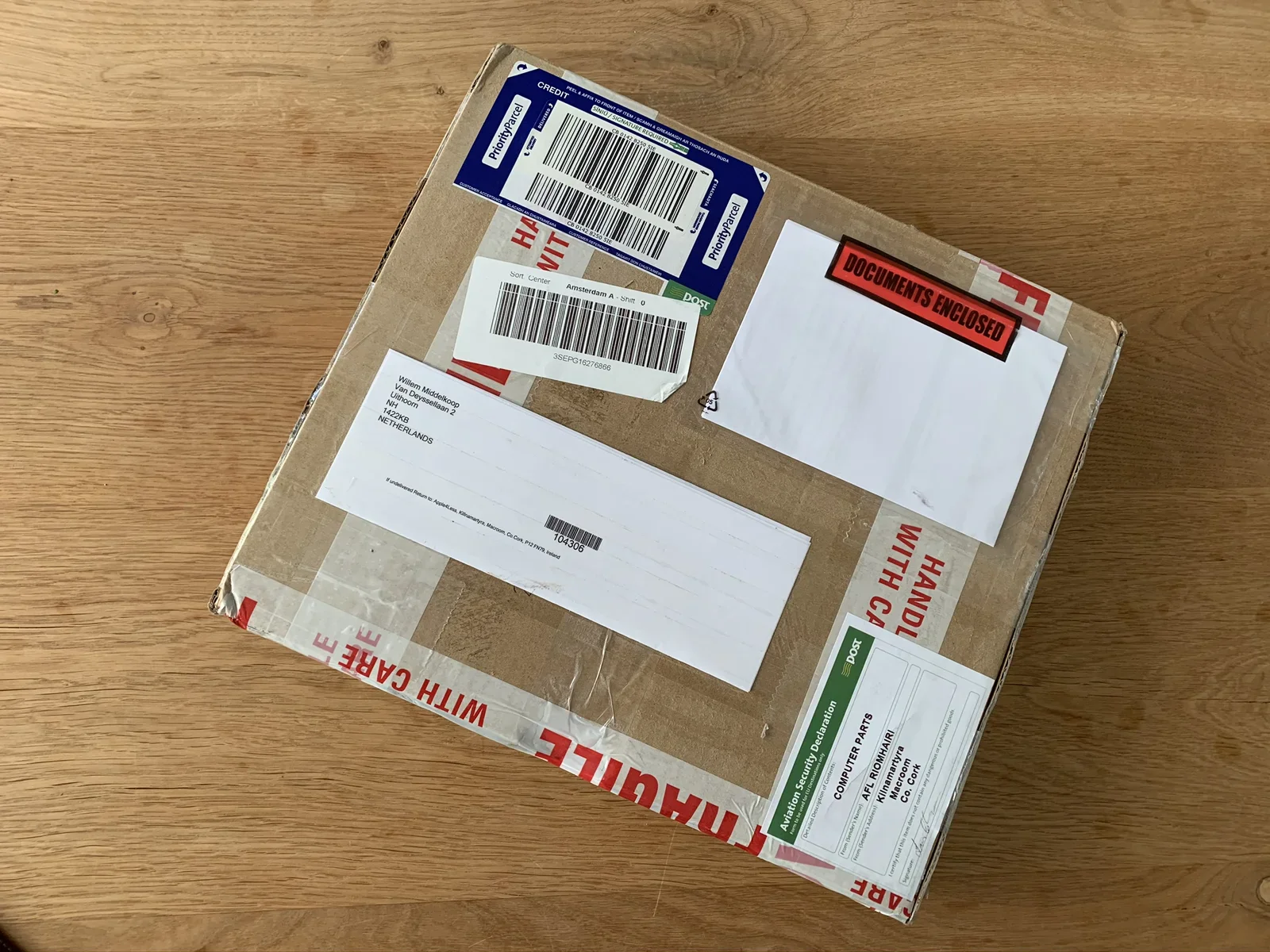
PriorityParcel CREDIT Sort Centre Amsterdam A - Shift 0 3SEPG16276866 DOCUMENTS ENCLOSED Willem Middelkoop Van Deysselllaan 2 Uithoorn NH 1421NB NETHERLANDS 104306 Aviation Security Declaration COMPUTER PARTS AFL-Riomhairi Kilnamartyra Macroom, Co. Cork HANDLE WITH CARE FRAGILE
package, shipping, courier, label, customs, cardboard(Upgrading a 27-inch iMac 5K to 14 terabytes) - image LUCKY ME! Found a perfectly matching replacement logic board - in new old stock condition! A hand holds a smartphone showing an eBay Dutch order details page for a purchased iMac logic board, with seller, order number and delivery status. (machine-described) text in image:
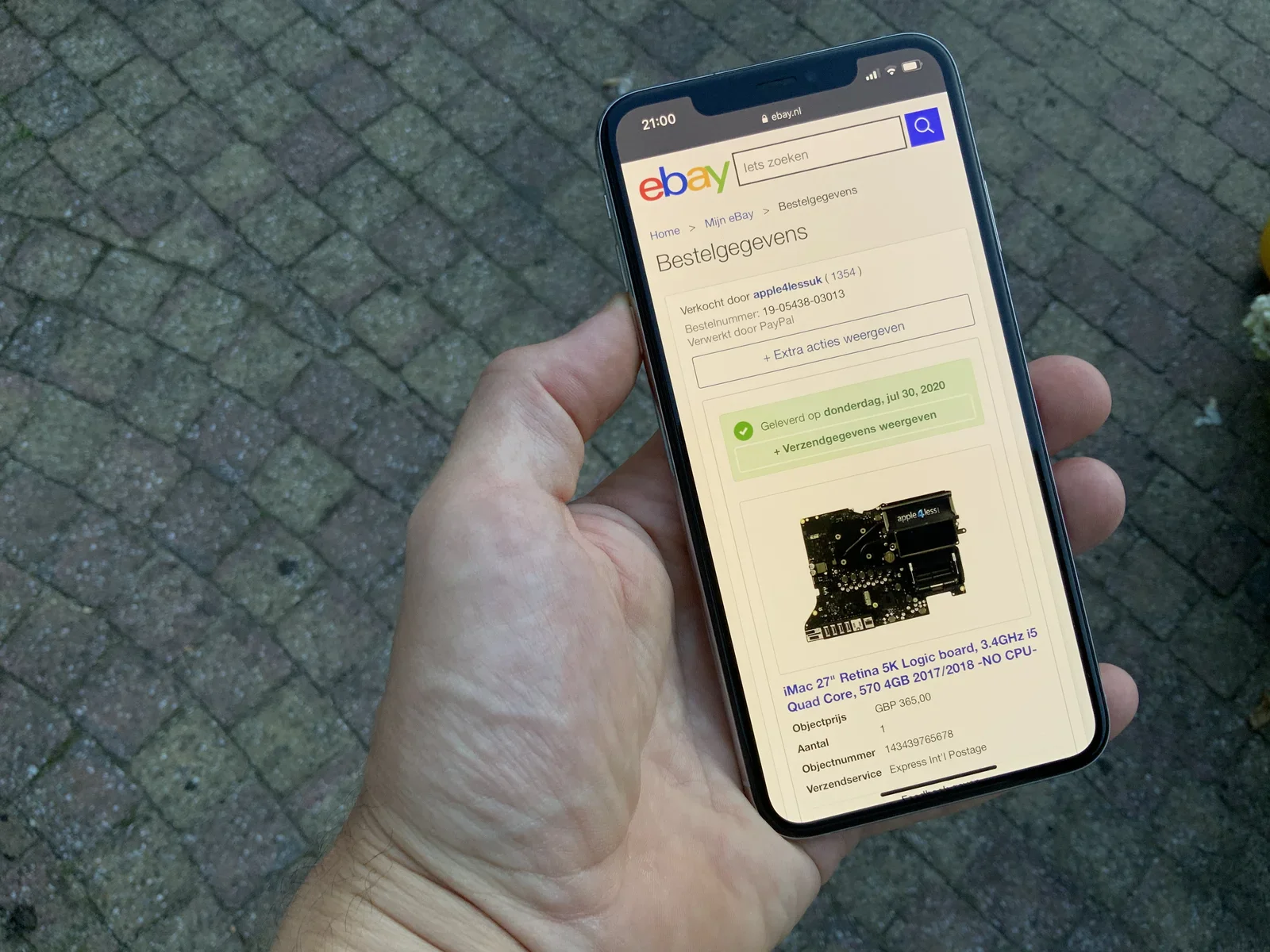
21:00 ebay.nl ebay Iets zoeken Home > Mijn eBay > Bestelgegevens Bestelgegevens Verkocht door apple4lessuk (1354) Bestelnummer: 19-05438-03013 Verwerkt door PayPal + Extra acties weergeven Geleverd op donderdag, jul 30, 2020 + Verzendgegevens weergeven apple4less iMac 27" Retina 5K Logic board, 3.4G
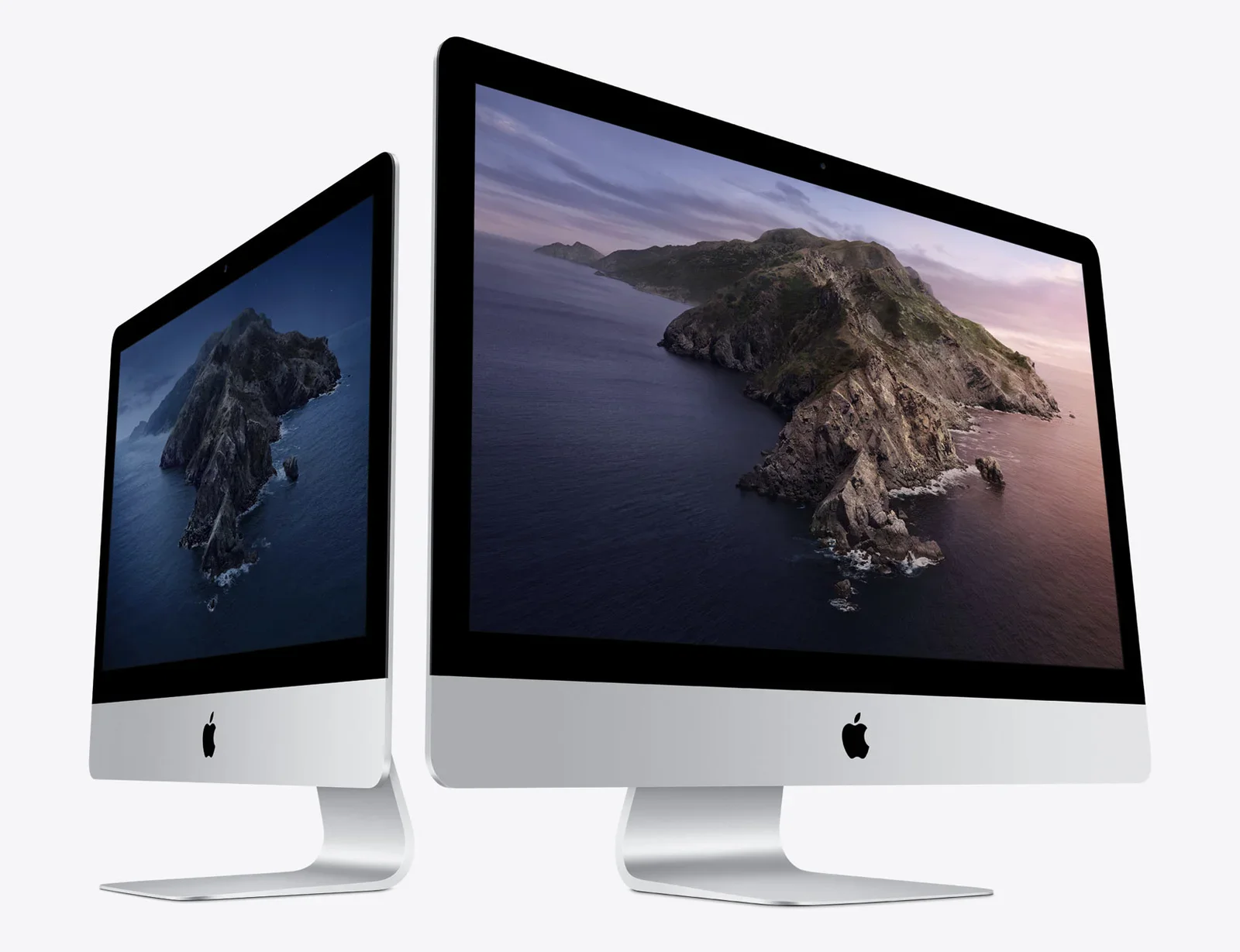
app, screenshot, ebay, online shopping, logic board, order(Upgrading a 27-inch iMac 5K to 14 terabytes) - image Today's iMac (in two sizes) A studio product photo shows two silver iMac computers of different sizes side by side, both displaying the same macOS Catalina coastal cliff wallpaper. (machine-described)
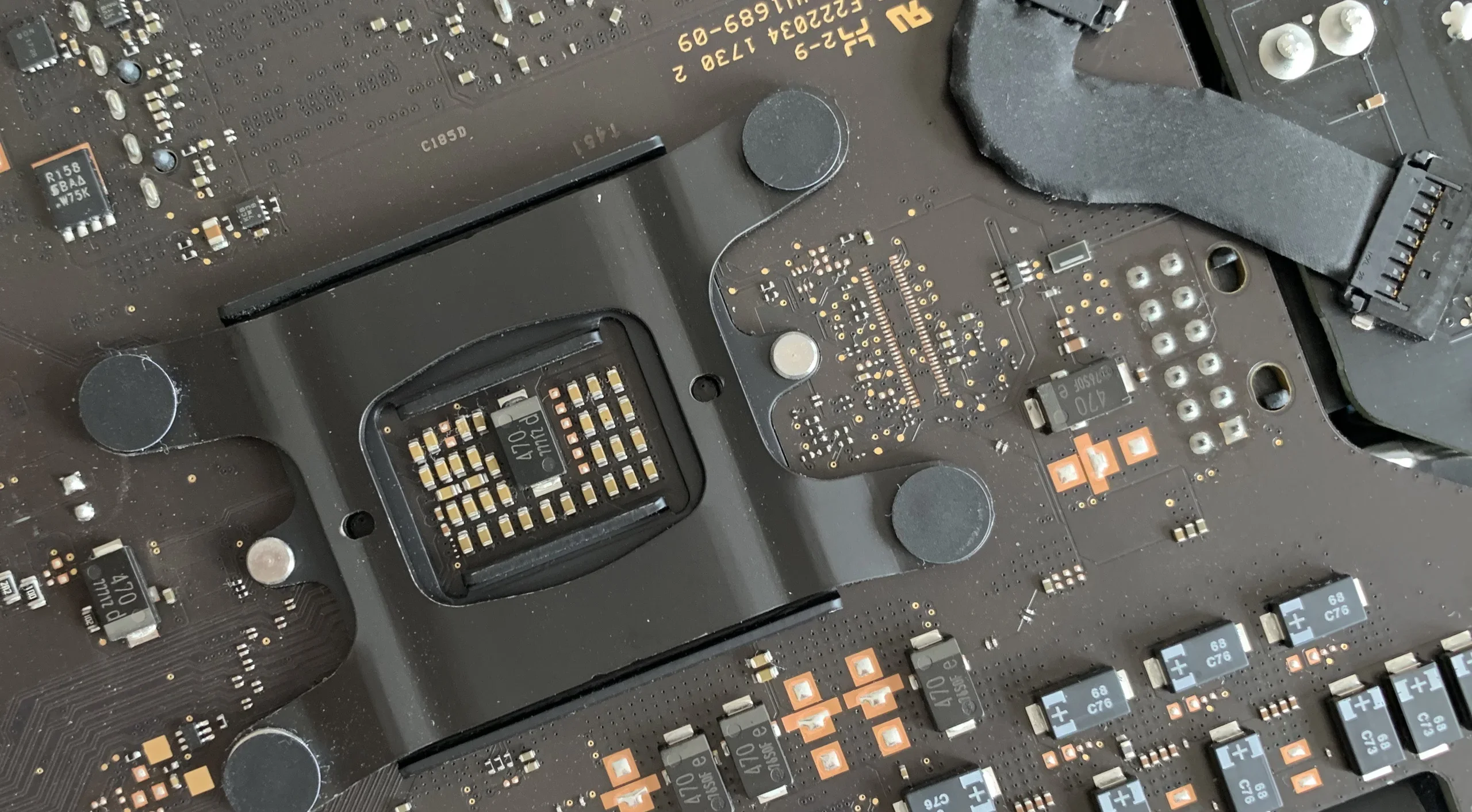
imac, product photo, apple, desktop, comparison, wallpaper(Upgrading a 27-inch iMac 5K to 14 terabytes) - image On the logic board I found a number - I took a photo of it during one of my numerous assembling sessions An extreme close-up of an iMac logic board shows the CPU socket area with surrounding capacitors, mounting posts and printed certification codes. (machine-described) text in image:
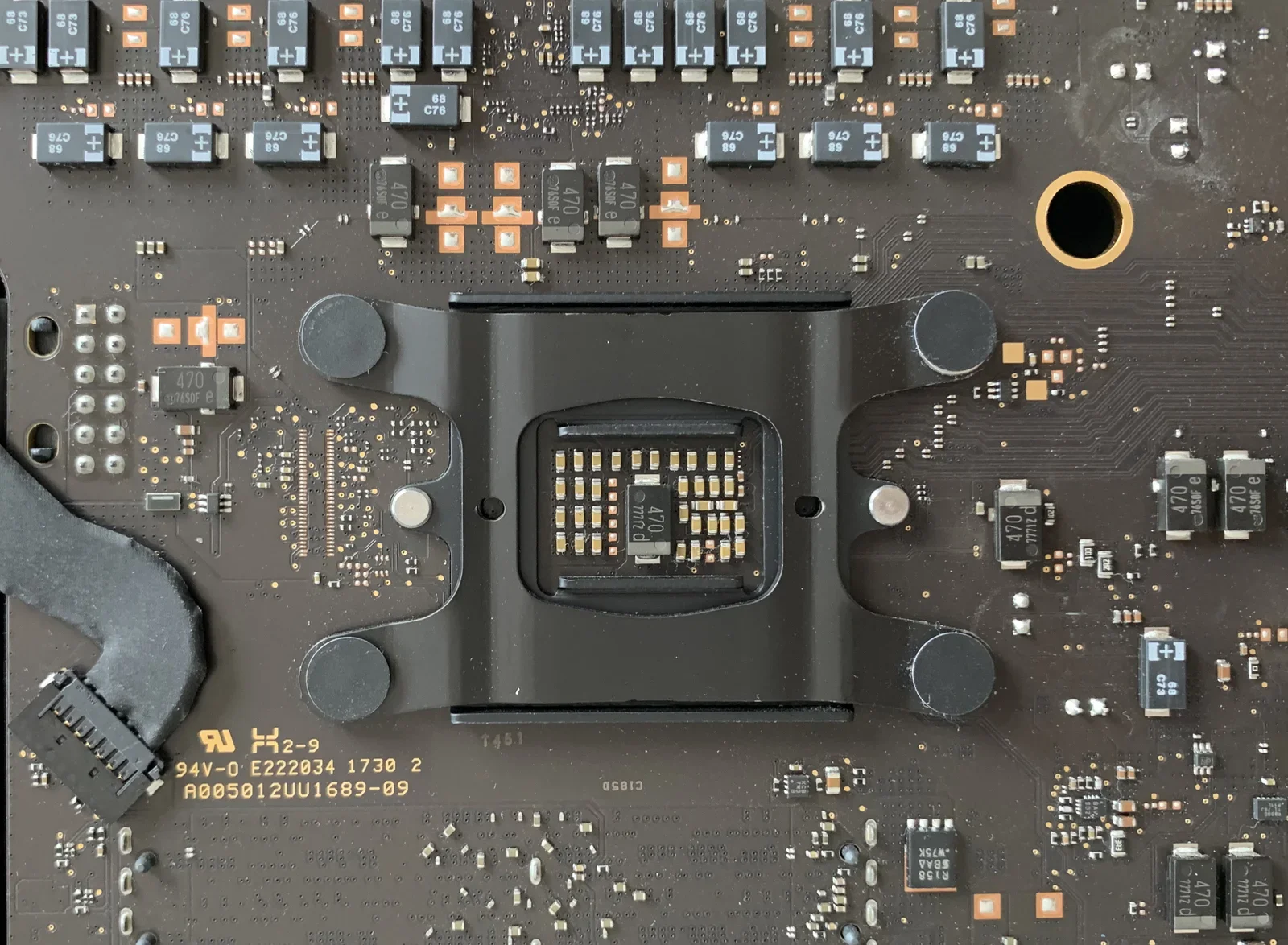
94V-0 E222034 1730 2 A005012UU1689-09
logic board, cpu socket, closeup, circuit board, hardware(Upgrading a 27-inch iMac 5K to 14 terabytes) - image Visiting Microfix in Amsterdam - the local Apple Premium Service Provider A reception desk with two iMacs sits below frosted glass panels reading MICROFIX, under an Apple Premium Service Provider wall sign. (machine-described) text in image:
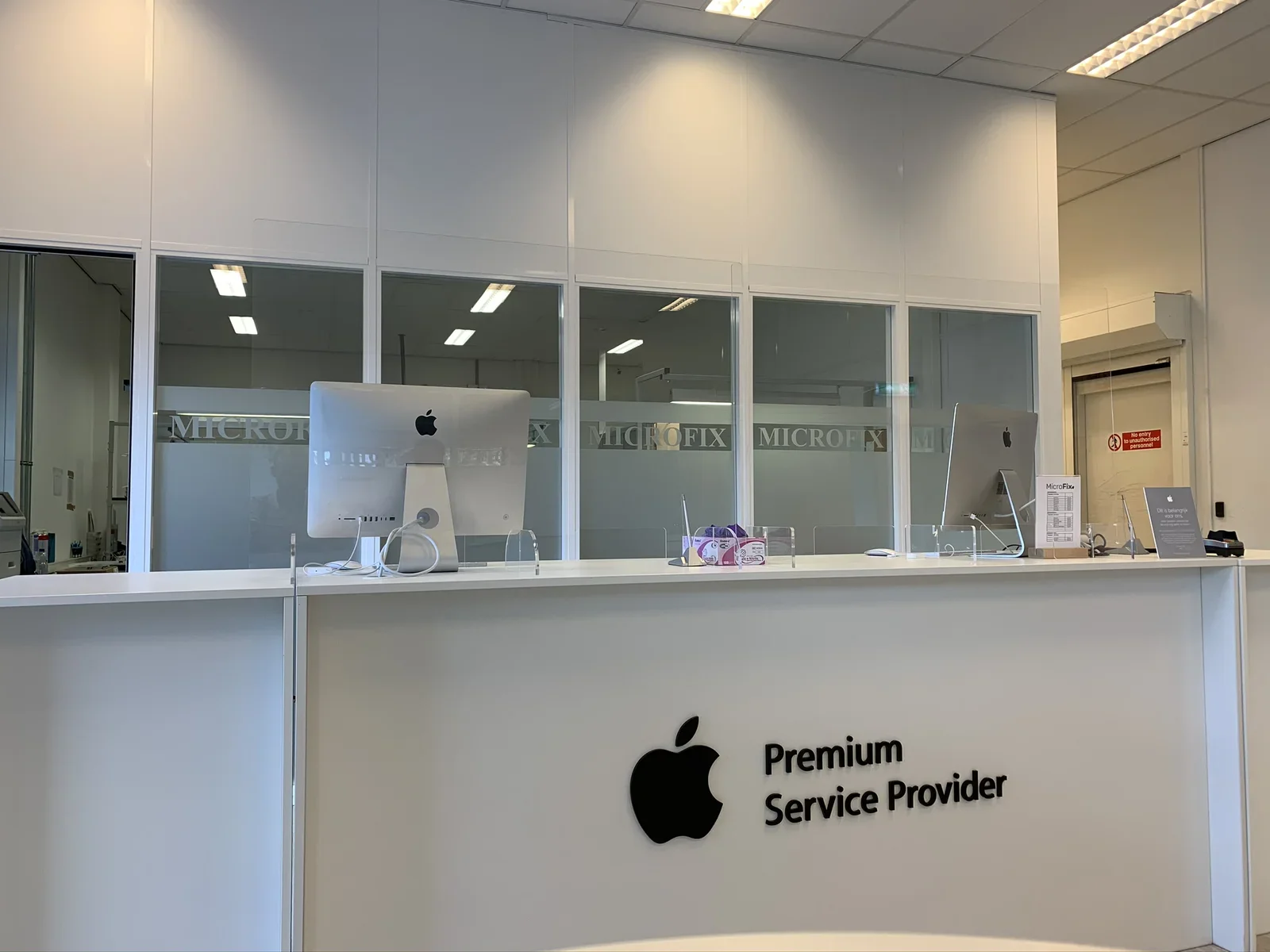
MICROFIX (repeated on frosted glass panels). Premium Service Provider (with Apple logo). No entry to unauthorised personnel. MicroFix (small counter card with price table, table text too small to read). Dit is belangrijk voor ons. (Apple counter card, body text too small to read).
reception, desk, imac, signage, apple, service provider(Upgrading a 27-inch iMac 5K to 14 terabytes) - image The SSD drive installed correctly, note how the connector is much deeper in its socket A blue M.2 SSD module sits in an open Mac logic board next to rows of capacitors and the rear I/O ports. (machine-described) text in image:
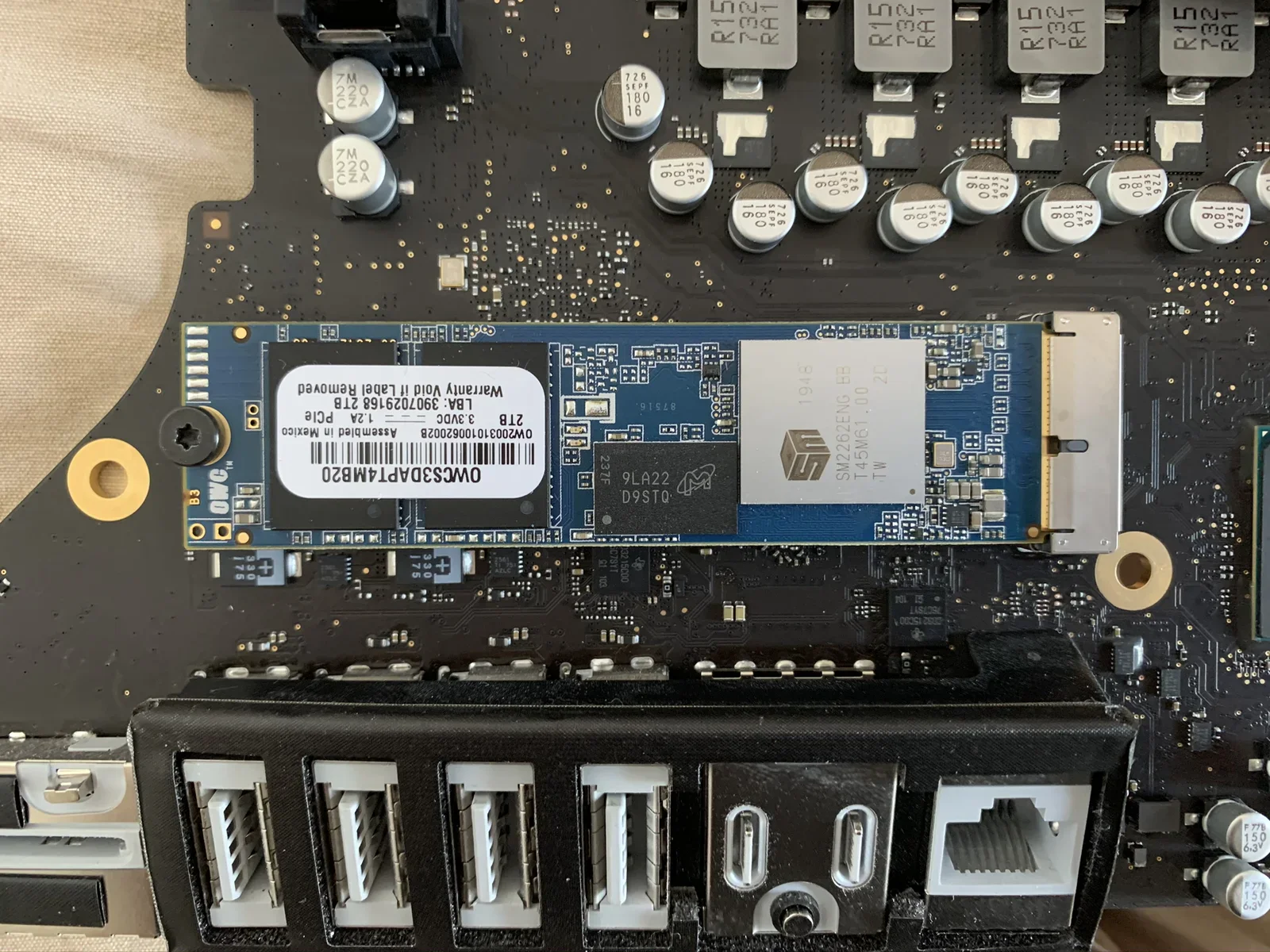
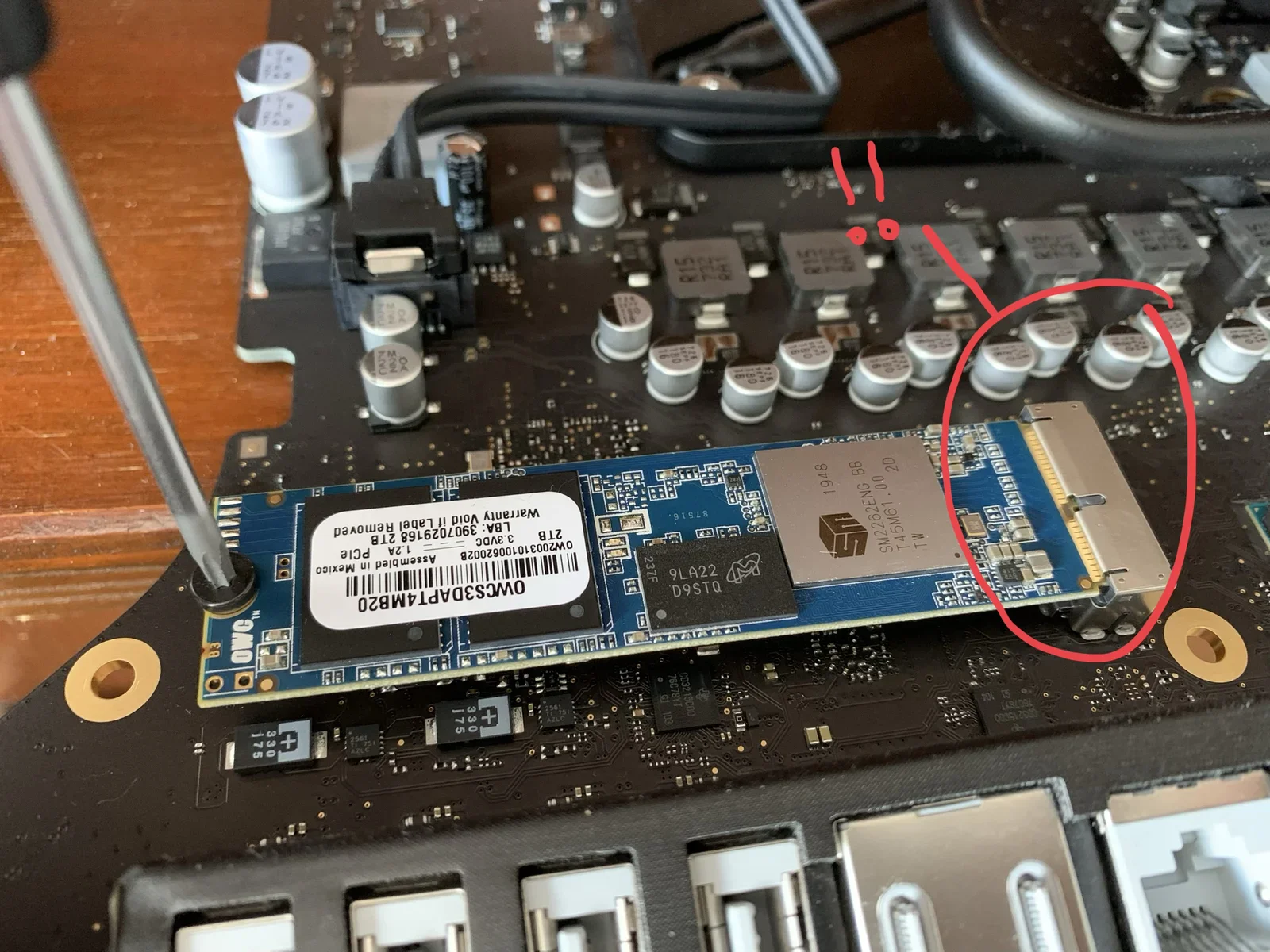
OWC OWC53DAPT4MB20. 2TB. 1.2A 3.3VDC PCIe. LBA: 390702916B. OW20031010062002B. Assembled in Mexico. Warranty Void if Label Removed. SM 1948 SM2262ENG BB T45M61.00 2D. 9LA22 D9STQ 237F.
ssd, logic board, upgrade, capacitors, m2, macbook(Upgrading a 27-inch iMac 5K to 14 terabytes) - image Oops: the newly installed SSD drive is not correctly fitted in the PCIe slot! An expensive mistake! The same open logic board photo as the previous image, annotated in red with a circle and exclamation marks pointing at the M.2 slot connector. (machine-described) text in image:
OWC OWC53DAPT4MB20 2TB (visible on SSD label, matches prior image).
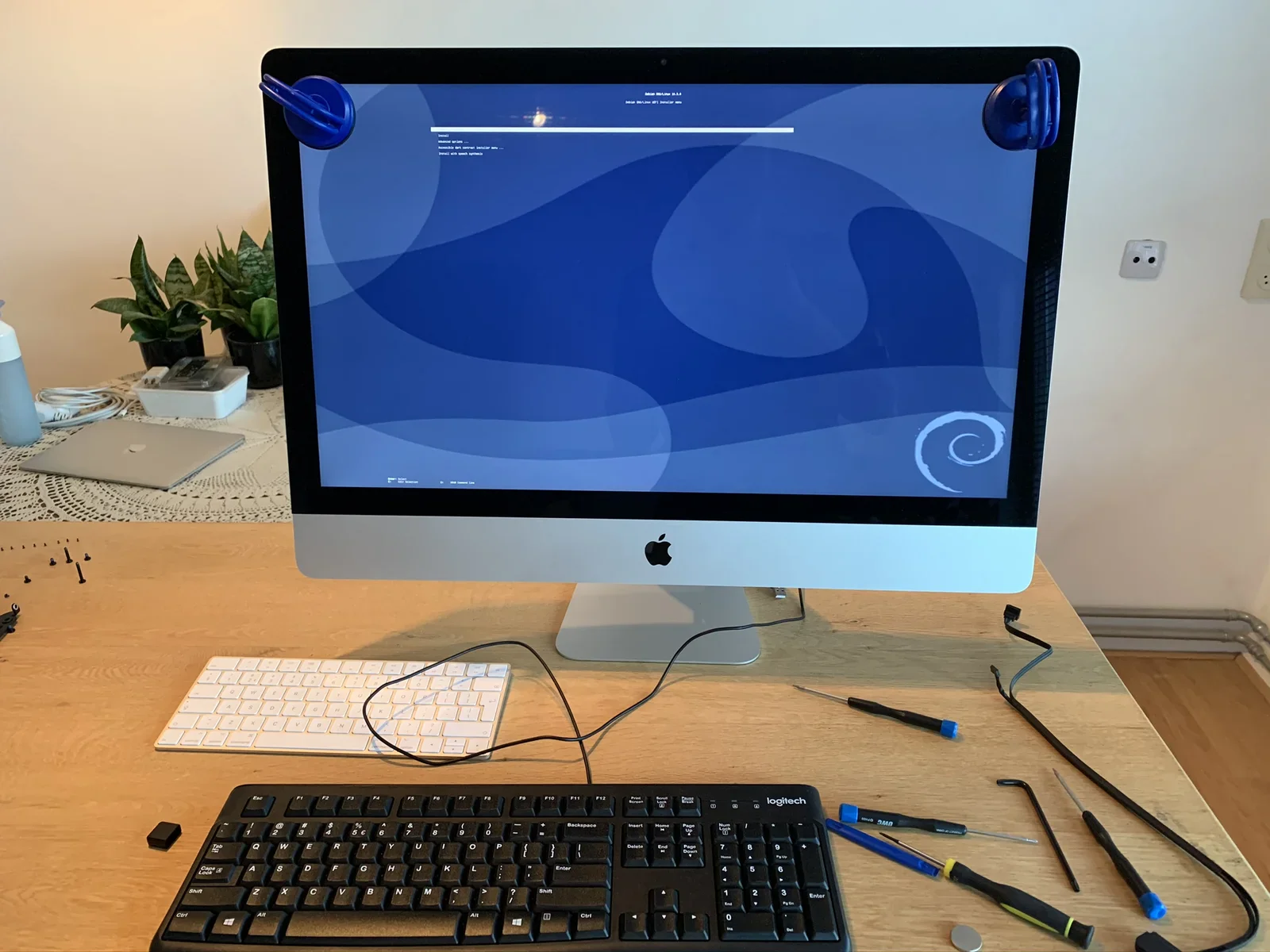
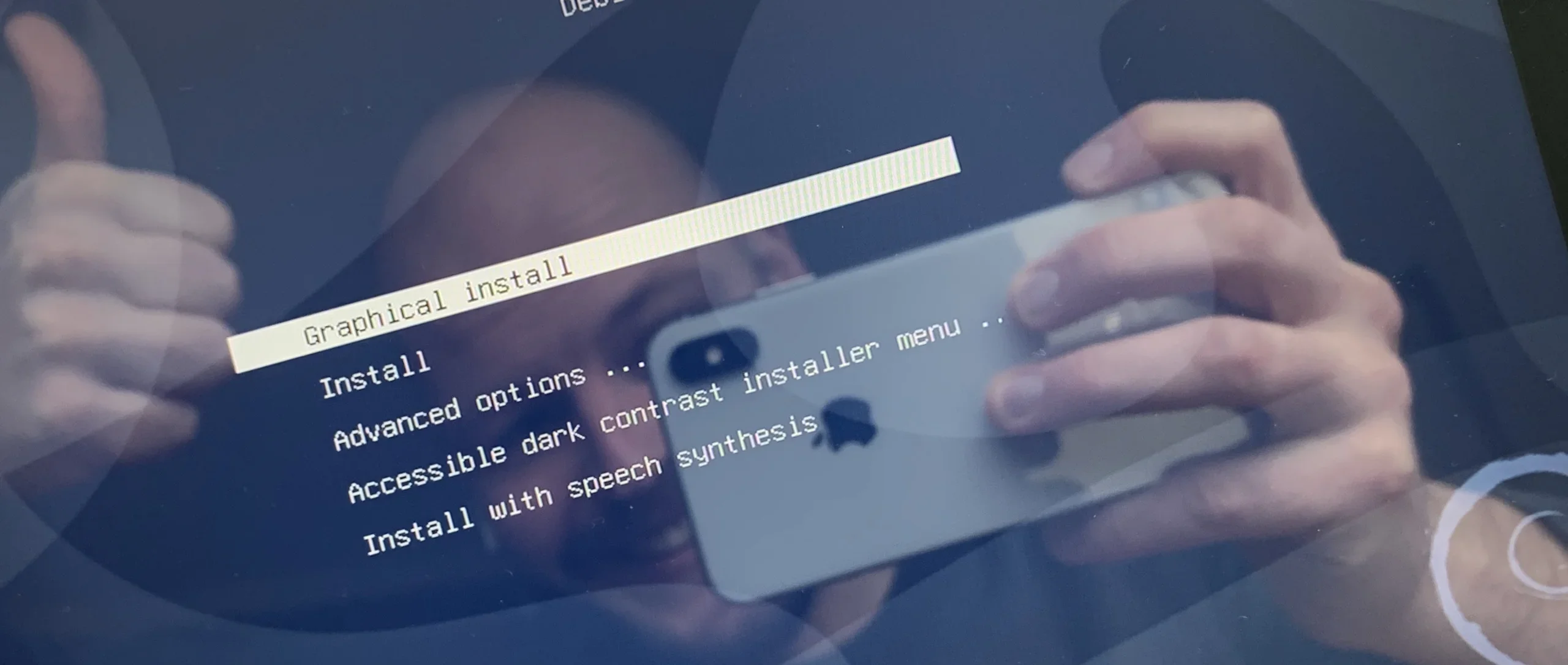
annotation, ssd, logic board, circle, upgrade, repair(Upgrading a 27-inch iMac 5K to 14 terabytes) - image The Debian GNU/Linux installer was in fact recognised by the iMac A 27-inch iMac stands on a desk with two suction-cup handles on its screen, displaying a blue Debian installer boot menu, surrounded by screwdrivers and disassembly tools. (machine-described) text in image:
Debian GNU/Linux installer boot menu, text blurred by camera motion and screen glare; only partial words discernible including Install, Advanced options, Install with speech synthesis.
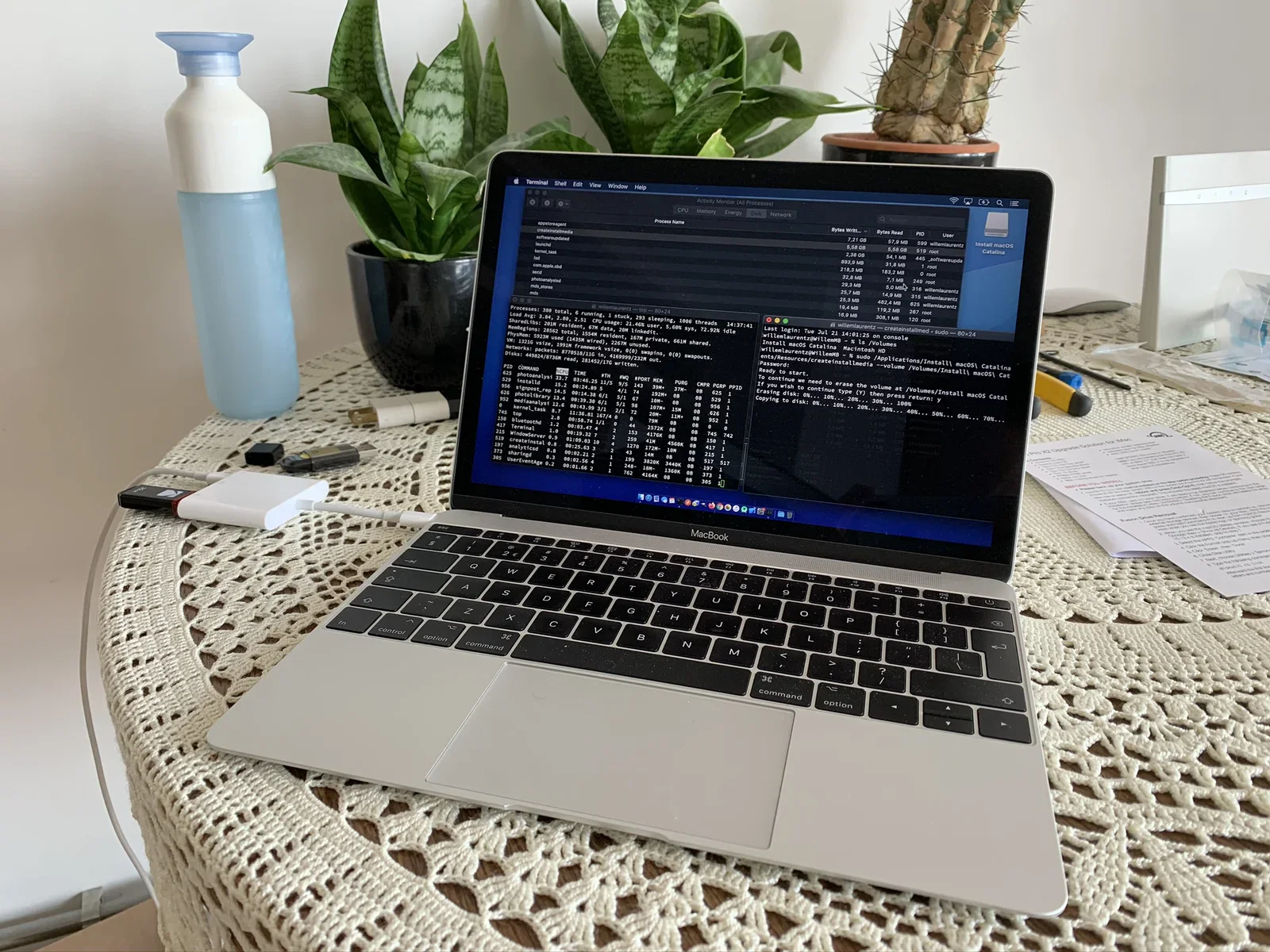
imac, debian, installer, suction cups, tools, desk(Upgrading a 27-inch iMac 5K to 14 terabytes) - image Creating a USB recovery drive using another MacBook A MacBook on a crocheted tablecloth shows Terminal and Activity Monitor windows running a macOS Catalina installer creation, next to houseplants and a USB-C hub. (machine-described) text in image:
Terminal: willemlaurentz -- createinstallmed -- sudo -- 80x24. Last login: Tue Jul 21 14:01:25 on console. willemlaurentz@WillemMB ~ % ls /Volumes. Install macOS Catalina Macintosh HD. willemlaurentz@WillemMB ~ % sudo /Applications/Install\\ macOS\\ Catalina.app/Contents/Resources/createinstallmedi
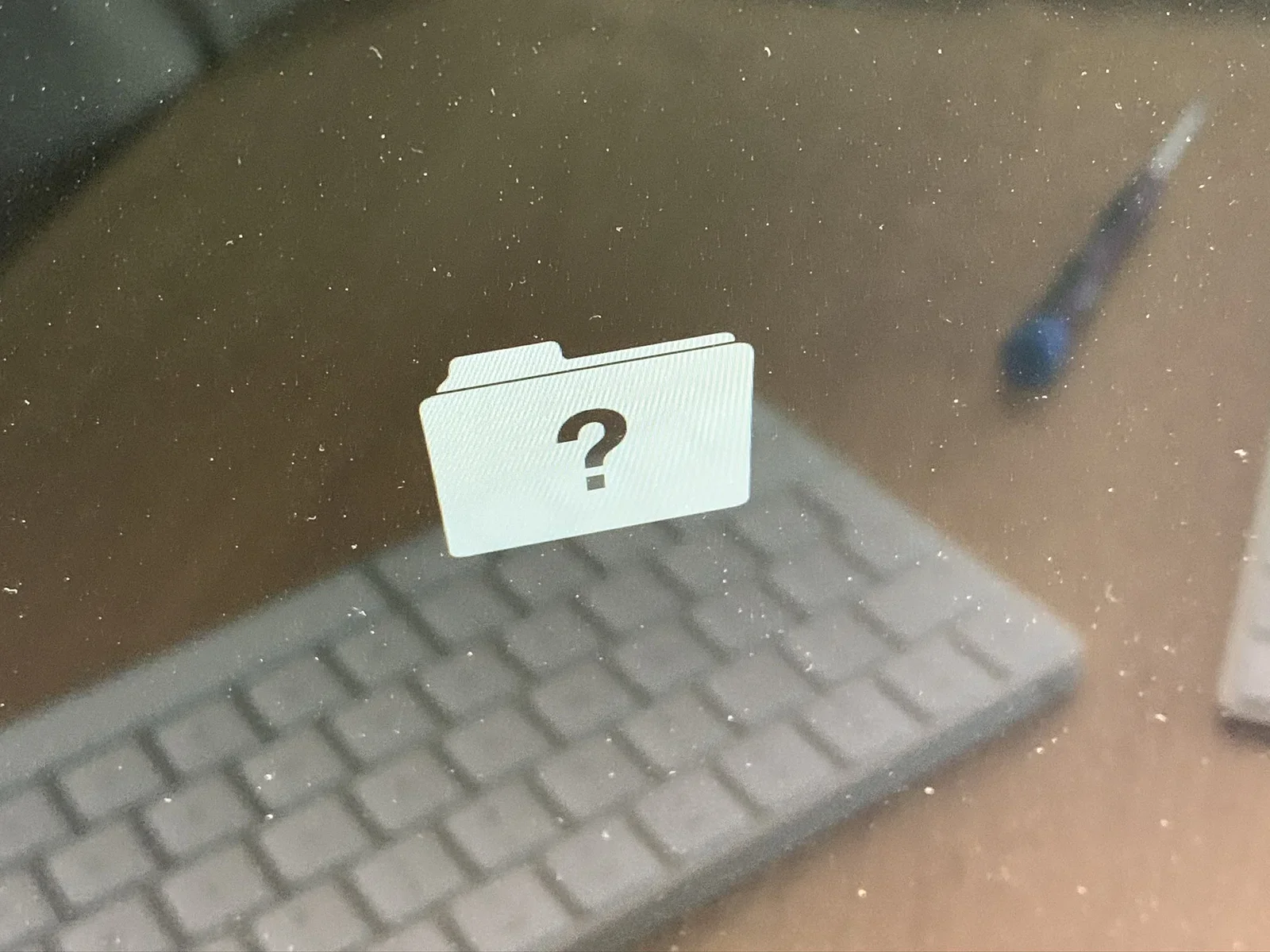
macbook, terminal, activity monitor, macos catalina, installer, houseplants(Upgrading a 27-inch iMac 5K to 14 terabytes) - image iMac in trouble: no system drive found A grey folder icon with a black question mark is visible on a screen behind glass, above a keyboard and a stylus on a wooden desk. (machine-described)
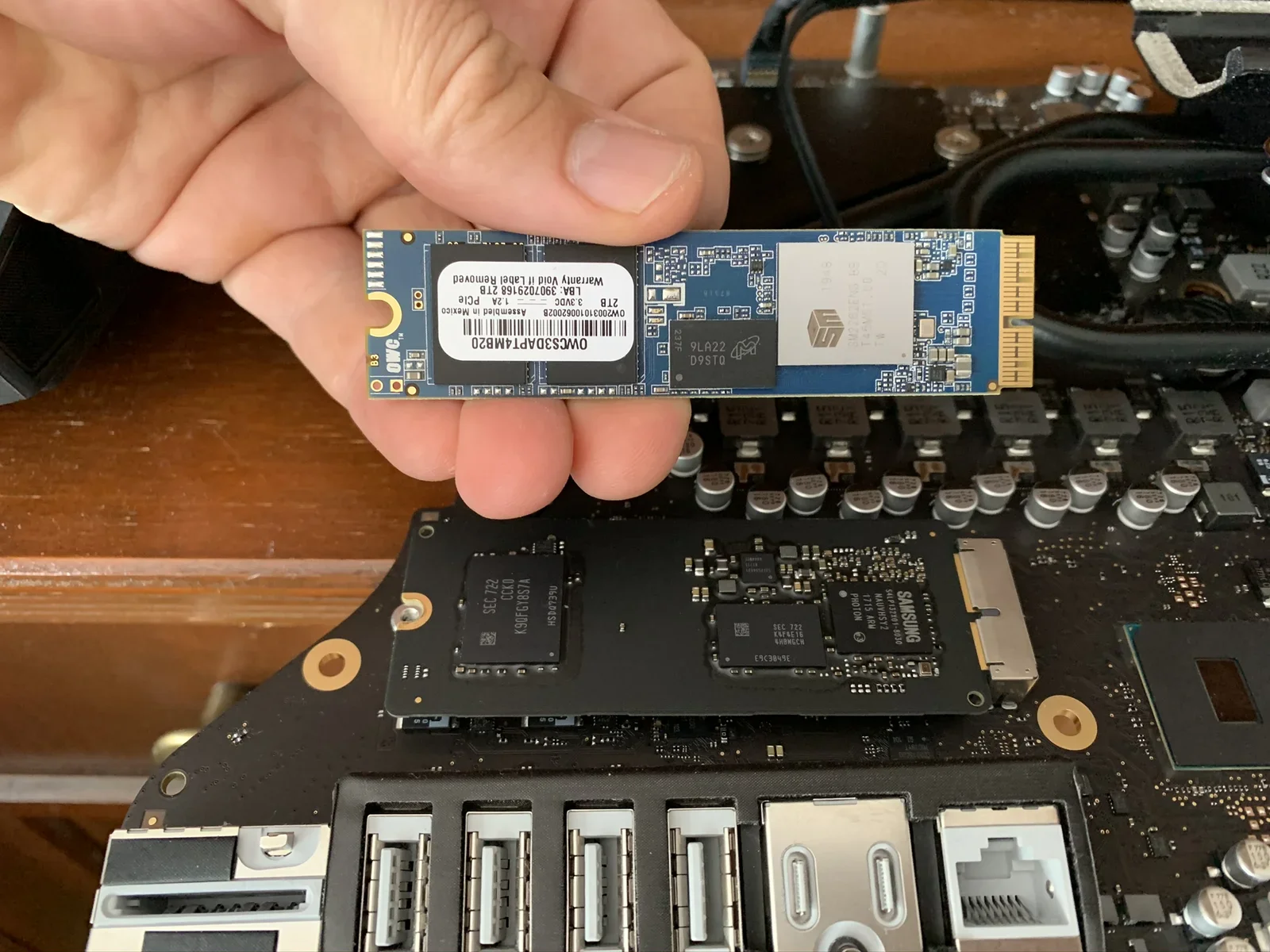
folder icon, question mark, keyboard, stylus, desk, screen(Upgrading a 27-inch iMac 5K to 14 terabytes) - image The new drive is ready to be installed - what could possibly go wrong? A hand holds a blue OWC M.2 SSD module above an open Mac logic board showing a Samsung storage chip, capacitors, USB-C and Ethernet ports. (machine-described) text in image:
OWC OWC53DAPT4MB20. 2TB. 1.2A 3.3VDC PCIe. LBA: 390702916B. OW20031010062002B. Assembled in Mexico. Warranty Void if Label Removed. SM 1948 SM2262ENG BB T45M61.00 2D. 9LA22 D9STQ 237F. Underside chips: SEC 722 CCK0 K90FGY8S7A HSD0739U. SEC 722 K4F4E16 4HBMGCH E9C3849E. SAMSUNG S4LP132X01-8030 NAUVHS
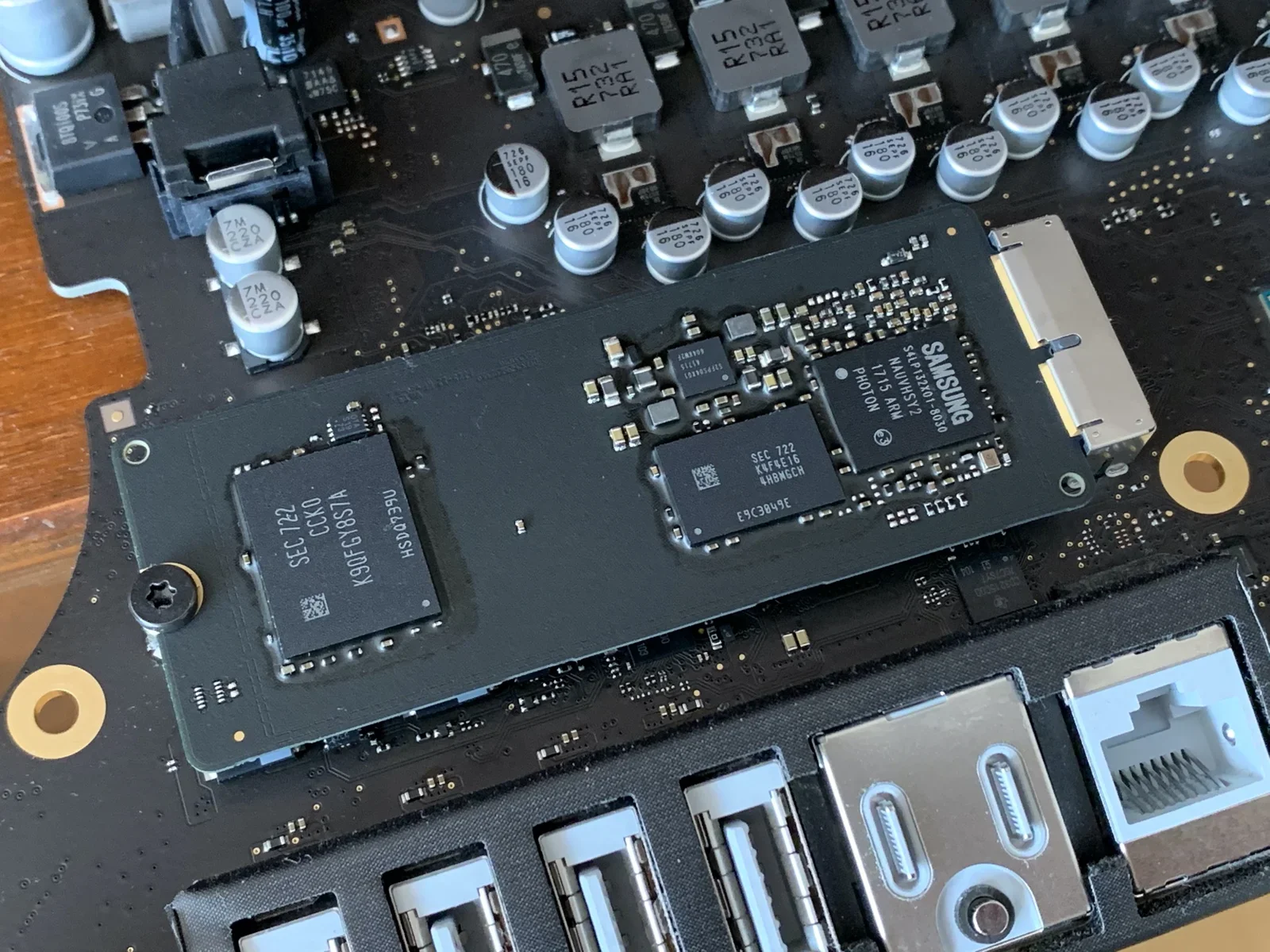
ssd, logic board, hand, upgrade, ports, capacitors(Upgrading a 27-inch iMac 5K to 14 terabytes) - image The factory installed 32GB SSD that we're going to replace Close-up of the underside of the storage module soldered to the logic board, showing individual memory and controller chips. (machine-described) text in image:
SEC 722 CCK0 K90FGY8S7A HSD0739U. SEC 722 K4F4E16 4HBMGCH E9C3849E. SAMSUNG S4LP132X01-8030 NAUVHSY2 1715 ARM PHOTON. 7M 220 CZA (capacitor markings).
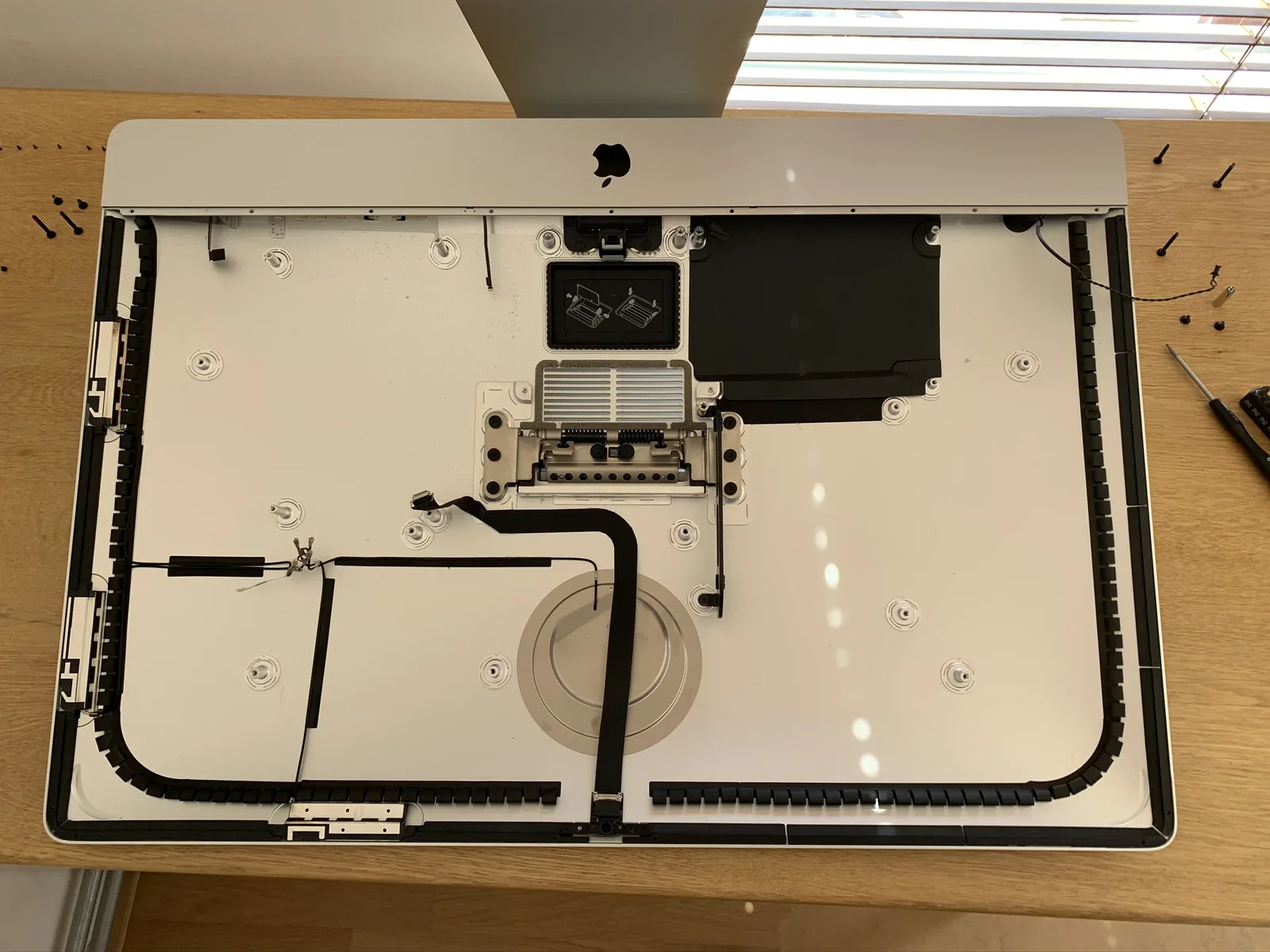
chips, logic board, samsung, storage, macro, solder(Upgrading a 27-inch iMac 5K to 14 terabytes) - image A (nearly) empty iMac enclosure The interior of an iMac rear housing lies on a desk, showing the Apple logo, speaker, fan, and coiled antenna cables with screws set aside. (machine-described)
imac, rear housing, apple logo, speaker, fan, antenna cables(Upgrading a 27-inch iMac 5K to 14 terabytes) - image iMac evolution A diagram shows the side-profile silhouettes of Apple desktop computers evolving from the original iMac G3 in 1998 through to a modern iMac, each labelled with a year. (machine-described) text in image:
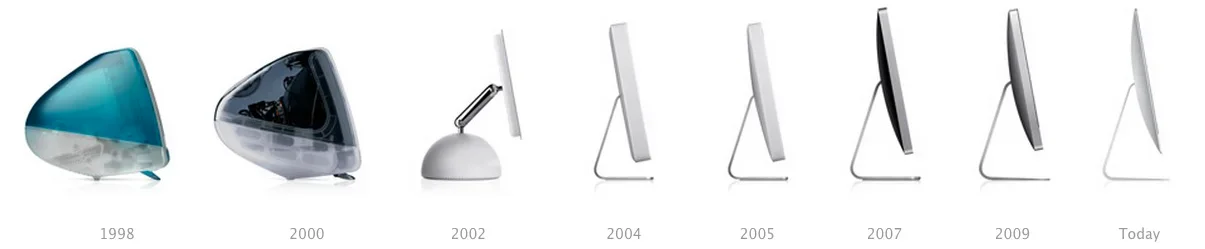
1998. 2000. 2002. 2004. 2005. 2007. 2009. Today.
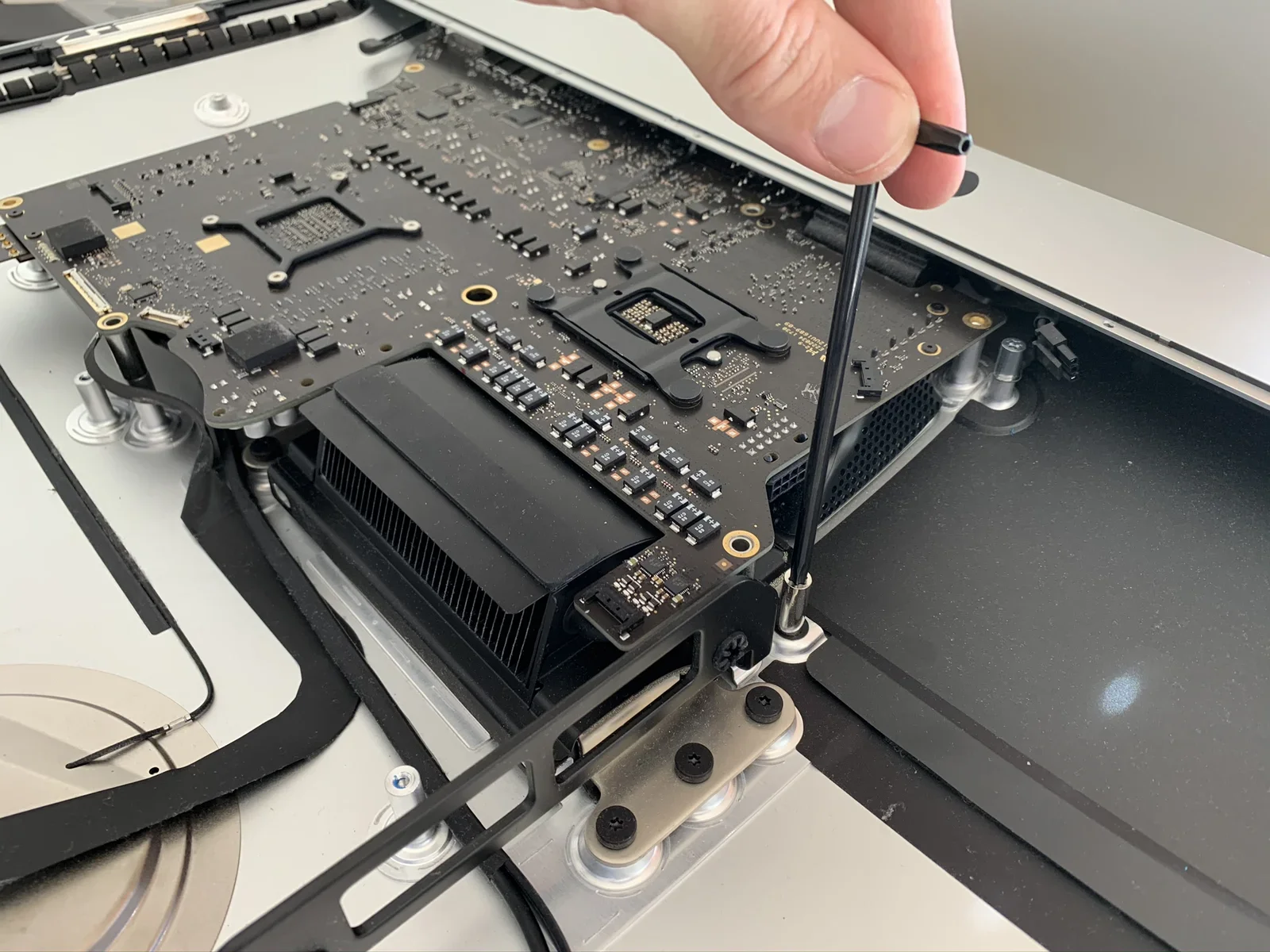
imac, diagram, timeline, design history, silhouette, apple(Upgrading a 27-inch iMac 5K to 14 terabytes) - image Removing screws from the heatsink A hand uses a long screwdriver to remove a screw from an iMac logic board that is propped up next to its heatsink and rear housing. (machine-described)
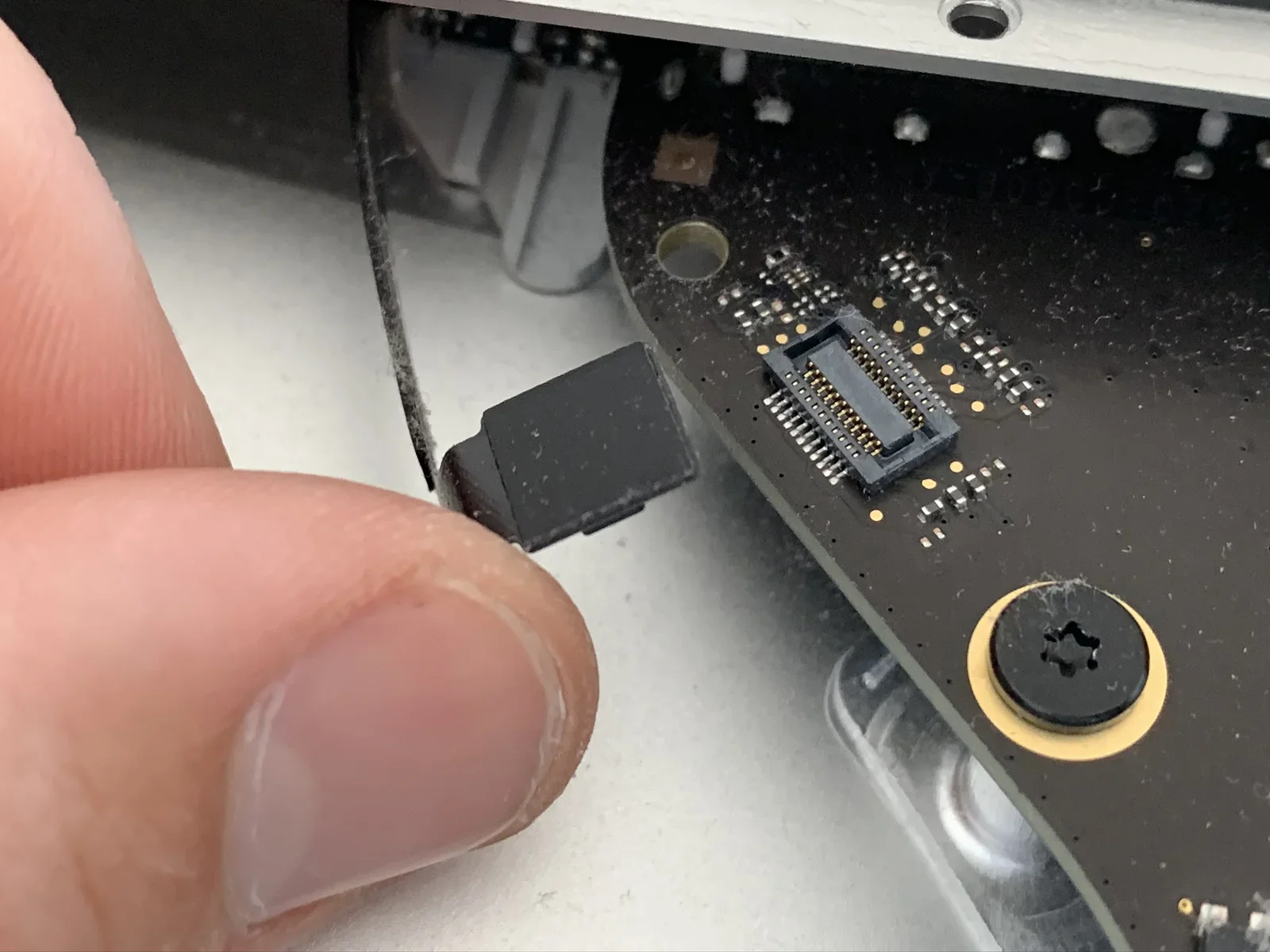
logic board, screwdriver, heatsink, imac, repair, hand(Upgrading a 27-inch iMac 5K to 14 terabytes) - image Disconnecting the headphone cable A close-up shows fingers unplugging a small black ribbon cable connector from an iMac logic board next to a screw with a star-shaped head. (machine-described)
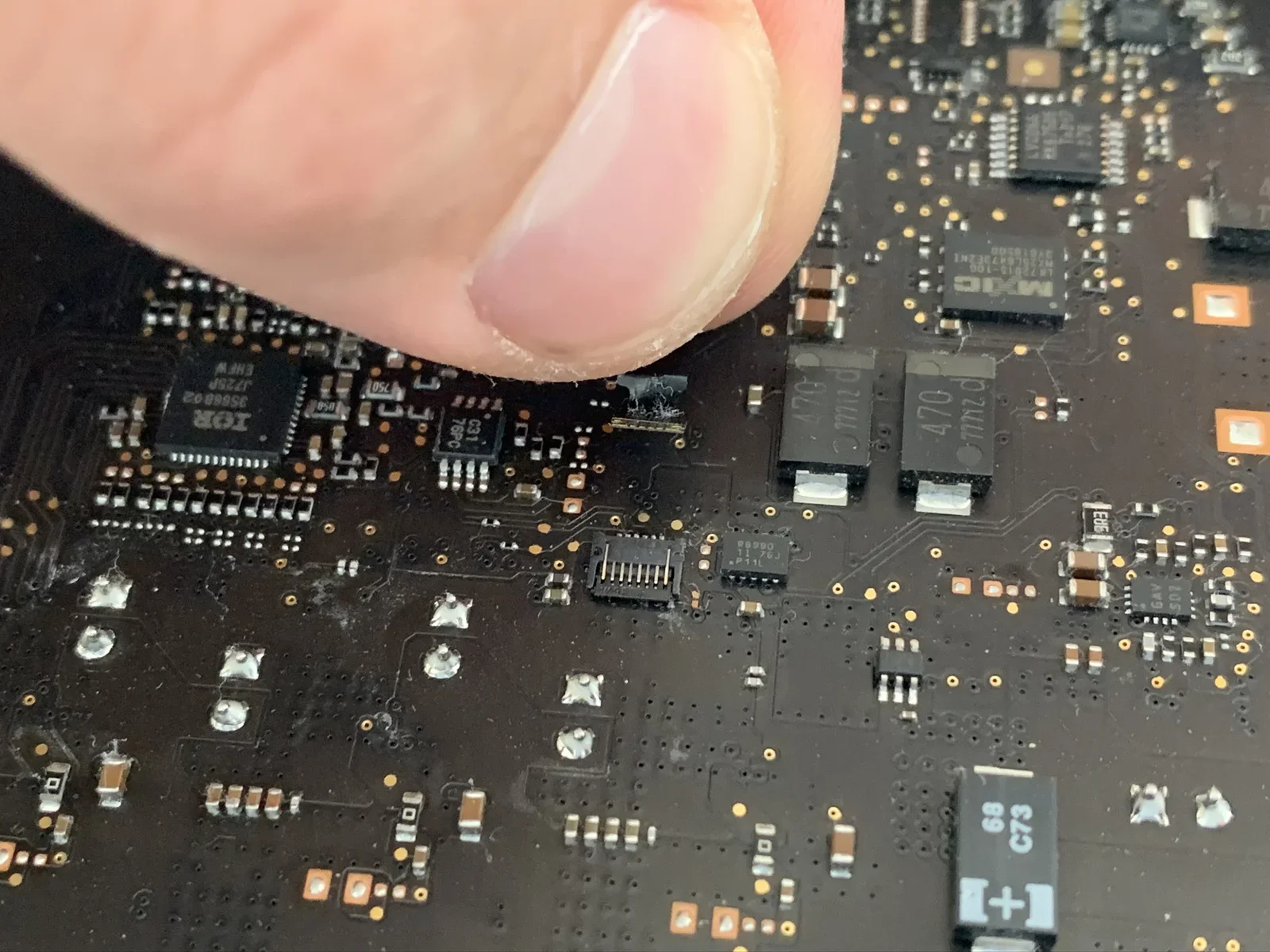
ribbon cable, connector, logic board, macro, screw, repair(Upgrading a 27-inch iMac 5K to 14 terabytes) - image Disconnecting the microphone cable - right under my thumb - it's very tiny! A macro shot of a thumb pointing at surface-mounted chips on a logic board, including a QFP chip and two power components marked 470. (machine-described) text in image:
IOR J7ZSP EHFW 3568802 (large QFP chip). MXIC MX25L1637DE1MI LM2515-100 (small chip). 470 mΩ (two power components). C31 76PC (small chip). C73 68 (capacitor).
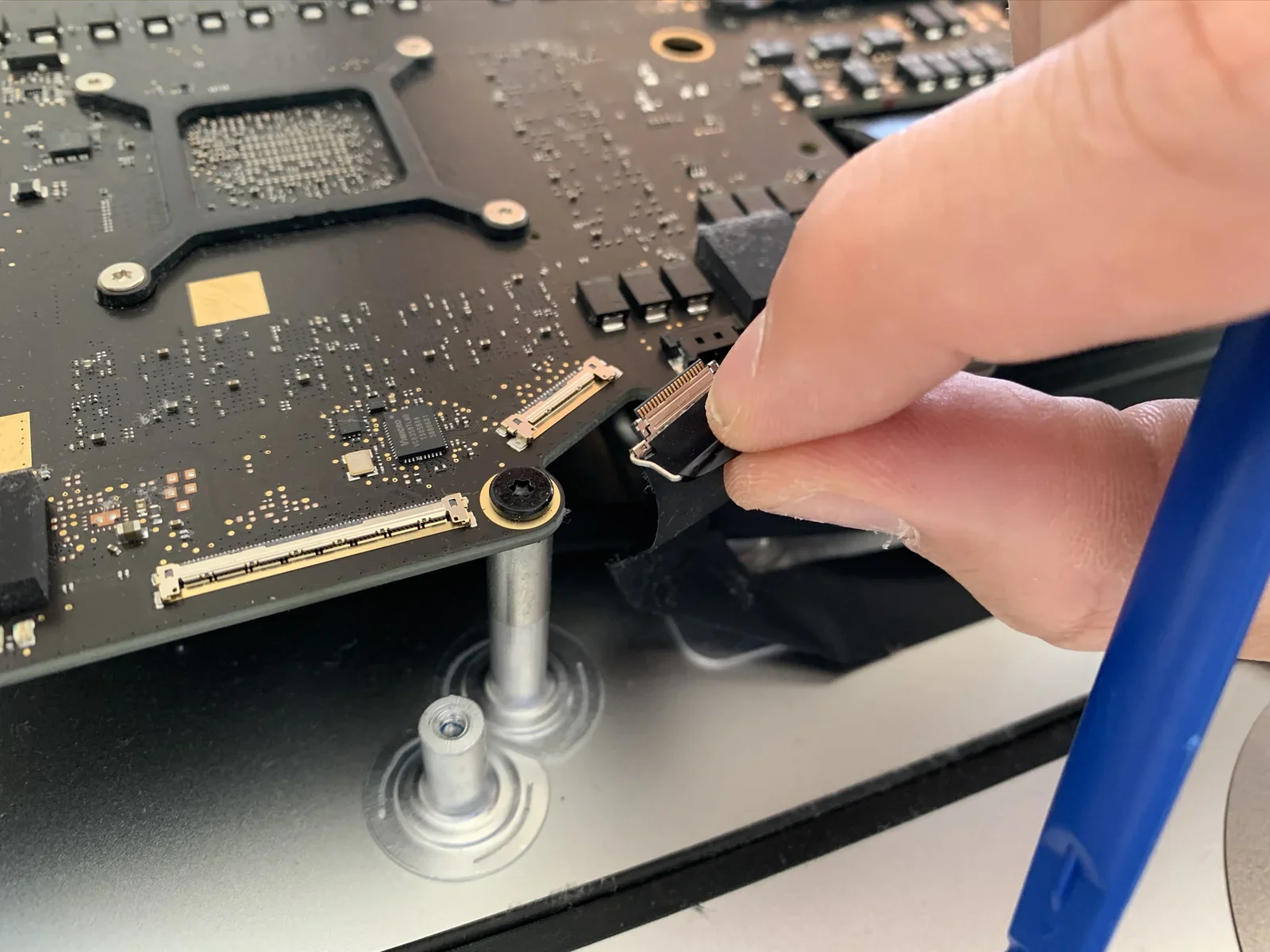
chips, logic board, macro, thumb, surface mount, repair(Upgrading a 27-inch iMac 5K to 14 terabytes) - image Disconnecting the iSight's (Applespeak for webcam) USB cable A hand disconnects a ribbon cable connector from an iMac logic board that rests on standoffs above the rear housing, with a blue spudger nearby. (machine-described)
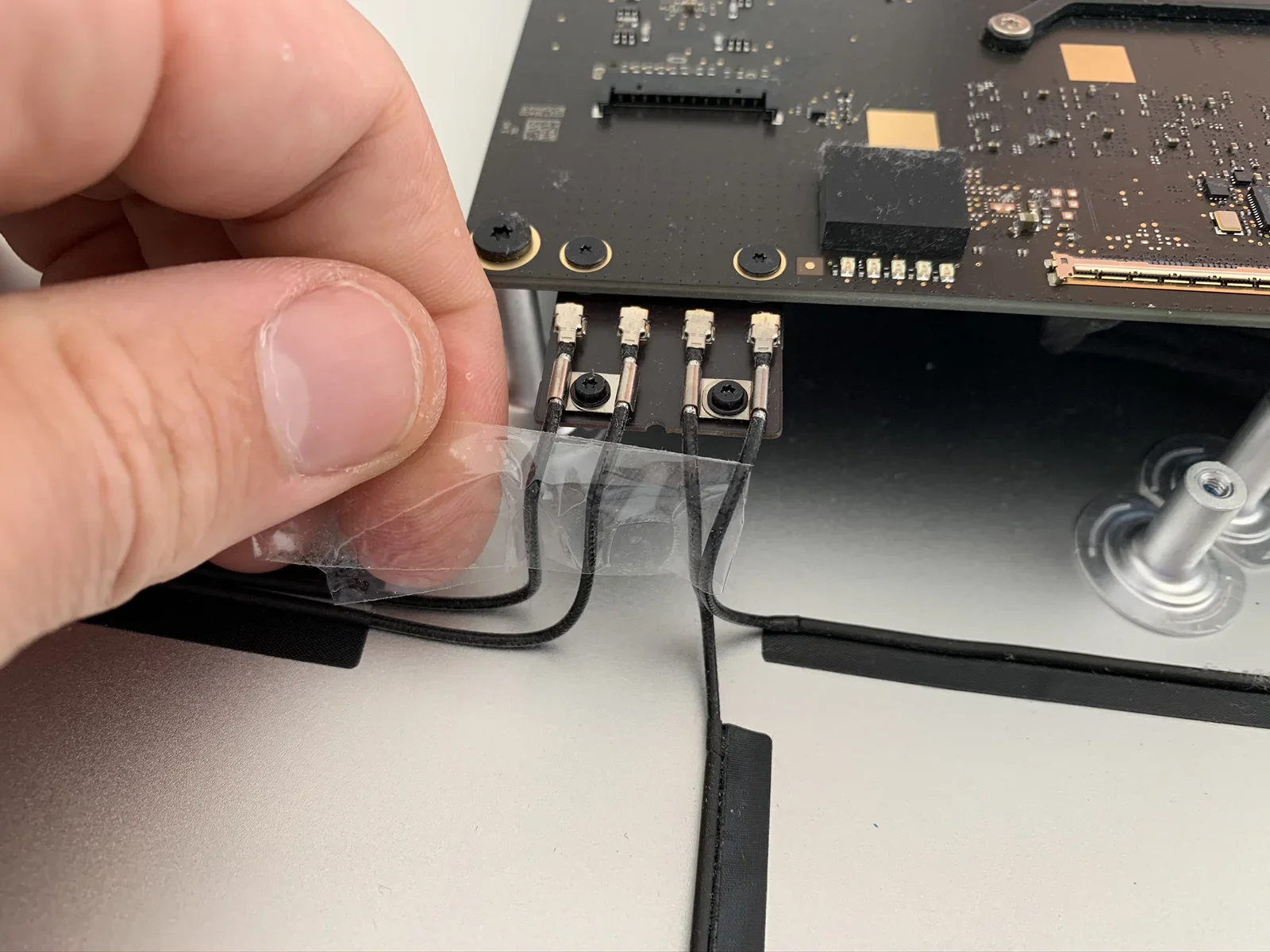
ribbon cable, logic board, standoffs, spudger, repair, hand(Upgrading a 27-inch iMac 5K to 14 terabytes) - image Removing the antenna cables, remember their order using a piece of tape A hand peels tape off a bundle of thin antenna cables connected to four small sockets on the underside of an iMac logic board. (machine-described)
antenna cables, logic board, tape, sockets, repair, hand(Upgrading a 27-inch iMac 5K to 14 terabytes) - image Work in progress: most parts removed, the logic board remaining An iMac lies open on a desk showing its logic board, heatsink and disk drive bay, with a round wall switch on the left and a window with blinds behind. (machine-described)
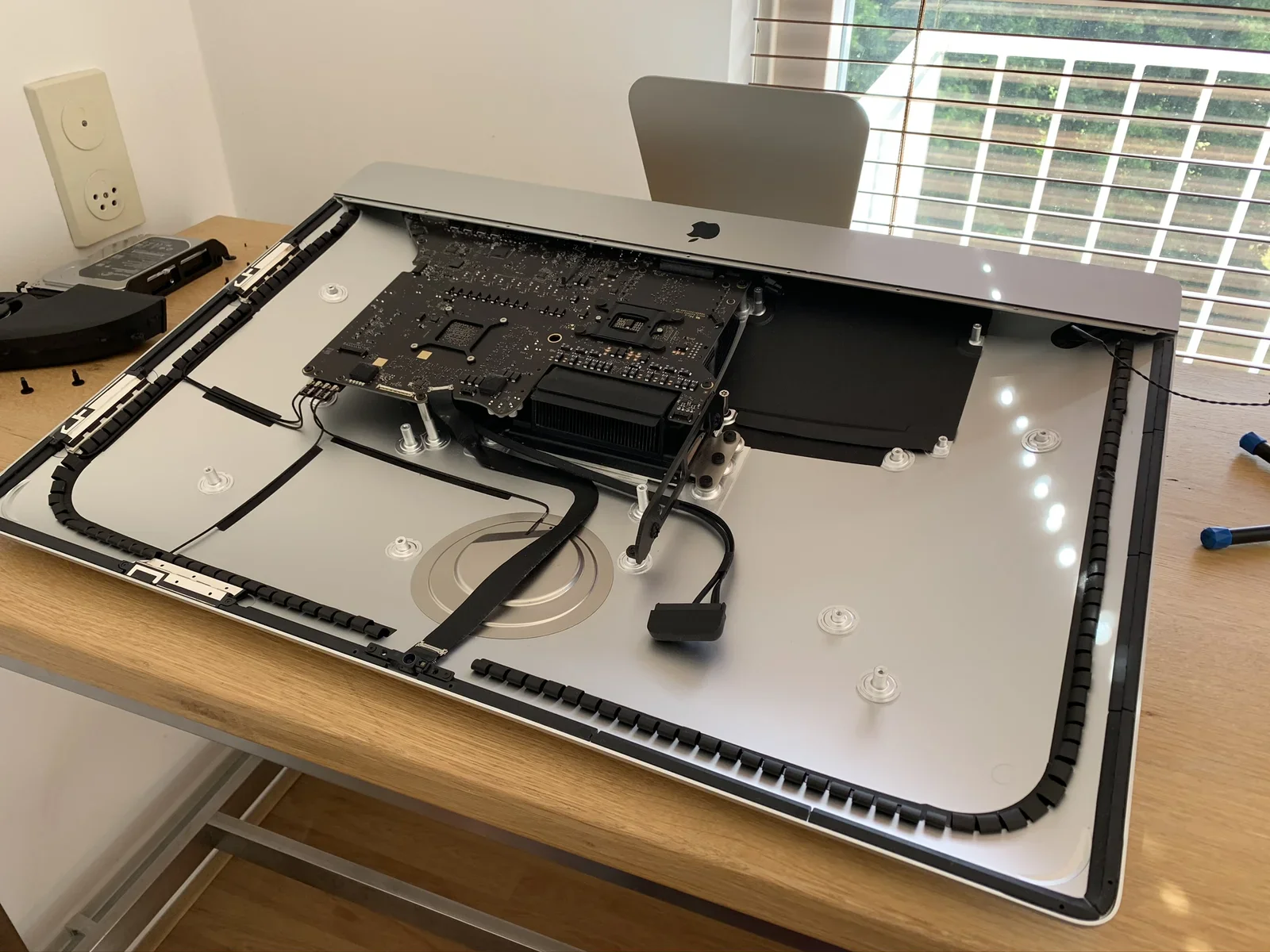
imac, logic board, desk, disassembly, window, heatsink(Upgrading a 27-inch iMac 5K to 14 terabytes) - image Removing the power supply board A hand lifts a black power supply board out of an iMac, showing its heatsink, toroidal inductors, blue capacitor and a Delta Electronics manufacturer label with certification marks. (machine-described) text in image:
PP02. DELTA (brand on label, further model and rating text too small to read clearly). Certification marks including CE and a recycling symbol.
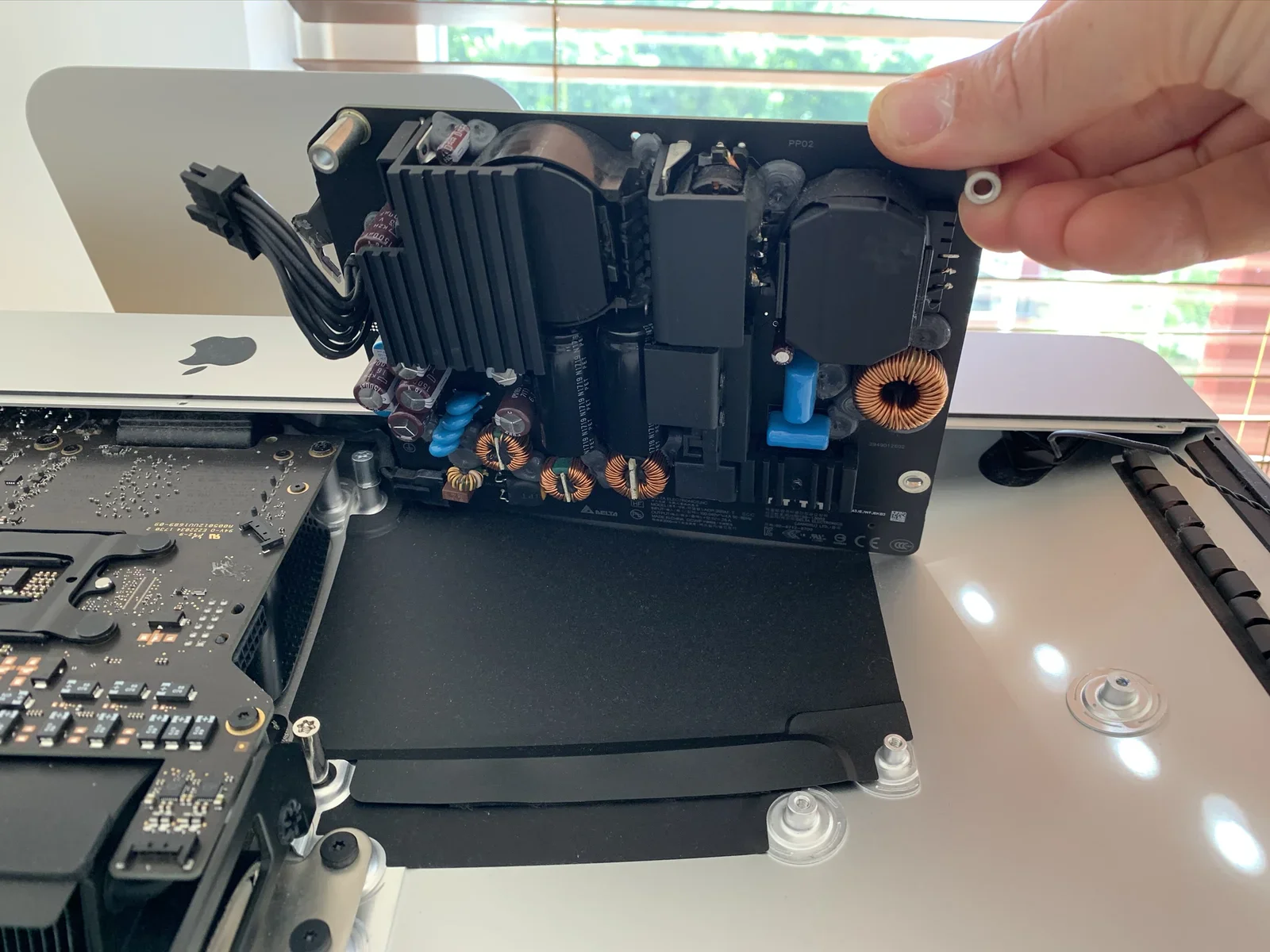
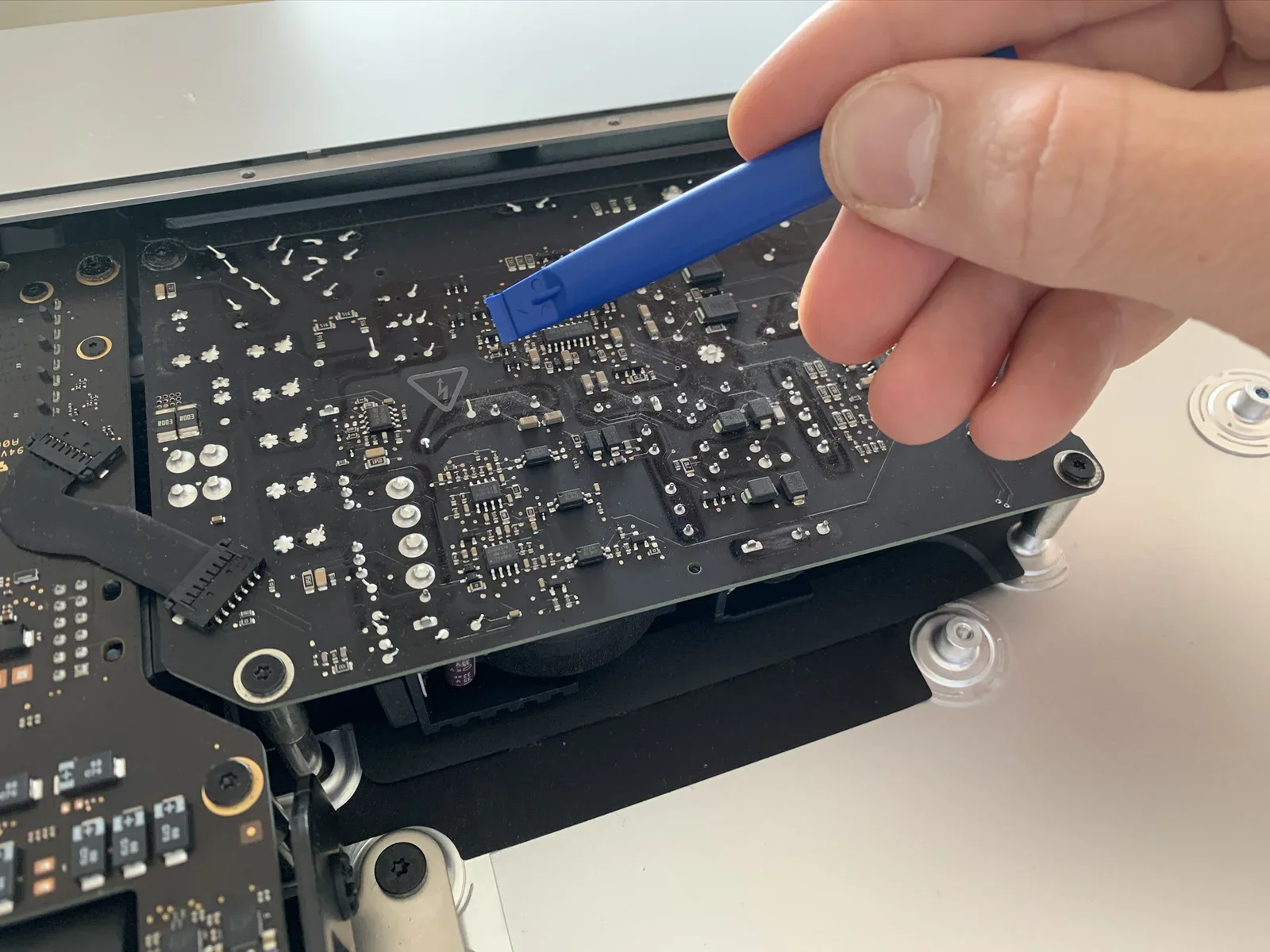
power supply, delta, inductors, capacitor, imac, hand(Upgrading a 27-inch iMac 5K to 14 terabytes) - image The Power Supply should be handled with extra care, don't touch any solder joint as the capacitors can retain some charge after disconnecting the power cable! A hand uses a blue plastic spudger to pry at a power supply board still connected inside an open iMac, with a high-voltage warning triangle printed on the board. (machine-described)
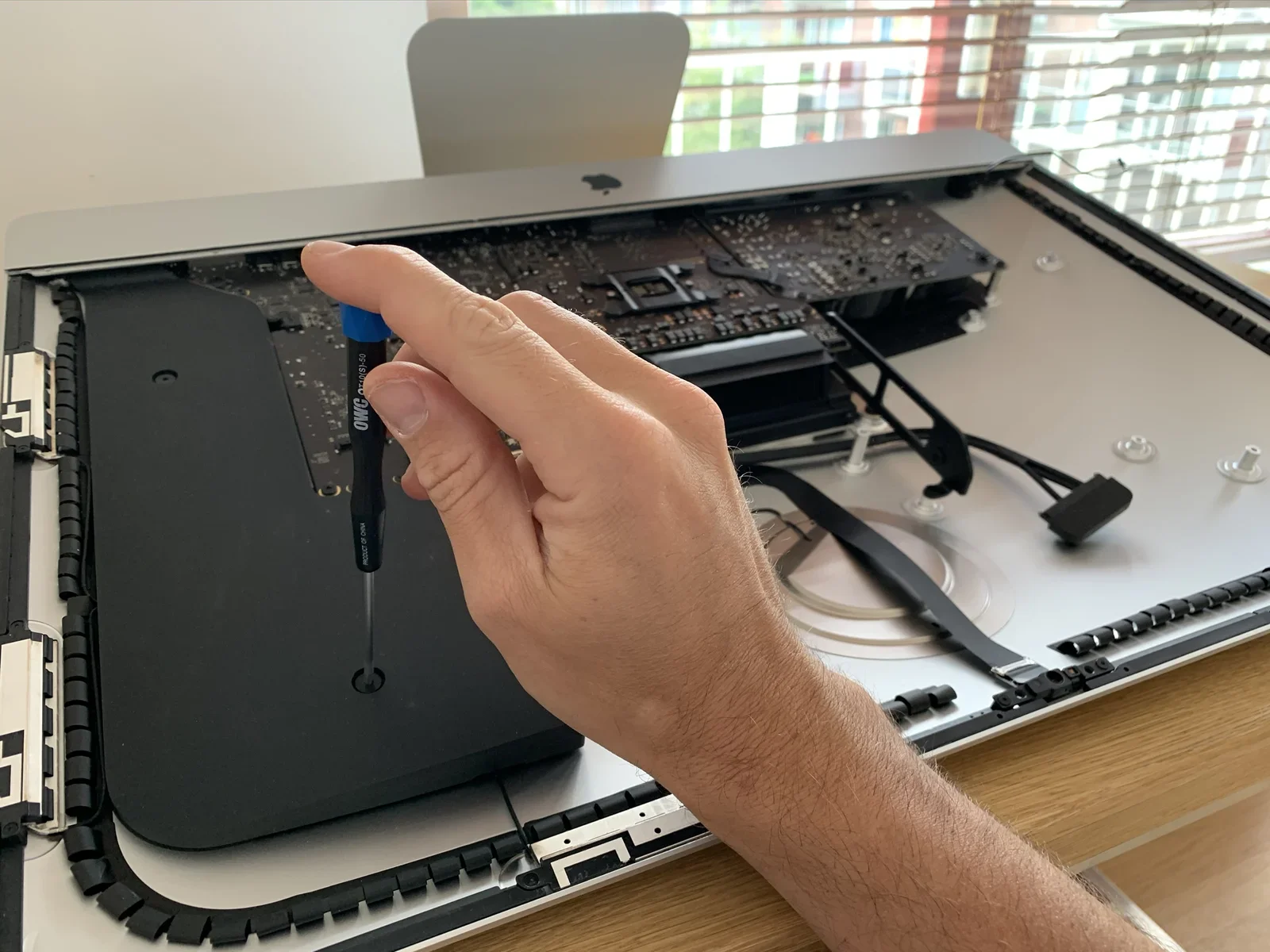
power supply, spudger, high voltage warning, circuit board, repair, hand(Upgrading a 27-inch iMac 5K to 14 terabytes) - image Removing the other iMac speaker A hand holds a black OWC precision screwdriver above an open iMac logic board and disk bay. (machine-described) text in image:
OWC. PRODUCT OF CHINA.
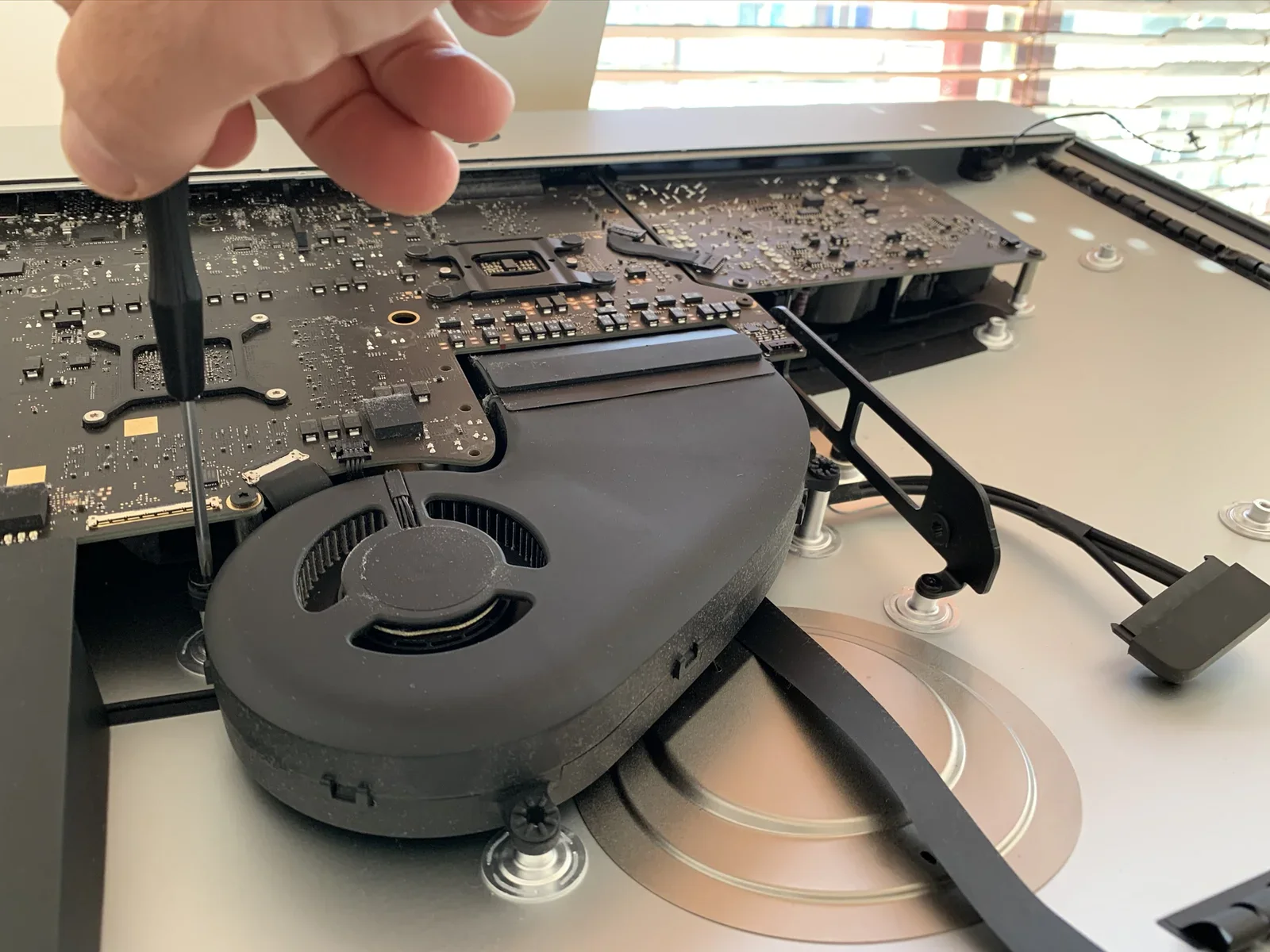
screwdriver, owc, logic board, imac, tool, hand(Upgrading a 27-inch iMac 5K to 14 terabytes) - image Removing the main ventilator shaft A hand uses a screwdriver near a black cooling fan inside an open iMac, with the logic board and a coiled cable visible alongside. (machine-described)
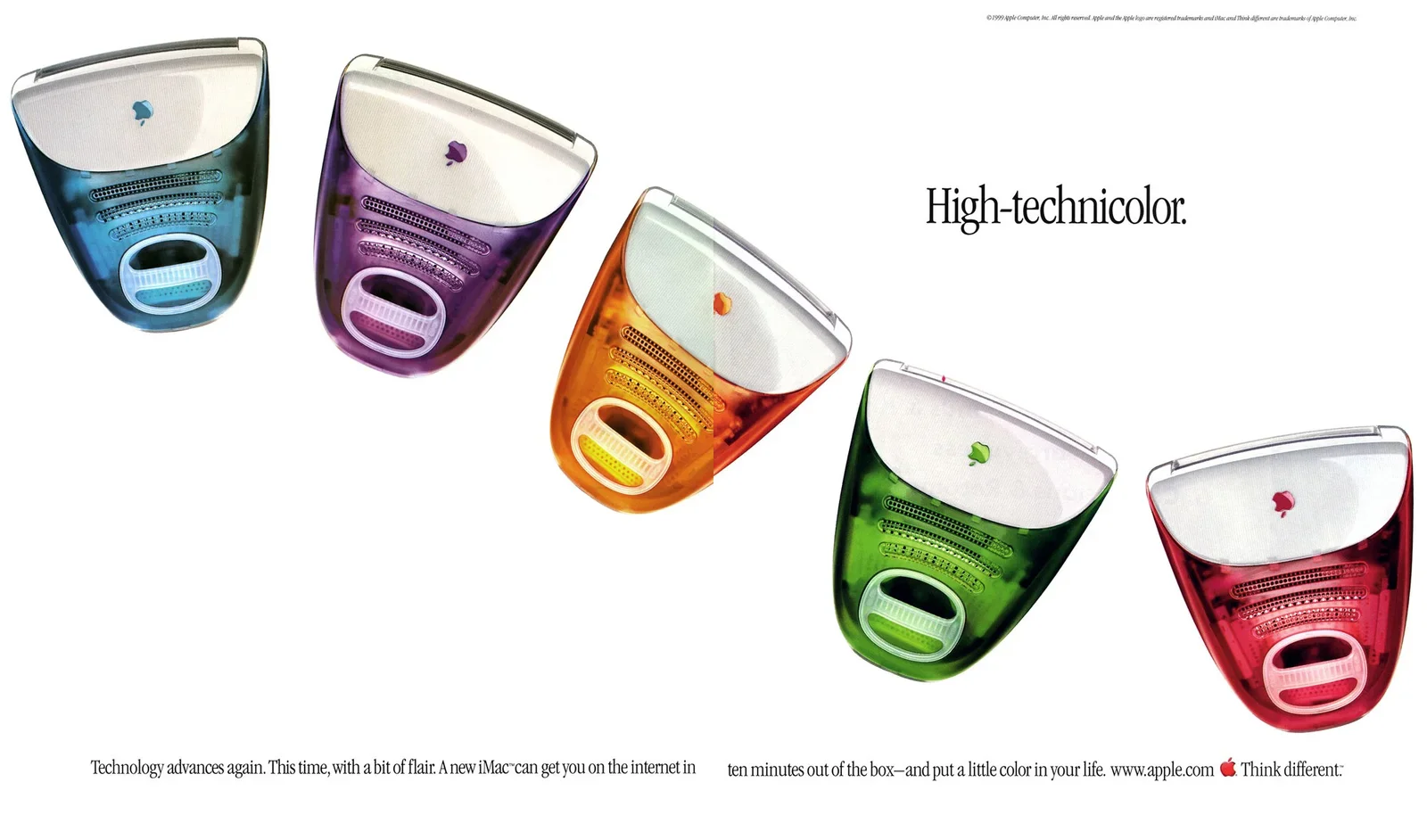
fan, screwdriver, logic board, imac, cooling, hand(Upgrading a 27-inch iMac 5K to 14 terabytes) - image iMac ad - note the text emphasising to get you online in 10 minutes A vintage Apple magazine advertisement shows five translucent, candy-colored iMac G3 computers in blue, purple, orange, green, and red, tilted diagonally under the headline High-technicolor. (machine-described) text in image:
High-technicolor. Technology advances again. This time, with a bit of flair. A new iMac can get you on the internet in ten minutes out of the box, and put a little color in your life. www.apple.com Think different. (c)1999 Apple Computer, Inc. All rights reserved. Apple and the Apple logo are regist
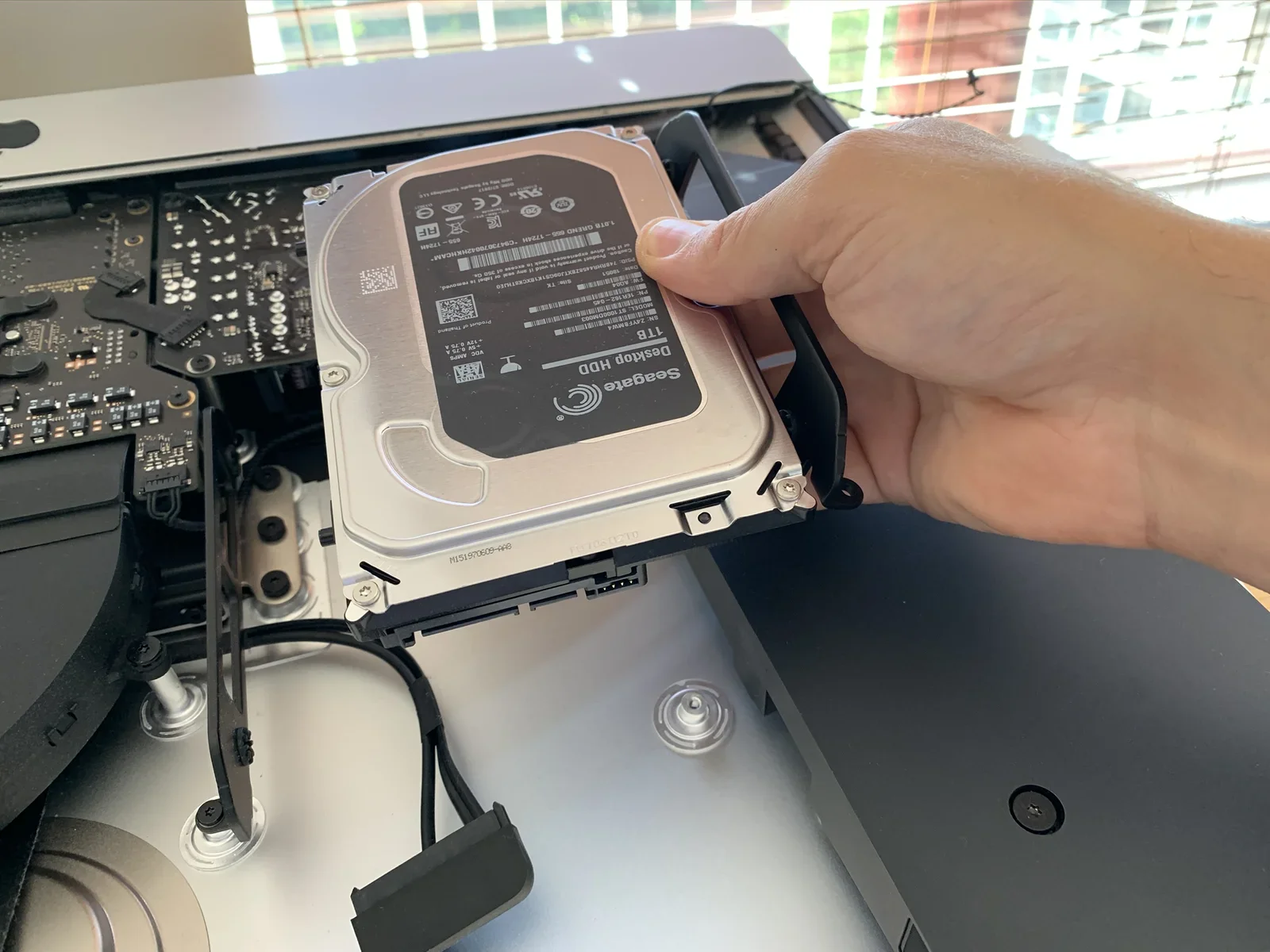
imac g3, advertisement, apple, colorful, vintage, think different(Upgrading a 27-inch iMac 5K to 14 terabytes) - image Removing the Fusion Drive 1TB harddisk A hand holds a Seagate 1TB Desktop HDD hard drive removed from an iMac, showing its printed specification label. (machine-described) text in image:
Seagate. Desktop HDD. 1TB. SN: Z4YF8MW4. MODEL: ST1000DM003. PN: 1ER162-045. FW: A004. Site: TK. PSID: 7489HR44582EXTJ09GS1K18XCK9THJE0. Caution: Product warranty is void if any seal or label is removed or if the drive experienced shock in excess of 350 Oe. 1.0TB GREND 655-1724H. VDC AMPS +5V 0.75A
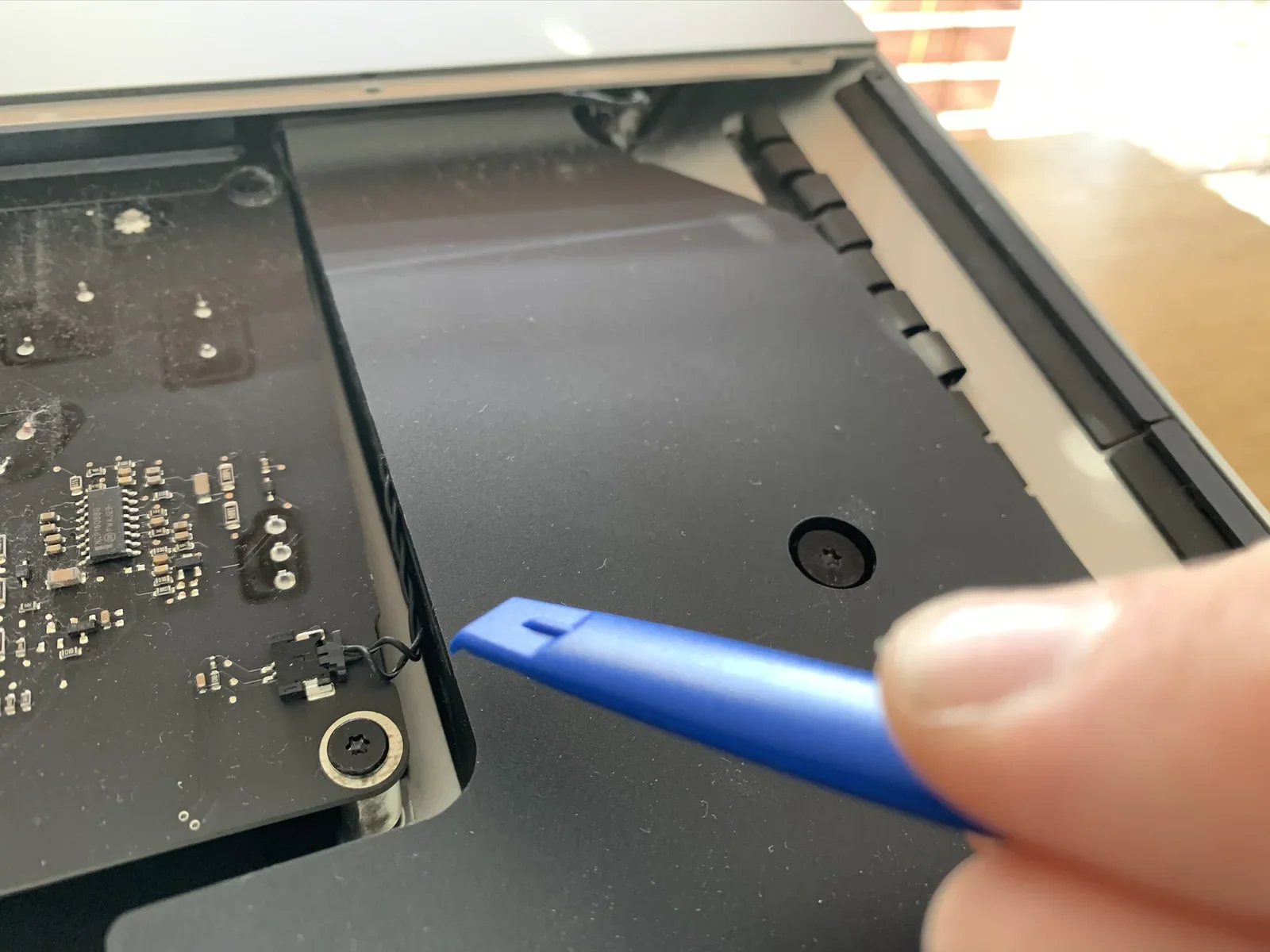
seagate, hard drive, hdd, label, hand, imac(Upgrading a 27-inch iMac 5K to 14 terabytes) - image Disconnecting the power button cable A blue plastic spudger tool is inserted at the edge of a black internal panel inside an open iMac, near a small circuit board and a screw. (machine-described)
spudger, panel, circuit board, imac, repair, tool(Upgrading a 27-inch iMac 5K to 14 terabytes) - image Removing an iMac speaker A hand drives an OWC screwdriver into a black bracket beside a Seagate hard drive inside an open iMac. (machine-described) text in image:
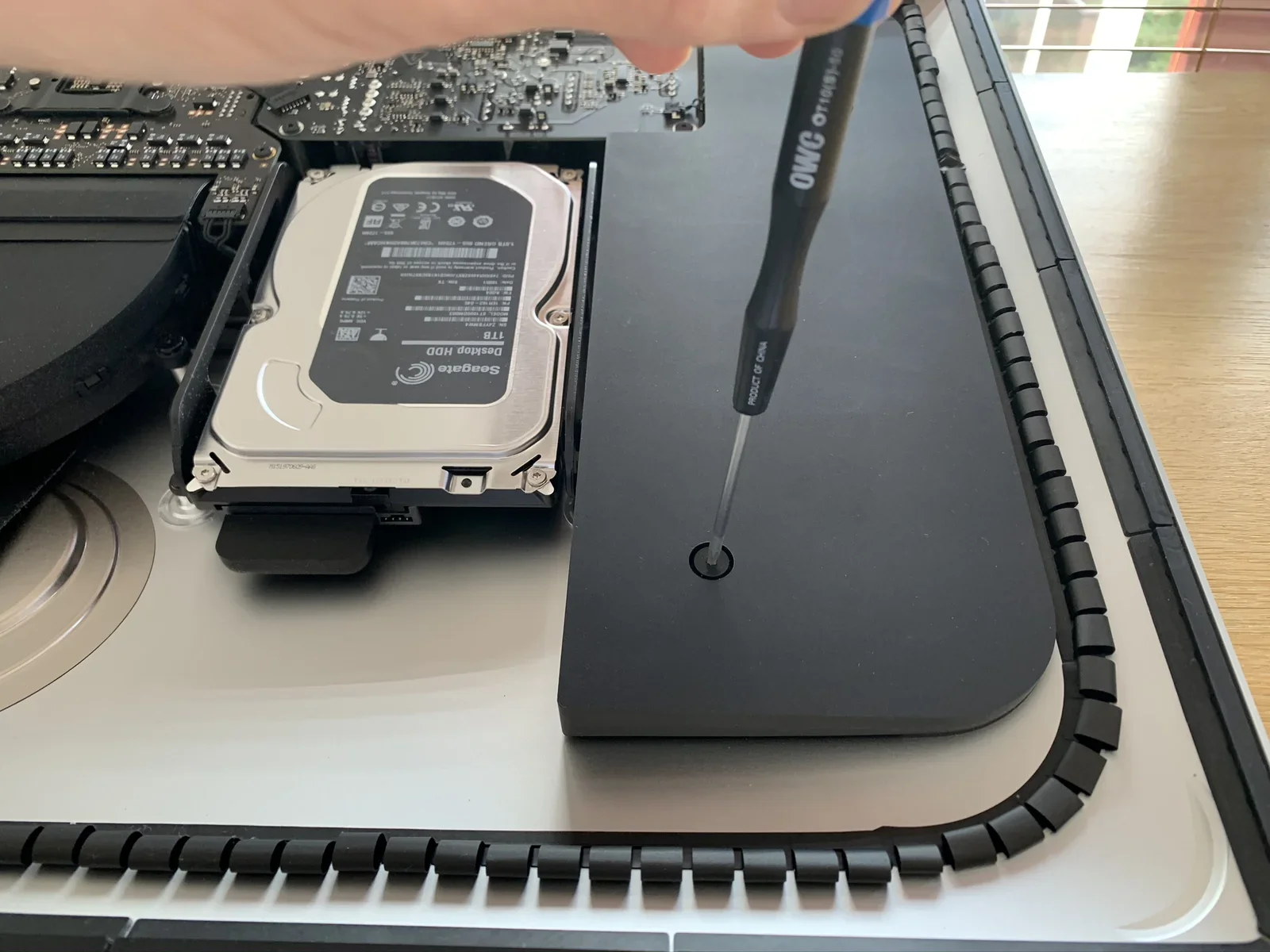
OWC. PRODUCT OF CHINA. Seagate Desktop HDD 1TB (visible on drive label).
screwdriver, owc, seagate, hard drive, imac, hand(Upgrading a 27-inch iMac 5K to 14 terabytes) - image An average fly is bigger than most screws inside the iMac A black OWC precision Phillips screwdriver lies on a wooden table next to a row of nine small screws. (machine-described) text in image:
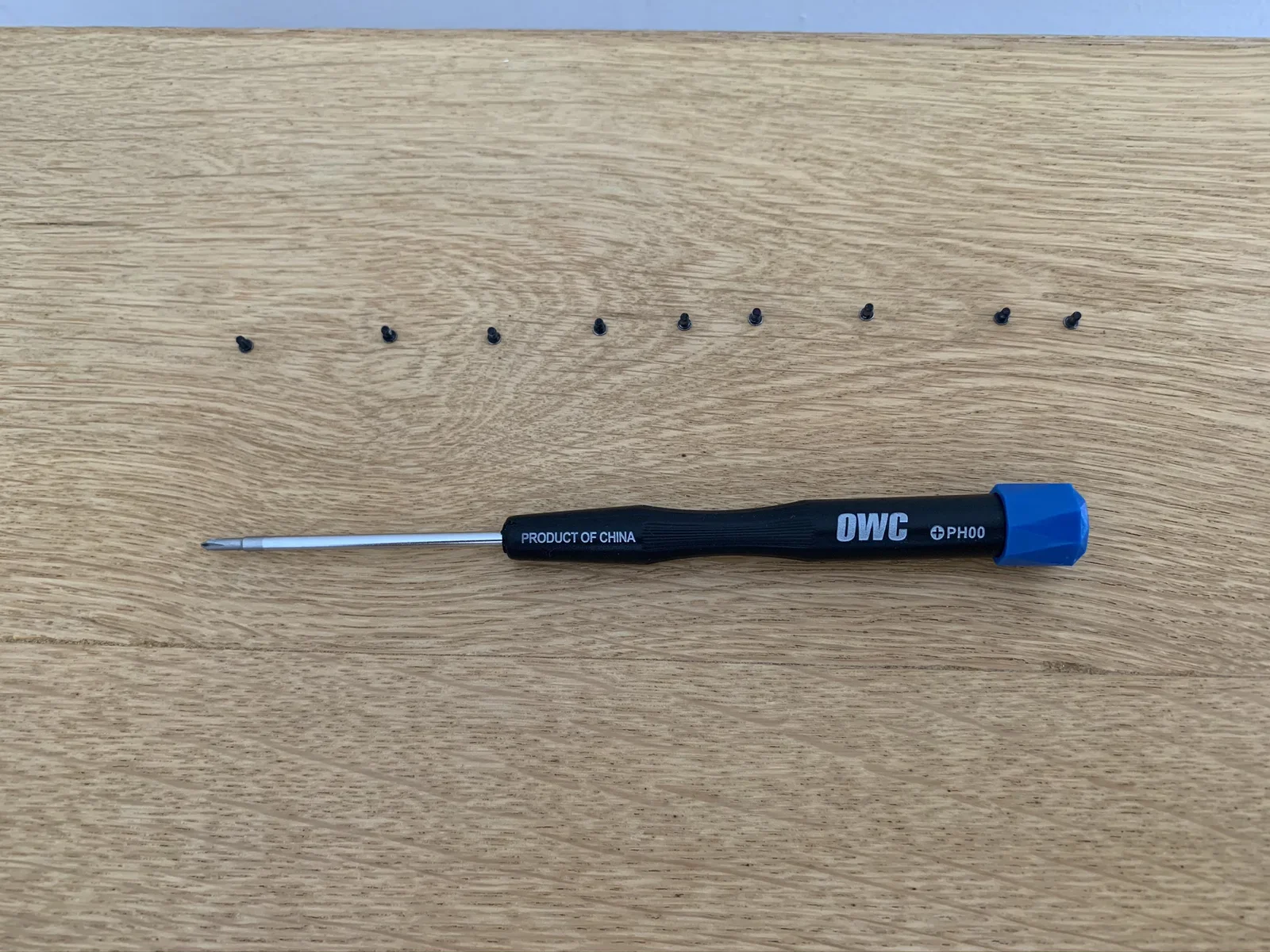
OWC. PRODUCT OF CHINA. PH00.
screwdriver, owc, screws, tool, wood table, precision(Upgrading a 27-inch iMac 5K to 14 terabytes) - image Removing screws from the iMac A hand holds an OWC screwdriver poised above a screw hole at the edge of an open iMac, with an apartment building visible through window blinds behind. (machine-described) text in image:
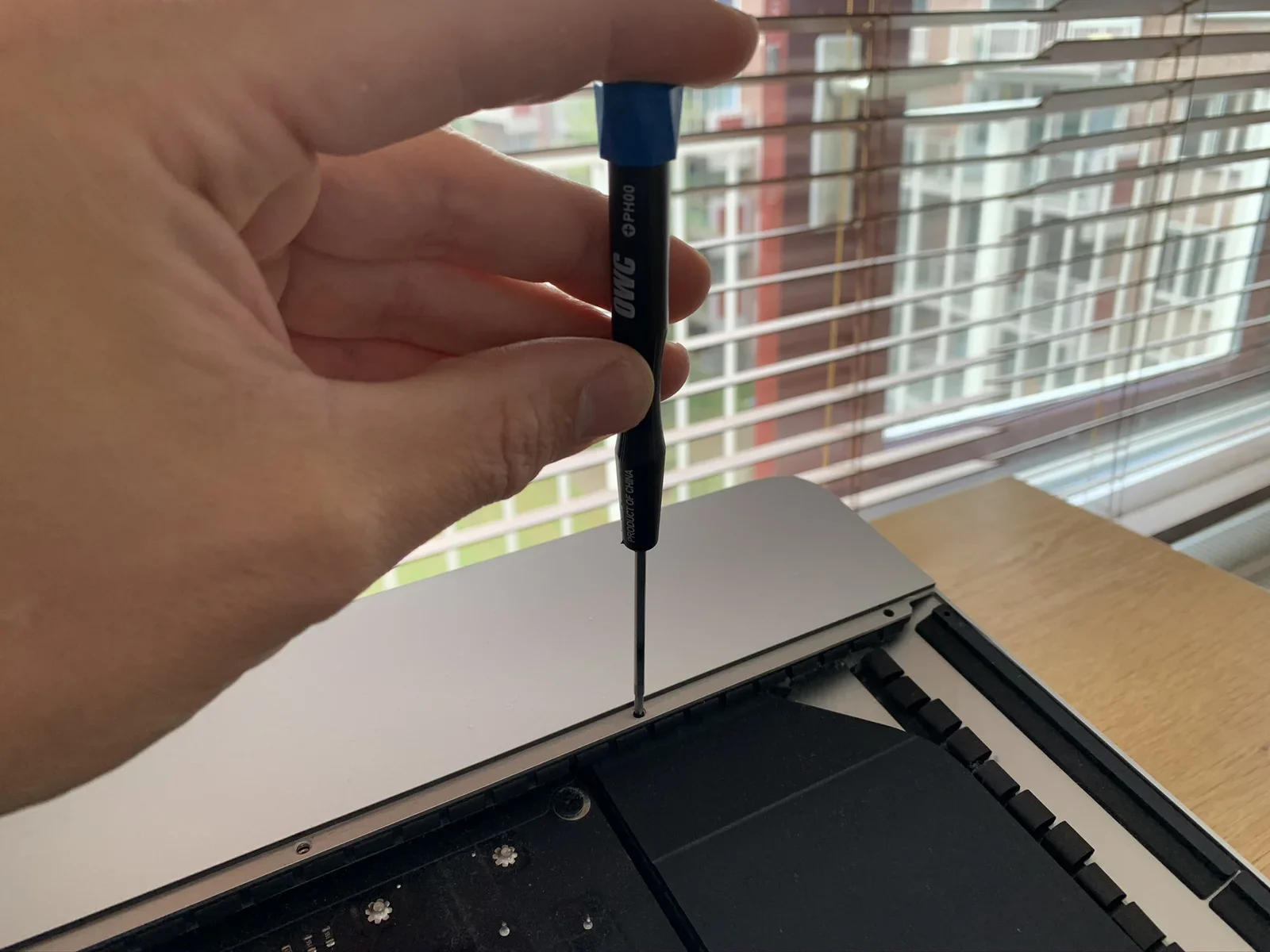
OWC. PH00. PRODUCT OF CHINA.
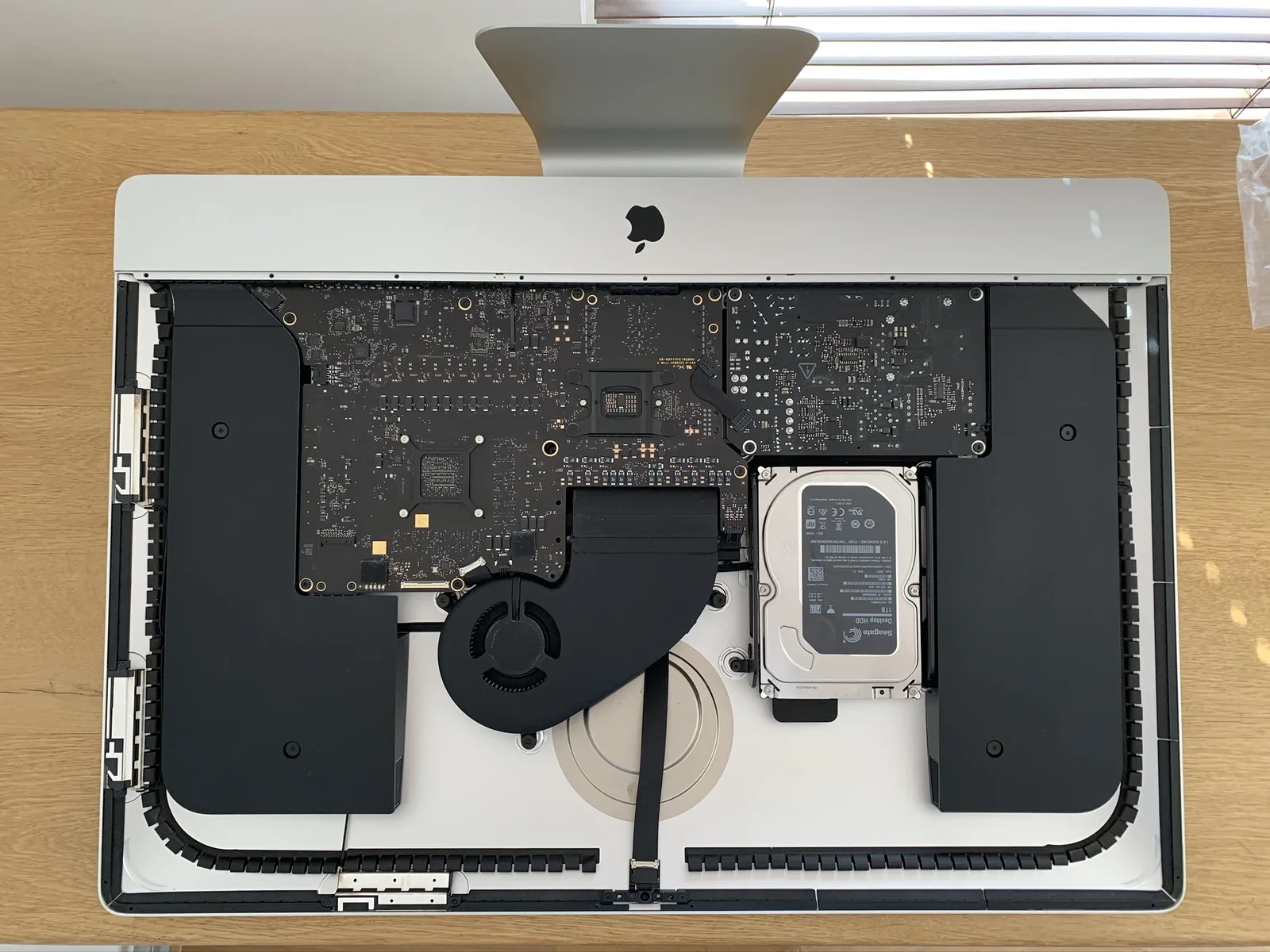
screwdriver, owc, imac, window, repair, hand(Upgrading a 27-inch iMac 5K to 14 terabytes) - image The inside of the iMac is beautifully arranged An overhead view of an open iMac shows its logic board, black shielding, cooling fan and a Seagate hard drive mounted inside the rear housing. (machine-described) text in image:
Seagate Desktop HDD 1TB (visible on installed drive label, further text too small to read).
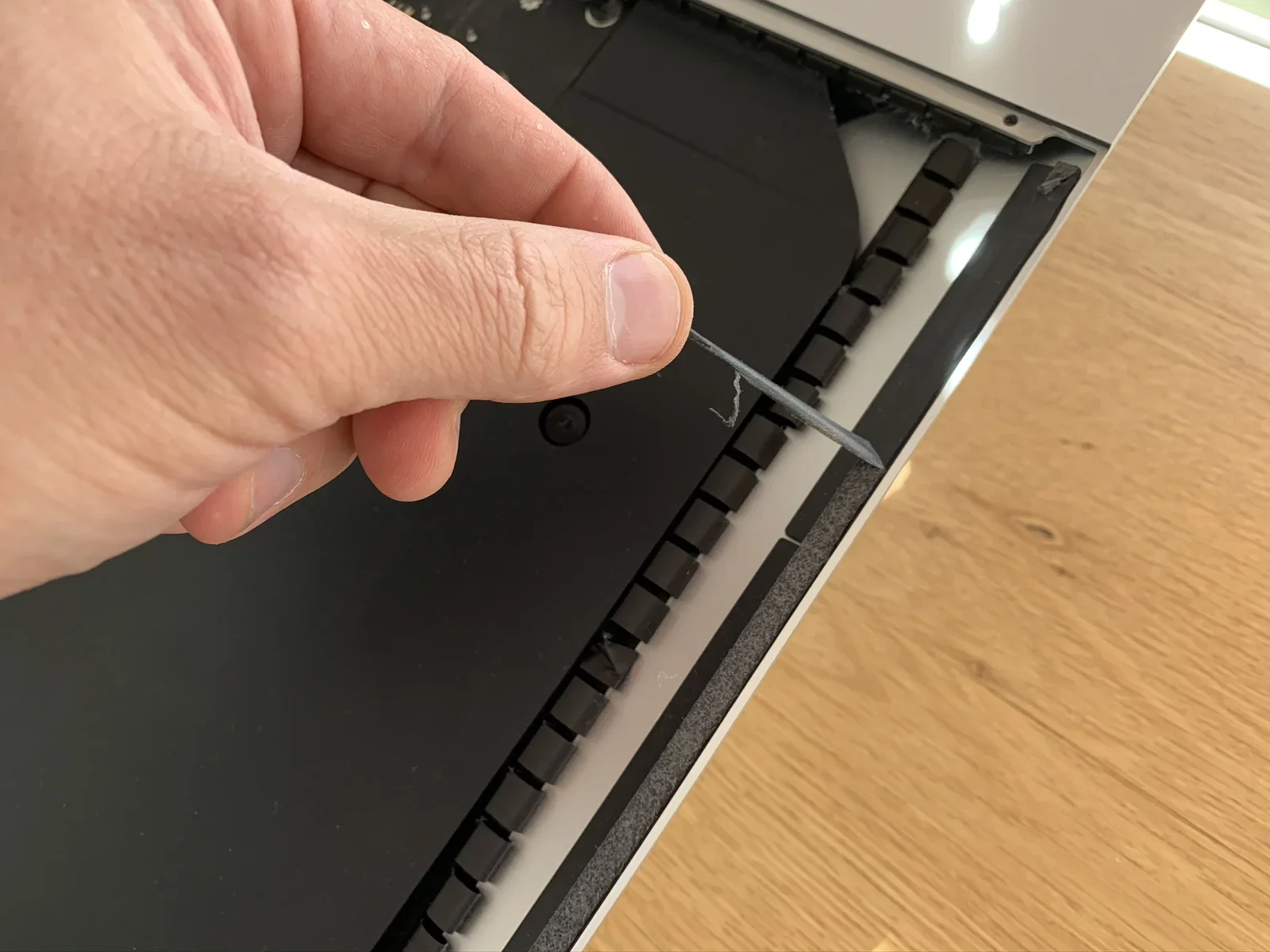
imac, logic board, hard drive, overhead, disassembly, fan(Upgrading a 27-inch iMac 5K to 14 terabytes) - image Removing adhesive strips - pretty low tech task A hand uses a thin metal pick to separate the black screen assembly from the rear housing along a seam lined with rubber gasket teeth. (machine-described)
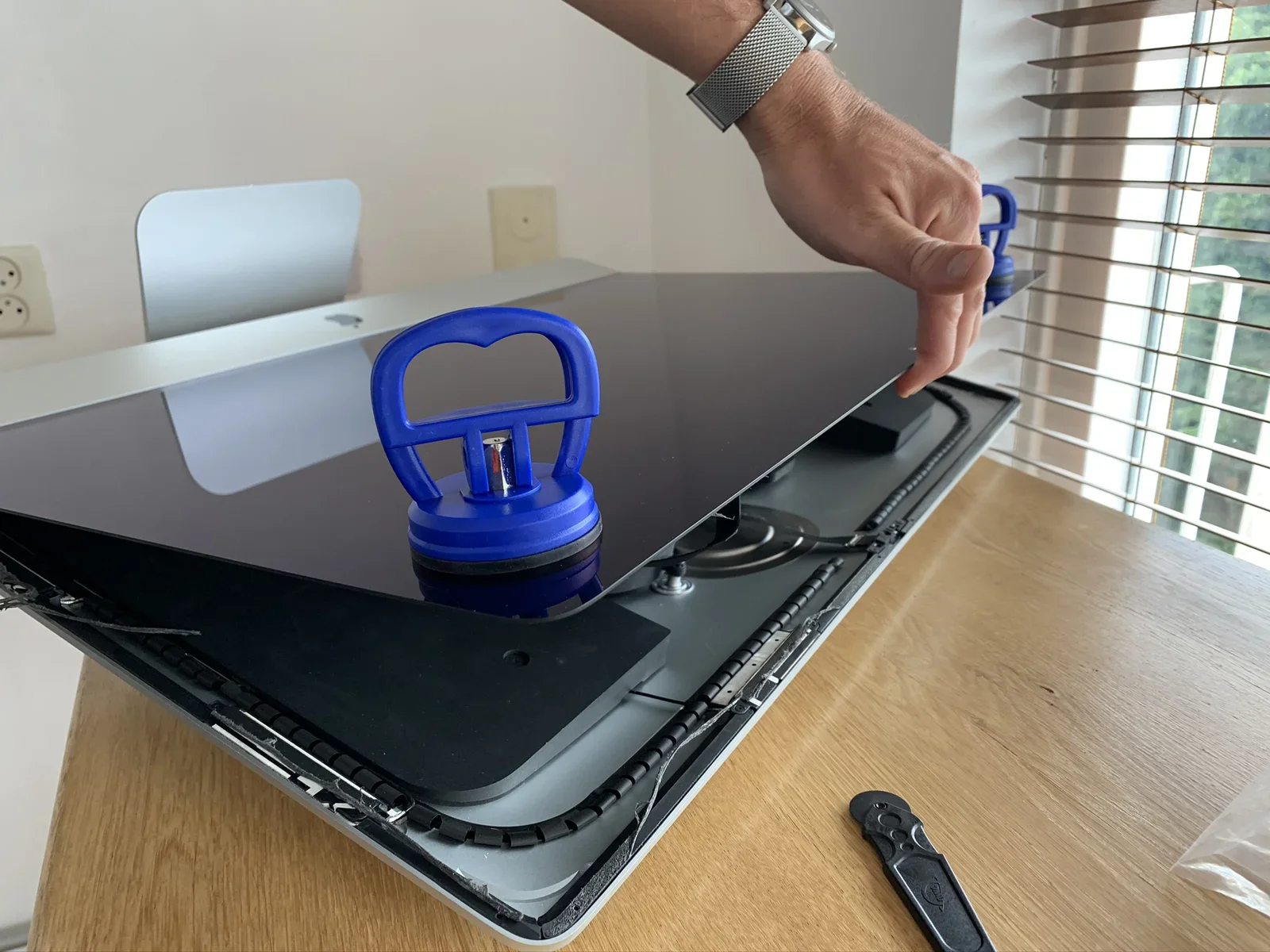
metal pick, seam, screen assembly, gasket, repair, hand(Upgrading a 27-inch iMac 5K to 14 terabytes) - image Be careful when lifting the glass, there are cables connecting the panel to the logic board A hand wearing a mesh wristwatch strap lifts the glass and display panel off an iMac using two blue suction-cup handles, revealing the chassis and a black tool resting on the desk. (machine-described)
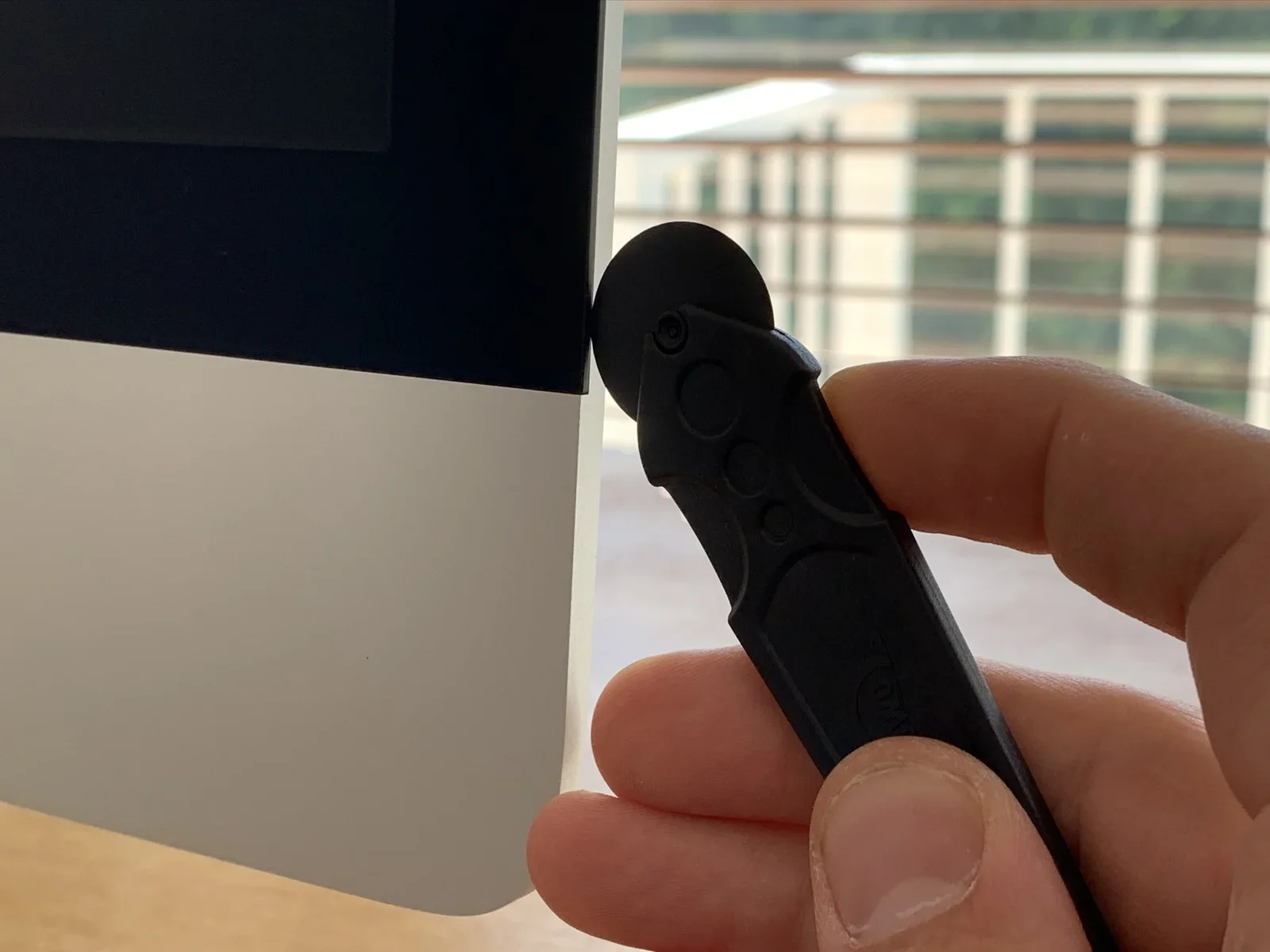
suction cups, display panel, imac, wristwatch, chassis, repair(Upgrading a 27-inch iMac 5K to 14 terabytes) - image Using a special roller to cut the iMac open A close-up shows fingers holding a black plastic prying tool with a round rubber suction tip pressed against the edge of an iMac screen, a building visible through the window behind. (machine-described)
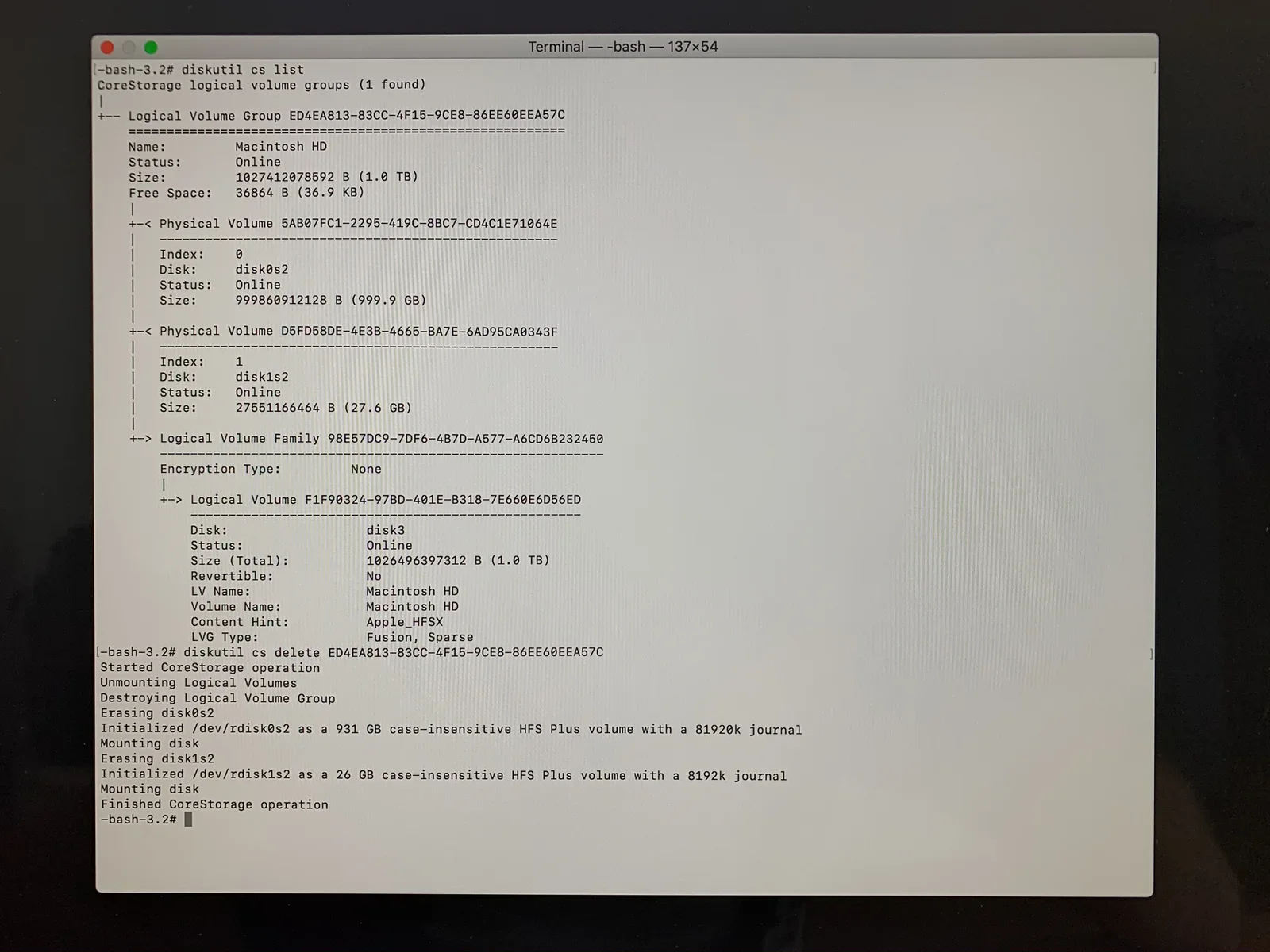
prying tool, suction tip, imac, screen edge, macro, hand(Upgrading a 27-inch iMac 5K to 14 terabytes) - image Decoupling the fusion drive: separating the conventional harddisk from the PCIe SSD A macOS Terminal window shows diskutil commands listing and then deleting a CoreStorage logical volume group named Macintosh HD. (machine-described) text in image:
Terminal -- -bash -- 137x54 -bash-3.2# diskutil cs list CoreStorage logical volume groups (1 found) | +-- Logical Volume Group ED4EA813-83CC-4F15-9CE8-86EE60EEA57C ========================================================= Name: Macintosh HD Status: Online Size:
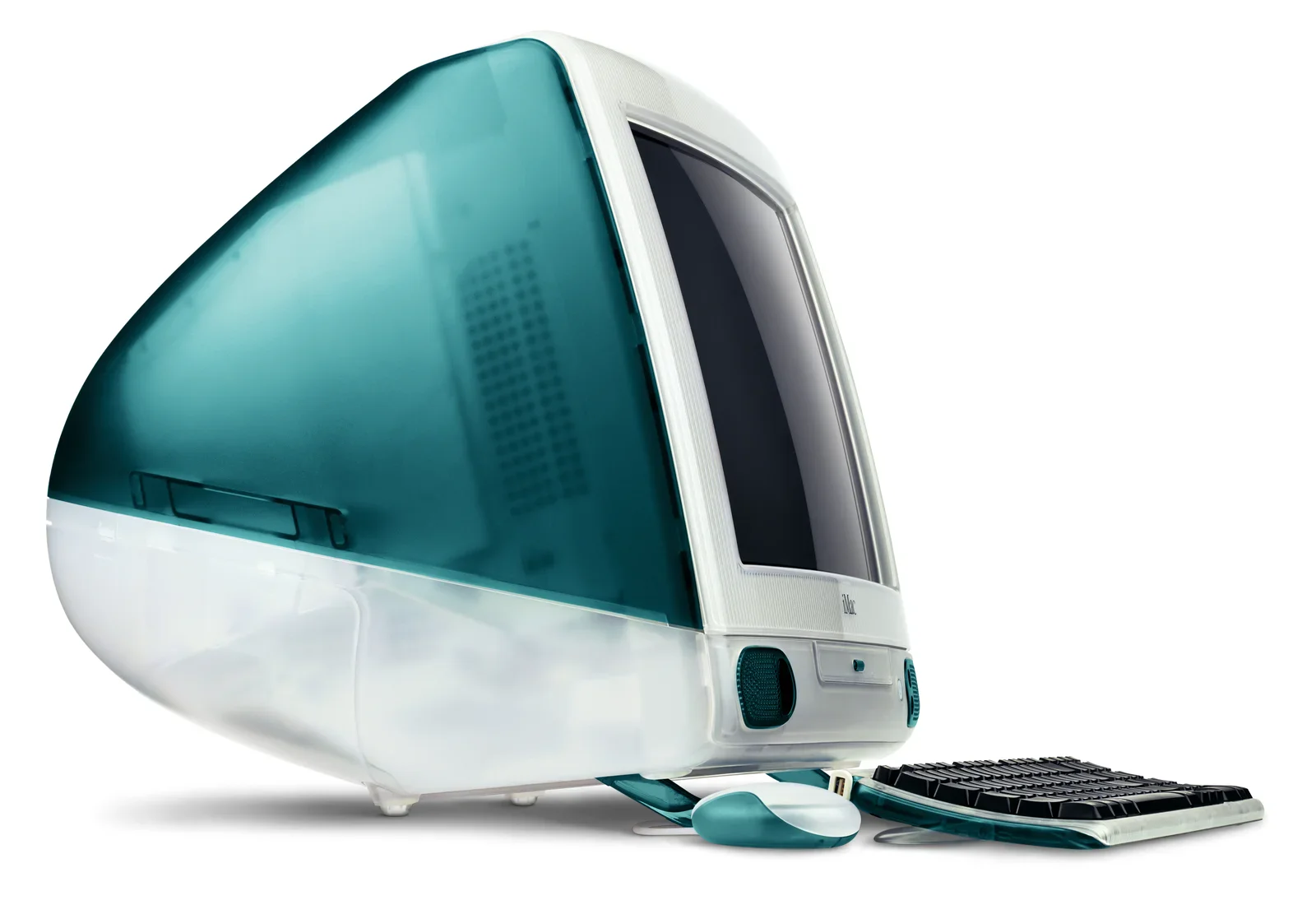
terminal, diskutil, corestorage, macos, fusion drive, command line(Upgrading a 27-inch iMac 5K to 14 terabytes) - image iMac G3 (1998) A product photograph shows a translucent teal and white original iMac G3 computer with its matching keyboard and mouse, angled against a white background. (machine-described) text in image:
iMac
imac g3, bondi blue, product photo, keyboard, mouse, vintage(Upgrading a 27-inch iMac 5K to 14 terabytes) - image The internal components of a disassembled Apple iMac are visible, including the logic board, hard drive, and cooling fan, resting on a wooden surface. (machine-described) text in image:
Seagate
computer, motherboard, hard drive, fan, electronics(Upgrading a 27-inch iMac 5K to 14 terabytes) - image A close-up view of a black printed circuit board populated with various electronic components including a central processor socket, capacitors, resistors, and a ribbon cable connector. (machine-described) text in image:
R156 5R44 W75K C185D 1451 222034 1730 2 1689-09 F2-9 0.47 470 68 C75
circuit board, processor, capacitor, resistor, connector(Upgrading a 27-inch iMac 5K to 14 terabytes) - image The internal components of a disassembled Apple iMac computer are visible, including the logic board, hard drive, and cooling fan. (machine-described) text in image:
Seagate
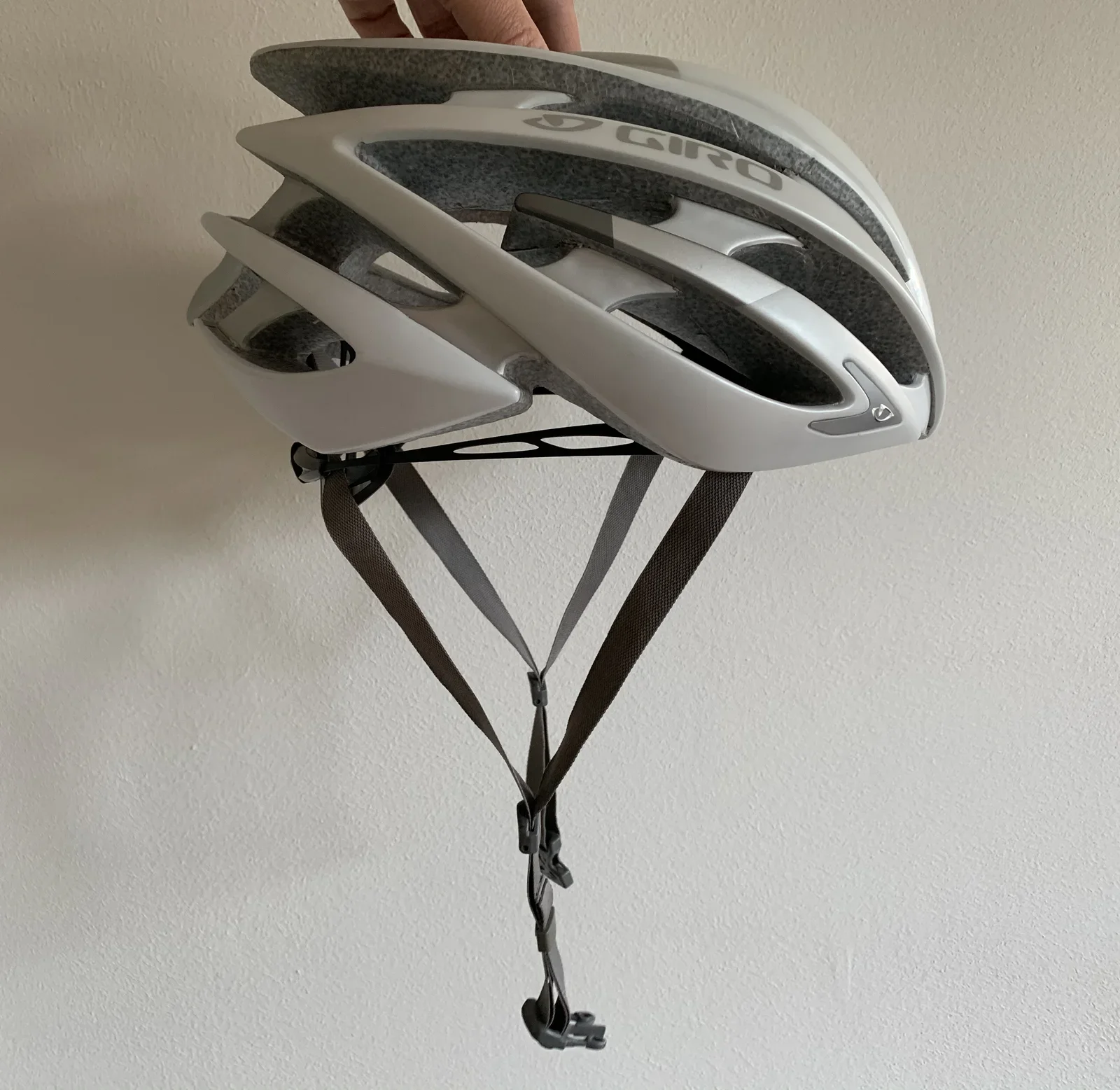
computer, logic board, hard drive, fan, electronics(Upgrading a 27-inch iMac 5K to 14 terabytes) - image Side image the helmet A white Giro road cycling helmet is held up against a plain wall, showing the vents and chin strap hanging down. (machine-described) text in image:
GIRO
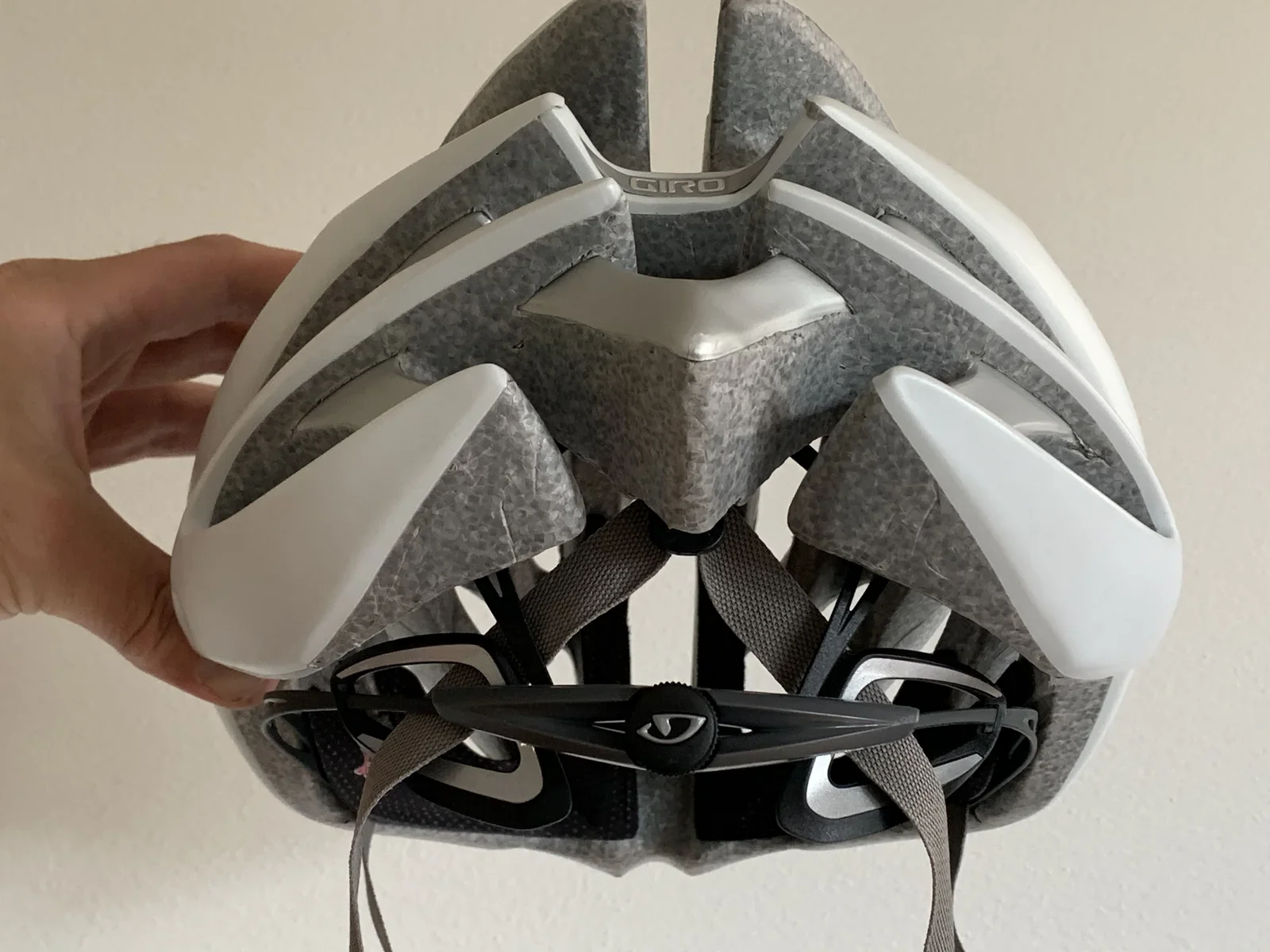
helmet, cycling, giro, vents, product photo(Repairing a Giro AEON bicycle helmet) - image Rear of the helmet, note how the strap goes through the Roc Loc 5 A close-up front view of the white Giro helmet shows the internal foam padding and the black chin-strap adjustment dial with the Giro logo. (machine-described) text in image:
GIRO
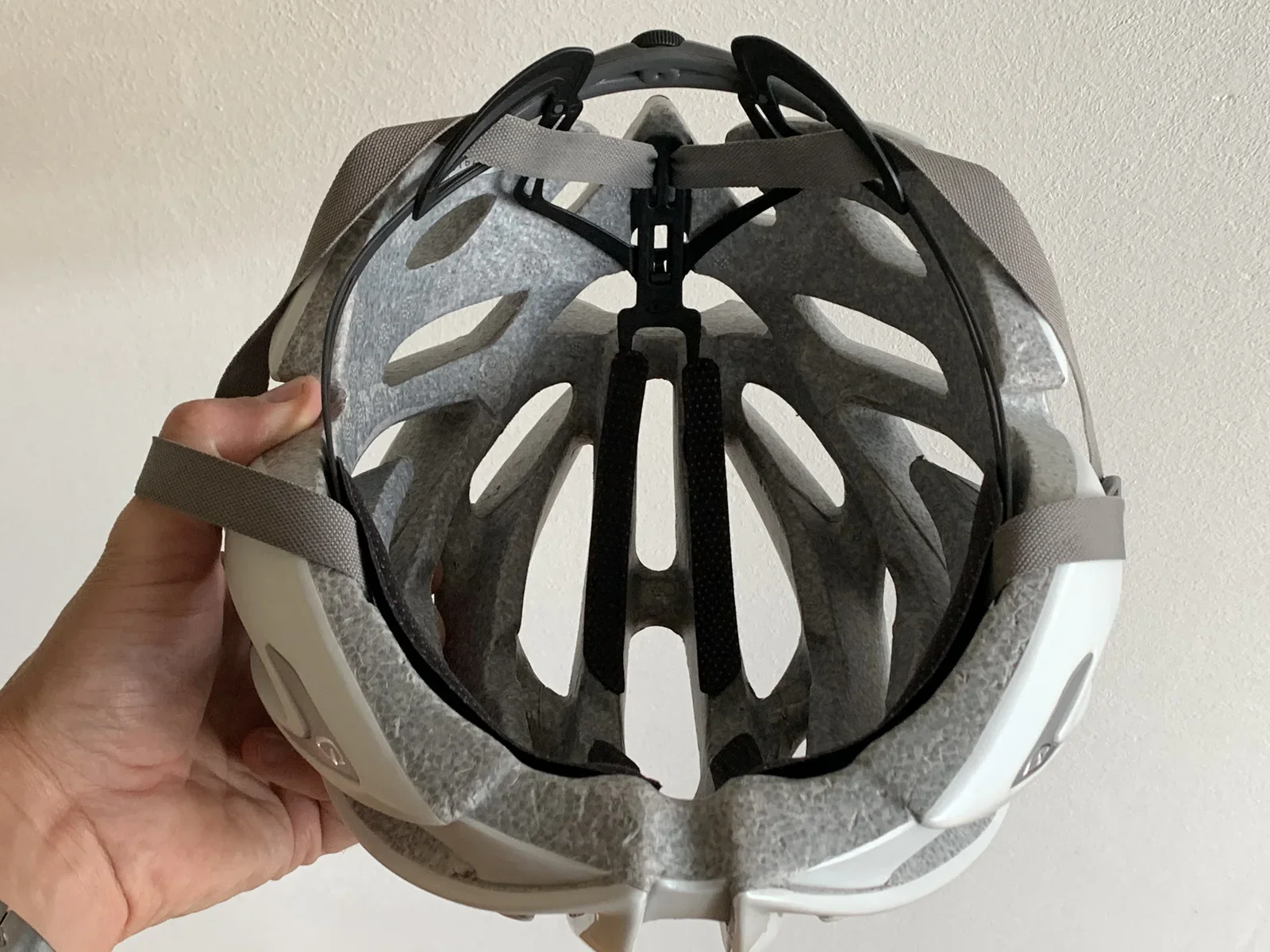
helmet, cycling, giro, foam, strap, closeup(Repairing a Giro AEON bicycle helmet) - image New Roc Loc 5 installed A hand holds the underside of the Giro helmet, showing the foam padding and black strap anchors inside the shell. (machine-described)
helmet, cycling, giro, interior, foam, straps(Repairing a Giro AEON bicycle helmet) - image Shipping details - my new Roc Loc 5 has seen parts of the World I have yet to visit! A cropped screenshot shows a package tracking history table with timestamped delivery events from DHL, USPS and a Dutch postal carrier. (machine-described) text in image:
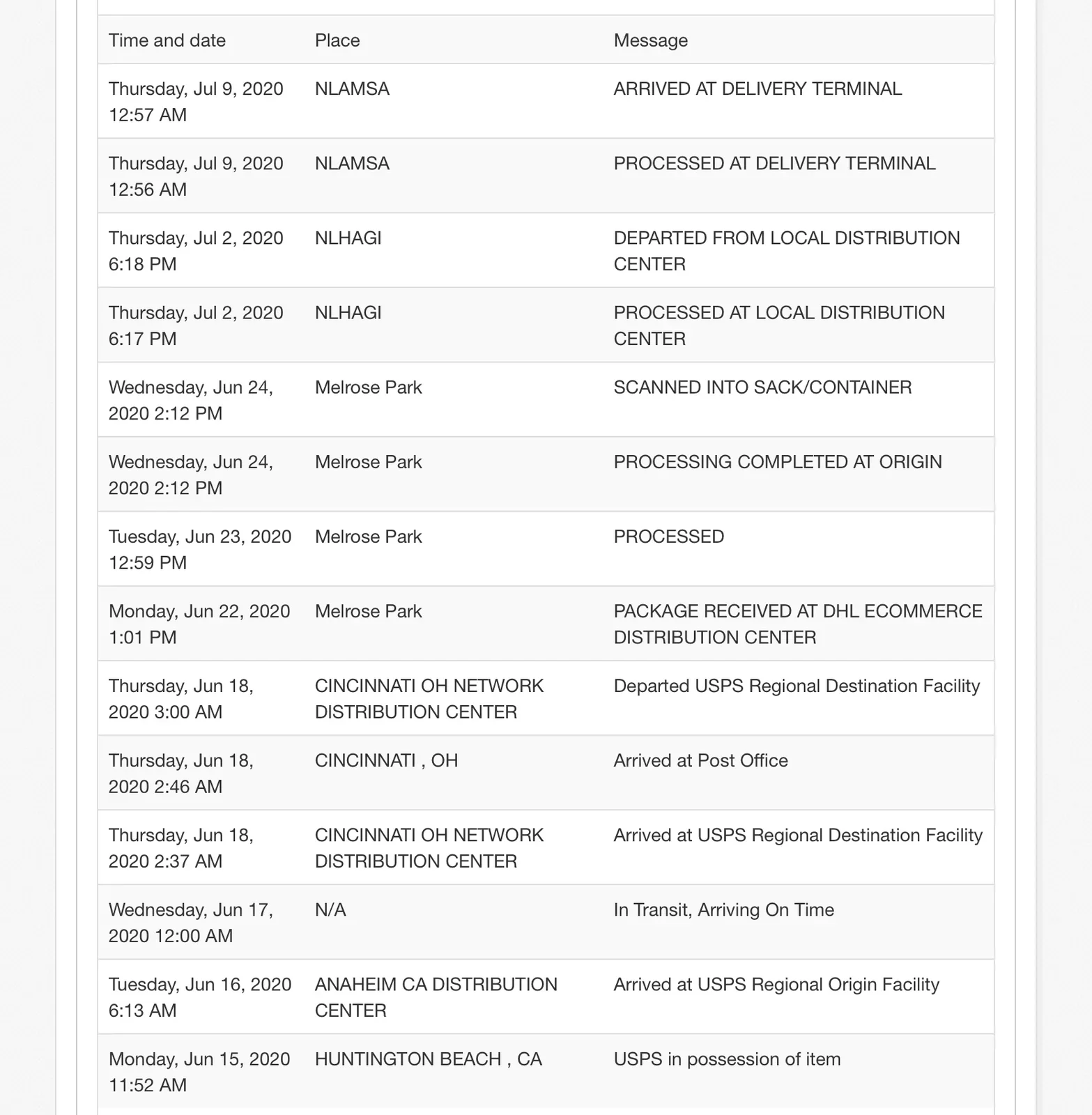
Time and date Place Message Thursday, Jul 9, 2020 12:57 AM NLAMSA ARRIVED AT DELIVERY TERMINAL Thursday, Jul 9, 2020 12:56 AM NLAMSA PROCESSED AT DELIVERY TERMINAL Thursday, Jul 2, 2020 6:18 PM NLHAGI DEPARTED FROM LOCAL DISTRIBUTION CENTER Thursday, Jul 2, 2020 6:17 PM NLHAGI PROCESSED AT LOCAL DIS
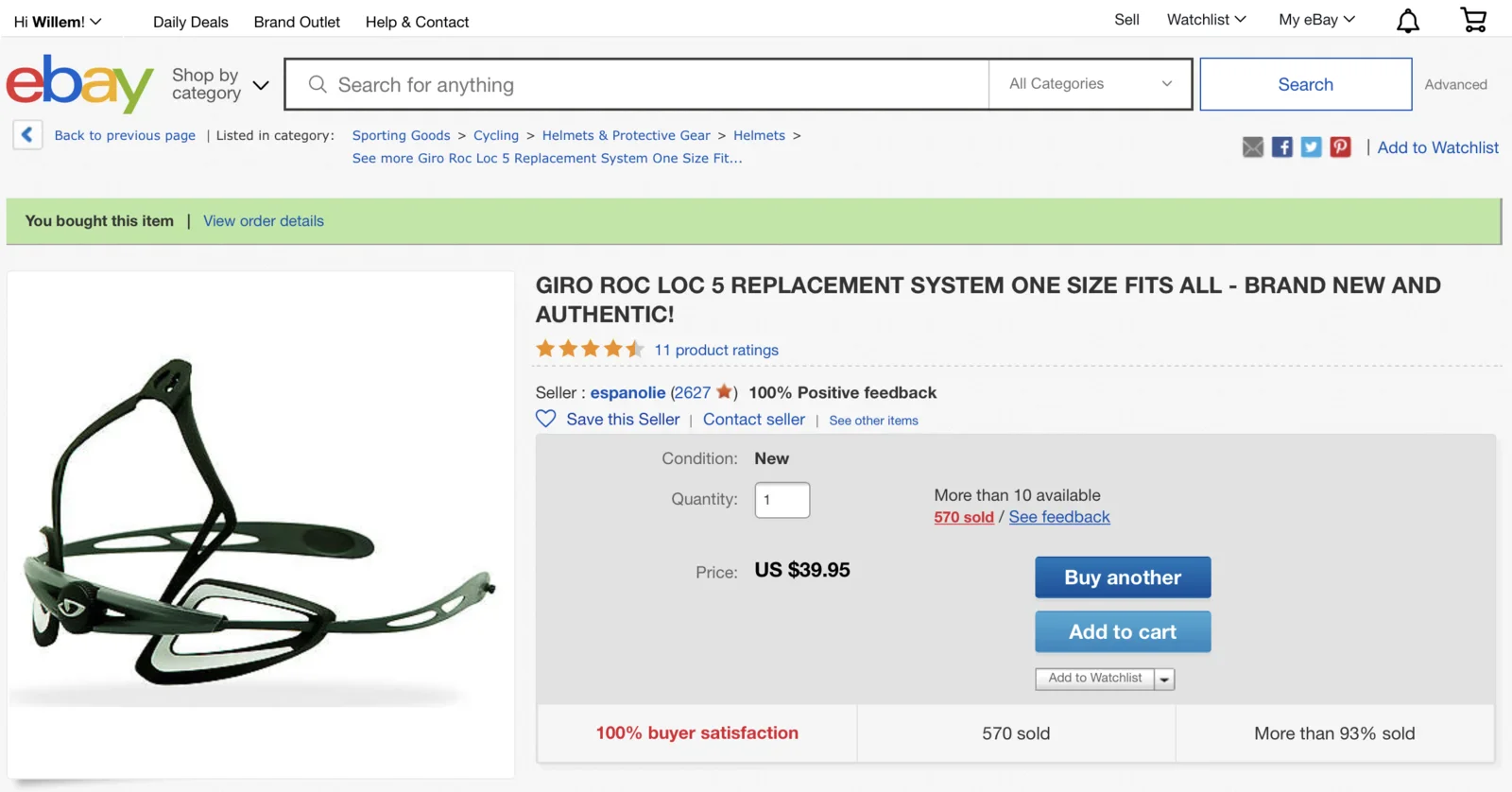
screenshot, tracking, shipping, table, logistics, parcel(Repairing a Giro AEON bicycle helmet) - image You'd be surprised what you can find on eBay... hooray! New old stock Roc Loc 5! An eBay product page shows a Giro Roc Loc 5 replacement fit system helmet part, already purchased, listed for 39.95 US dollars. (machine-described) text in image:
Hi Willem! Daily Deals Brand Outlet Help & Contact Sell Watchlist My eBay ebay Shop by category Search for anything All Categories Search Back to previous page Listed in category: Sporting Goods > Cycling > Helmets & Protective Gear > Helmets See more Giro Roc Loc 5 Replacement System One Size Fit..
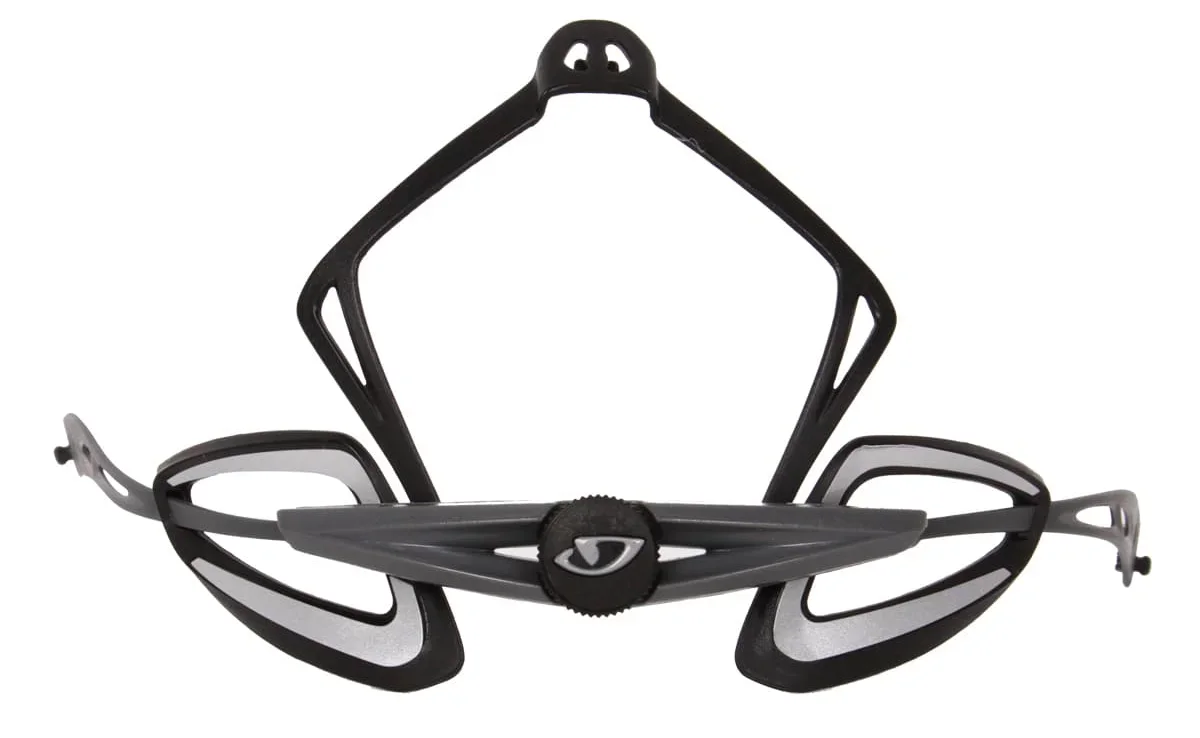
app, screenshot, ebay, online shopping, giro, helmet part(Repairing a Giro AEON bicycle helmet) - image Roc Loc 5 - try finding this part on the internet... A studio product photo shows a black and grey Giro Roc Loc 5 helmet fit system removed from its packaging, isolated on white. (machine-described) text in image:
GIRO
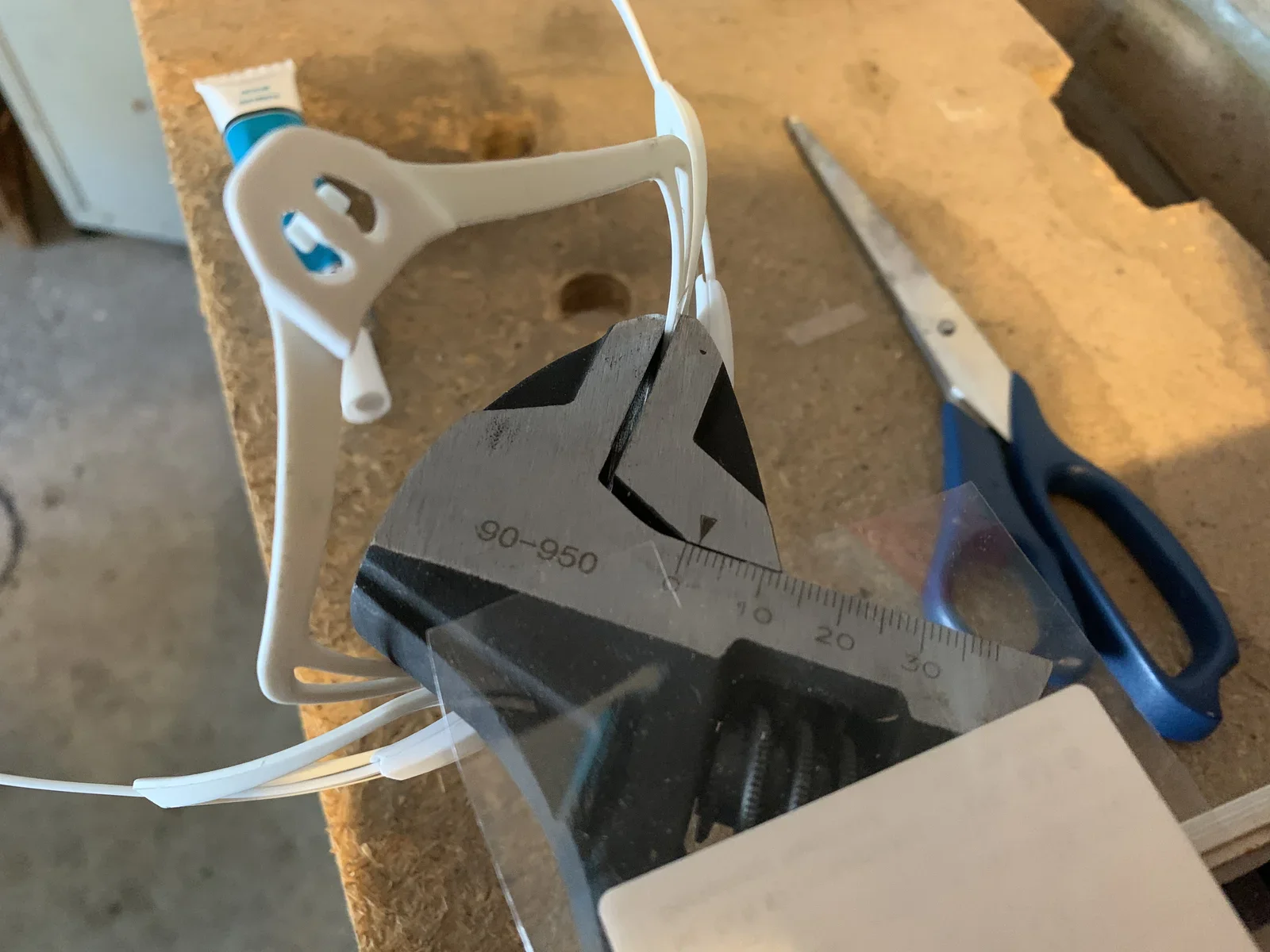
helmet, giro, fit system, product photo, replacement part(Repairing a Giro AEON bicycle helmet) - image Glueing the Roc Loc 5 - bad idea A white helmet fit-system bracket is held in metal calipers on a workbench next to a tube of adhesive and a pair of scissors, with a ruler scale visible on the caliper jaw. (machine-described) text in image:
90-950
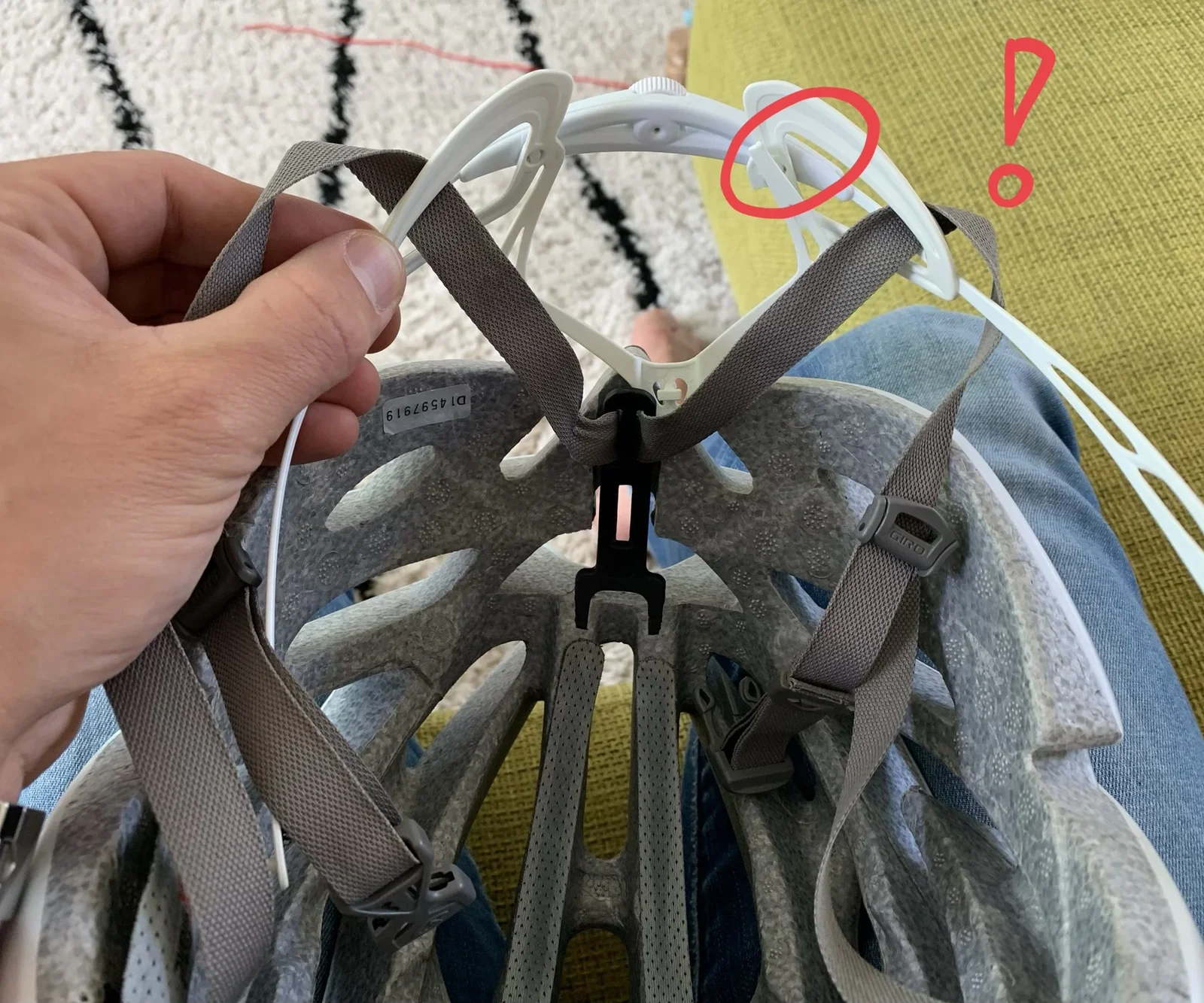
workbench, tool, caliper, repair, diy, adhesive(Repairing a Giro AEON bicycle helmet) - image The Roc Loc 5 broken in my Giro Aeon helmet A hand holds apart the white Giro helmet straps to show a small serial number sticker inside the foam, with a red circle and exclamation mark drawn on the photo to highlight a broken clip. (machine-described) text in image:
D14597919 GIRO
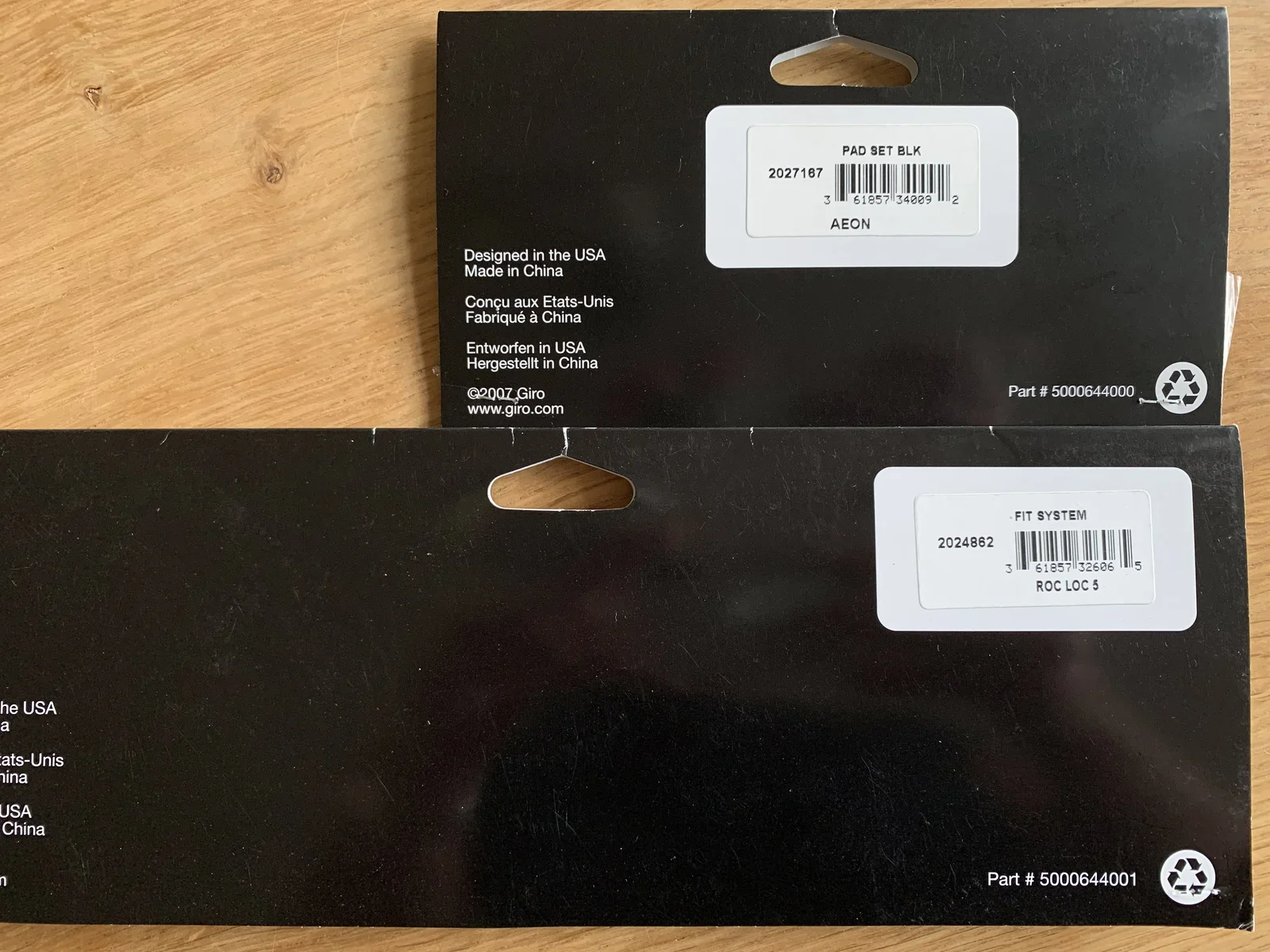
helmet, giro, repair, annotation, straps, defect(Repairing a Giro AEON bicycle helmet) - image For those of you that are interested, this is a picture of the barcodes + part codes of the Roc Loc 5 system and the pad set Two black Giro packaging boxes lie stacked on a wooden table, showing barcodes and part numbers for a replacement pad set and Roc Loc 5 fit system. (machine-described) text in image:
PAD SET BLK 2027167 3 61857 34009 2 AEON Designed in the USA Made in China Concu aux Etats-Unis Fabrique a China Entworfen in USA Hergestellt in China (c)2007 Giro www.giro.com Part # 5000644000 FIT SYSTEM 2024862 3 61857 32606 5 ROC LOC 5 Part # 5000644001
packaging, giro, barcode, product, box, retail(Repairing a Giro AEON bicycle helmet) - image Wearing my helmet again! A man wearing a white cycling helmet and jersey smiles at the camera in a selfie, with trees and fields in the background. (machine-described)
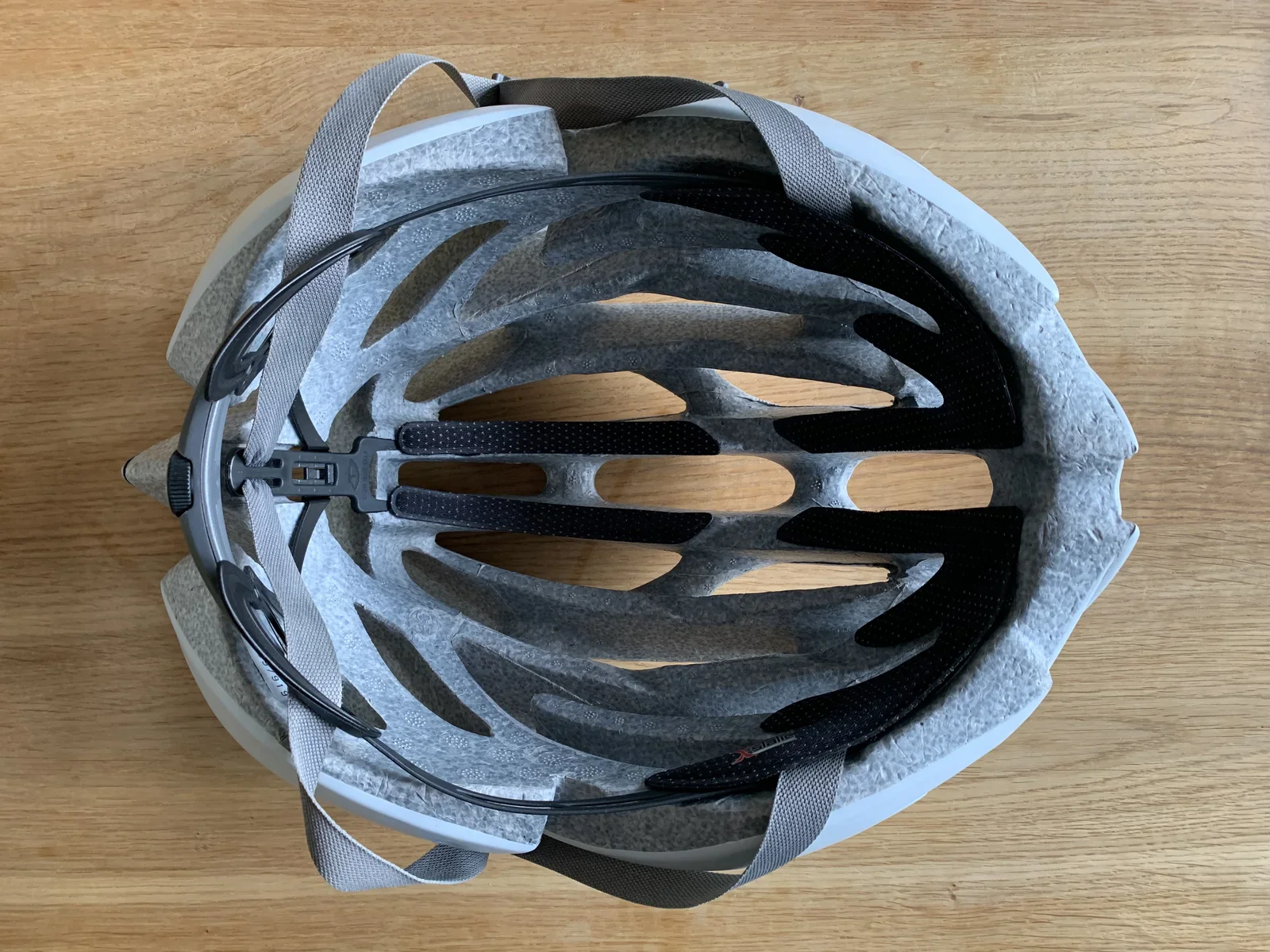
cycling, helmet, selfie, portrait, outdoor(Repairing a Giro AEON bicycle helmet) - image Installing fresh paddings isn't hard either, just make sure to align it properly A top-down view of a white cycling helmet on a wooden table shows the interior padding, black adjustment dial and retention wire. (machine-described)
helmet, cycling, interior, top view, padding(Repairing a Giro AEON bicycle helmet) - image Removing the old padding is easy, just detach the velcro tape Four grey mesh foam helmet pad inserts lie on a wooden table, two long strips and two forked pieces branded X-static. (machine-described) text in image:
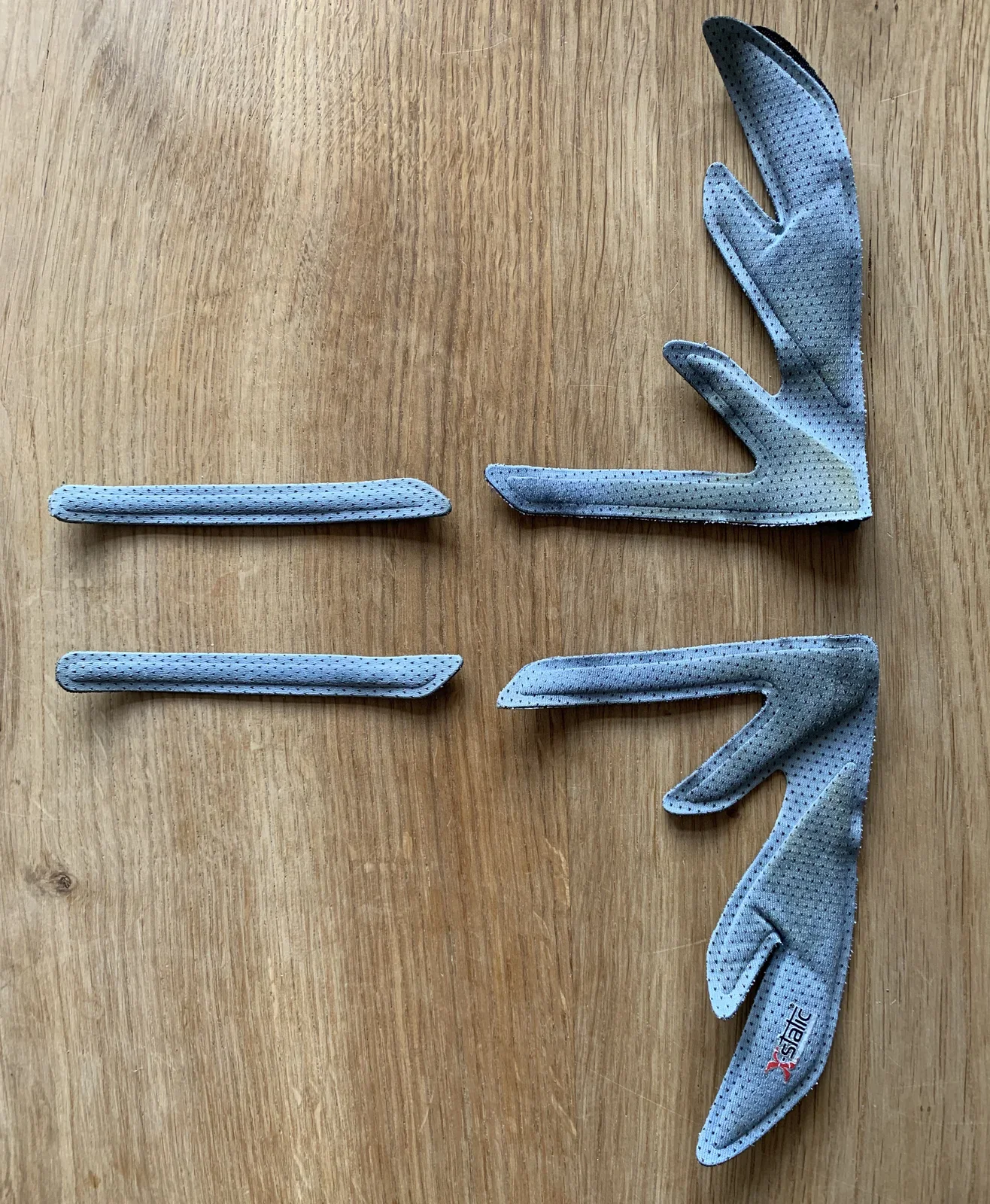
X static
helmet, padding, foam, repair part, cycling(Repairing a Giro AEON bicycle helmet) - image Wearing the Giro Aeon helmet A man wearing a white cycling helmet and jersey with a red crest smiles at the camera in a close-up portrait, with a tiled roof in the background. (machine-described)
cycling, helmet, portrait, jersey, outdoor(Repairing a Giro AEON bicycle helmet) - image A man with a beard wearing a white bicycle helmet and a black and white cycling jersey smiles at the camera. (machine-described) text in image:
HO
man, helmet, jersey, cyclist, face(Repairing a Giro AEON bicycle helmet) - image A black and white close-up view of the interior of a bicycle helmet showing the foam padding, ventilation channels, and chin strap buckle. (machine-described) text in image:
KASK
helmet, padding, strap, buckle, ventilation(Repairing a Giro AEON bicycle helmet) - image A man with a beard wearing a white bicycle helmet and a black and white cycling jersey smiles at the camera. (machine-described) text in image:
HO
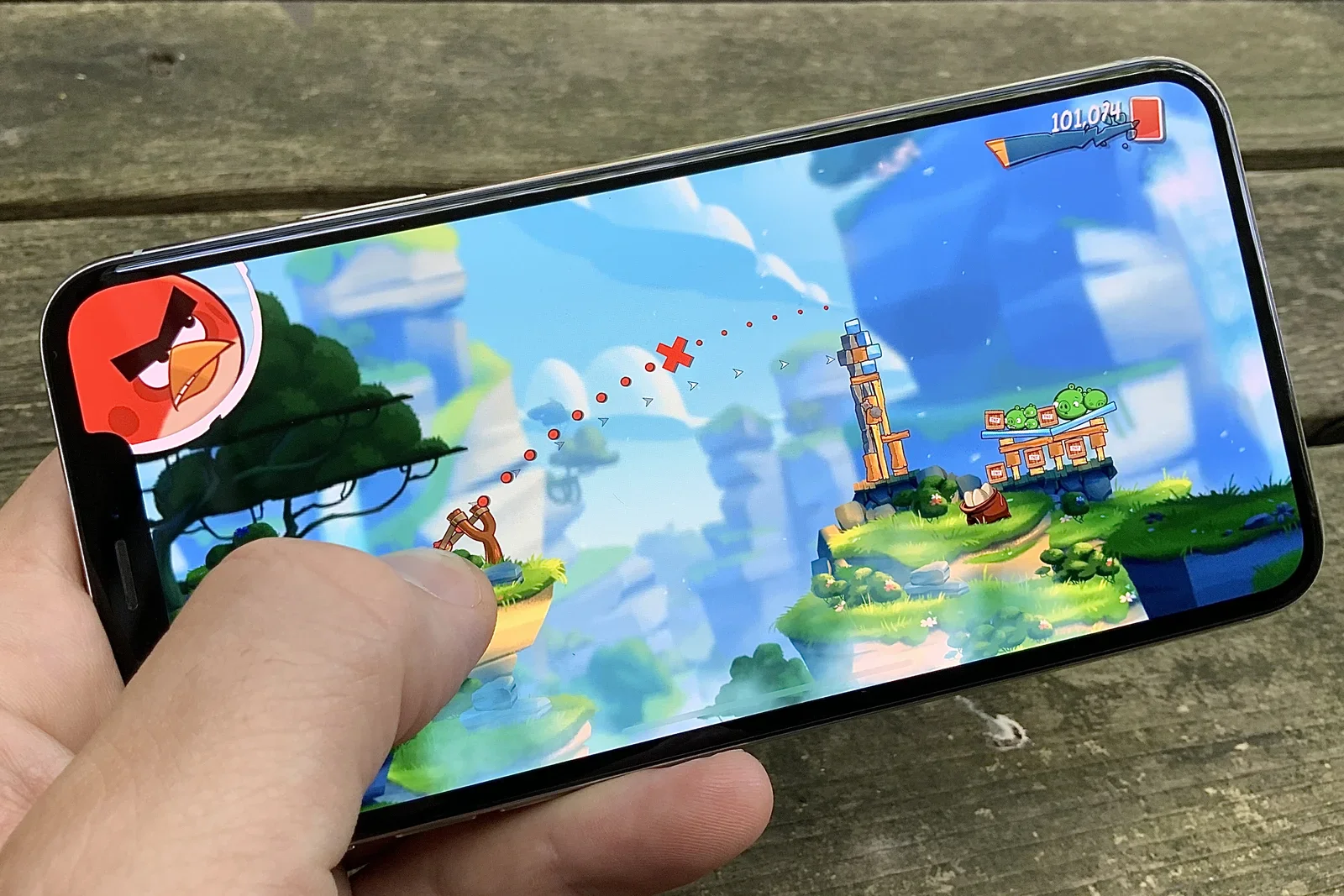
man, helmet, jersey, face, smile(Repairing a Giro AEON bicycle helmet) - image Catapulting birds is fun because of the natural interaction that is key to the Angry Birds game A hand holds a smartphone displaying the mobile game Angry Birds 2, mid-shot with a bird catapult aimed at a tower of pigs, on a wooden bench. (machine-described) text in image:
101,024
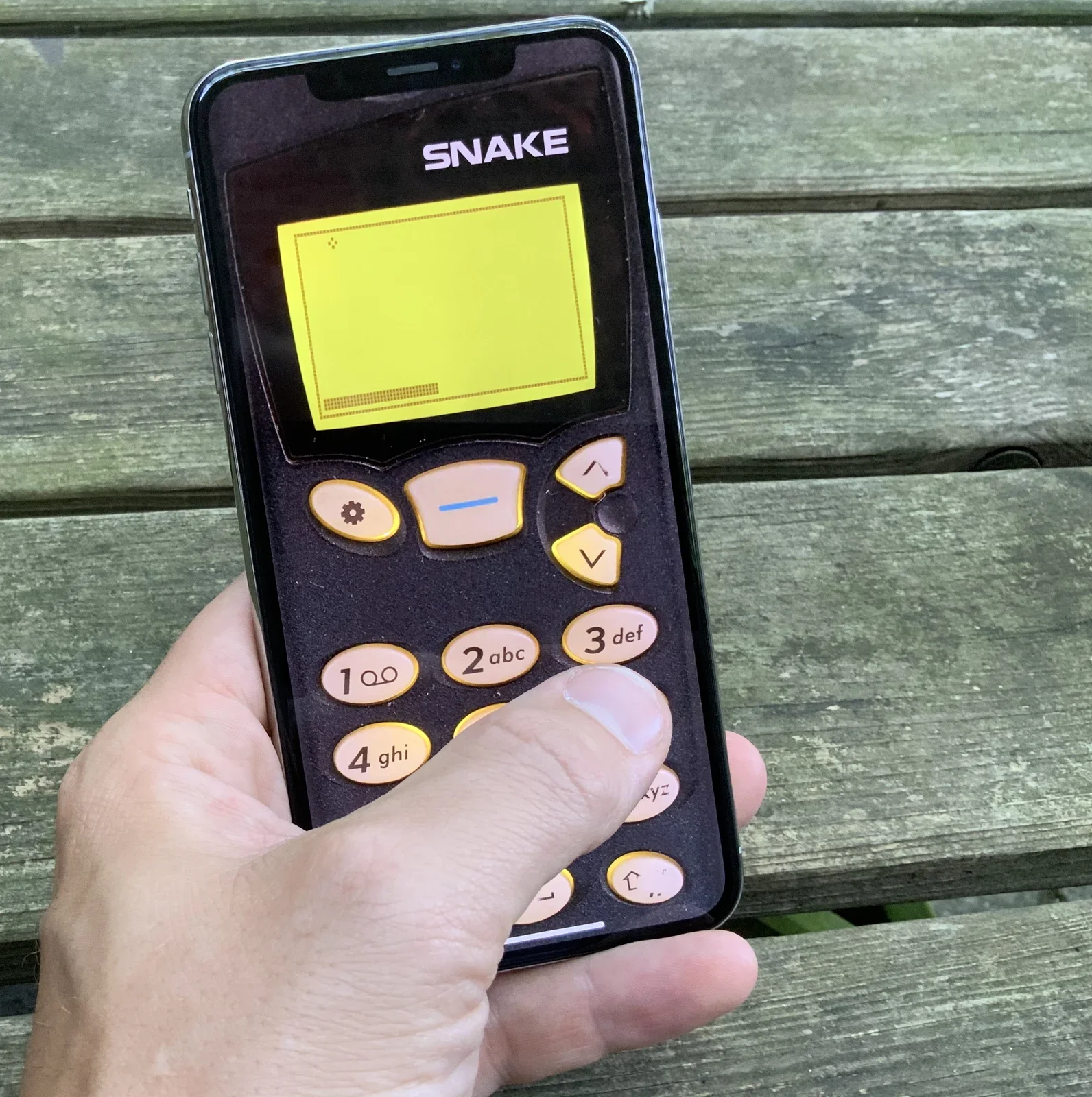
app, screenshot, mobile game, angry birds, smartphone, touchscreen(Some thoughts on touch screen user interface design) - image Snake '97 - It's fun, but it's UI design is arguably bad A hand holds a smartphone showing a retro Nokia-style Snake game skin with an on-screen numeric keypad, on a wooden bench. (machine-described) text in image:
SNAKE 1 2abc 3def 4 ghi
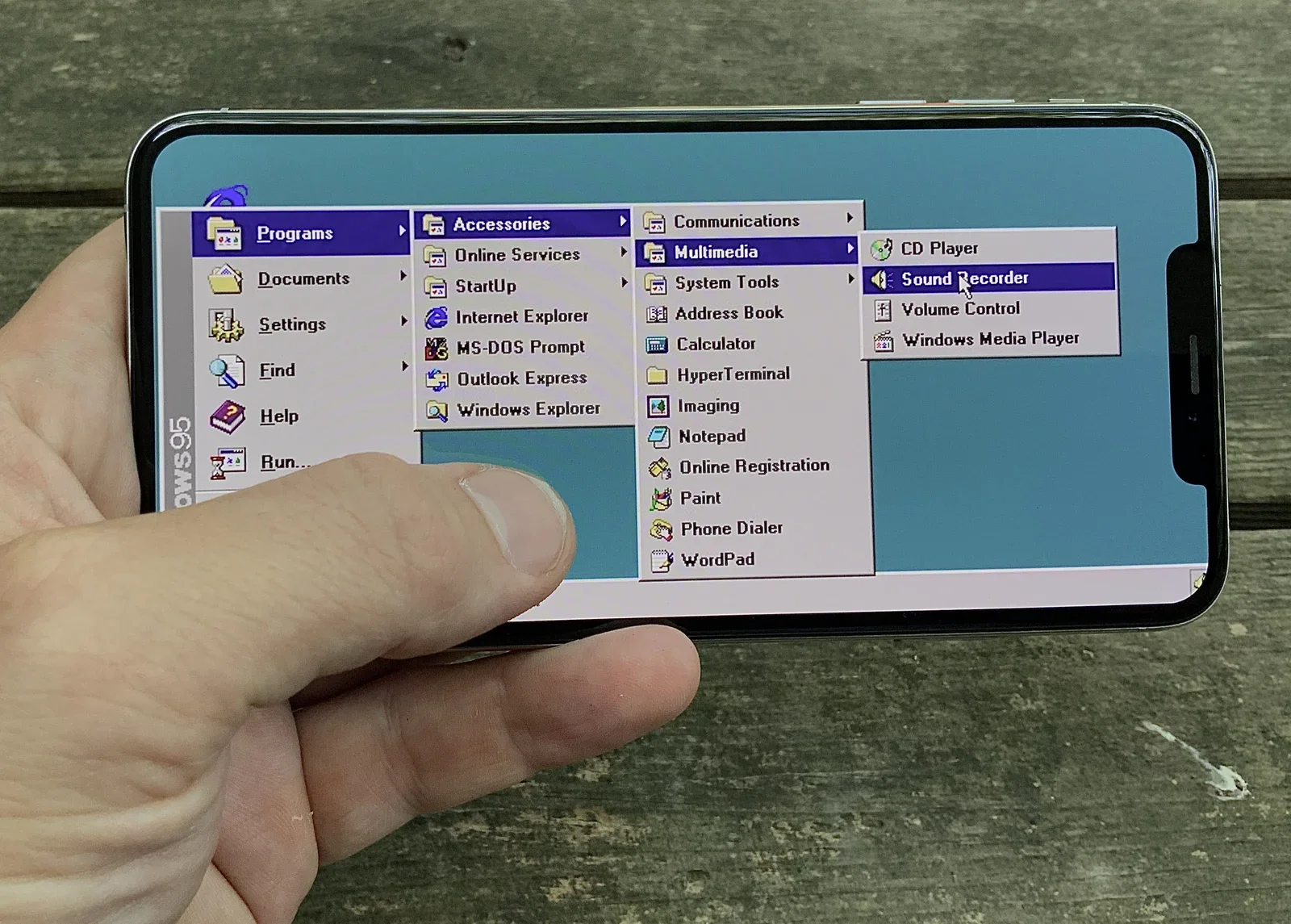
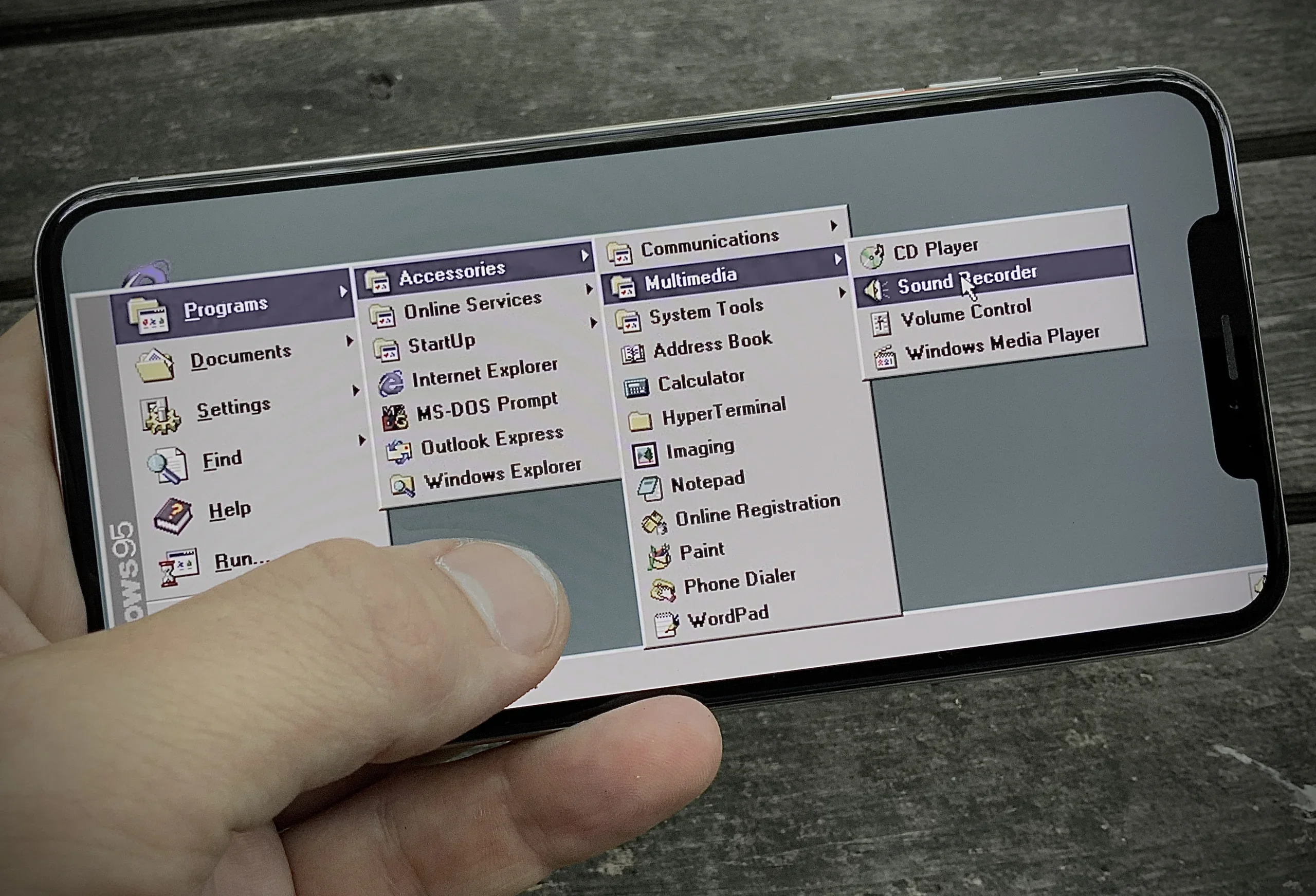
app, screenshot, mobile game, snake, retro, smartphone(Some thoughts on touch screen user interface design) - image Navigation structures that rely on hovering are NOT going to work on touch screens A hand holds a smartphone displaying a Windows 95 Start menu emulation, with the Programs, Accessories and Multimedia submenus expanded to Sound Recorder. (machine-described) text in image:
WINDOWS 95 Programs Documents Settings Find Help Run... Accessories Online Services StartUp Internet Explorer MS-DOS Prompt Outlook Express Windows Explorer Communications Multimedia System Tools Address Book Calculator HyperTerminal Imaging Notepad Online Registration Paint Phone Dialer WordPad CD
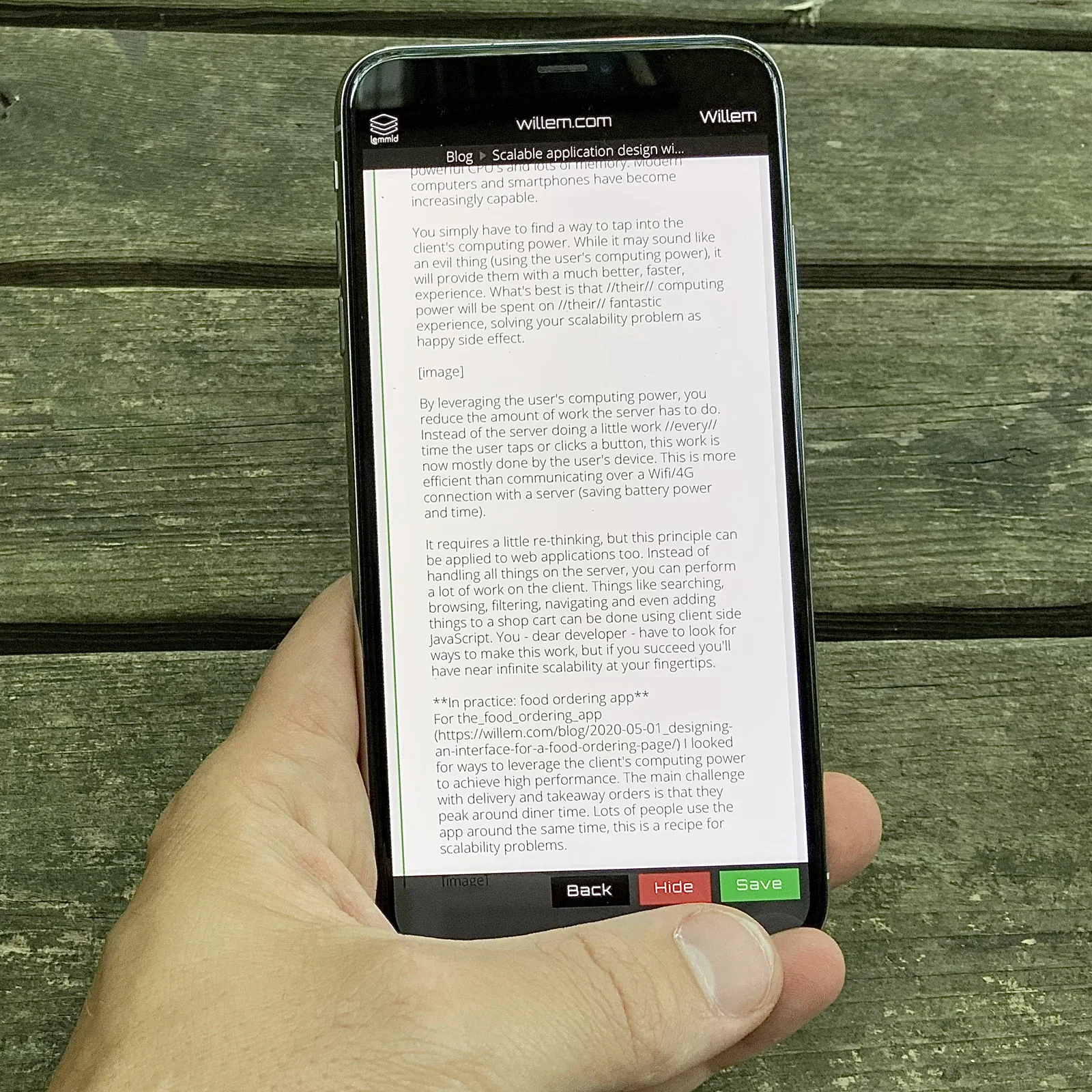
app, screenshot, smartphone, windows 95, emulation, menu(Some thoughts on touch screen user interface design) - image The Back / Hide / Save buttons are near the thumb: they are within range and reaching for them does not cover the contents of the screen A hand holds a smartphone showing a willem.com blog editing interface with a draft article about scalable application design, with Back, Hide and Save buttons. (machine-described) text in image:
willem.com Willem Blog Scalable application design wi... powerful CPU's and lots of memory. Modern computers and smartphones have become increasingly capable. You simply have to find a way to tap into the client's computing power. While it may sound like an evil thing (using the user's computing pow
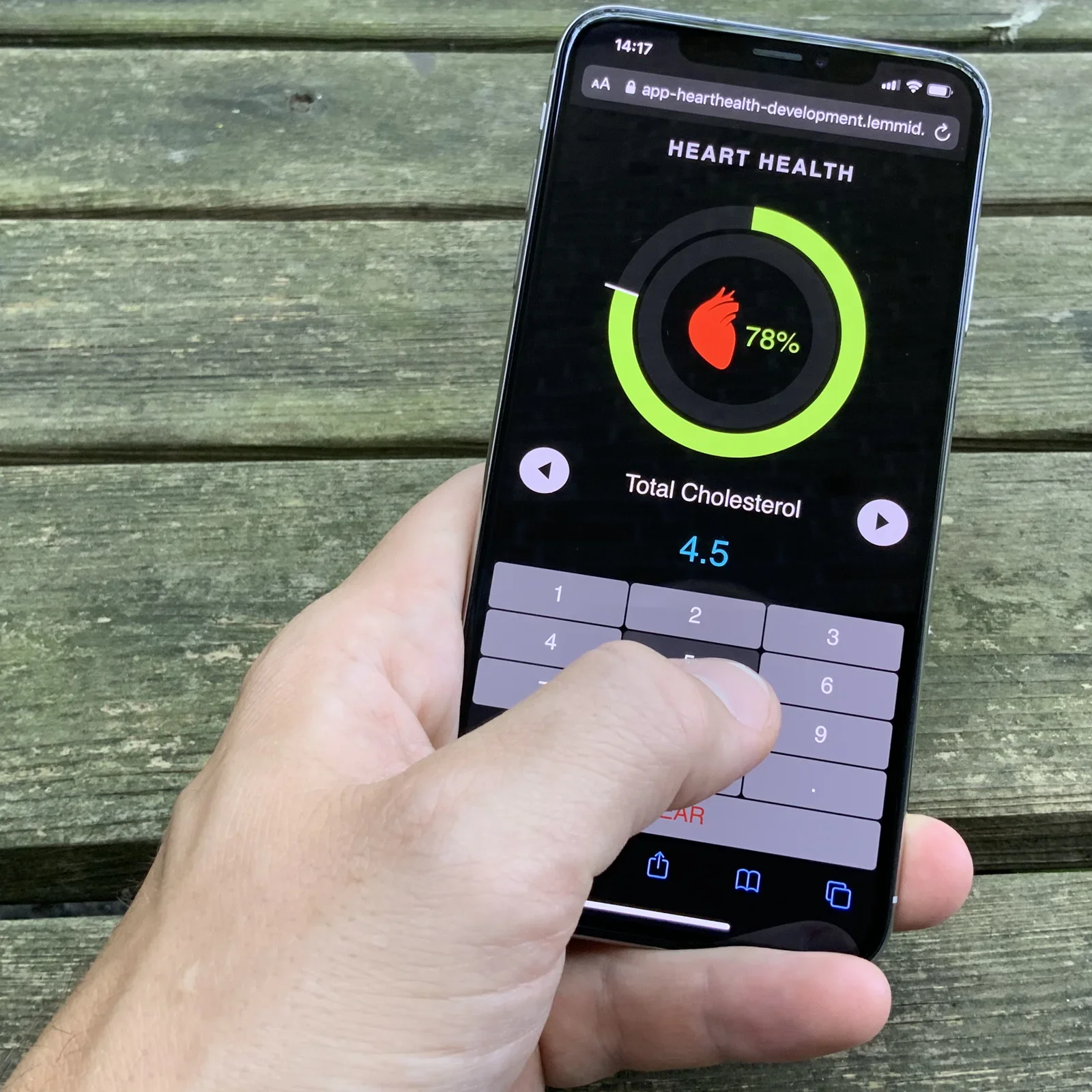
app, screenshot, smartphone, blog, cms, willem.com(Some thoughts on touch screen user interface design) - image Contextual keyboards provide a better way to enable textual input. It makes no sense to show a full QWERTY-keyboard if you only ask for a numeric value. A hand holds a smartphone showing a heart health web app prototype with a circular percentage gauge and a numeric keypad for entering total cholesterol. (machine-described) text in image:
14:17 app-hearthealth-development.lemmid. HEART HEALTH 78% Total Cholesterol 4.5 1 2 3 4 5 6 7 8 9 CLEAR
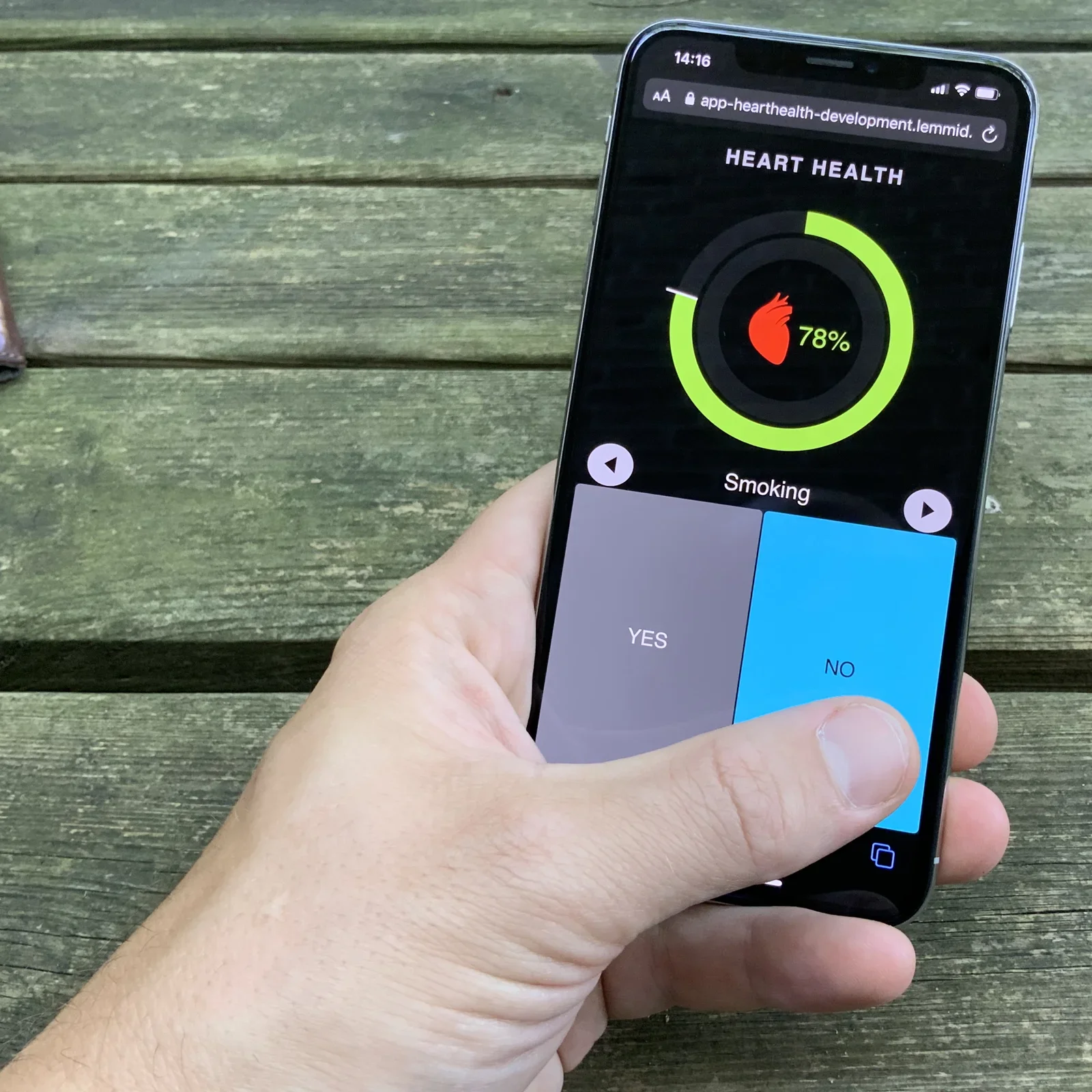
app, screenshot, smartphone, prototype, health, web app(Some thoughts on touch screen user interface design) - image The big 'yes/no' buttons reduce the likelihood of error as they do not require mouse pointer pixel precision A hand holds a smartphone showing the same heart health web app prototype, now on a Yes/No smoking question screen. (machine-described) text in image:
14:16 app-hearthealth-development.lemmid. HEART HEALTH 78% Smoking YES NO
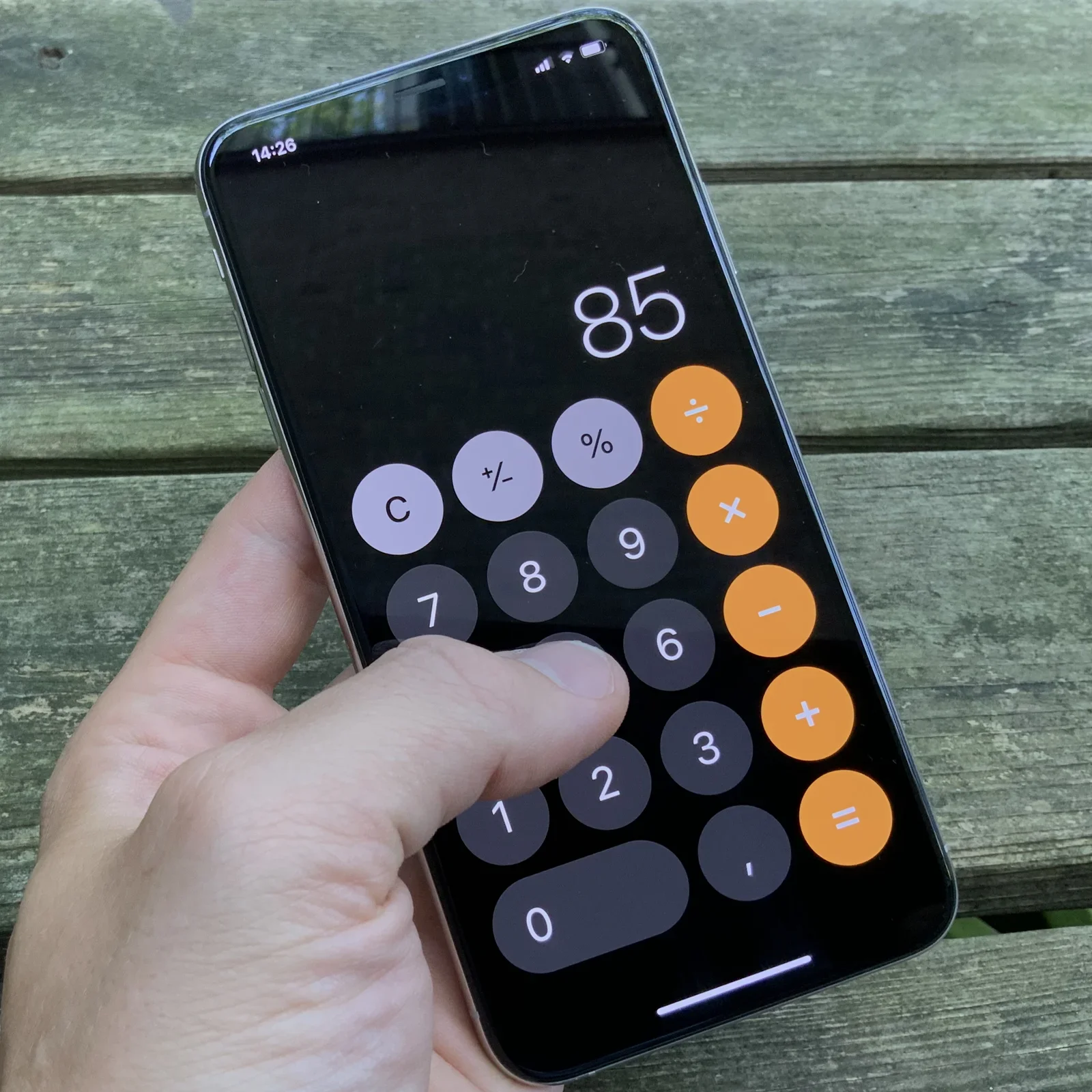
app, screenshot, smartphone, prototype, health, web app(Some thoughts on touch screen user interface design) - image Directly manipulating the on screen elements feels natural - a mouse in this use case would be redundant A hand holds a smartphone showing the iOS Calculator app displaying the number 85. (machine-described) text in image:
85
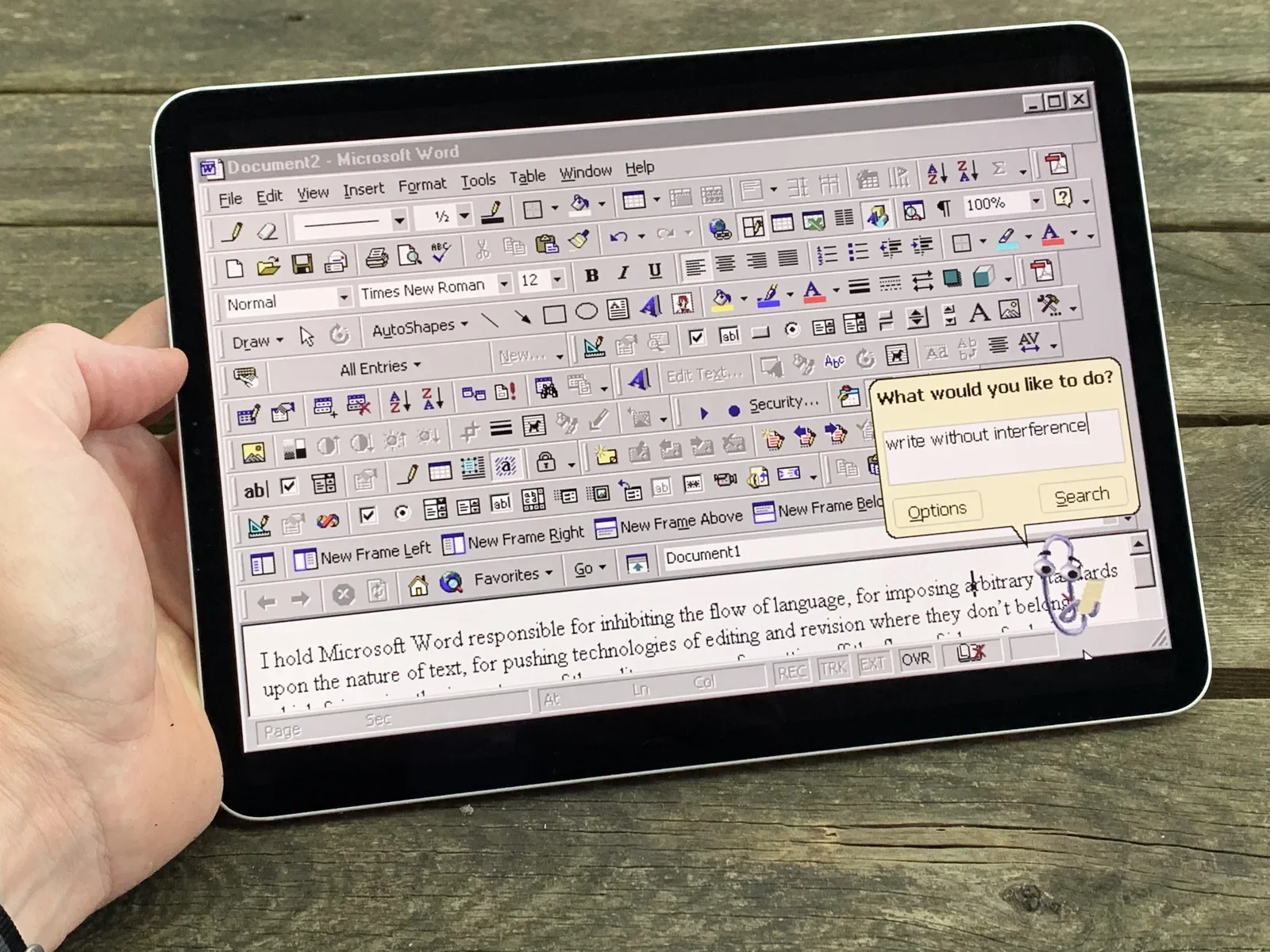
app, screenshot, smartphone, calculator, ios, touchscreen(Some thoughts on touch screen user interface design) - image Recreating old UI patterns on a modern touch screen device is not going to win you any usability awards... (although, who doesn't miss Clippy?) A hand holds a tablet mocking up an old-style Microsoft Word interface with a Clippy assistant bubble asking what the user would like to do, typed as write without interference. (machine-described) text in image:
Document2 - Microsoft Word File Edit View Insert Format Tools Table Window Help Normal Times New Roman 12 Draw AutoShapes All Entries What would you like to do? write without interference Options Search Document1 I hold Microsoft Word responsible for inhibiting the flow of language, for imposing arb
app, screenshot, tablet, microsoft word, clippy, retro ui(Some thoughts on touch screen user interface design) - image A hand holds a tablet displaying an older version of Microsoft Word with a search dialog box open on a wooden surface. (machine-described) text in image:
Document2 - Microsoft Word File Edit View Insert Format Tools Table Window Help Normal Times New Roman 12 What would you like to do? write without interference Options Search I hold Microsoft Word responsible for inhibiting the flow of language, for imposing arbitrary standards upon the nature of te
tablet, hand, software, wood, screen(Some thoughts on touch screen user interface design) - image A hand holds a smartphone displaying a Windows 95 Start menu with the Programs, Accessories, and Multimedia submenus open. (machine-described) text in image:
Windows 95 Programs Documents Settings Find Help Run... Accessories Online Services StartUp Internet Explorer MS-DOS Prompt Outlook Express Windows Explorer Communications Multimedia System Tools Address Book Calculator HyperTerminal Imaging Notepad Online Registration Paint Phone Dialer WordPad CD
smartphone, hand, menu, interface, text(Some thoughts on touch screen user interface design) - image A hand holds a tablet displaying the Microsoft Word interface with a search dialog box open. (machine-described) text in image:
Document2 - Microsoft Word File Edit View Insert Format Tools Table Window Help What would you like to do? write without interference Options Search I hold Microsoft Word responsible for inhibiting the flow of language, for imposing arbitrary standards upon the nature of text, for pushing technologi
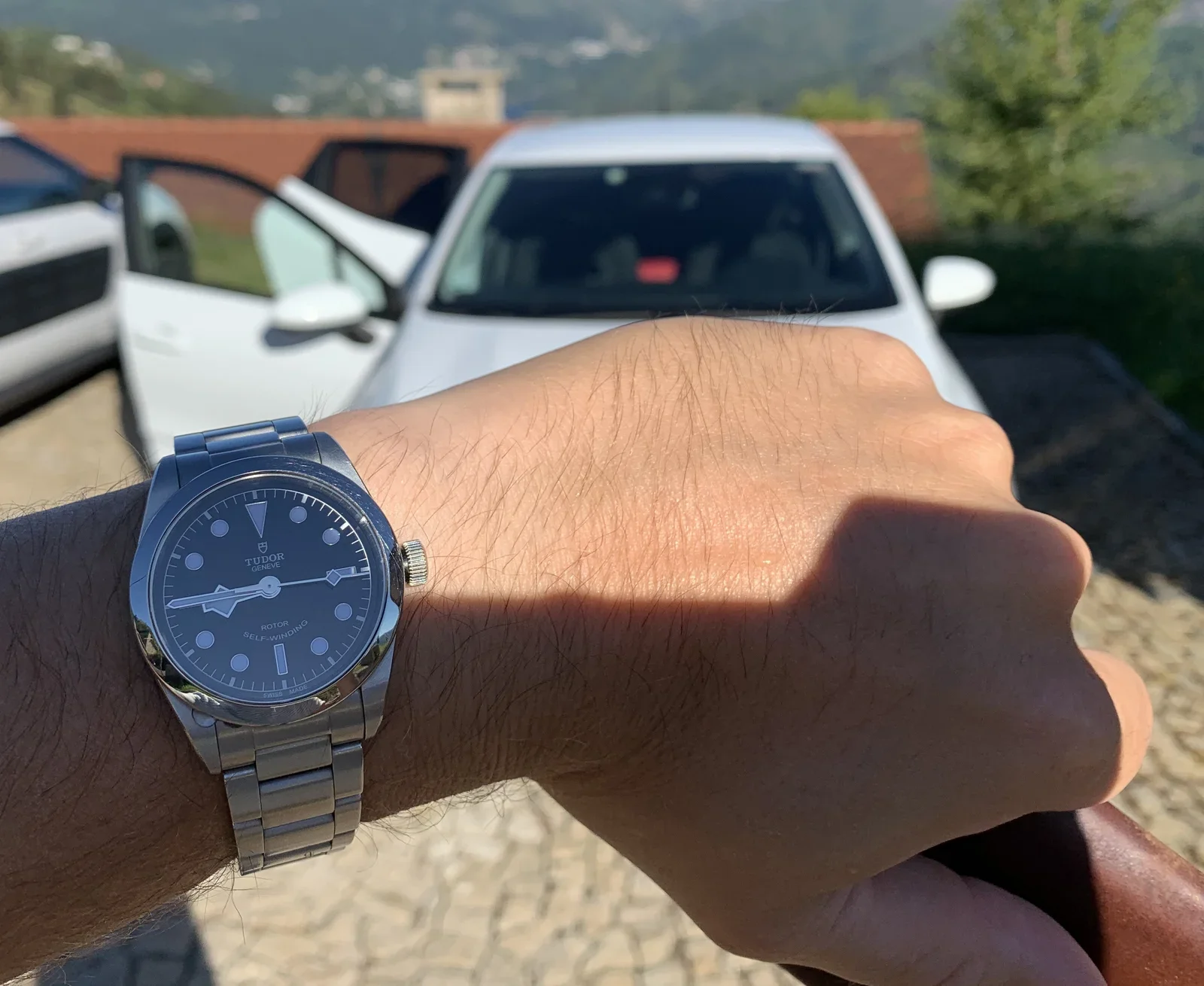
tablet, hand, software, interface, text(Some thoughts on touch screen user interface design) - image The 36MM size is really very comfortable A wrist wearing a Tudor watch with a black dial is held up in front of parked white cars on a hillside. (machine-described) text in image:
TUDOR GENEVE ROTOR SELF-WINDING SWISS MADE
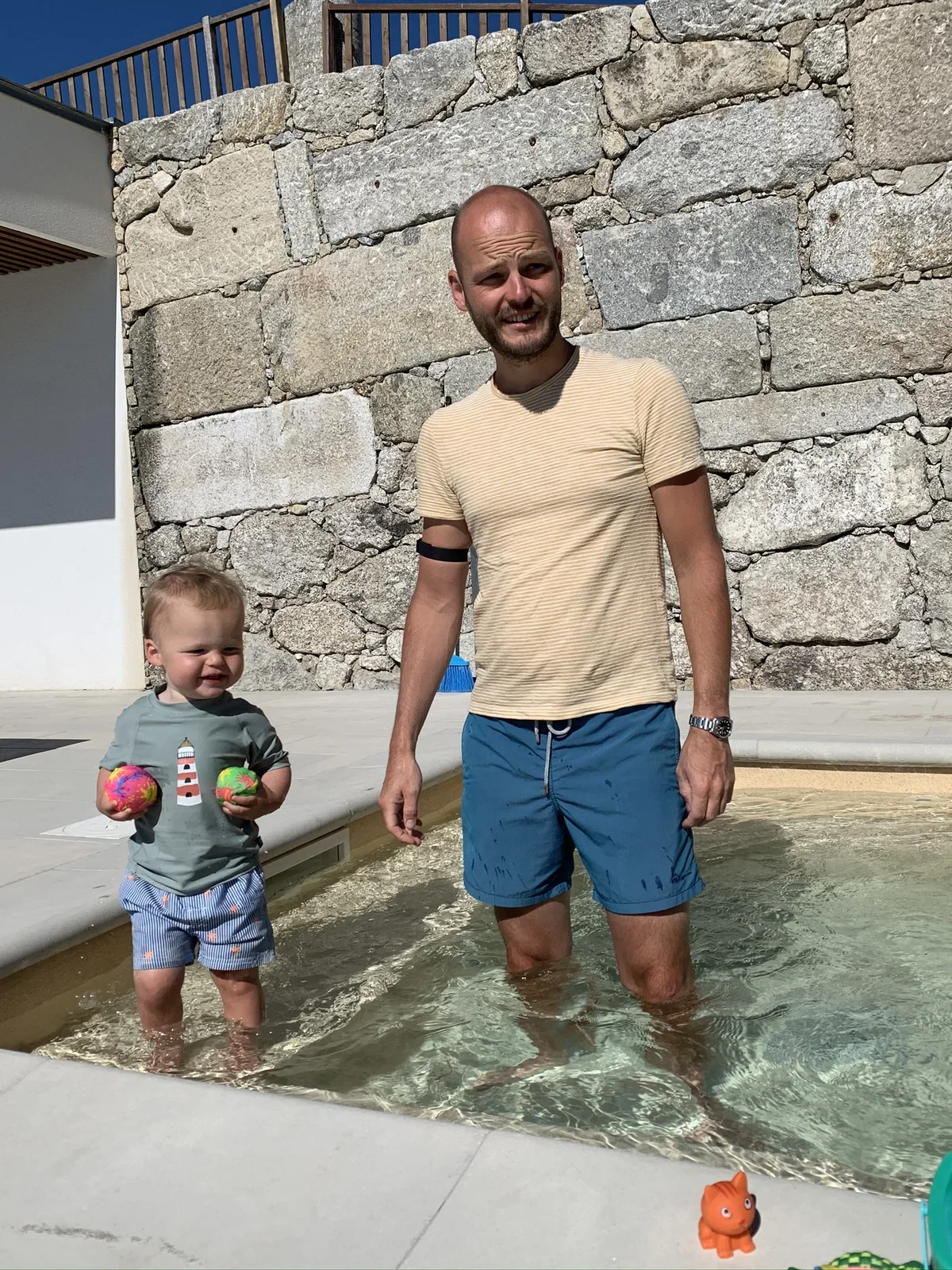
watch, wristwatch, tudor, car, outdoor, wrist(Tudor Black Bay 36 long-term review) - image The watch feels at home in and around the pool A man stands in a small pool with a toddler holding two colourful balls, in front of a stone wall. (machine-described)
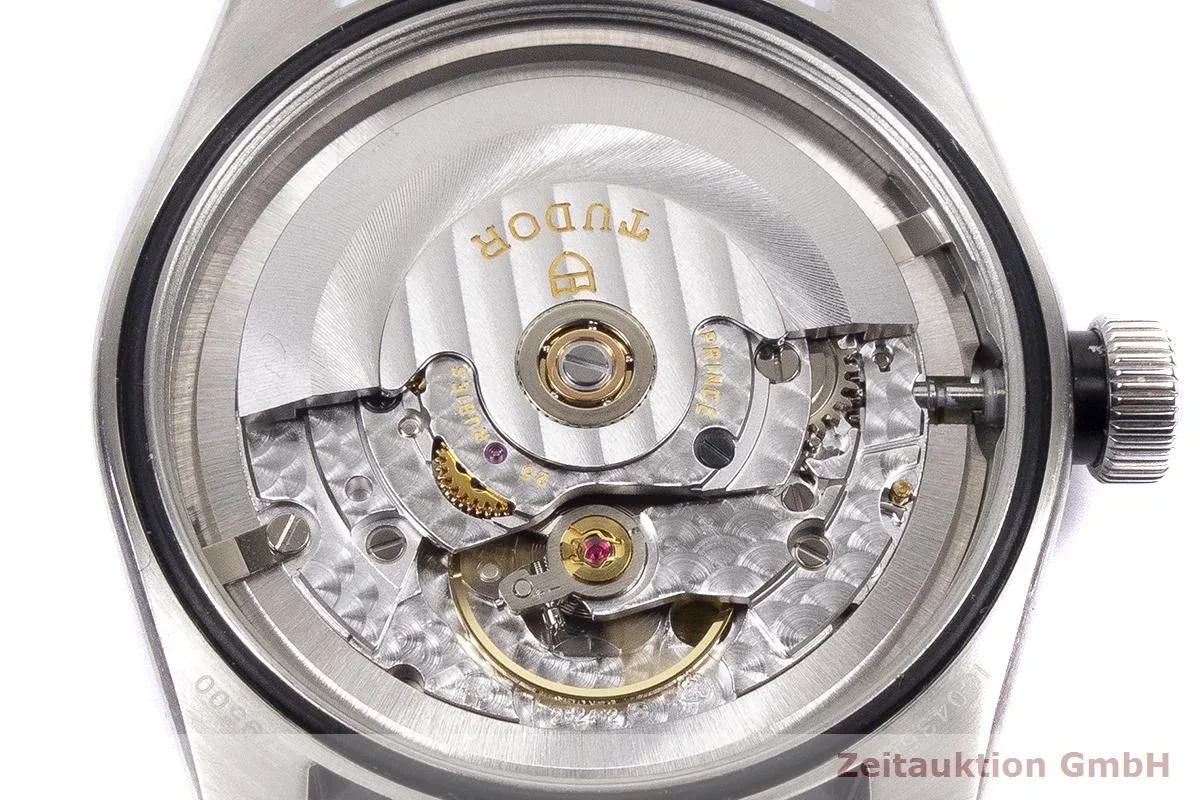
man, child, pool, swimming, outdoor, stone wall(Tudor Black Bay 36 long-term review) - image The Black Bay 36 is powered by the ETA 2824 movement (photo by Zeitauction GmbH) - a well known mechanical calibre with a trustworthy trackrecord A close-up macro photograph shows the exposed automatic movement through the caseback of a Tudor watch, with a photo studio watermark in the corner. (machine-described) text in image:
TUDOR PRINCE RUBIES 25 Zeitauktion GmbH 25400
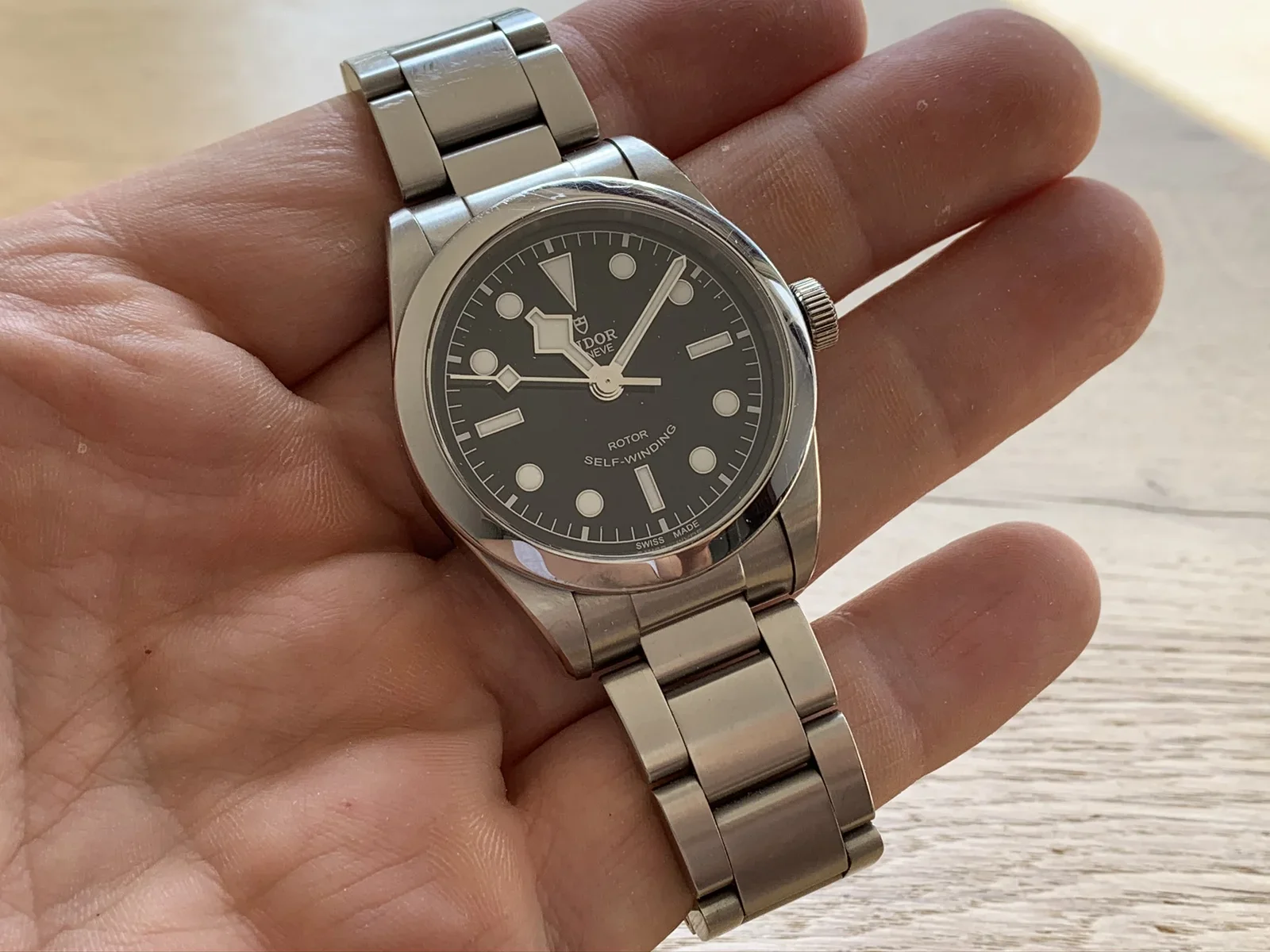
watch, movement, macro, mechanism, tudor, closeup(Tudor Black Bay 36 long-term review) - image In my average-sized hands, the watch is just the right size A Tudor wristwatch with a black dial rests in an open palm. (machine-described) text in image:
TUDOR GENEVE ROTOR SELF-WINDING SWISS MADE
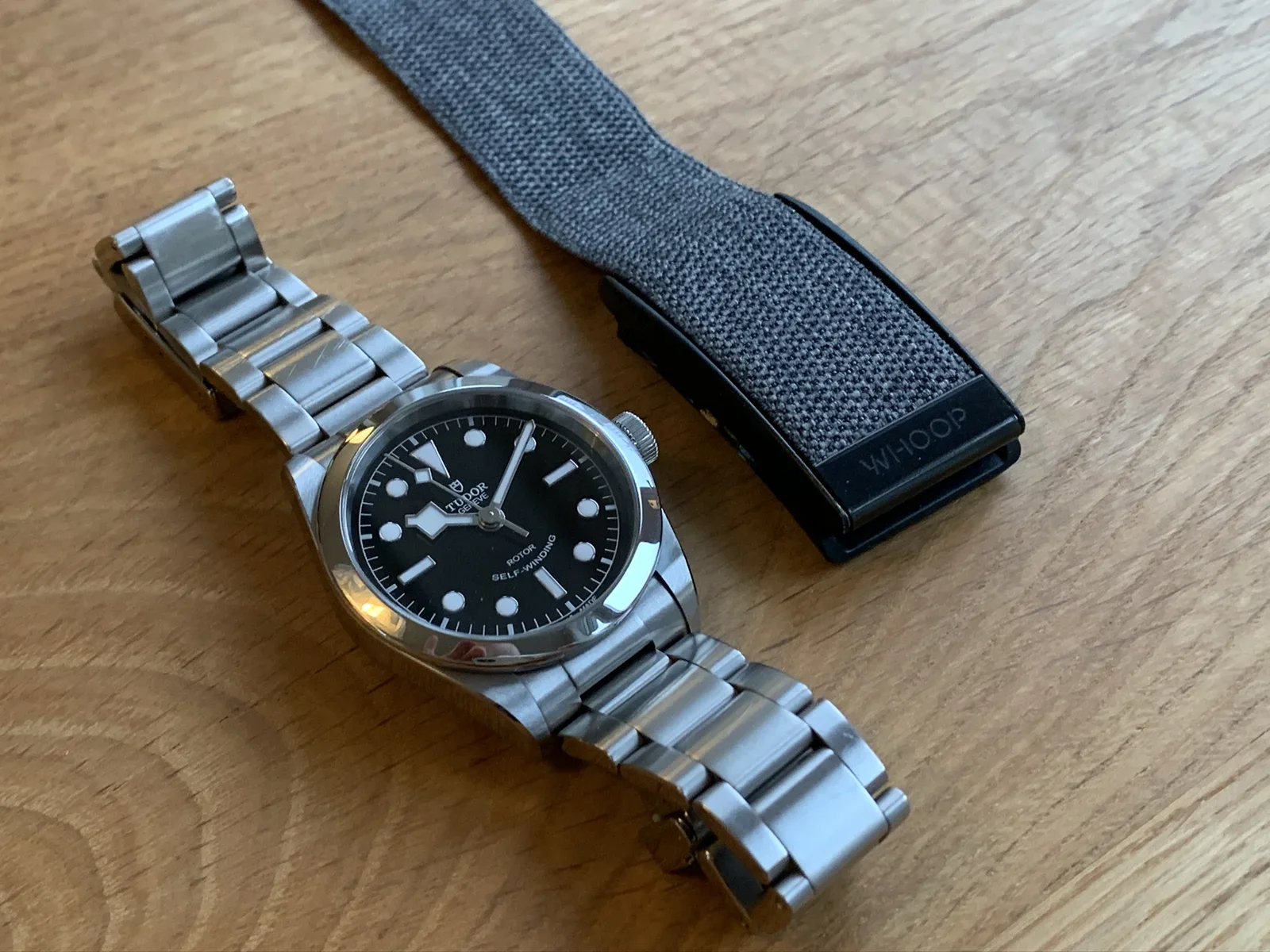
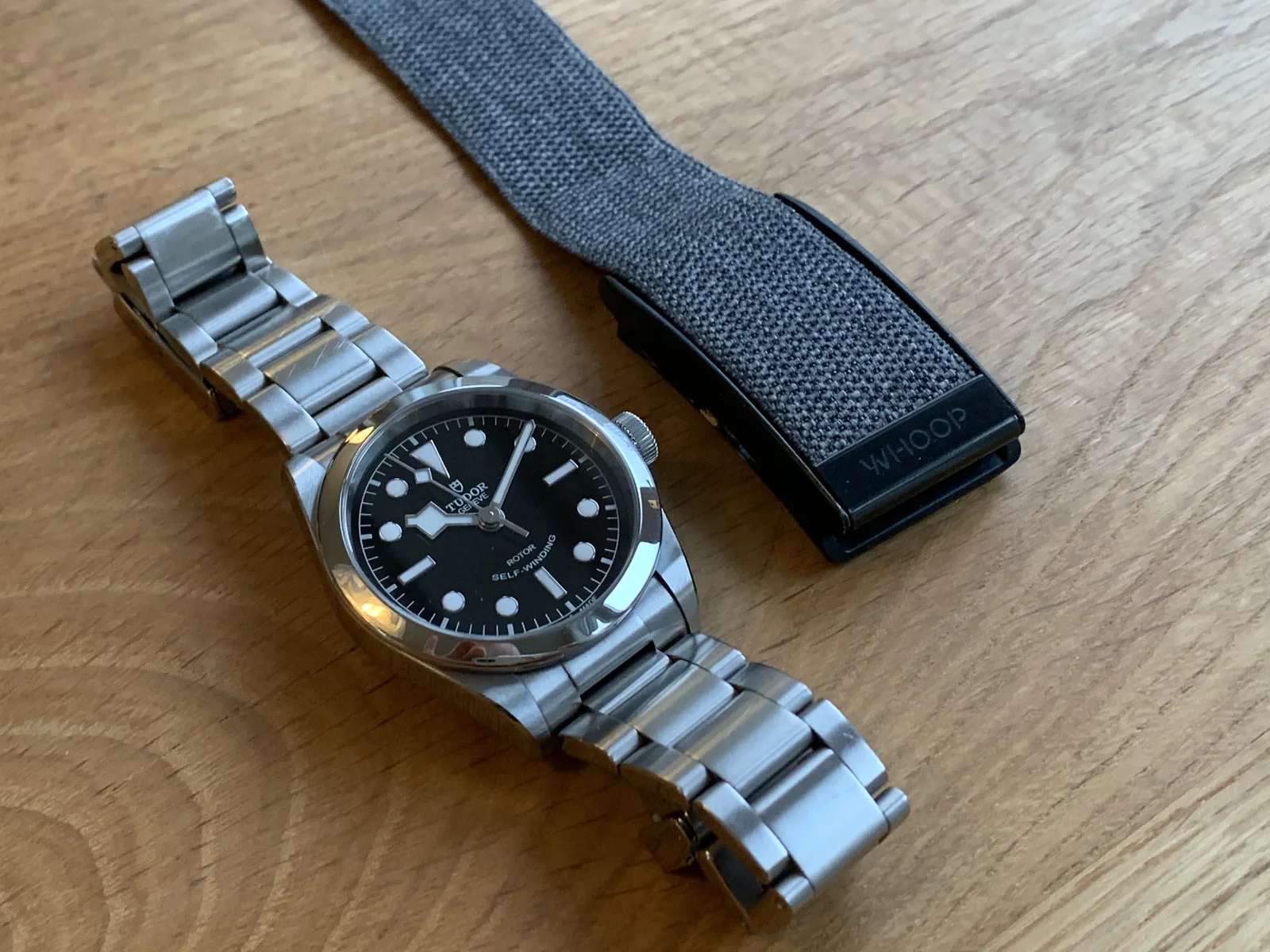
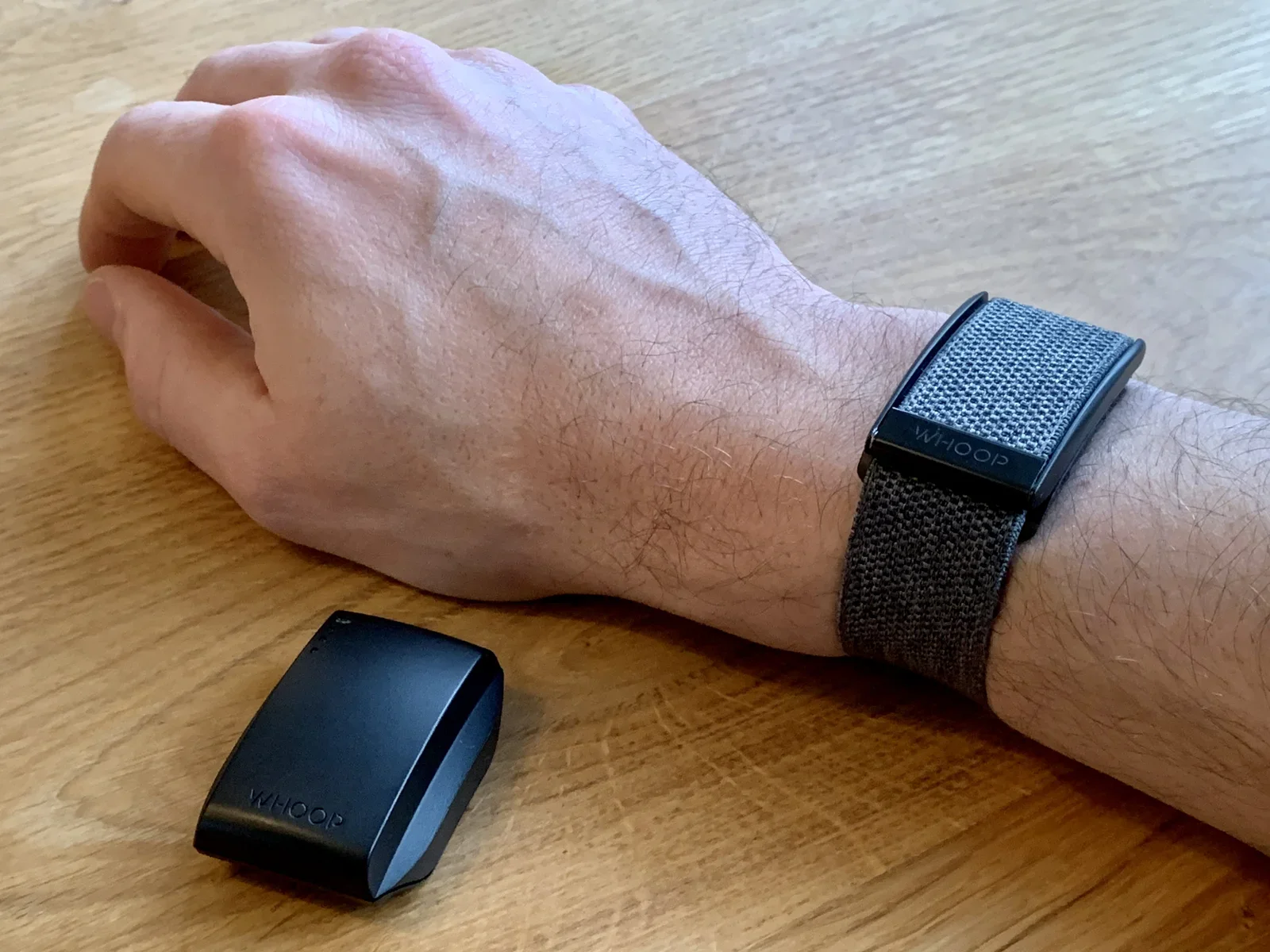
watch, tudor, hand, wristwatch, closeup(Tudor Black Bay 36 long-term review) - image Black Bay 36MM size compared to a Whoop bio sensor A Tudor watch lies on a wooden table next to a grey fabric strap branded Whoop. (machine-described) text in image:
TUDOR GENEVE ROTOR SELF-WINDING WHOOP
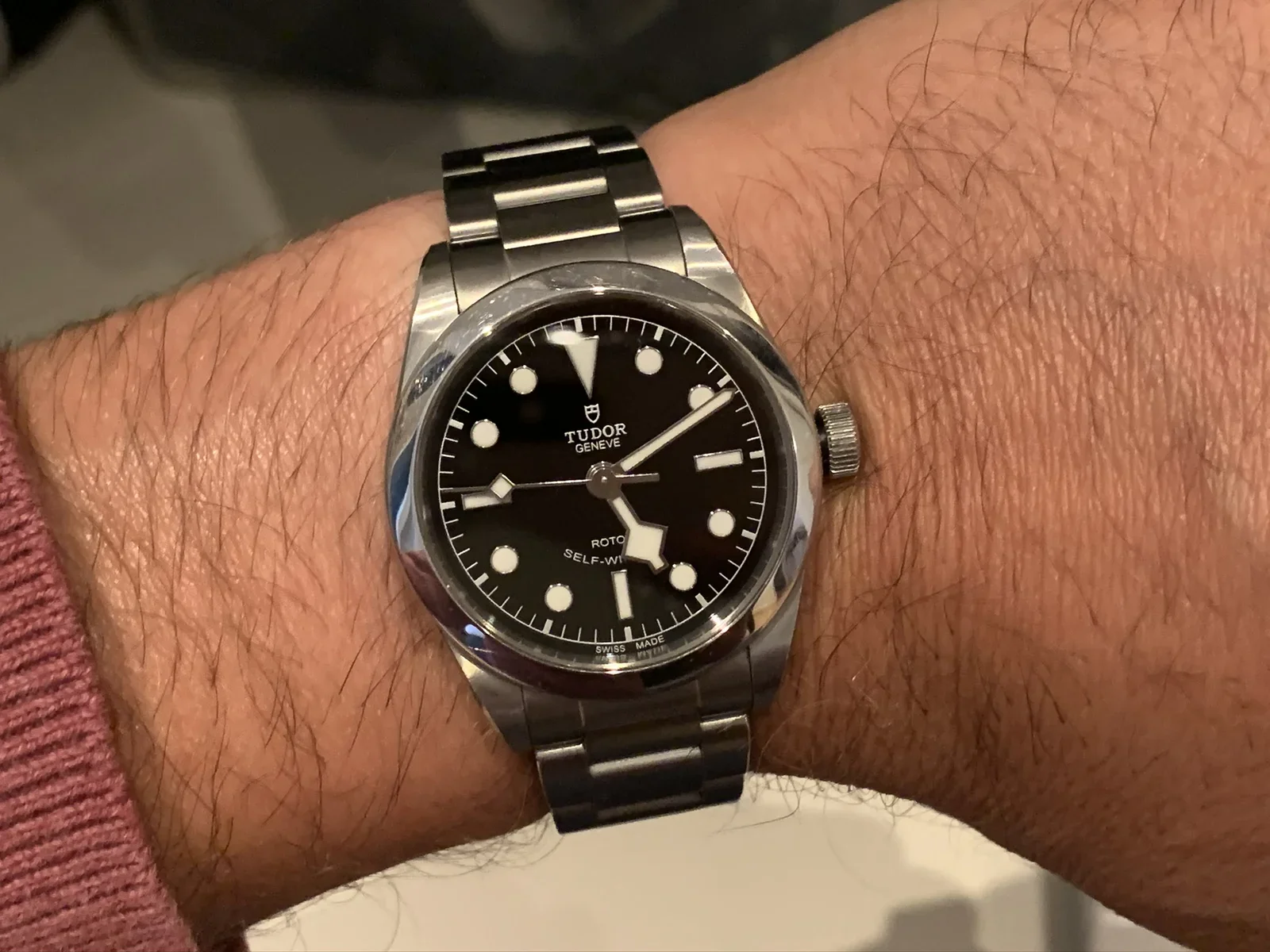
watch, tudor, strap, wearable, wood, comparison(Tudor Black Bay 36 long-term review) - image Tudor Black Bay 36 on the wrist A Tudor watch with a black dial is worn on a wrist in a dim indoor setting. (machine-described) text in image:
TUDOR GENEVE ROTOR SELF-WI SWISS MADE
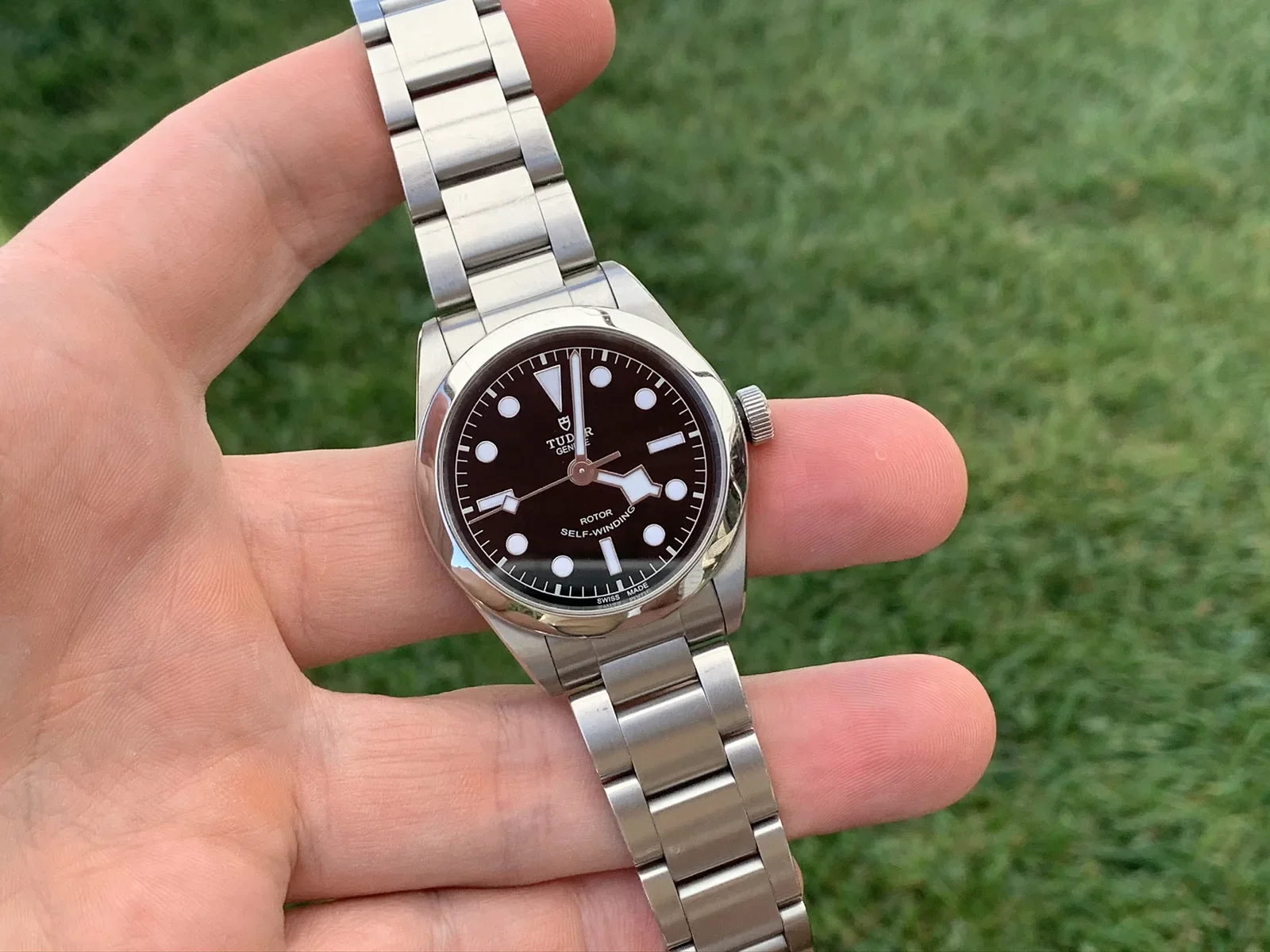
watch, tudor, wrist, wristwatch, indoor(Tudor Black Bay 36 long-term review) - image The pitch black dial, smooth bezel and high contrast indexes come alive under daylight A hand holds a Tudor watch with a dark brown dial against a grass background. (machine-described) text in image:
TUDOR GENEVE ROTOR SELF-WINDING SWISS MADE
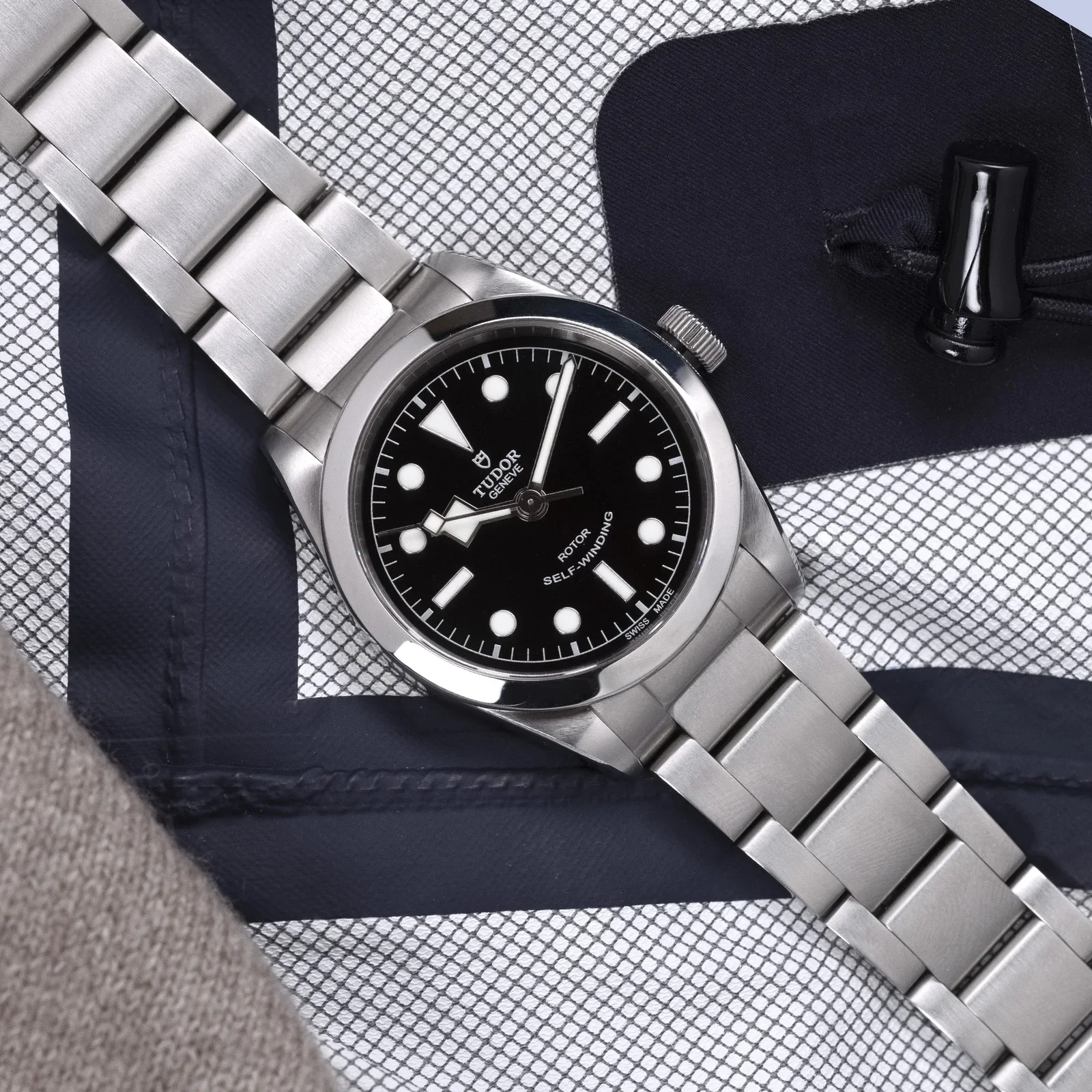
watch, tudor, hand, grass, outdoor, closeup(Tudor Black Bay 36 long-term review) - image Tudor Black Bay 36 (photo by Tudor) A Tudor watch lies on a patterned navy and white fabric pouch beside a black drawstring toggle. (machine-described) text in image:
TUDOR GENEVE ROTOR SELF-WINDING SWISS MADE
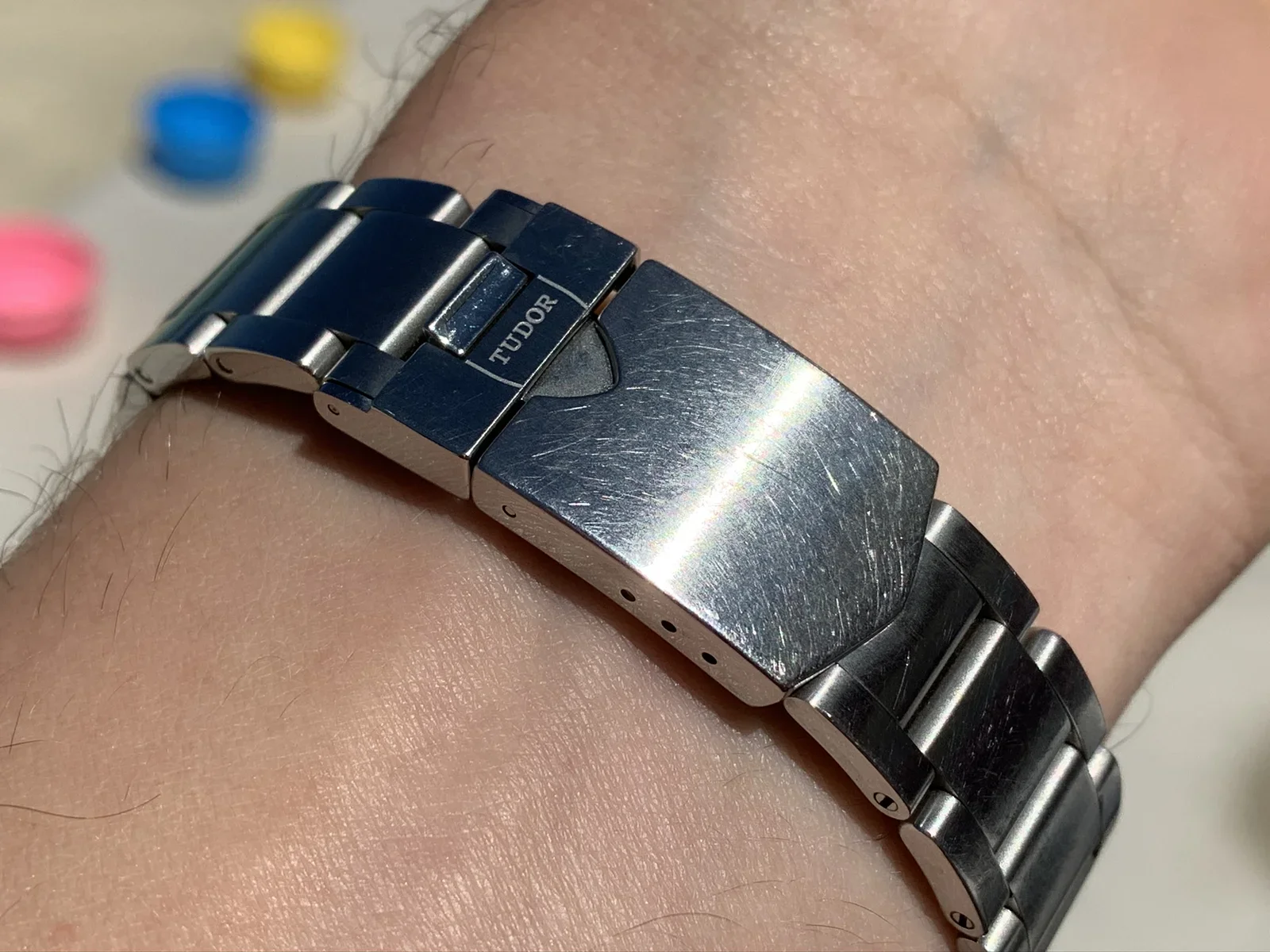
watch, tudor, pouch, fabric, product photography(Tudor Black Bay 36 long-term review) - image This is what 6 months of continuous wear look like on a Oyster bracelet! A close-up of a Tudor watch clasp engraved with the brand name, worn on a wrist, with blurred colourful bottle caps in the background. (machine-described) text in image:
TUDOR
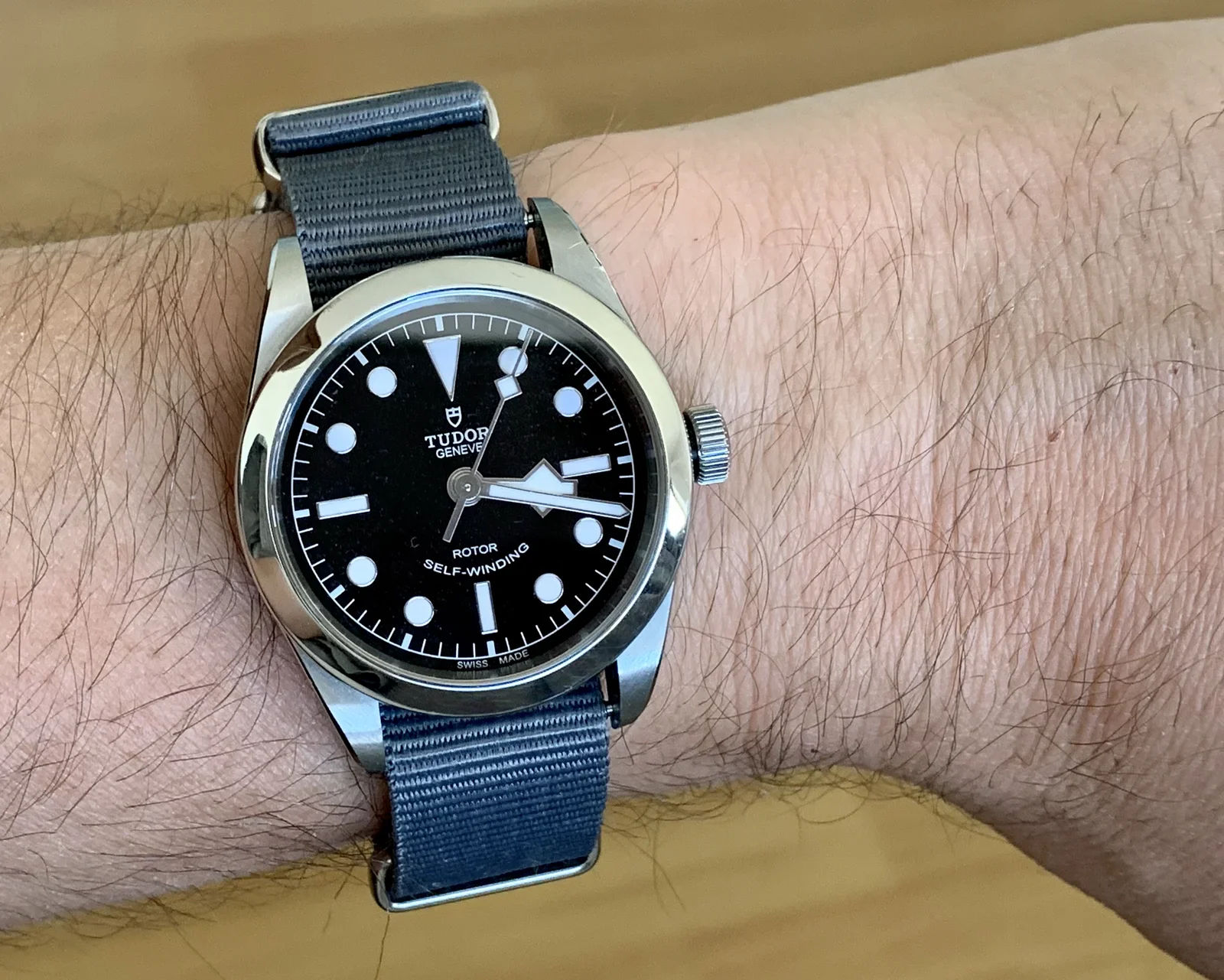
watch, tudor, clasp, wrist, closeup, bracelet(Tudor Black Bay 36 long-term review) - image The Black Bay works well on other straps, too A Tudor watch with a black dial and grey NATO-style fabric strap is worn on a wrist against a wooden surface. (machine-described) text in image:
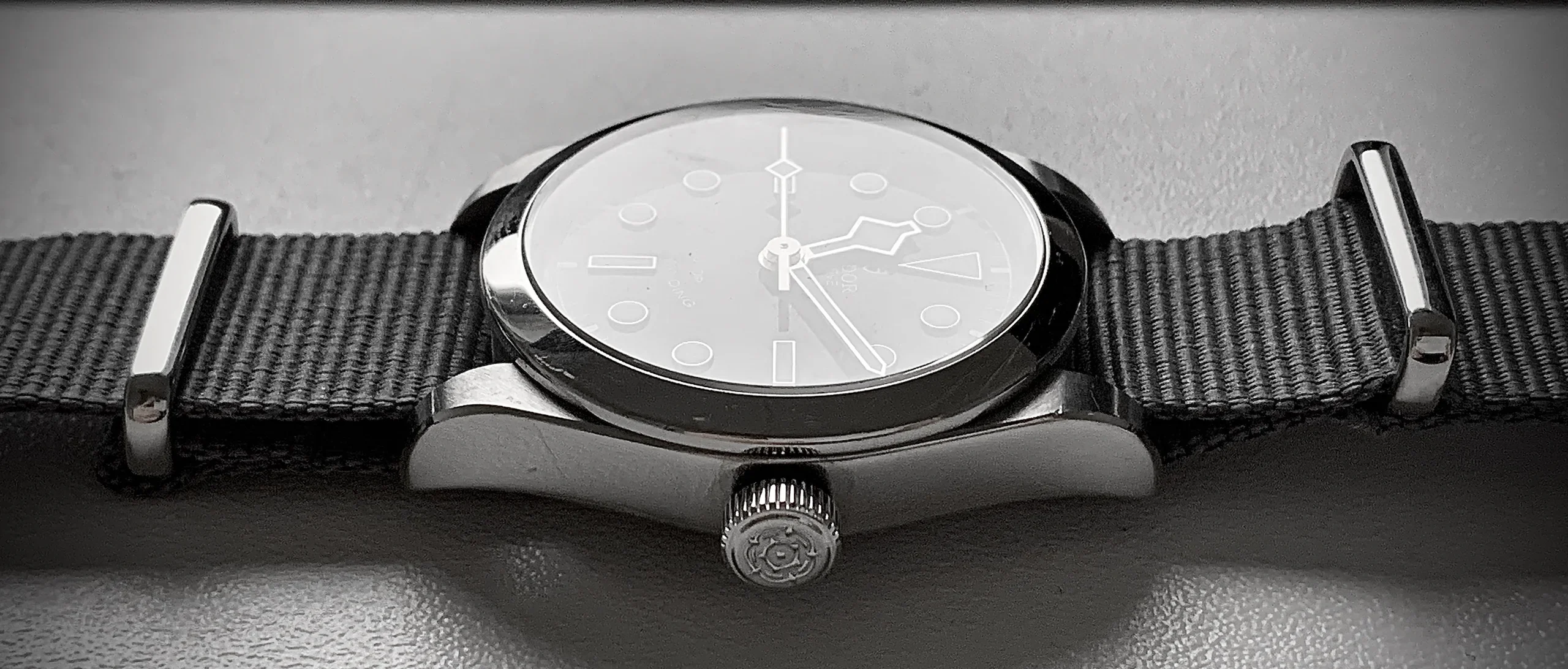
TUDOR GENEVE ROTOR SELF-WINDING SWISS MADE
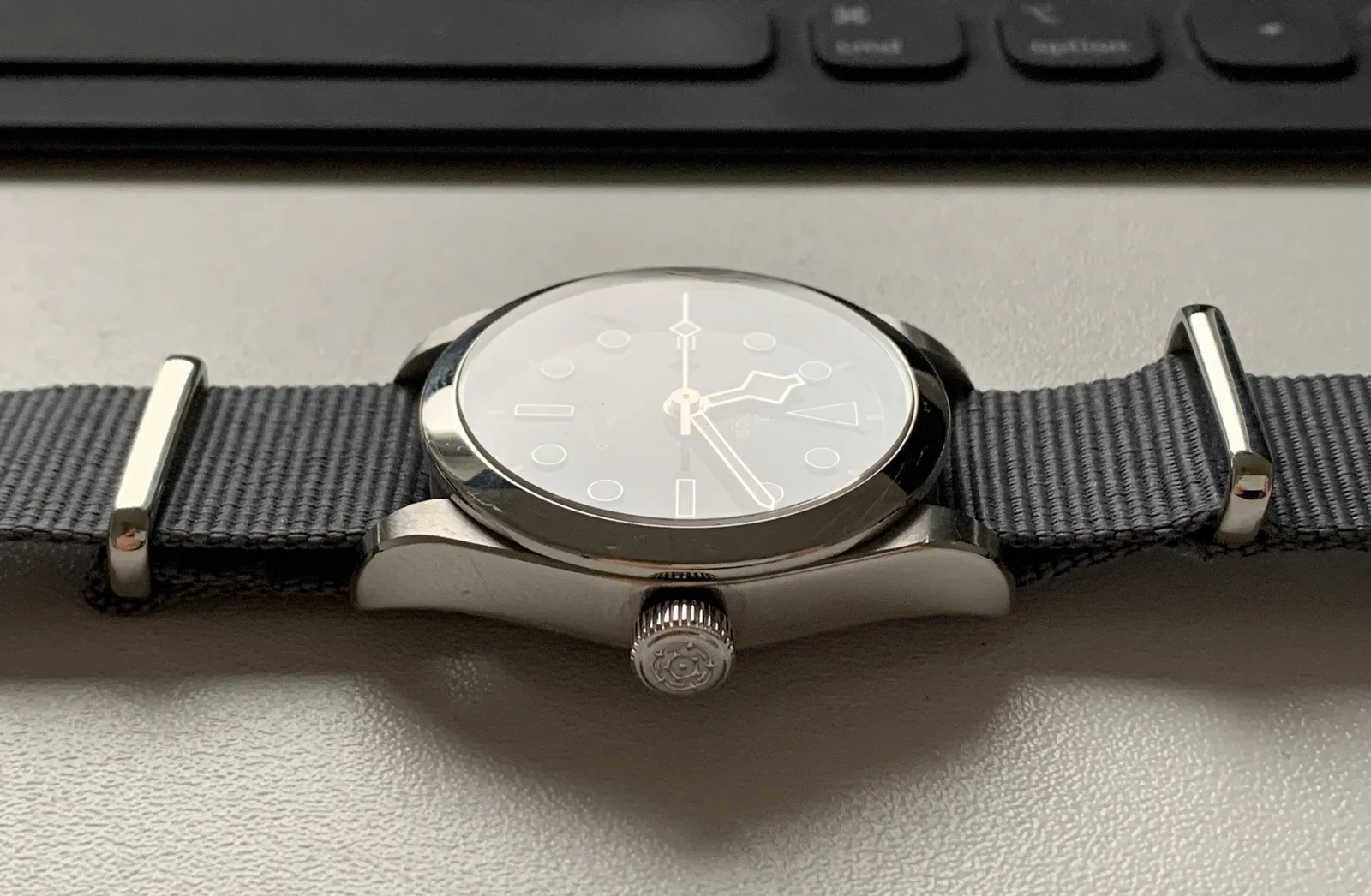
watch, tudor, nato strap, wrist, wristwatch(Tudor Black Bay 36 long-term review) - image But the Oyster case is beautiful on other straps, too, like on this gray NATO A Tudor watch with a white dial lies on its side on a desk in front of a keyboard showing command and option keys. (machine-described) text in image:
cmd option
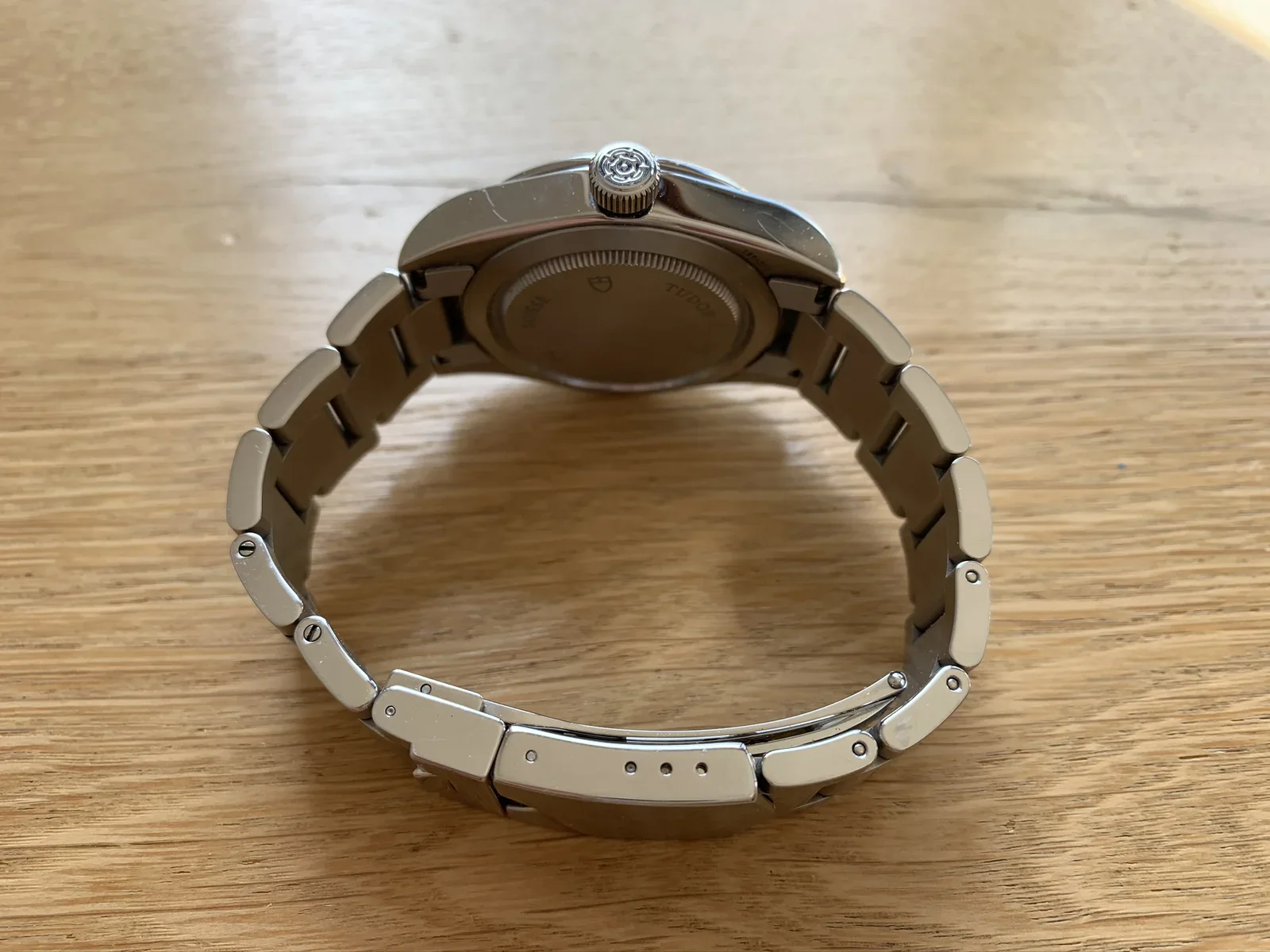
watch, tudor, keyboard, desk, side view(Tudor Black Bay 36 long-term review) - image The steel bracelet fits the watch perfectly Close-up of the back of a stainless steel Tudor watch bracelet on a wooden table, showing the crown and a case back engraved with the Tudor shield logo. (machine-described) text in image:
TUDOR SUISSE
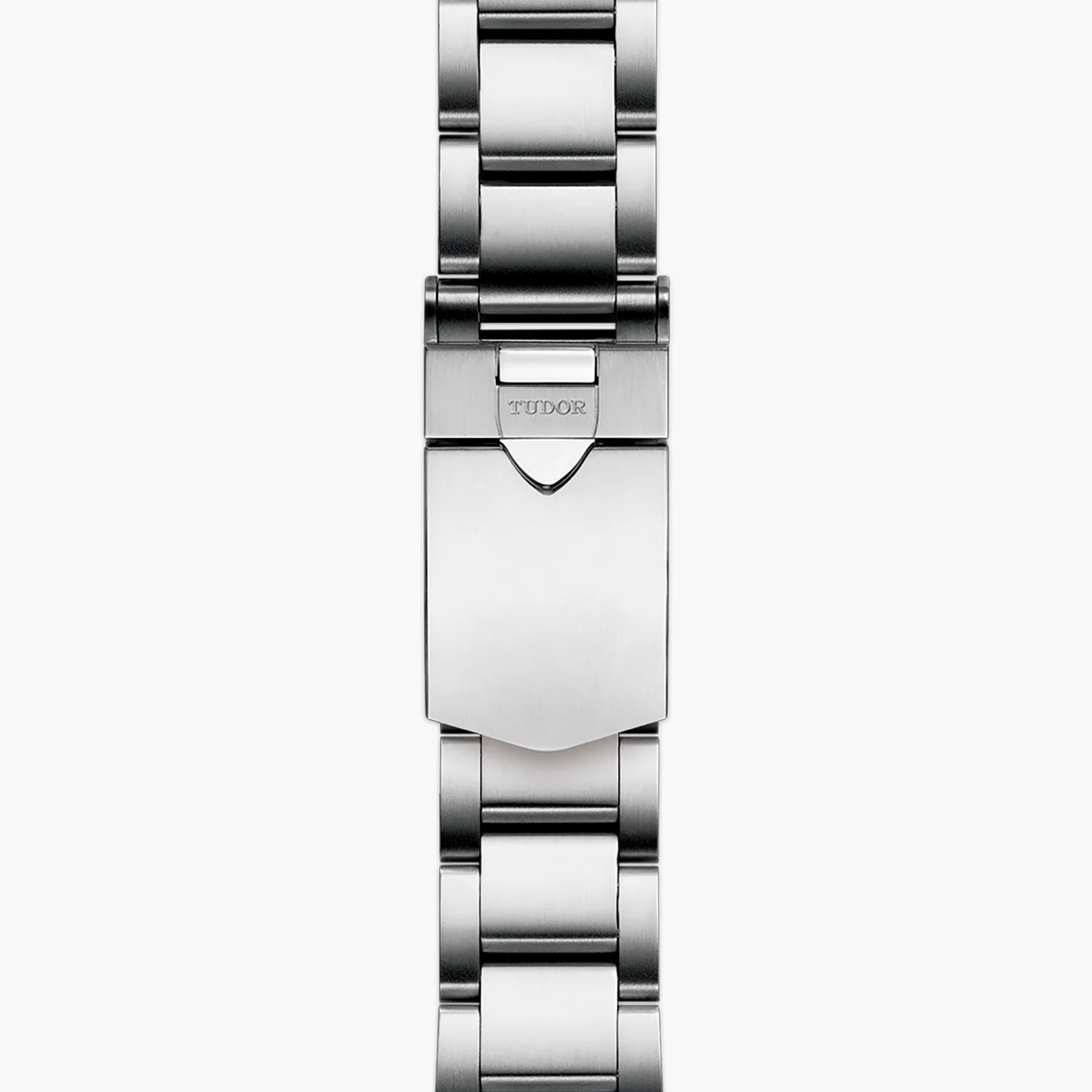
tudor, watch, bracelet, case back, steel, closeup(Tudor Black Bay 36 long-term review) - image The Oyster bracelet - precisely engineered to be both comfortable and strong A studio product photograph shows a Tudor watch bracelet folded to display its clasp engraved with the brand name. (machine-described) text in image:
TUDOR
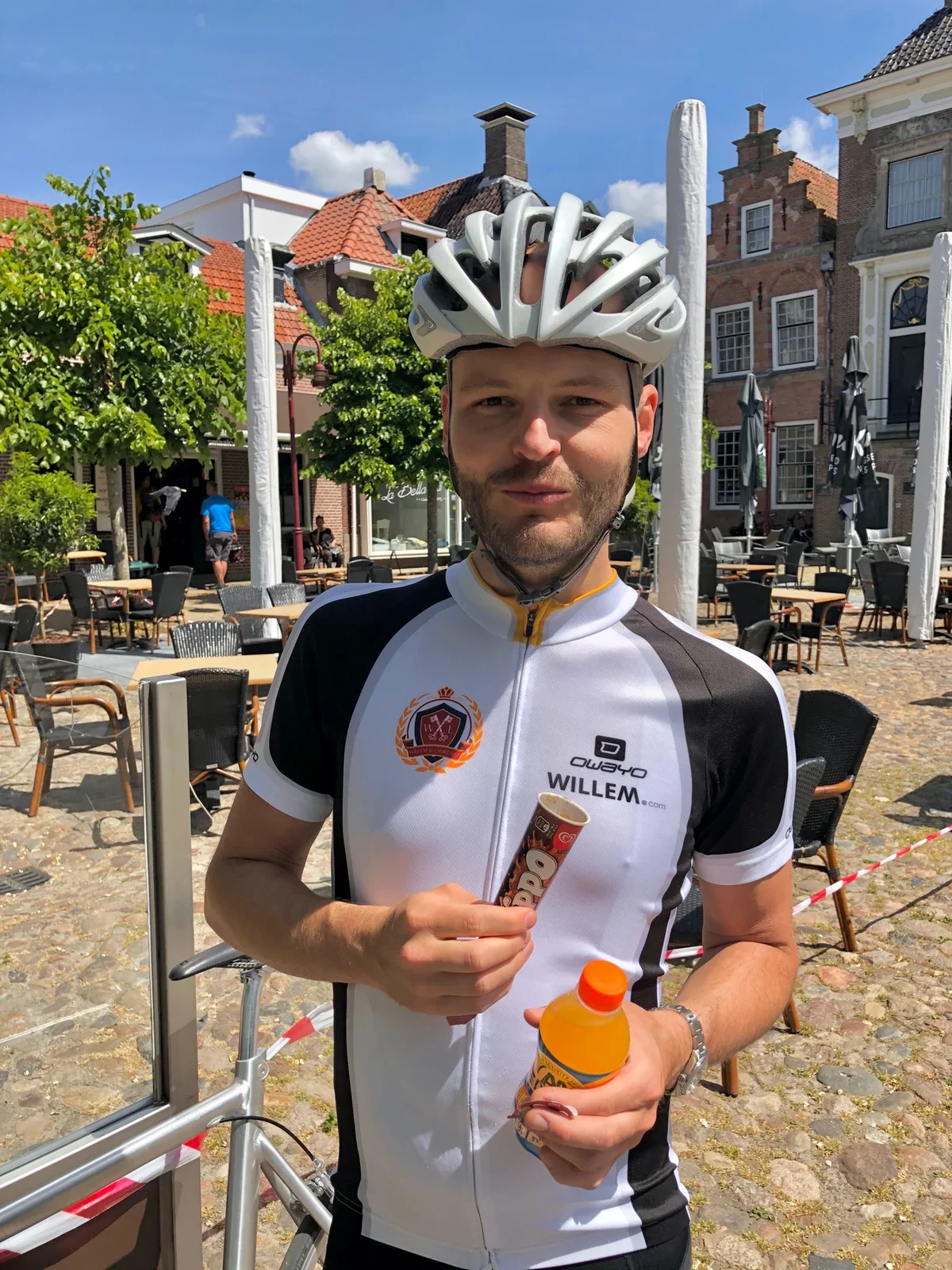
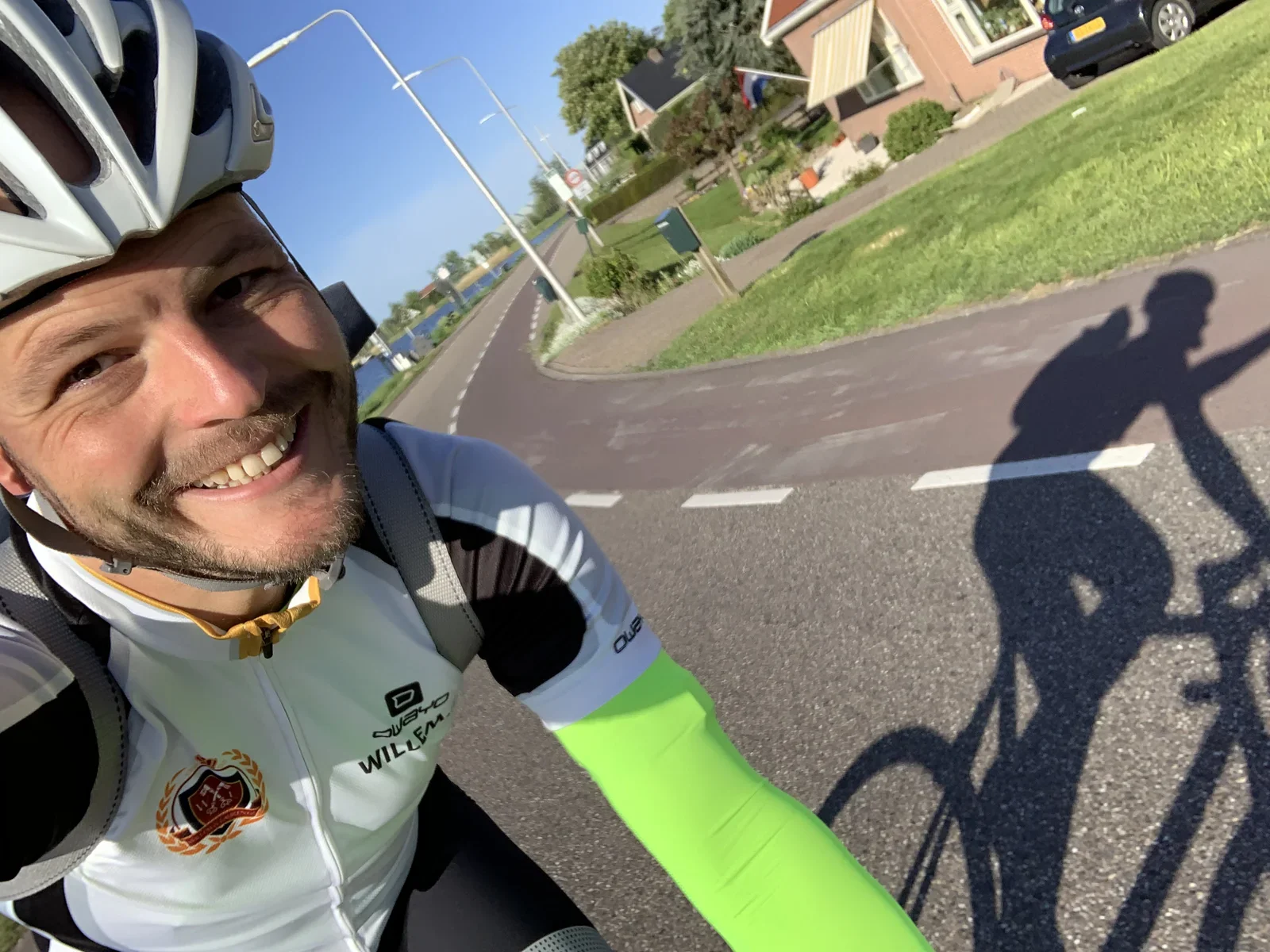
watch, tudor, bracelet, clasp, product photography, steel(Tudor Black Bay 36 long-term review) - image ... and when eating ice-creams afterwards :-) A man wearing a cycling helmet and jersey holds a snack wrapper and an orange sports drink bottle in a town square. (machine-described) text in image:
OWAYO WILLEM.com
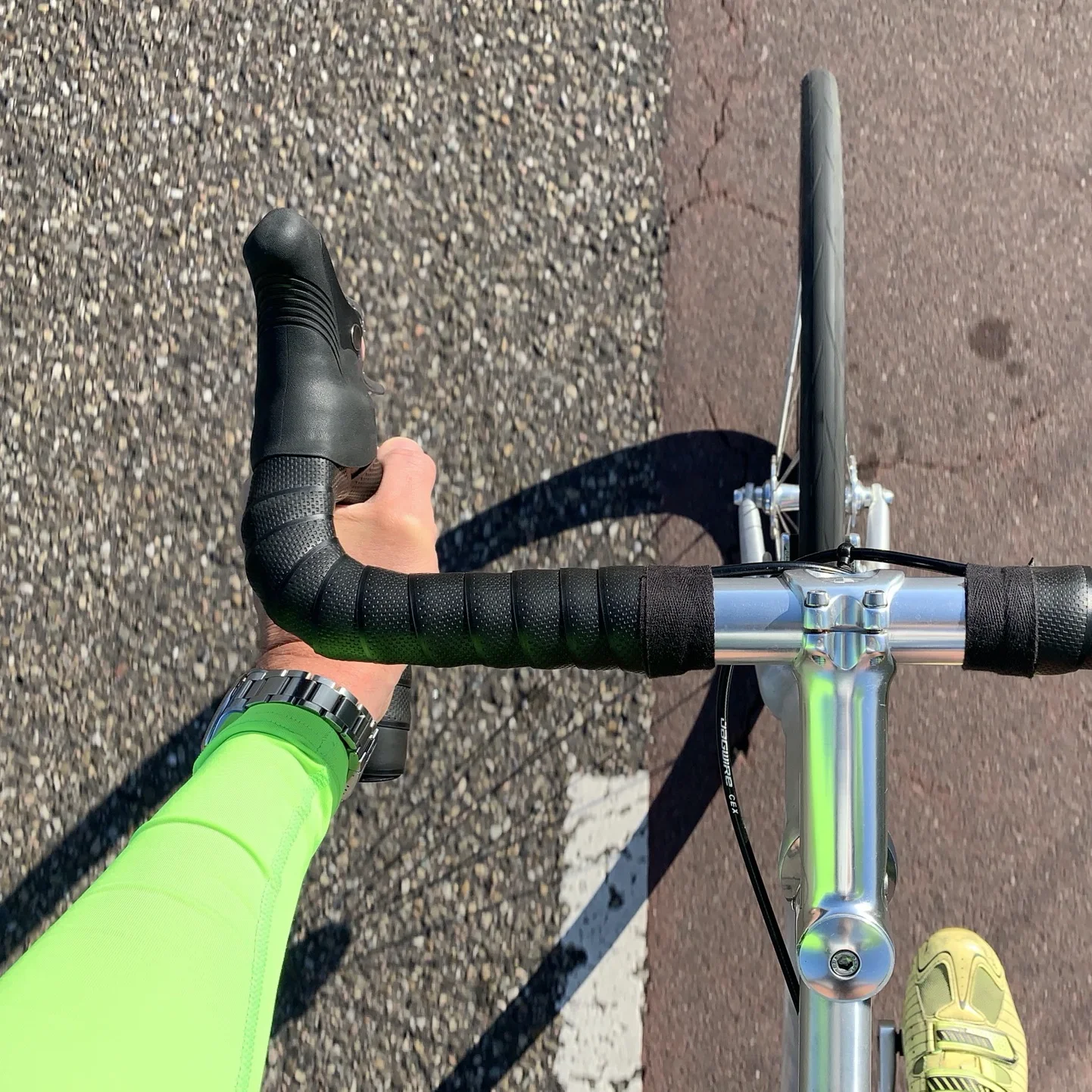
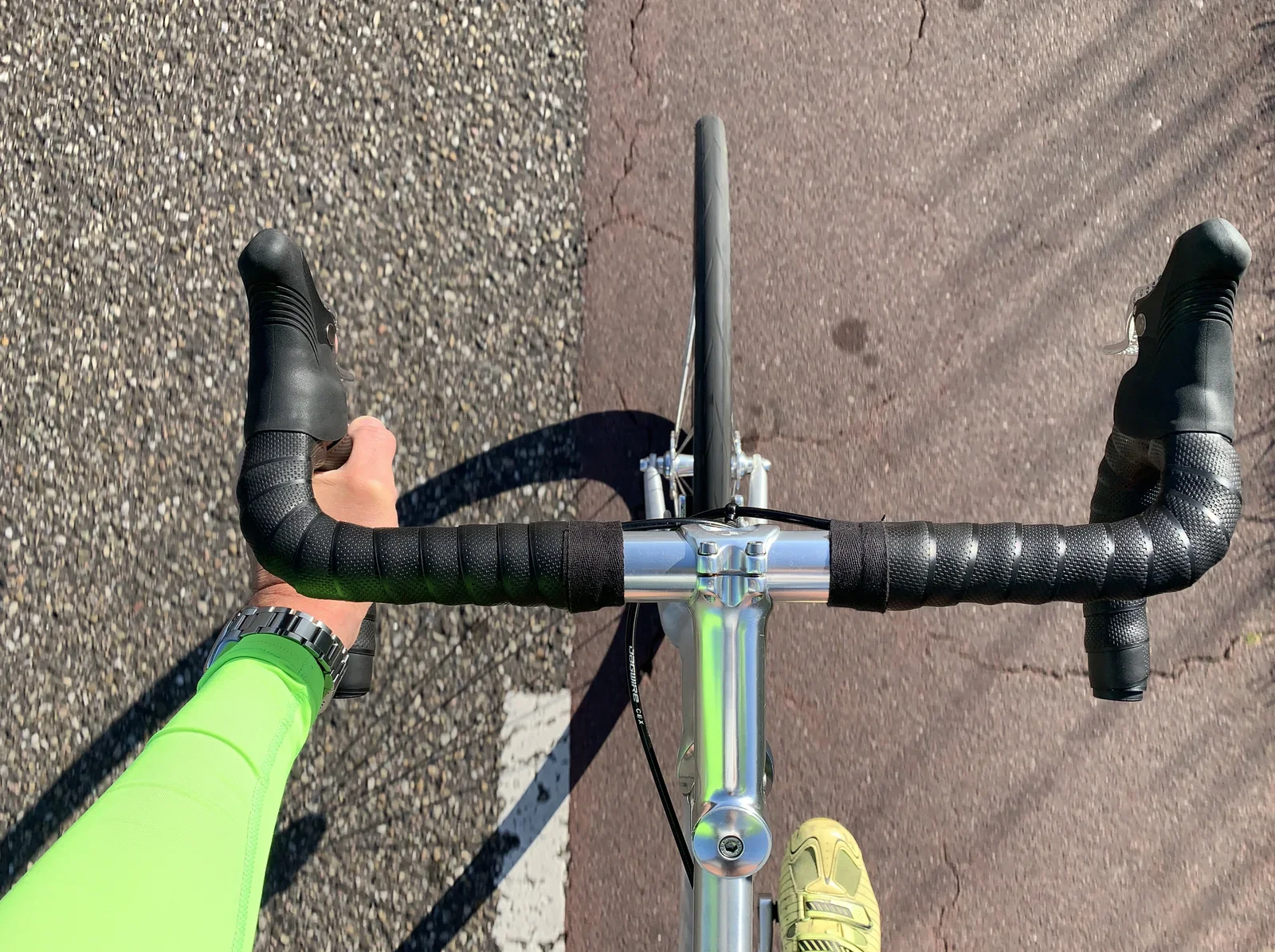
cycling, helmet, jersey, town square, drink, portrait(Tudor Black Bay 36 long-term review) - image It's light enough to be comfortable while cycling... A cyclist's gloved hand grips a drop handlebar fitted with black bar tape, wearing a metal wristwatch, photographed from above while riding. (machine-described) text in image:
Jagwire CEX
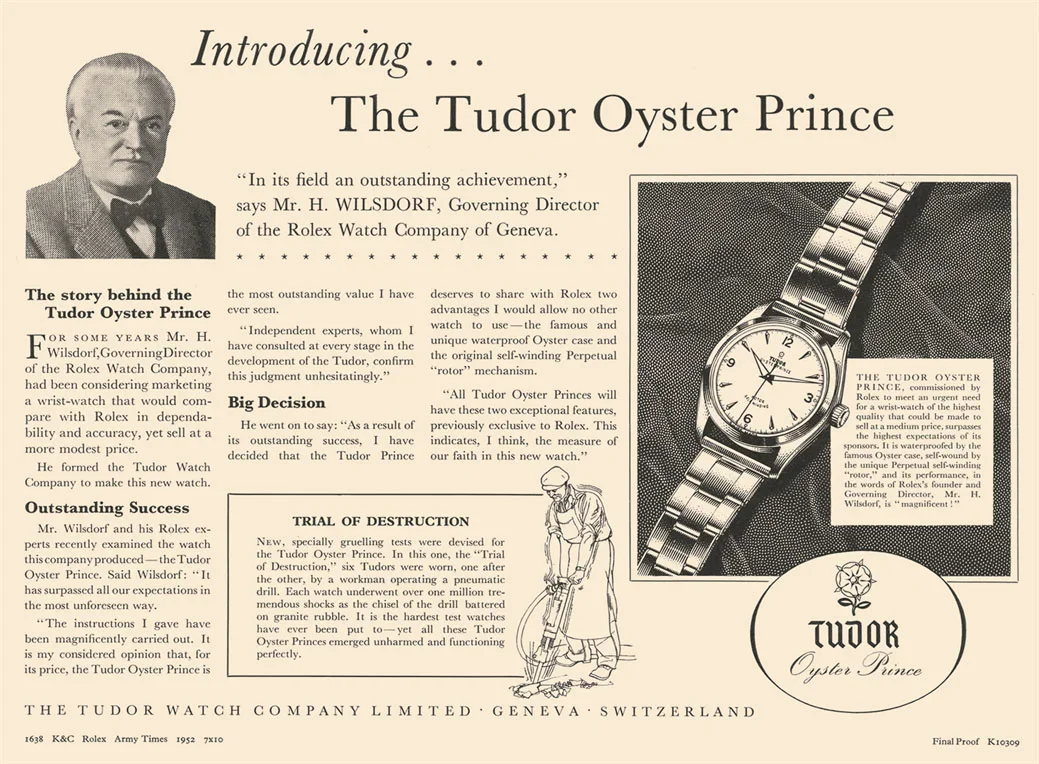
cycling, handlebar, hand, watch, road bike, closeup(Tudor Black Bay 36 long-term review) - image Tudor Oyster Prince ad (1952) A vintage magazine advertisement introduces the Tudor Oyster Prince watch, featuring a portrait of Rolex director Mr H. Wilsdorf, a product photo and an illustration of a workman testing a watch with a pneumatic drill. (machine-described) text in image:
Introducing... The Tudor Oyster Prince "In its field an outstanding achievement," says Mr. H. WILSDORF, Governing Director of the Rolex Watch Company of Geneva. The story behind the Tudor Oyster Prince For some years Mr. H. Wilsdorf, Governing Director of the Rolex Watch Company, had been considerin
advertisement, vintage, tudor, print ad, watch, history(Tudor Black Bay 36 long-term review) - image A close-up of a silver Tudor wristwatch with a black dial held by a person's hand against a blurred green background. (machine-described) text in image:
TUDOR GENEVE ROTOR SELF-WINDING SWISS MADE
watch, bracelet, hand, dial(Tudor Black Bay 36 long-term review) - image A close-up side view of a wristwatch with a metallic case, a light-colored dial with geometric indices, and a dark textured strap. (machine-described)
watch, strap, dial, crown, metal(Tudor Black Bay 36 long-term review) - image A close-up shot of a silver Tudor wristwatch with a black dial and white markers, held by a person's hand against a blurred green background. (machine-described) text in image:
TUDOR GENEVE ROTOR SELF-WINDING SWISS MADE
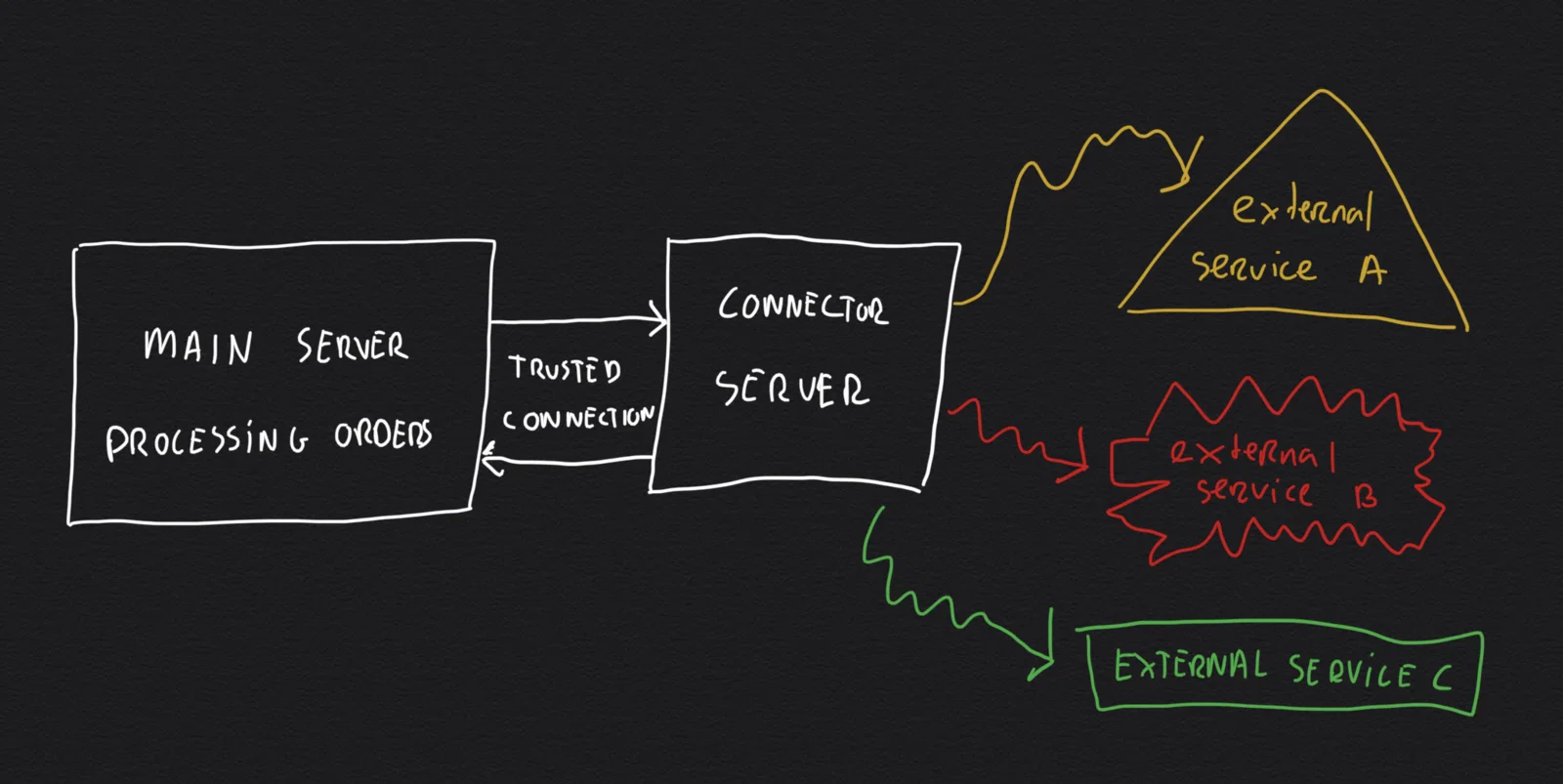
watch, bracelet, hand, dial(Tudor Black Bay 36 long-term review) - image Separating the main backend server from the external systems by introducing a purpose built 'connector server' A hand-drawn dark-background diagram shows a main server connected via a trusted connection to a connector server, which fans out to three external services A, B and C. (machine-described) text in image:
MAIN SERVER PROCESSING ORDERS TRUSTED CONNECTION CONNECTOR SERVER external service A external service B EXTERNAL SERVICE C
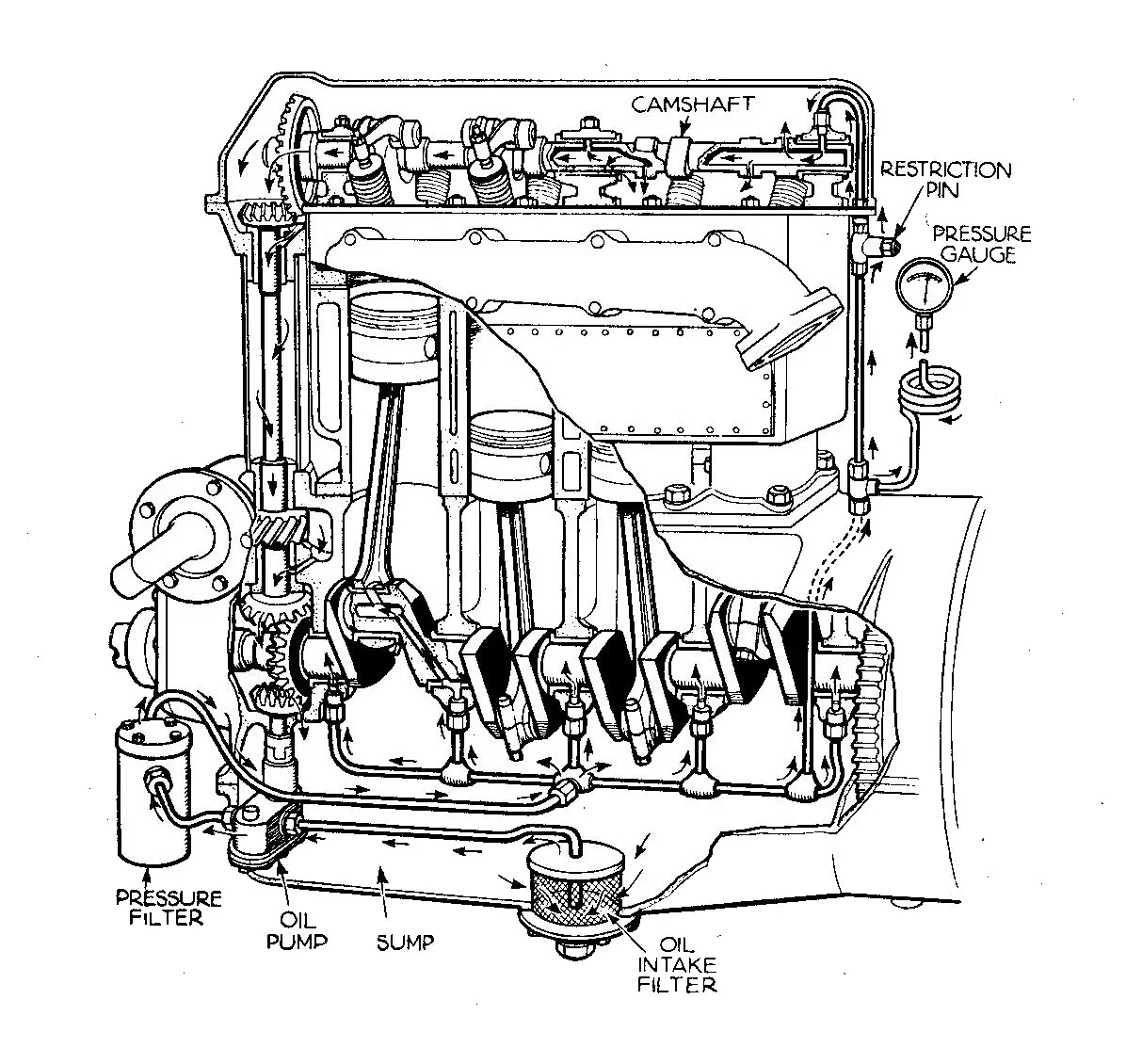
diagram, architecture, sketch, server, network(Linking Lemmid Store with kitchens) - image Integrating external systems into your app is like fitting third-party parts to an engine: you must carefully consider their fit and reliability (image of a combustion engine, public domain) A labelled technical line drawing shows the oil lubrication system of a car engine, with cutaway pistons, crankshaft and camshaft. (machine-described) text in image:
CAMSHAFT RESTRICTION PIN PRESSURE GAUGE PRESSURE FILTER OIL PUMP SUMP OIL INTAKE FILTER
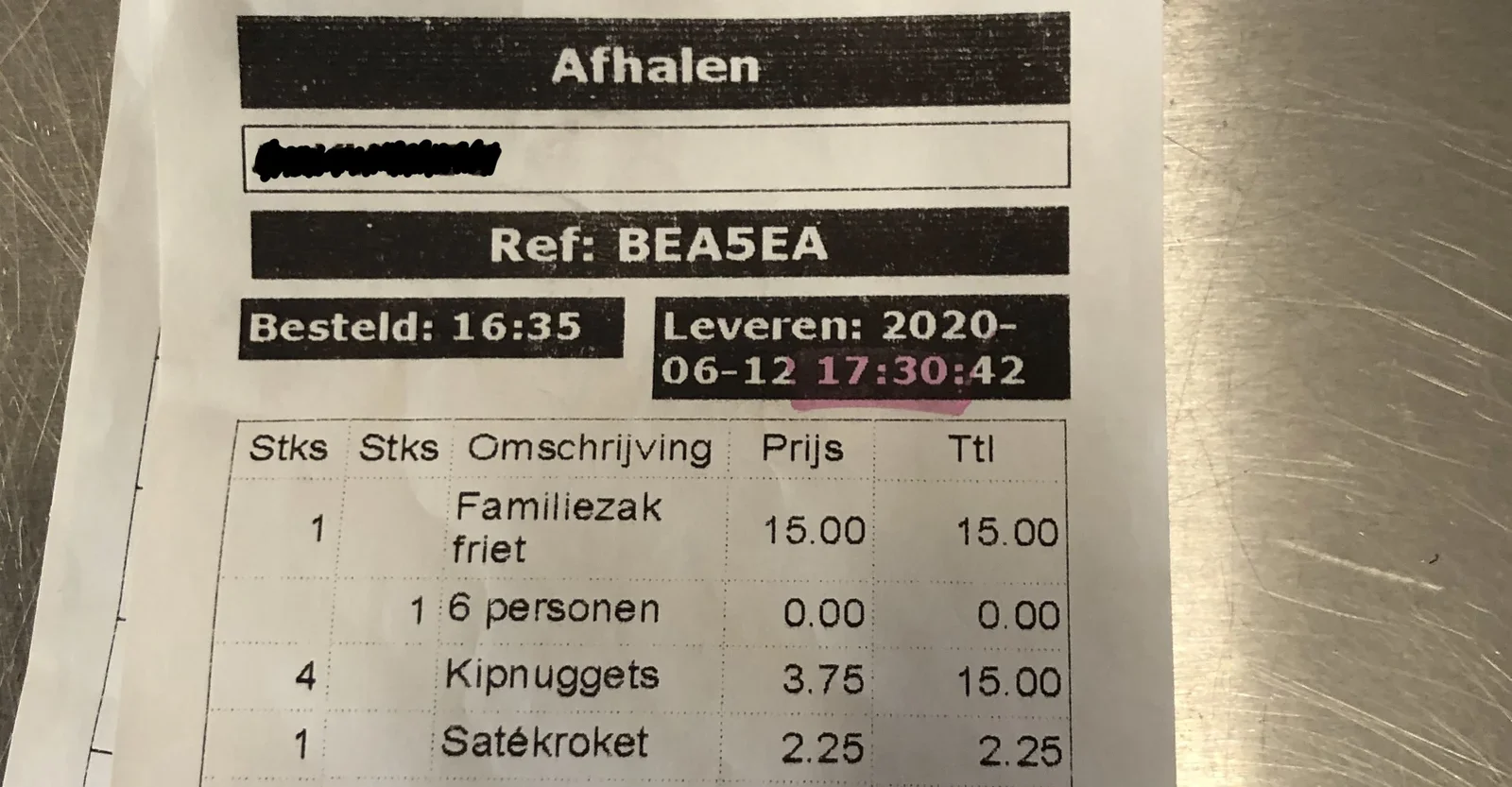
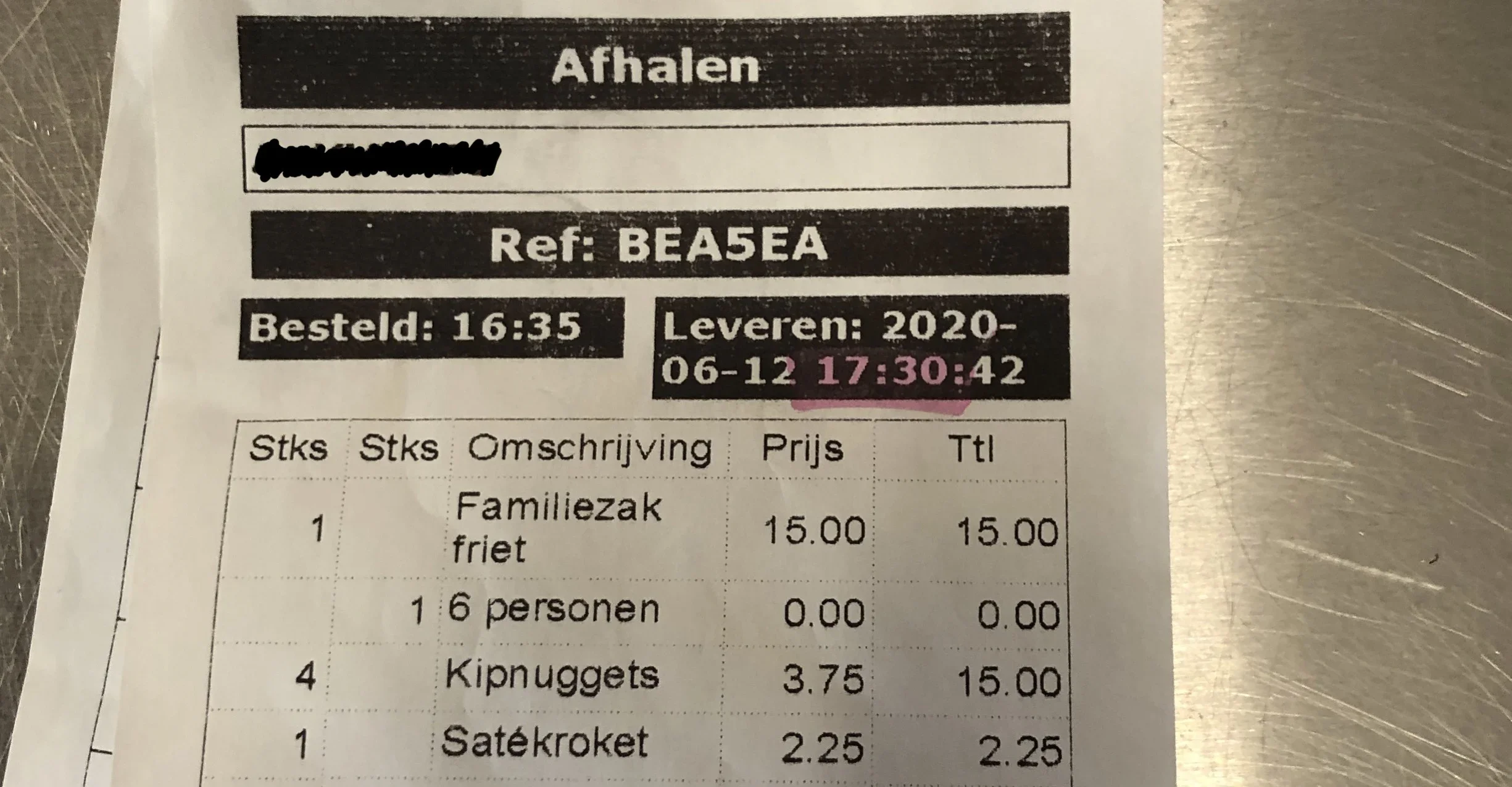
diagram, engine, mechanical, illustration, oil system(Linking Lemmid Store with kitchens) - image Printed ticket - through an external connection - including detailed order data like product modifiers (customer's choices per product) A food delivery pickup receipt lies on a metal surface, showing an order reference, times and a list of fried snacks with prices, with a name blacked out by hand. (machine-described) text in image:
Afhalen Ref: BEA5EA Besteld: 16:35 Leveren: 2020-06-12 17:30:42 Stks Stks Omschrijving Prijs Ttl 1 Familiezak friet 15.00 15.00 1 6 personen 0.00 0.00 4 Kipnuggets 3.75 15.00 1 Satekroket 2.25 2.25
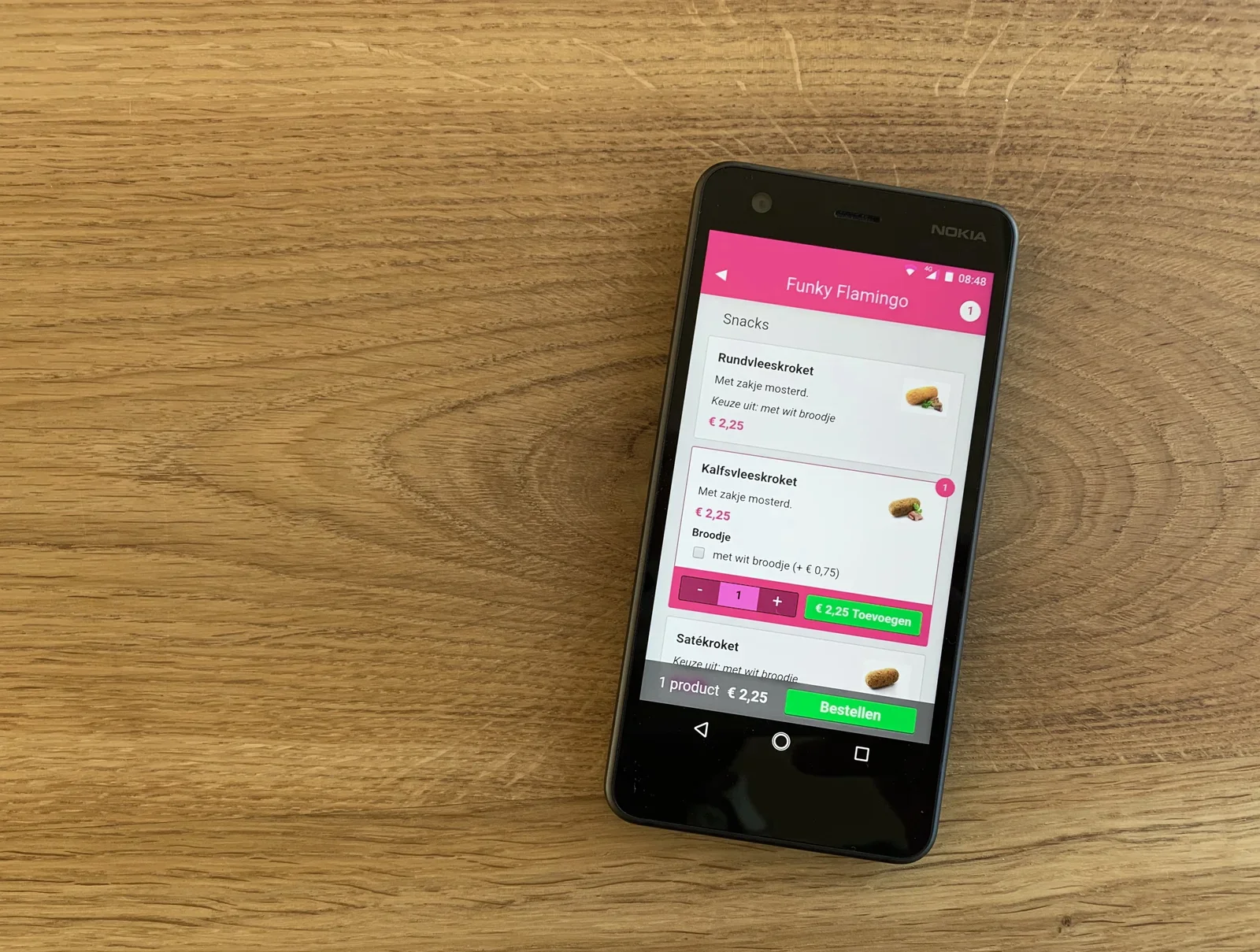
receipt, food order, snack bar, paper, dutch(Linking Lemmid Store with kitchens) - image Lemmid Store - an app to order takeaway food A Nokia Android smartphone lies on a wooden table showing a food ordering app screen for a snack bar called Funky Flamingo. (machine-described) text in image:
NOKIA Funky Flamingo Snacks Rundvleeskroket Met zakje mosterd. Keuze uit: met wit broodje EUR 2,25 Kalfsvleeskroket Met zakje mosterd. EUR 2,25 Broodje met wit broodje (+ EUR 0,75) EUR 2,25 Toevoegen Satekroket Keuze uit: met wit broodje 1 product EUR 2,25 Bestellen 08:48
app, screenshot, smartphone, food ordering, snack bar, nokia(Linking Lemmid Store with kitchens) - image Close-up photo of a printed Dutch takeaway order receipt titled Afhalen on a wooden surface, listing fries, chicken nuggets and a satay croquette with prices, and a redacted customer name. (machine-described) text in image:
Afhalen Ref: BEA5EA Besteld: 16:35 Leveren: 2020-06-12 17:30:42 Stks Stks Omschrijving Prijs Ttl 1 Familiezak friet 15.00 15.00 1 6 personen 0.00 0.00 4 Kipnuggets 3.75 15.00 1 Satekroket 2.25 2.25
receipt, takeaway order, dutch text, food order, paper ticket(Linking Lemmid Store with kitchens) - image Close-up photo of a printed Dutch takeaway order receipt titled Afhalen on a brushed metal surface, listing fries, chicken nuggets and a satay croquette with prices, and a redacted customer name. (machine-described) text in image:
Afhalen Ref: BEA5EA Besteld: 16:35 Leveren: 2020-06-12 17:30:42 Stks Stks Omschrijving Prijs Ttl 1 Familiezak friet 15.00 15.00 1 6 personen 0.00 0.00 4 Kipnuggets 3.75 15.00 1 Satekroket 2.25 2.25
receipt, takeaway order, dutch text, food order, metal surface(Linking Lemmid Store with kitchens) - image Close-up photo of a printed Dutch takeaway order receipt titled Afhalen on a wooden surface, listing fries, chicken nuggets and a satay croquette with prices, and a redacted customer name. (machine-described) text in image:
Afhalen Ref: BEA5EA Besteld: 16:35 Leveren: 2020-06-12 17:30:42 Stks Stks Omschrijving Prijs Ttl 1 Familiezak friet 15.00 15.00 1 6 personen 0.00 0.00 4 Kipnuggets 3.75 15.00 1 Satekroket 2.25 2.25
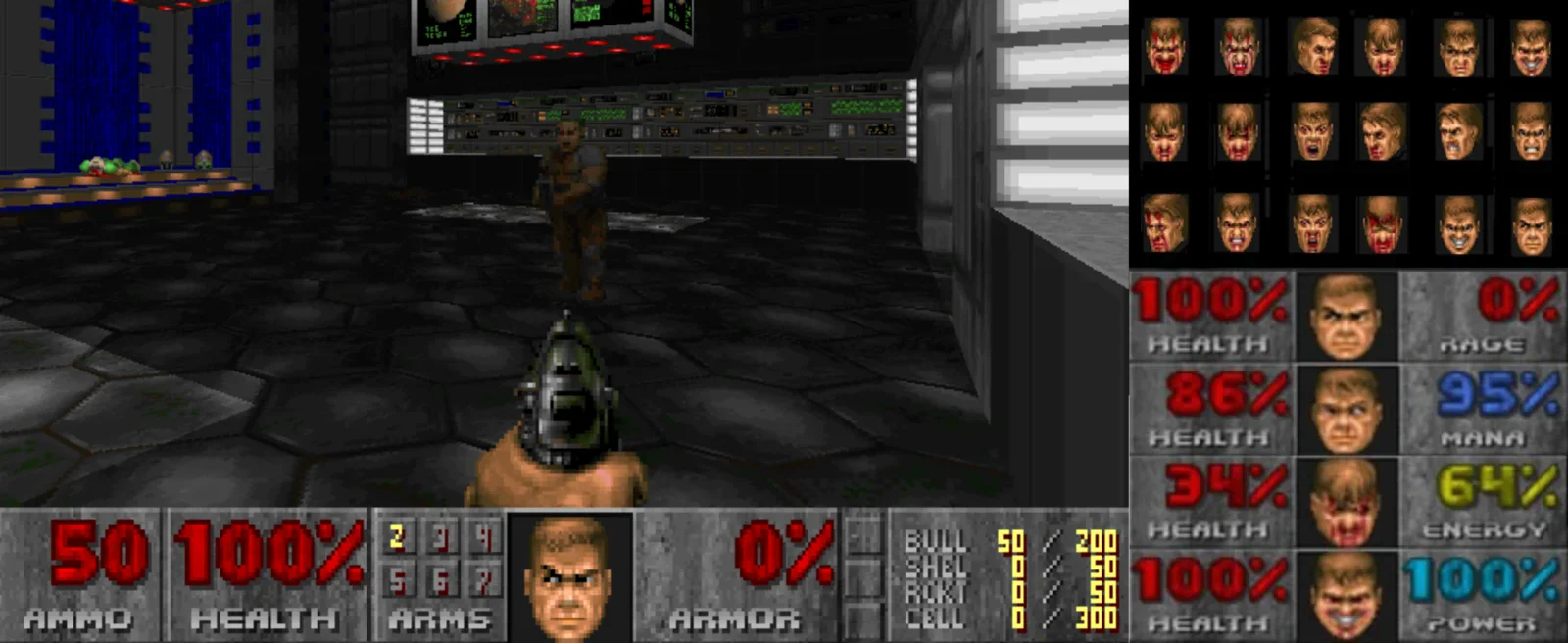
receipt, takeaway order, dutch text, food order, paper ticket(Linking Lemmid Store with kitchens) - image Doom and the protagonist "Mud" showing how he feels A composite screenshot combining a classic Doom first-person shooter gameplay view with its ammo and health HUD, overlaid with a grid of face icons and RPG-style health, rage, mana and energy stat bars. (machine-described) text in image:
AMMO 50 HEALTH 100% ARMS ARMOR 0% BULL 50/200 SHEL 0/50 RCKT 0/50 CELL 0/300 100% HEALTH 0% RAGE 86% HEALTH 95% MANA 34% HEALTH 64% ENERGY 100% HEALTH 100% POWER
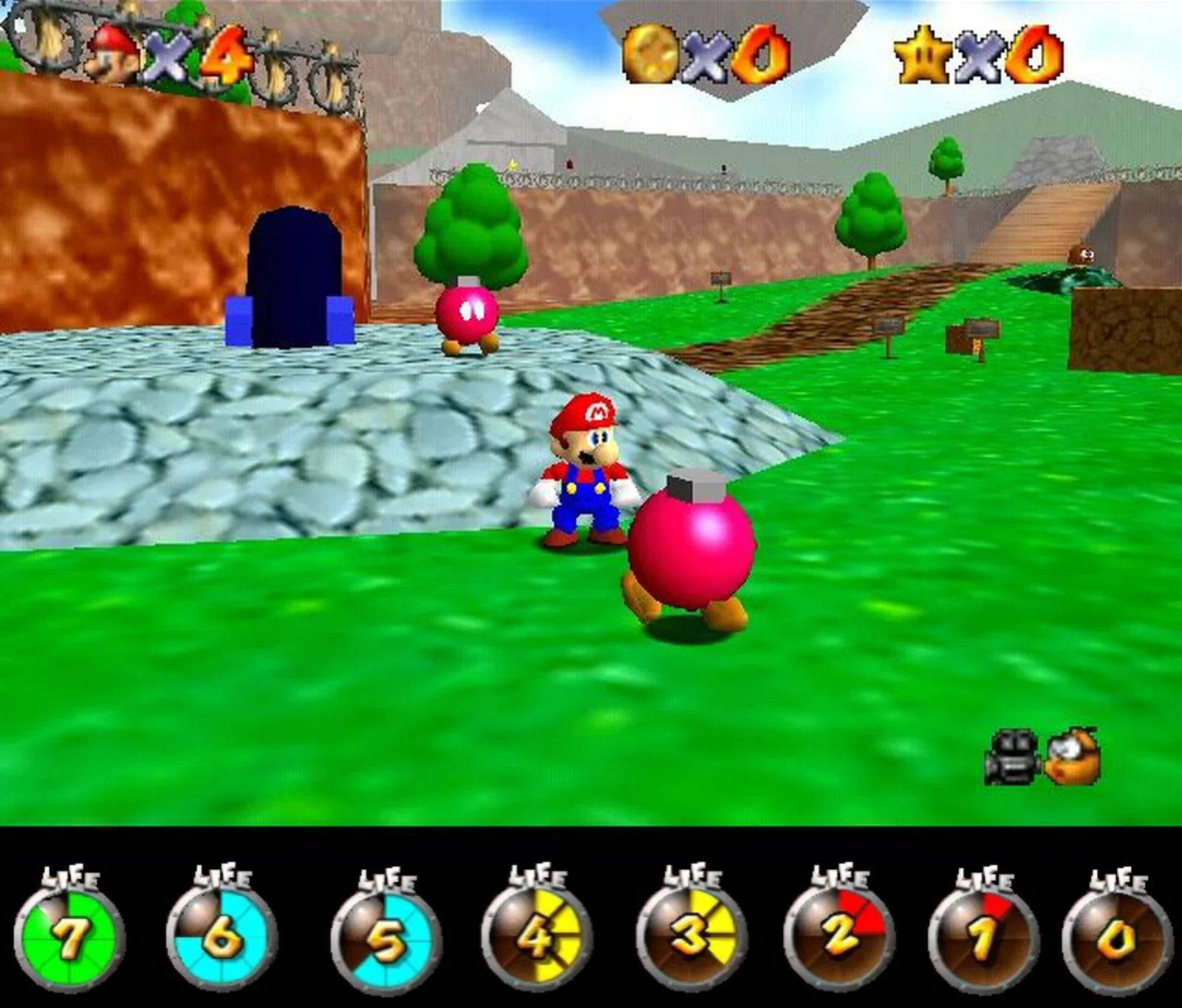
video game, doom, hud, health bar, screenshot, stats(Different ways to visualise health) - image Mario 64 and a the Super Mario Galaxy life bar A screenshot of Super Mario 64 gameplay showing Mario standing next to a pink Bob-omb character on a grassy level, with coin and star counters and a row of numbered life gauge icons along the bottom. (machine-described) text in image:
x4 LIFE 7 LIFE 6 LIFE 5 LIFE 4 LIFE 3 LIFE 2 LIFE 1 LIFE 0
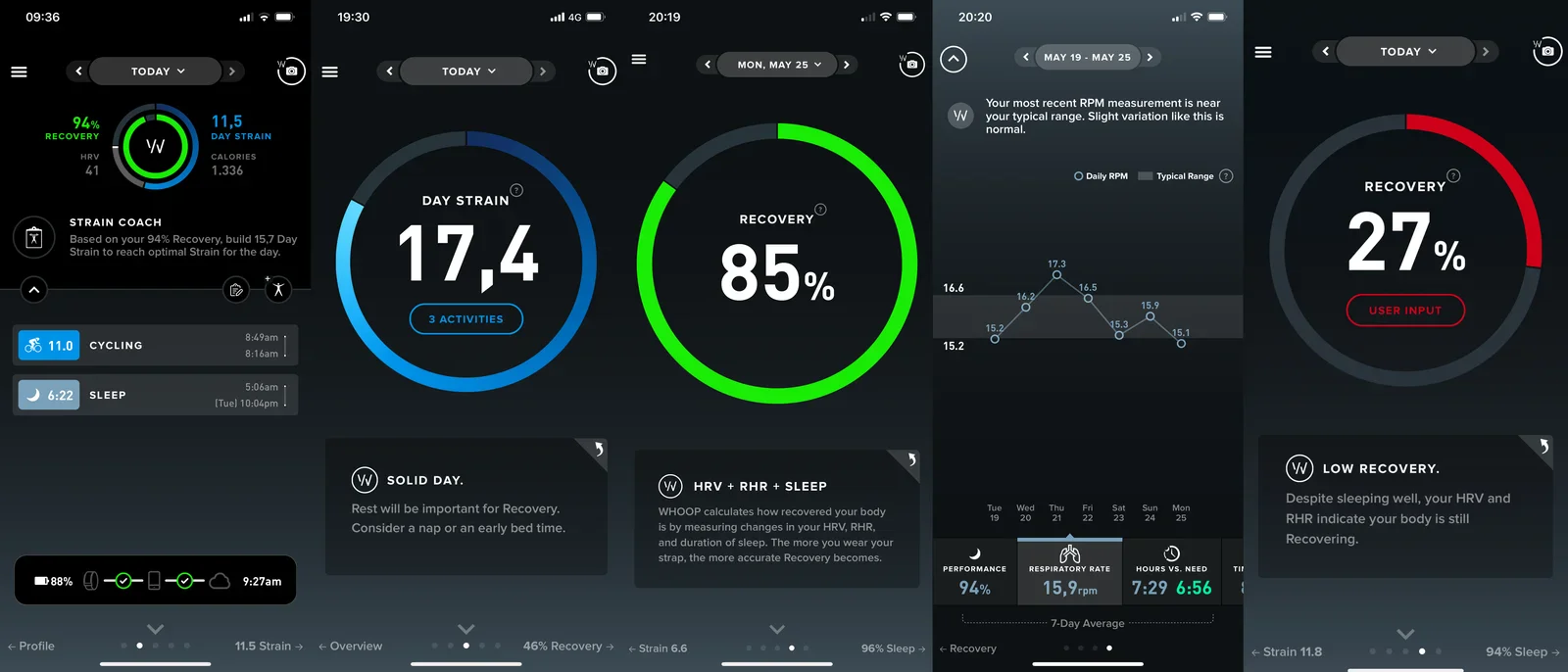
video game, super mario 64, screenshot, hud, life gauge, nintendo(Different ways to visualise health) - image Whoop showing strain and recovery Four WHOOP fitness app screenshots on a phone showing recovery percentage, day strain, sleep and cycling activity, a respiratory rate chart, and a low recovery warning based on HRV and resting heart rate. (machine-described) text in image:
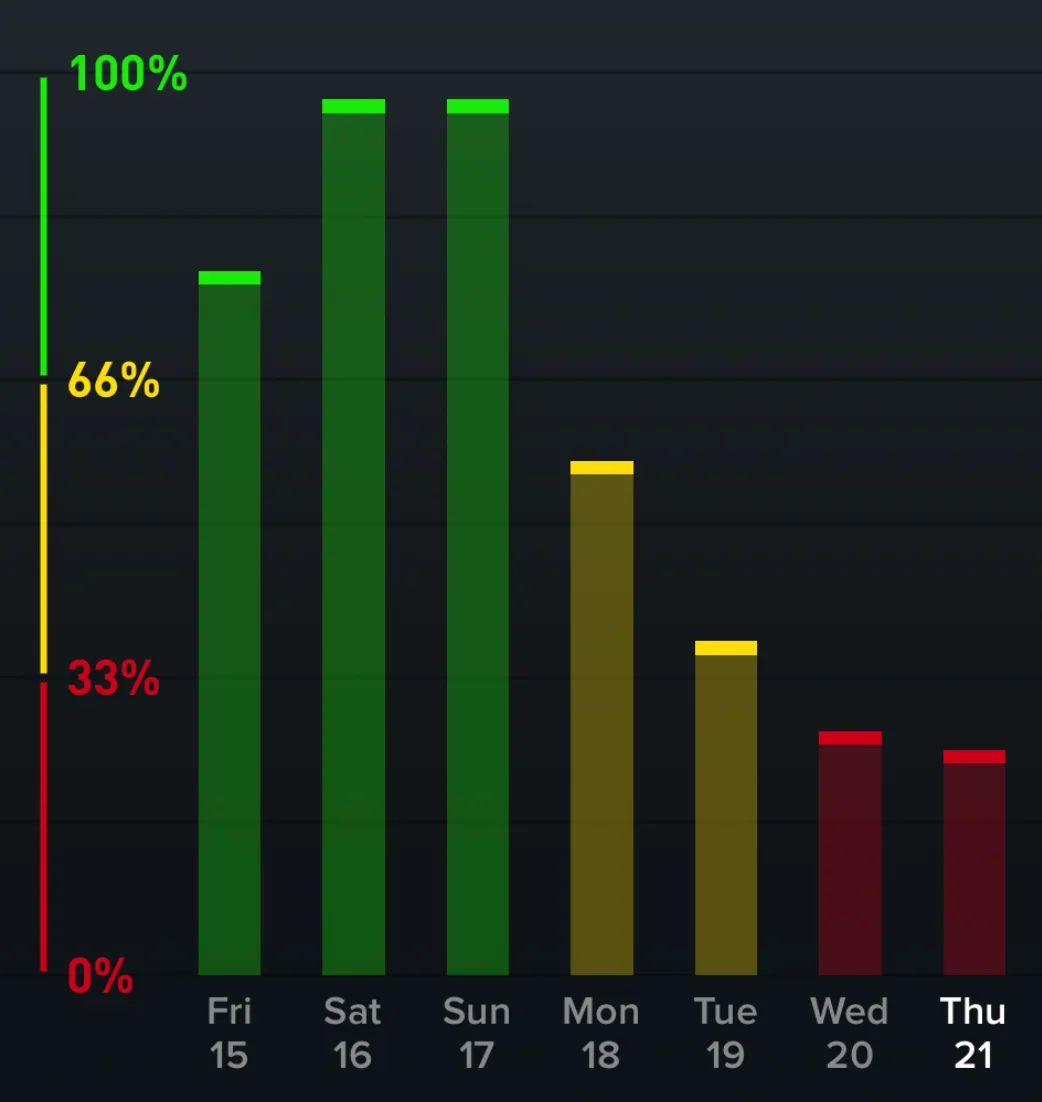
96% RECOVERY HRV 41 11,5 DAY STRAIN CALORIES 1,336 STRAIN COACH Based on your 94% Recovery, build 15.7 Day Strain to reach optimal Strain for the day. CYCLING 11.0 SLEEP 6:22 DAY STRAIN 17,4 3 ACTIVITIES RECOVERY 85% SOLID DAY. Rest will be important for Recovery. Consider a nap or an early bed time
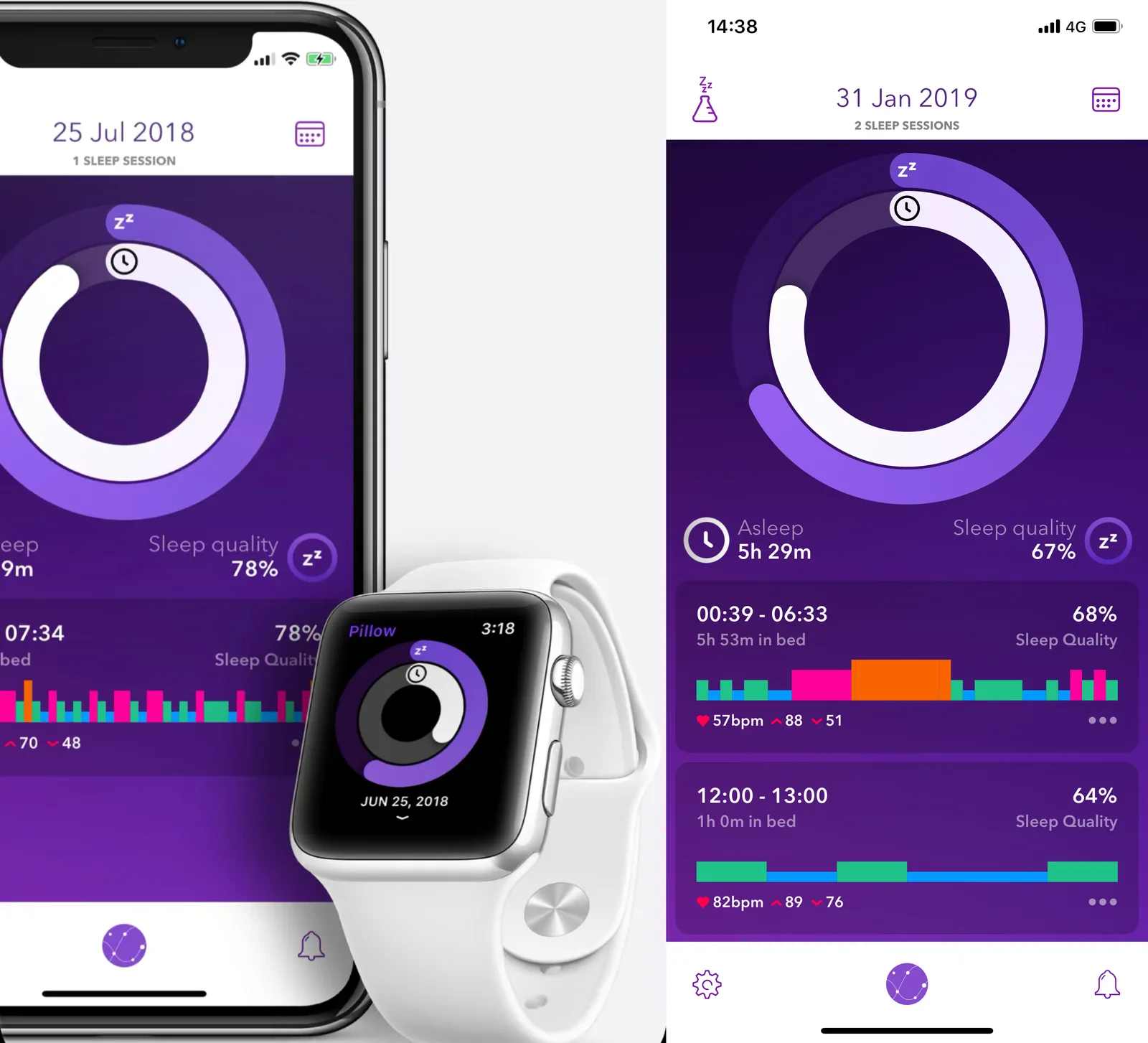
whoop, fitness app, recovery, strain, health data, screenshot(Different ways to visualise health) - image Pillow sleep app Two smartphone screens and an Apple Watch show a sleep-tracking app with circular sleep quality graphs. (machine-described) text in image:
25 Jul 2018 1 SLEEP SESSION Sleep quality 78% 07:34 78% 70 48 14:38 31 Jan 2019 2 SLEEP SESSIONS Asleep 5h 29m Sleep quality 67% 00:39 - 06:33 5h 53m in bed 68% Sleep Quality 57bpm 88 51 12:00 - 13:00 1h 0m in bed 64% Sleep Quality 82bpm 89 76 Pillow 3:18 JUN 25, 2018
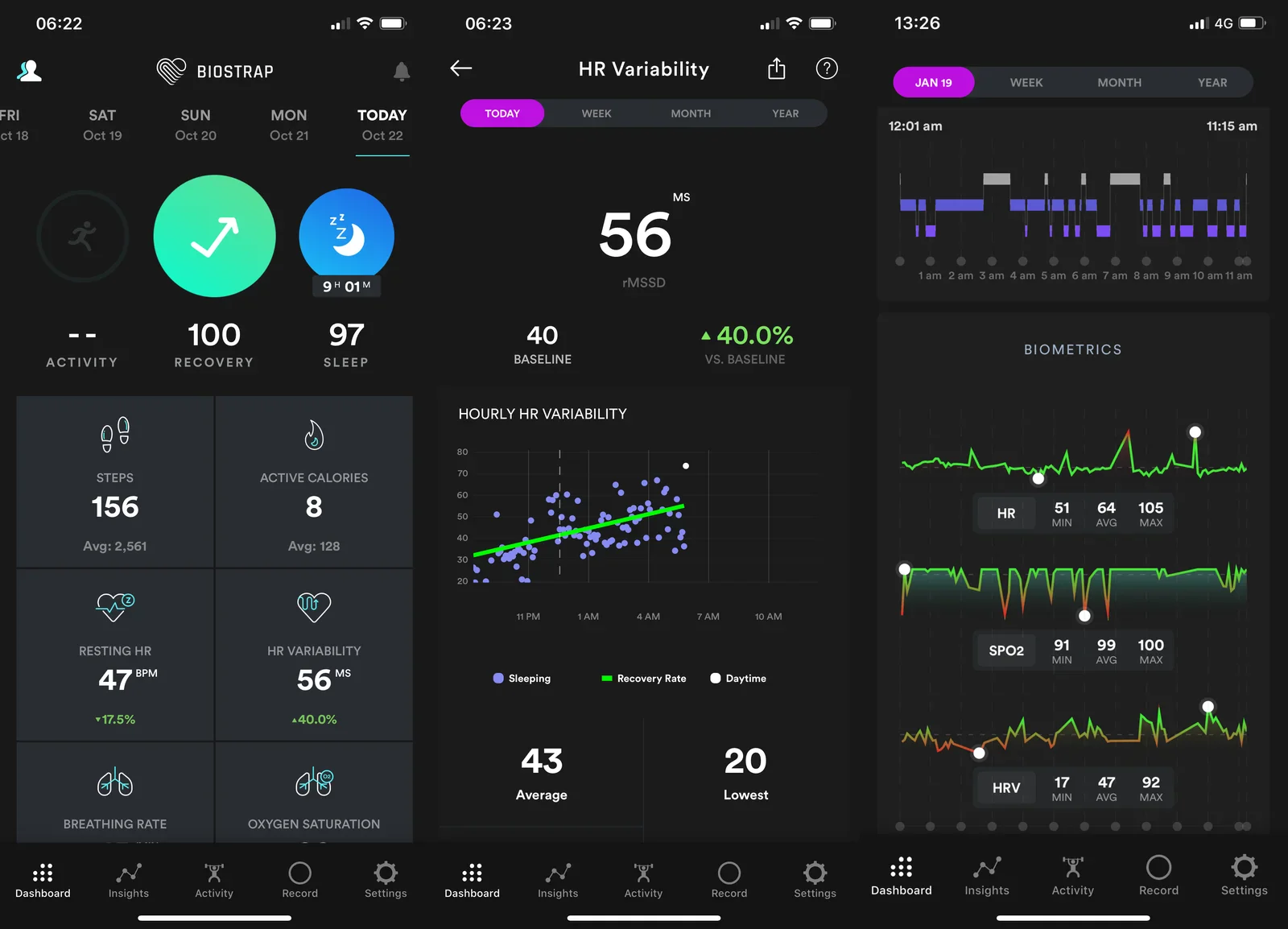
app, screenshot, sleep tracking, smartwatch, smartphone, dashboard(Different ways to visualise health) - image The Biostrap app shows data collected by the Biostrap sensor Three smartphone screenshots show a health tracking app dashboard with recovery, sleep and heart rate variability metrics. (machine-described) text in image:
06:22 BIOSTRAP FRI Oct 18 SAT Oct 19 SUN Oct 20 MON Oct 21 TODAY Oct 22 100 RECOVERY 97 SLEEP STEPS 156 Avg: 2,561 ACTIVE CALORIES 8 Avg: 128 RESTING HR 47 BPM -17.5% HR VARIABILITY 56 MS +40.0% BREATHING RATE OXYGEN SATURATION 06:23 HR Variability TODAY WEEK MONTH YEAR 56 MS rMSSD 40 BASELINE +40.0
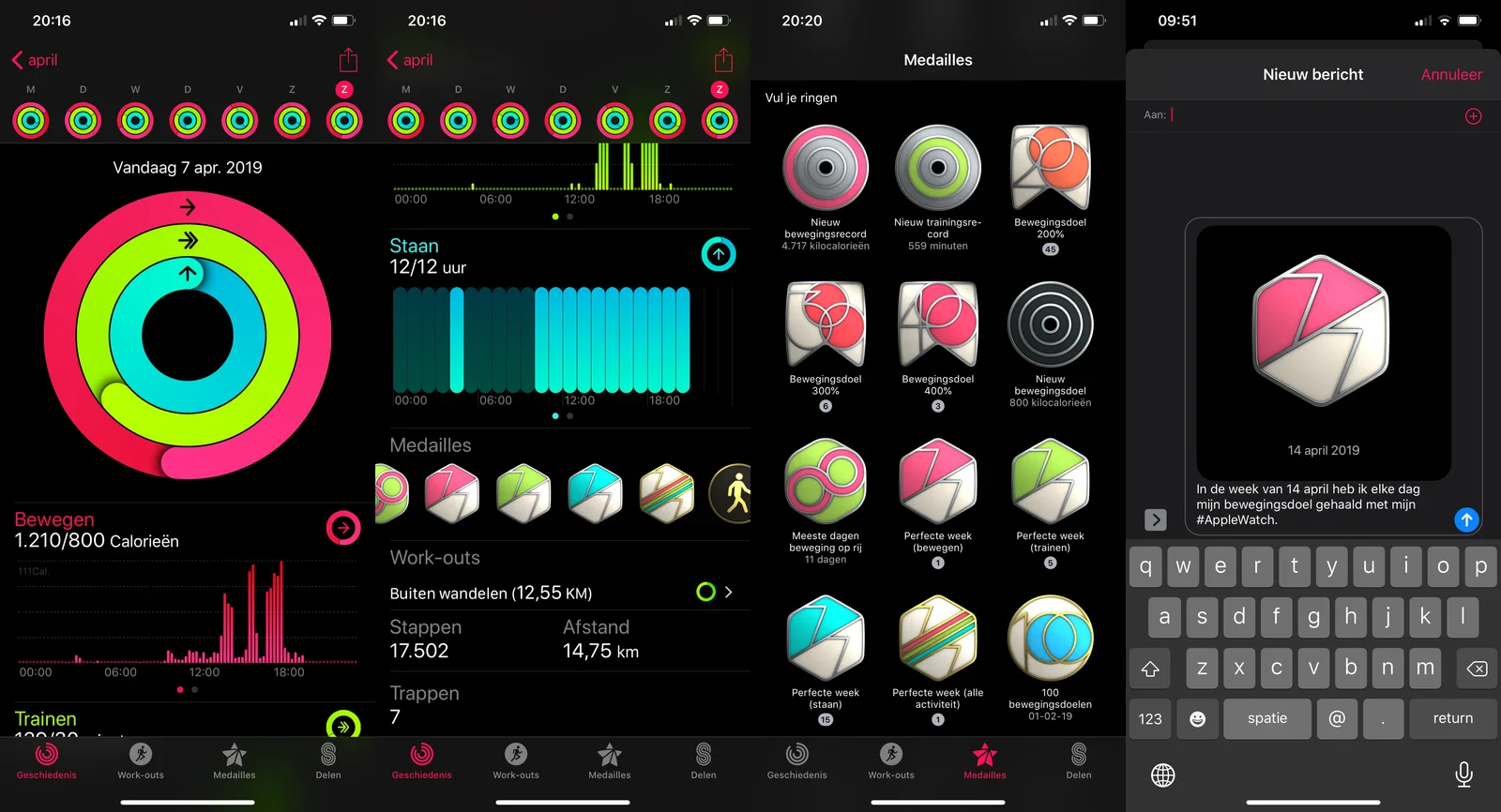
app, screenshot, health tracking, dashboard, heart rate, biometrics(Different ways to visualise health) - image The Activity app by Apple shows data measured by Apple Watch Four smartphone screenshots show Apple Activity rings, badges earned, and a Messages app sharing an Apple Watch achievement in Dutch. (machine-described) text in image:
20:16 april Vandaag 7 apr 2019 Bewegen 1.210/800 Calorieen Trainen 20:16 april Staan 12/12 uur Medailles Work-outs Buiten wandelen (12,55 KM) Stappen 17.502 Afstand 14,75 km Trappen 7 20:20 Medailles Vul je ringen Nieuw bewegingsrecord 4.717 kilocalorieen Nieuw trainingsrecord 559 minuten Bewegingsd
app, screenshot, activity rings, apple watch, fitness, dutch(Different ways to visualise health) - image A screenshot from the video game Super Mario 64 showing Mario standing on a stone path near a large pink bomb enemy and a Bob-omb character, with a HUD showing lives, coins and stars. (machine-described) text in image:
x4
super mario 64, video game screenshot, mario, bob-omb, hud, grass field(Different ways to visualise health) - image A dark futuristic circular data dashboard with concentric rings of small colourful target icons around a glowing cyan geometric hub, and a bar-chart panel on the right, styled like a heads-up display. (machine-described) text in image:
Staan 12/12 uur Medailles
dashboard, hud, data visualization, dark interface, rings, bar chart(Different ways to visualise health) - image A screenshot from the video game Super Mario 64 showing Mario standing on a stone path near a large pink bomb enemy and a Bob-omb character, with a HUD showing lives, coins and stars. (machine-described) text in image:
x4
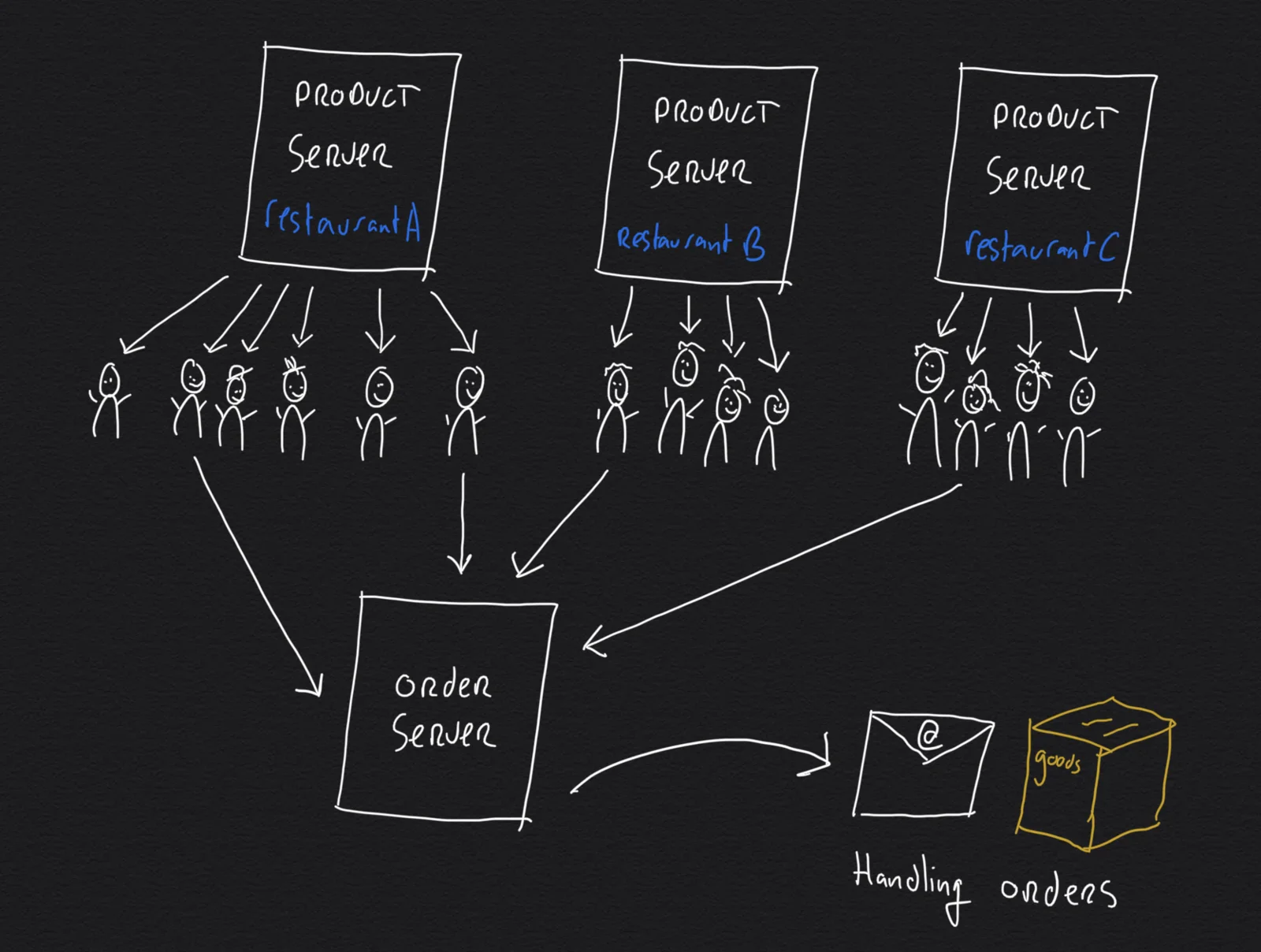
super mario 64, video game screenshot, mario, bob-omb, hud, grass field(Different ways to visualise health) - image Handling lots of traffic through distributed computing A hand-drawn white-on-black diagram showing three restaurant product servers each connected to groups of user icons, all feeding into a central order server that connects to handling and goods icons. (machine-described) text in image:
PRODUCT SERVER restaurant A PRODUCT SERVER restaurant B PRODUCT SERVER restaurant C ORDER SERVER goods Handling orders
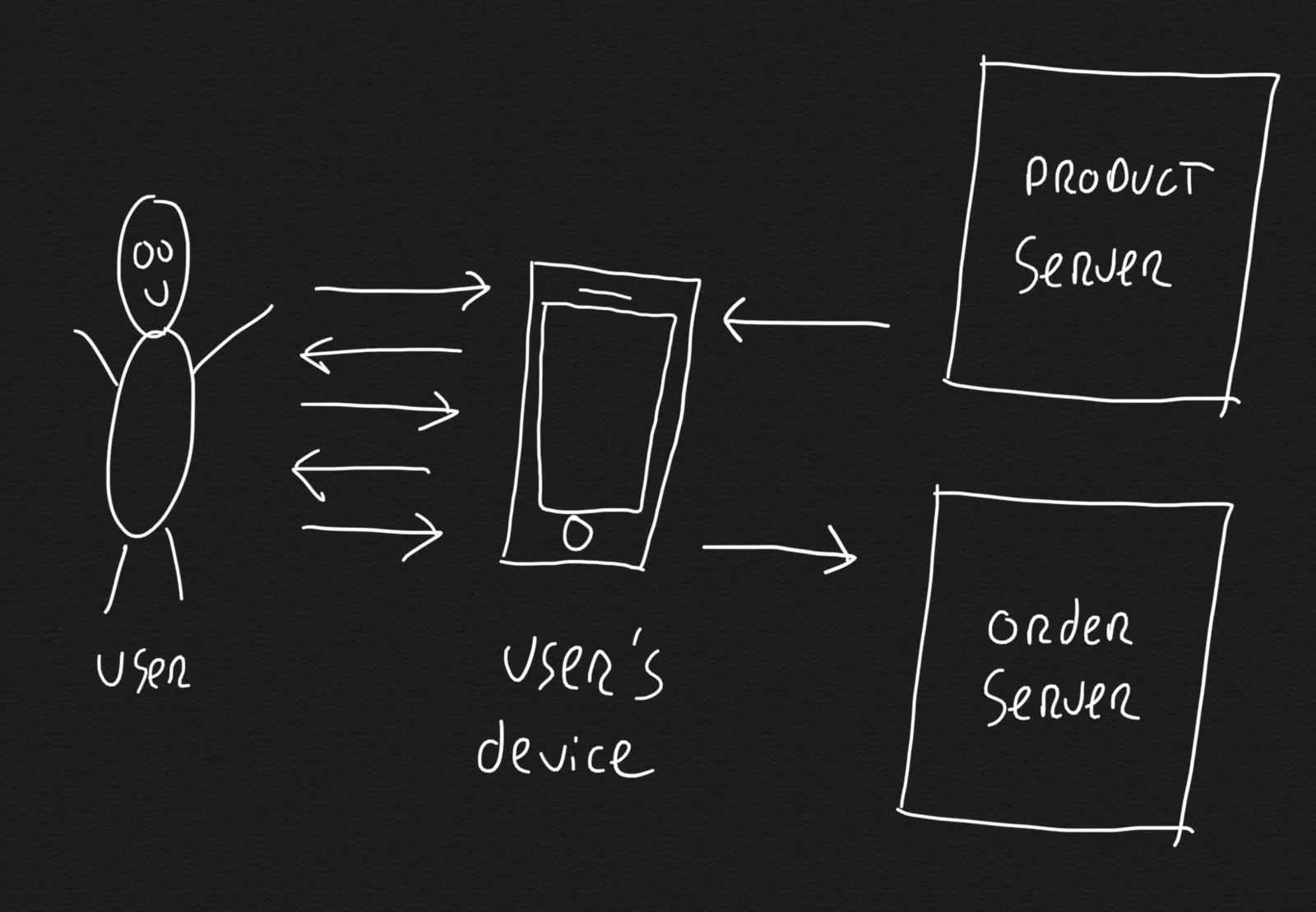
diagram, architecture, servers, sketch, restaurant, system design(Scalable application design without magic) - image Separating the remaining server workload: serving products and handling orders A hand-drawn white-on-black diagram showing a user connected to a device with bidirectional arrows, and the device connected to a product server and an order server. (machine-described) text in image:
PRODUCT SERVER ORDER SERVER User User's device
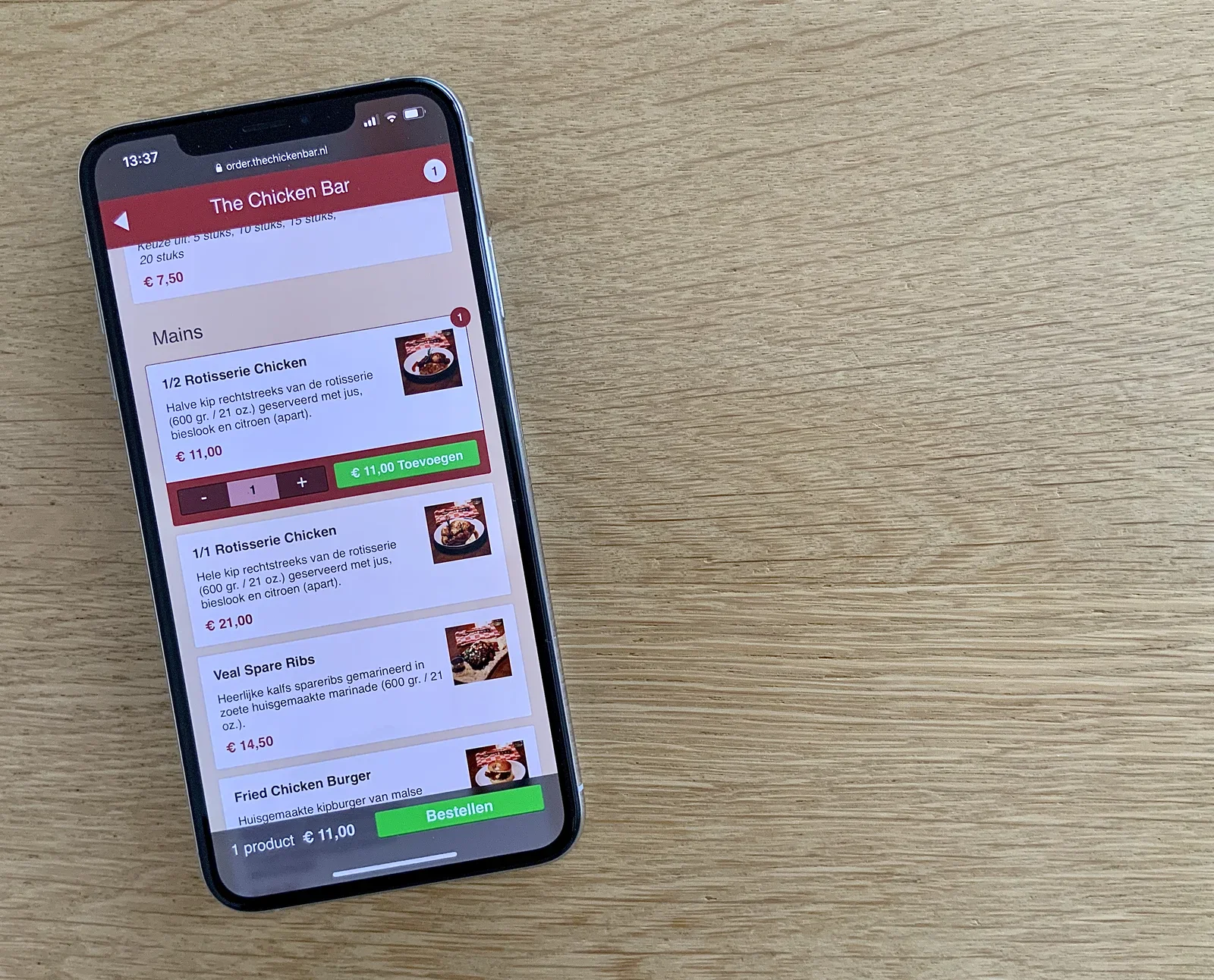
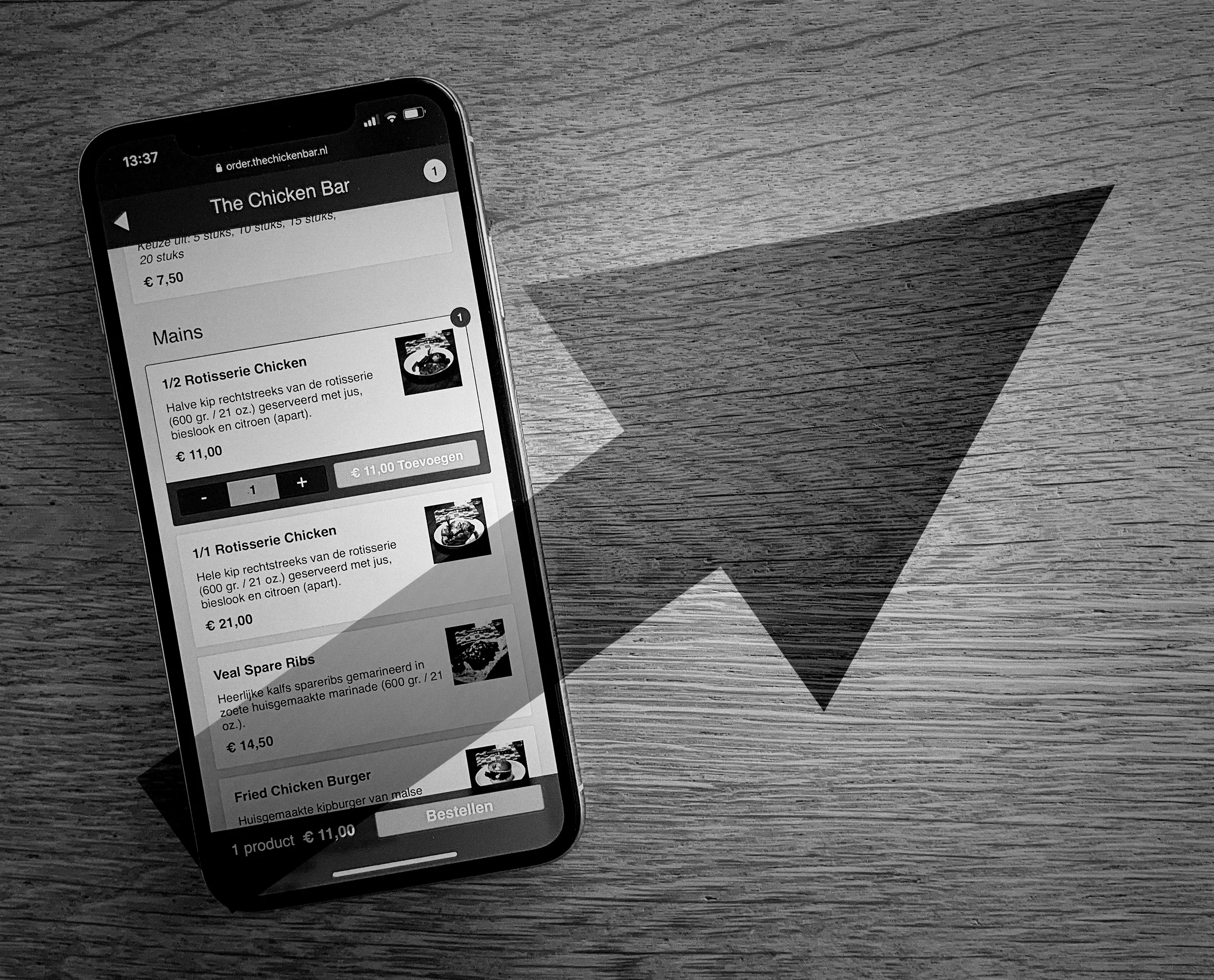
diagram, architecture, servers, sketch, user, system design(Scalable application design without magic) - image Ordering food online An iPhone on a wooden table shows the mobile website order.thechickenbar.nl with a mains menu listing rotisserie chicken, veal spare ribs and a fried chicken burger with prices. (machine-described) text in image:
order.thechickenbar.nl The Chicken Bar Mains 1/2 Rotisserie Chicken Halve kip rechtstreeks van de rotisserie (600 gr. / 21 oz.) geserveerd met jus, bieslook en citroen (apart). € 11,00 € 11,00 Toevoegen 1/1 Rotisserie Chicken Hele kip rechtstreeks van de rotisserie (600 gr. / 21 oz.) geserveerd met
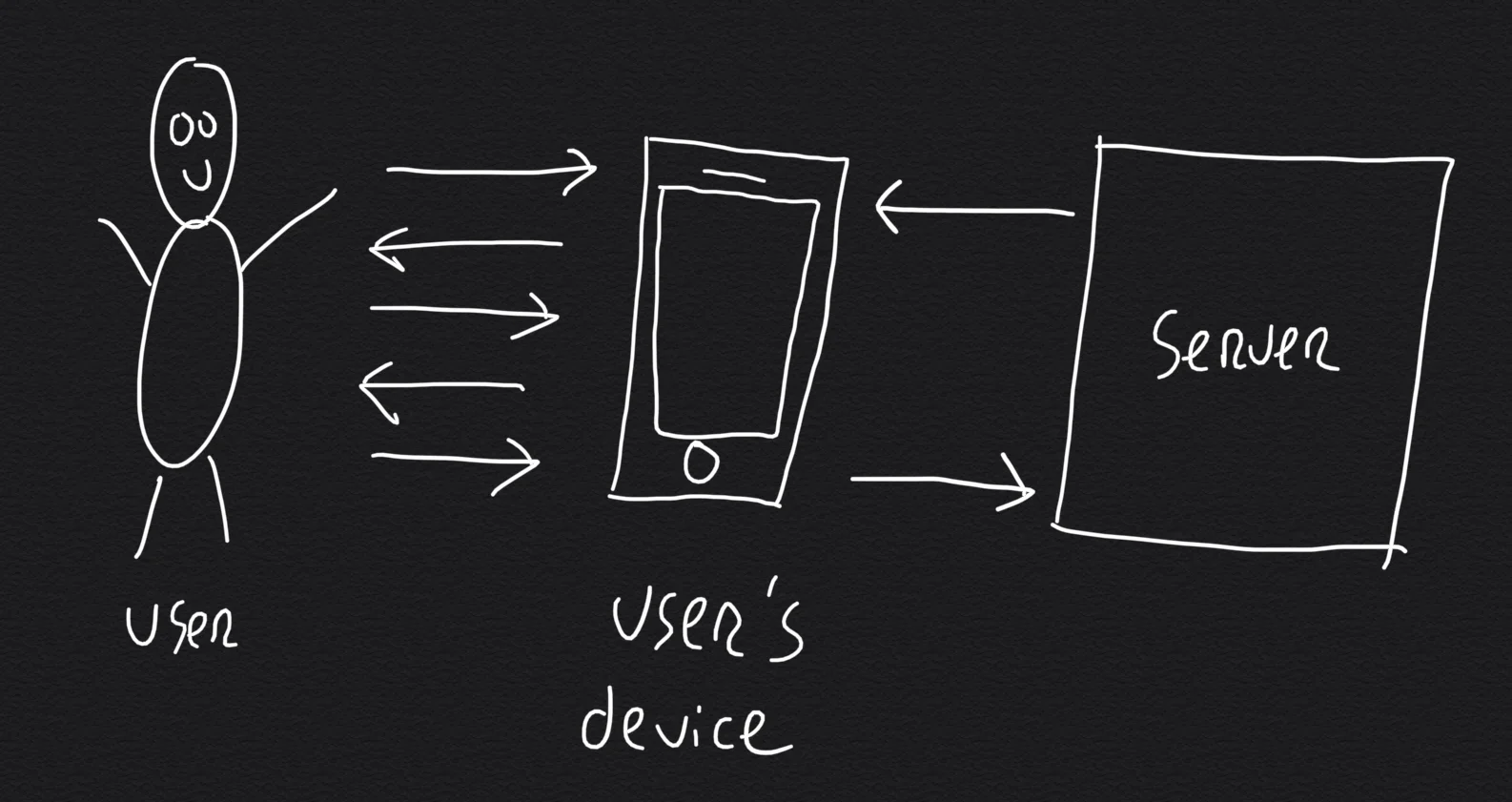
smartphone, food ordering, ui, menu, screenshot, restaurant(Scalable application design without magic) - image Leveraging a user's device: the user's phone does most of the work originally done by the server A hand-drawn white-on-black diagram showing a user connected to a device with bidirectional arrows, and the device connected to a single generic server. (machine-described) text in image:
User User's device Server
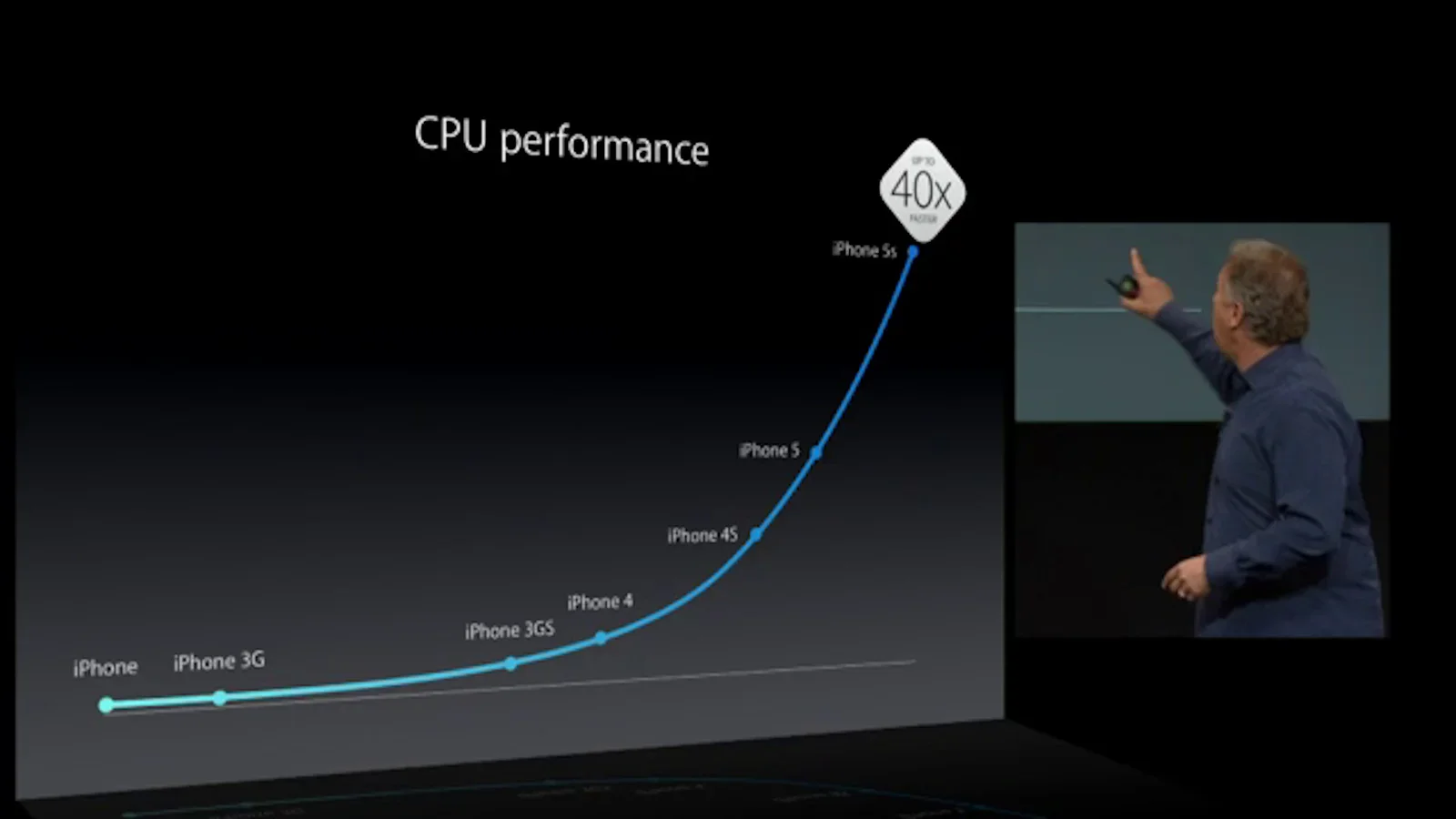
diagram, architecture, server, sketch, user, system design(Scalable application design without magic) - image Smartphones (and tablets, PC's) have become more powerful over the years (image: Apple) A screenshot of a presentation slide titled CPU performance showing an exponential growth curve across iPhone models up to the iPhone 5s at 40 times faster, with a presenter pointing at the screen in an inset video. (machine-described) text in image:
CPU performance iPhone iPhone 3G iPhone 3GS iPhone 4 iPhone 4S iPhone 5 iPhone 5s UP TO 40x FASTER
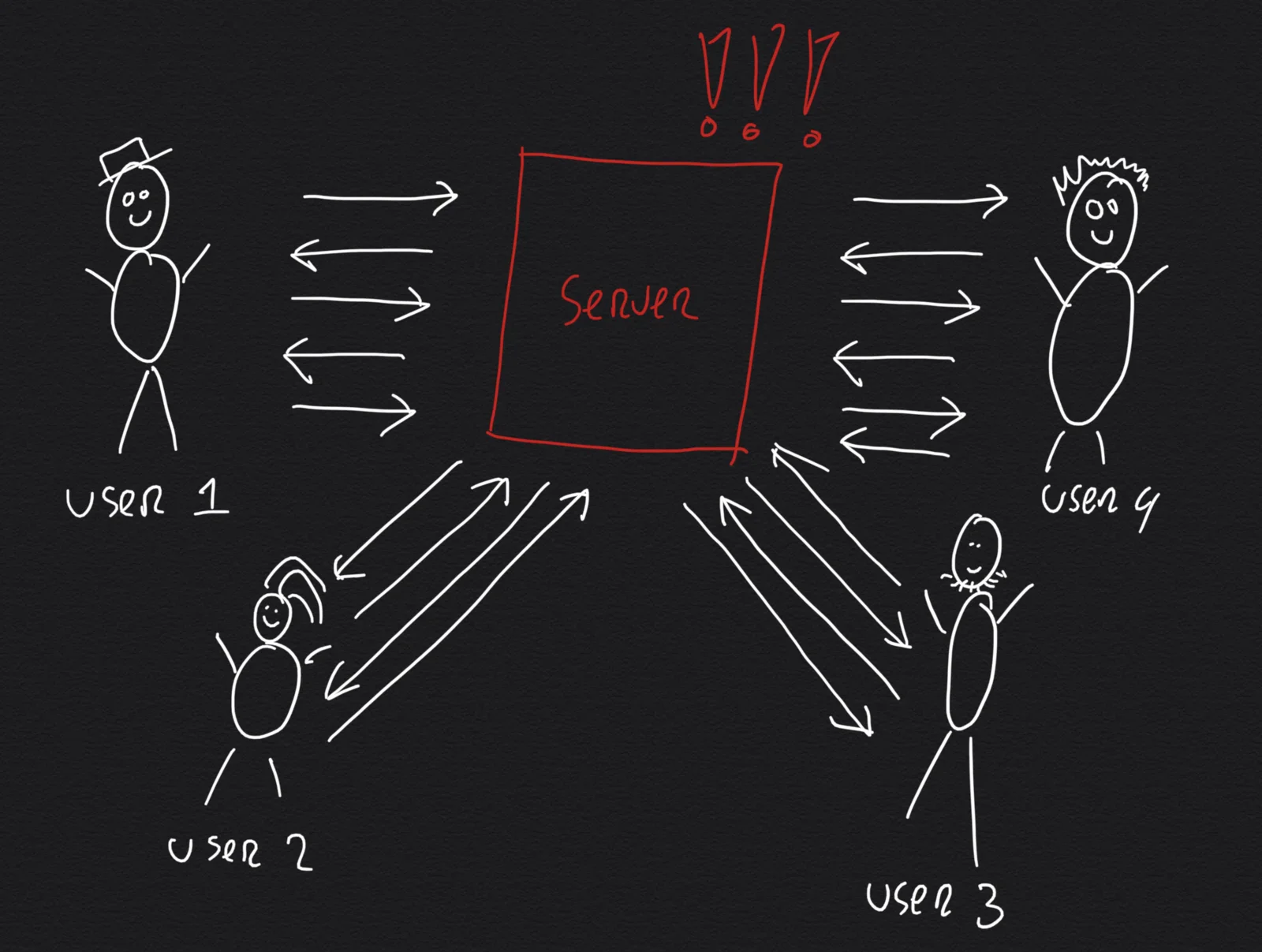
presentation, slide, cpu performance, iphone, chart, keynote(Scalable application design without magic) - image Server under high load handling multiple concurrent users A hand-drawn white-on-black diagram shows four user figures each connected by bidirectional arrows to a single central server, with red exclamation marks above the server indicating overload. (machine-described) text in image:
Server User 1 User 2 User 3 User 4
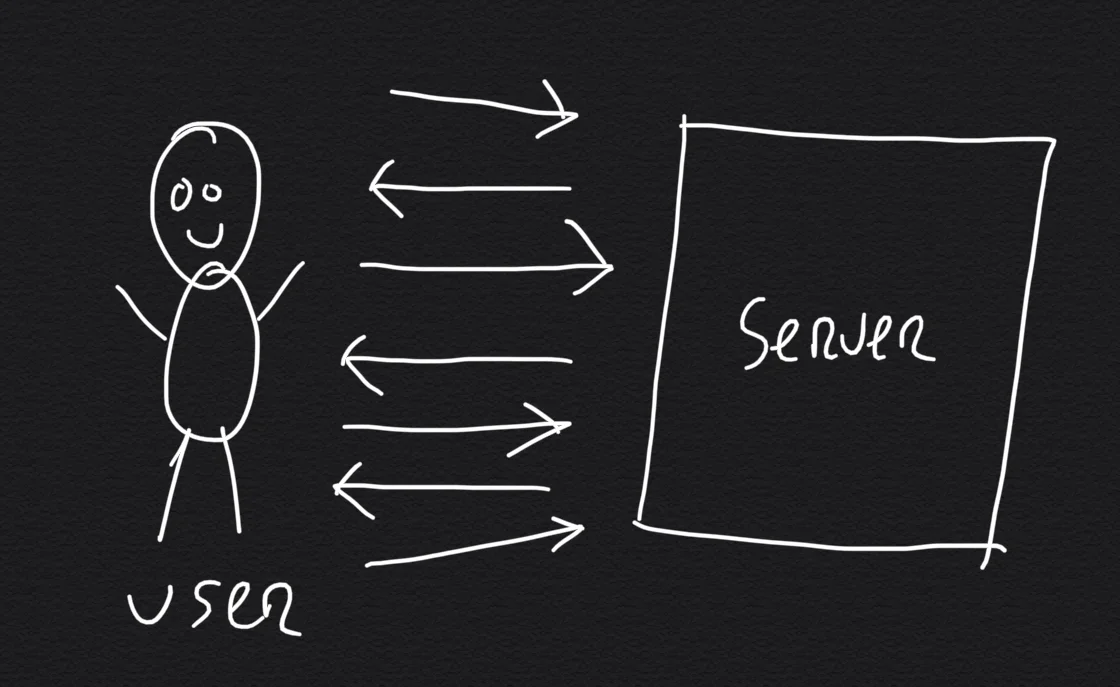
diagram, architecture, server, overload, sketch, system design(Scalable application design without magic) - image One user interacting with one server A simple hand-drawn white-on-black diagram shows one user figure connected by bidirectional arrows to a single server box. (machine-described) text in image:
User Server
diagram, architecture, server, sketch, user, system design(Scalable application design without magic) - image A dark hand-drawn diagram showing a stick figure exchanging arrows with a phone icon, which connects to two labelled server boxes. (machine-described) text in image:
PRODUCT SERVER ORDER SERVER
diagram, stick figure, phone icon, server boxes, sketch, architecture(Scalable application design without magic) - image Black and white photo of an iPhone on a wooden table with a triangular shadow, displaying a restaurant ordering website called The Chicken Bar listing mains with prices in euros. (machine-described) text in image:
13:37 order.thechickenbar.nl The Chicken Bar 1 Keuze uit: 5 stuks, 10 stuks, 15 stuks, 20 stuks € 7,50 Mains 1/2 Rotisserie Chicken Halve kip rechtstreeks van de rotisserie (600 gr. / 21 oz.) geserveerd met jus, bieslook en citroen (apart). € 11,00 1 € 11,00 Toevoegen 1/1 Rotisserie Chicken Hele kip
iphone, restaurant website, menu, the chicken bar, wooden table, black and white(Scalable application design without magic) - image A dark hand-drawn diagram showing a stick figure exchanging arrows with a phone icon, which connects to two labelled server boxes. (machine-described) text in image:
PRODUCT SERVER ORDER SERVER
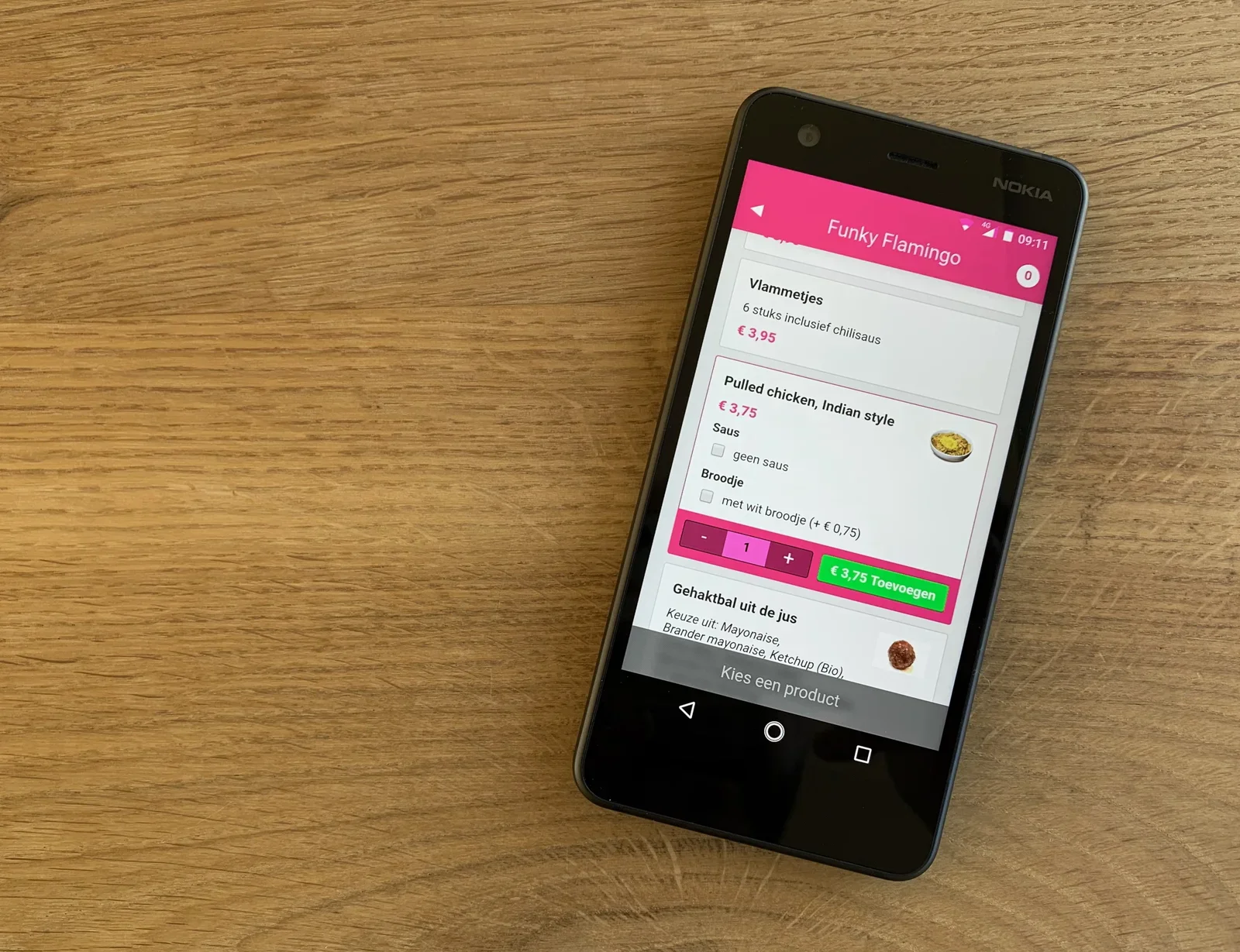
diagram, stick figure, phone icon, server boxes, sketch, architecture(Scalable application design without magic) - image Deceptively simple: the resulting food ordering page A Nokia Android smartphone on a wooden table displays a food ordering app called Funky Flamingo listing several menu items with prices. (machine-described) text in image:
Funky Flamingo Vlammetjes 6 stuks inclusief chilisaus € 3,95 Pulled chicken, Indian style € 3,75 Saus geen saus Broodje met wit broodje (+ € 0,75) € 3,75 Toevoegen Gehaktbal uit de jus Keuze uit: Mayonaise, Brander mayonaise, Ketchup (Bio) Kies een product 09:11 NOKIA
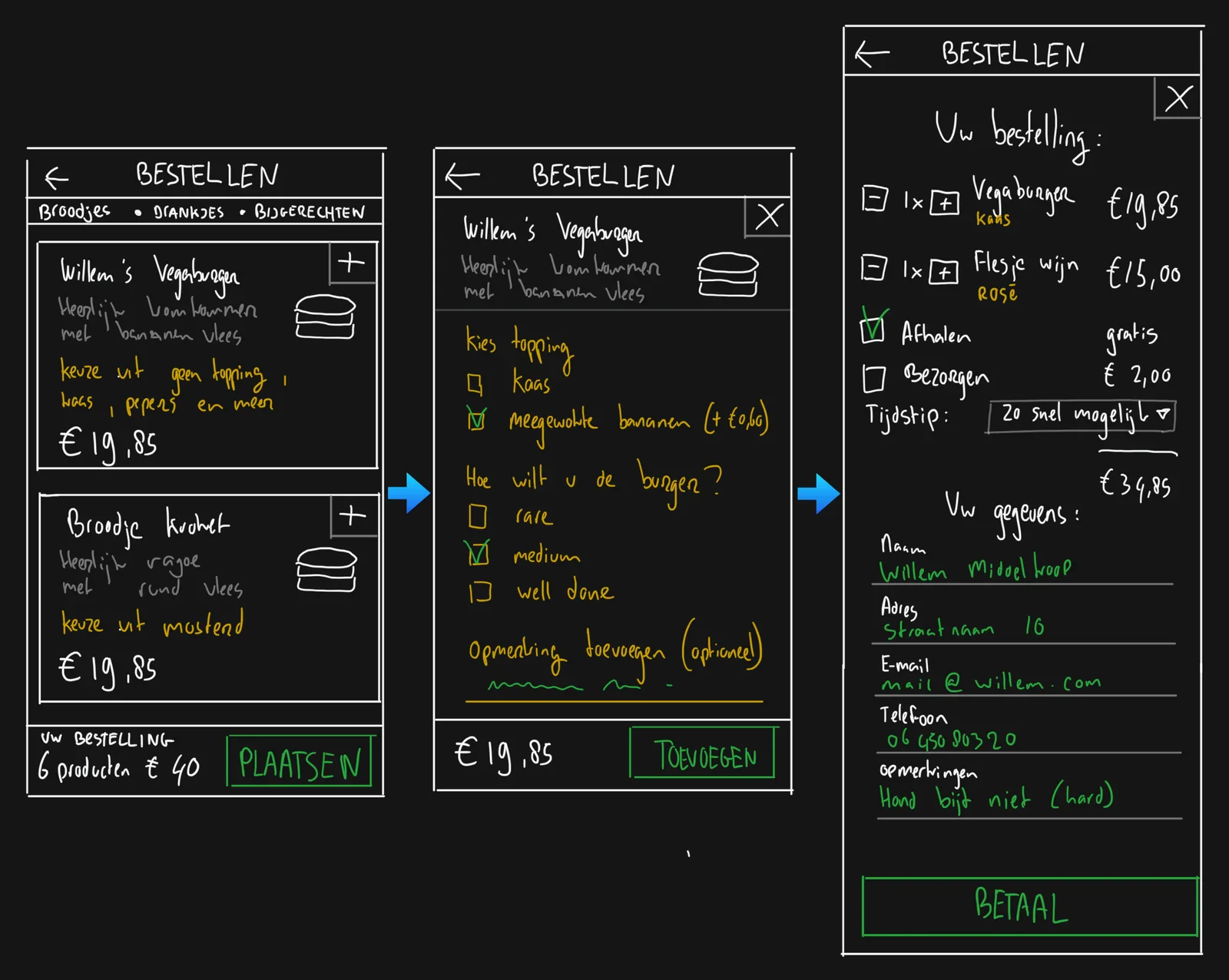
smartphone, food ordering app, ui, menu, nokia, screenshot(Designing an interface for a food ordering page) - image Ordering food in three steps: list, detail, summary Three hand-drawn dark-mode wireframe mockups on black background showing a food ordering flow: a menu list, a product detail screen with topping and doneness options, and a checkout screen with order summary and customer details. (machine-described) text in image:
BESTELLEN Broodjes • DRANKJES • BIJGERECHTEN Willem's Vegaburger Heerlijk vol kruiden met bananen vlees keuze uit geen topping, kaas, pepers en meer € 19,85 Broodje kroket Heerlijk ragout met rund vlees keuze uit mosterd € 19,85 Uw bestelling 6 producten € 40 PLAATSEN Willem's Vegaburger Heerlijk vo
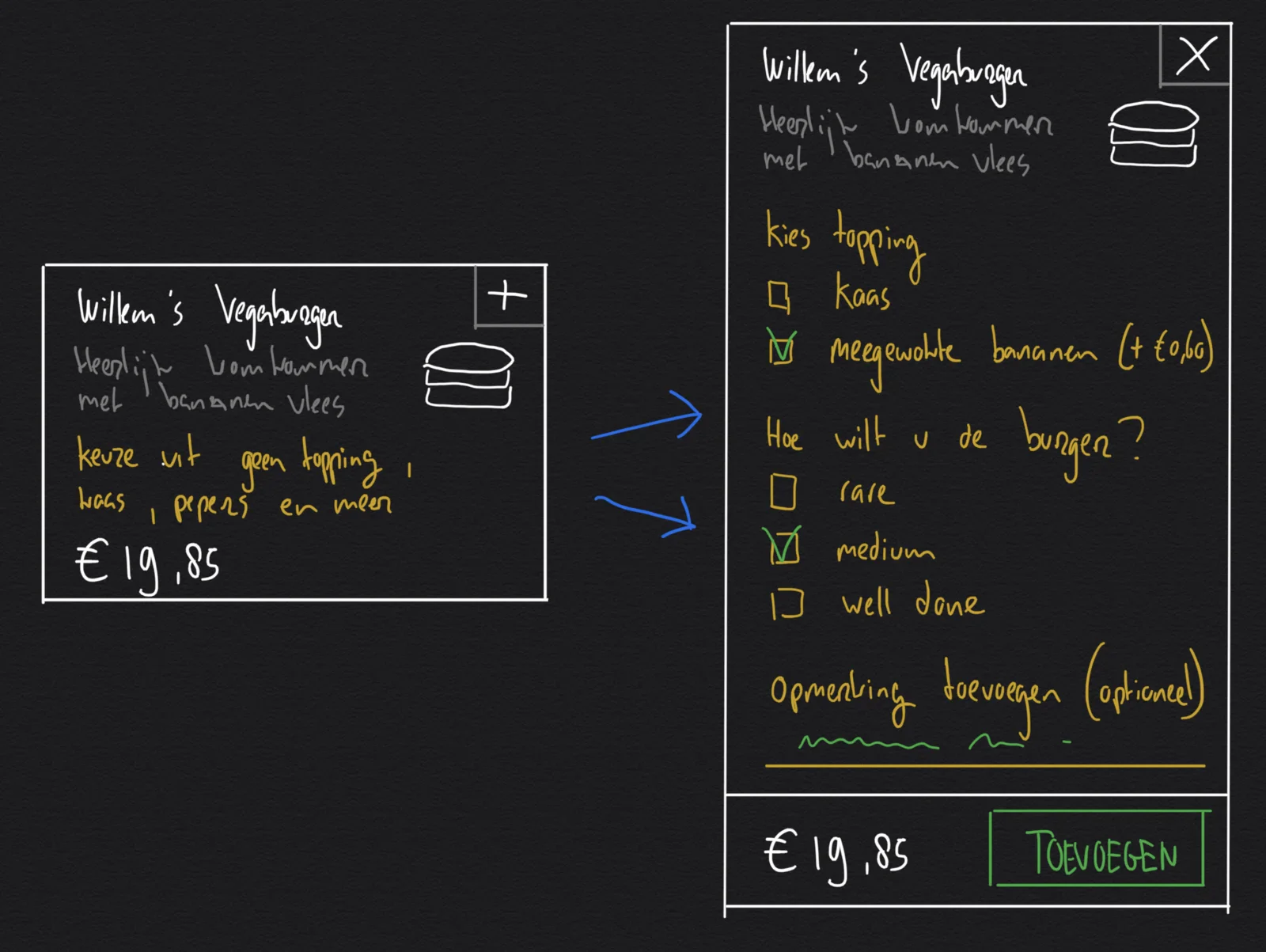
wireframe, ui design, food ordering, mockup, checkout, sketch(Designing an interface for a food ordering page) - image Sketching a two step interaction: differentiating between list and detail modes Two hand-drawn dark-mode wireframe mockups showing a burger menu card collapsed and expanded into a detail screen with topping and doneness options. (machine-described) text in image:
Willem's Vegaburger Heerlijk vol kruiden met bananen vlees keuze uit geen topping, kaas, pepers en meer € 19,85 Kies topping Kaas meegewokte bananen (+ €0,60) Hoe wilt u de burger? rare medium well done Opmerking toevoegen (optioneel) € 19,85 TOEVOEGEN
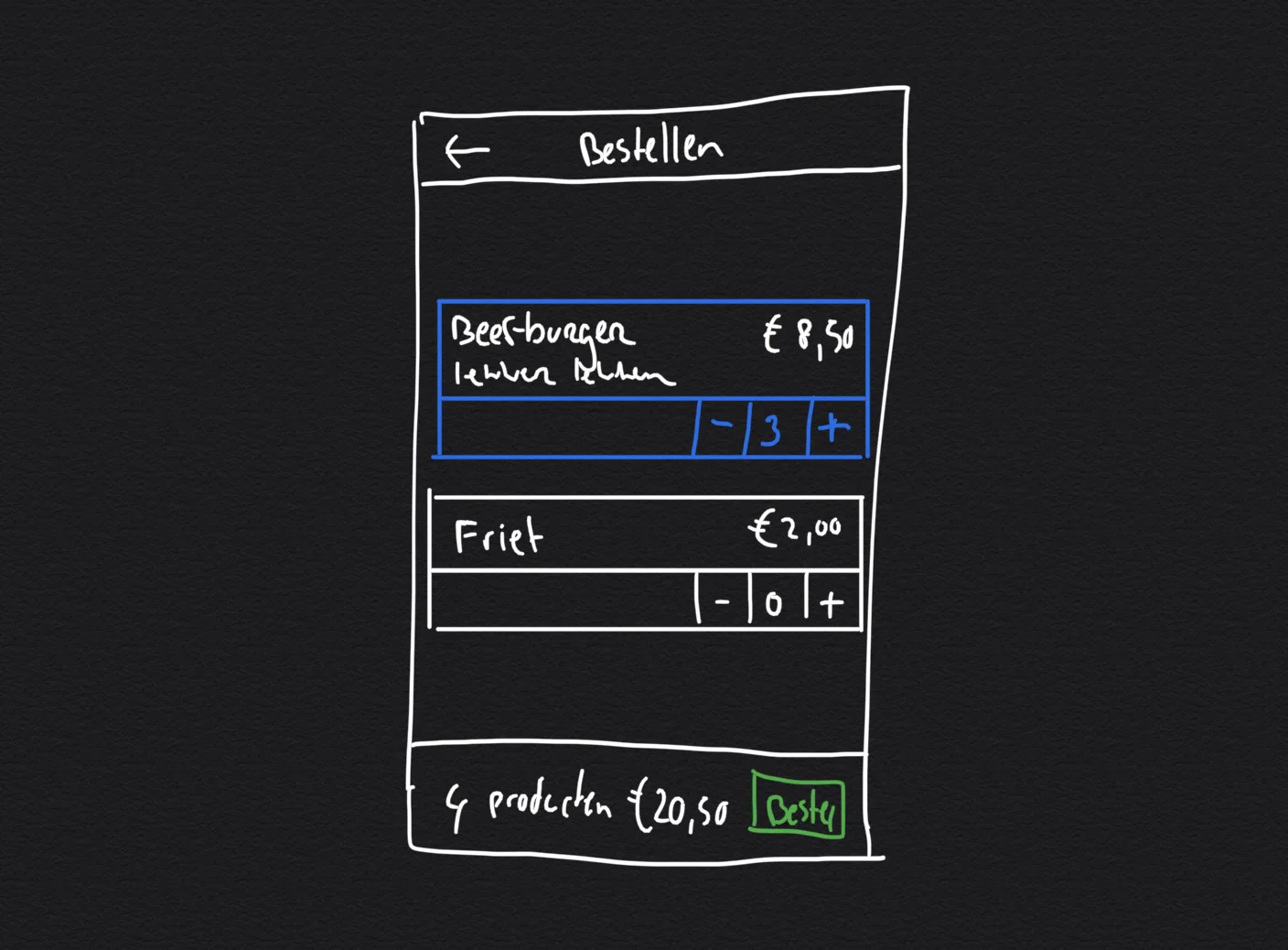
wireframe, ui design, mockup, burger, sketch, menu card(Designing an interface for a food ordering page) - image Sketching in context: try framing your design in a smaller viewport A hand-drawn white-on-black wireframe sketch of an order screen showing a beef burger item with a quantity stepper set to three and fries at zero, with a total and order button. (machine-described) text in image:
Bestellen Beef-burger Lekker pittig € 8,50 3 Friet € 2,00 0 4 producten € 20,50 Bestel
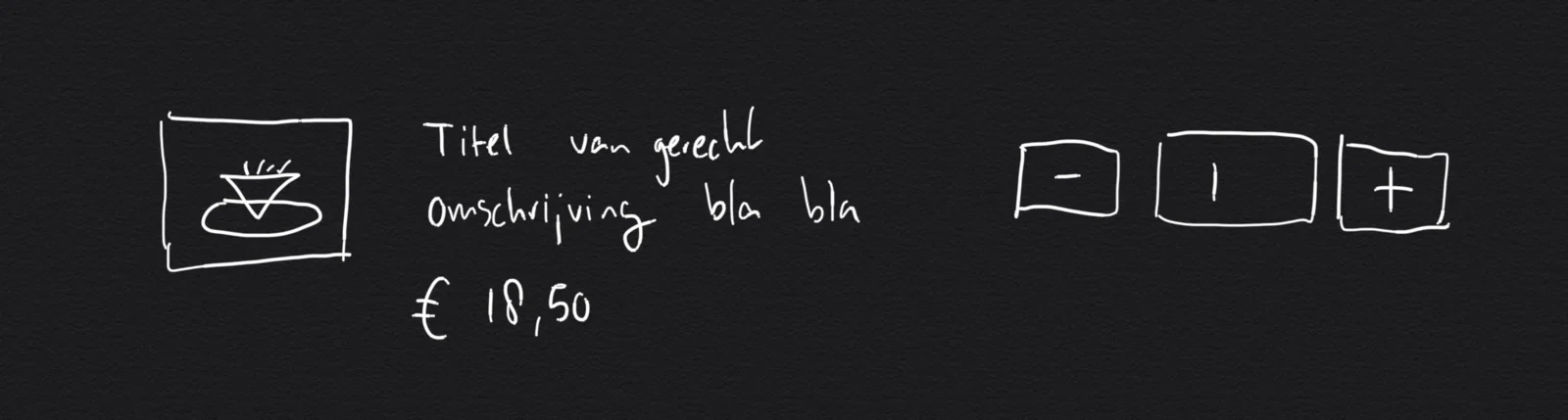
wireframe, sketch, order screen, ui design, quantity stepper(Designing an interface for a food ordering page) - image Initial sketch for the food ordering user interface A hand-drawn white-on-black wireframe sketch of a generic menu item template with a placeholder image, title, description and price next to a quantity stepper. (machine-described) text in image:
Titel van gerecht Omschrijving bla bla € 18,50
wireframe, sketch, ui design, menu item, template, quantity stepper(Designing an interface for a food ordering page) - image A Nokia Android smartphone on a wooden table displays a food ordering app screen named Funky Flamingo, listing menu items with prices in euros. (machine-described) text in image:
Funky Flamingo Vlammetjes 6 stuks inclusief chilisaus € 3,95 Pulled chicken, Indian style € 3,75 Saus geen saus Broodje met wit broodje (+ € 0,75) 1 € 3,75 Toevoegen Gehaktbal uit de jus Keuze uit: Mayonaise, Brander mayonaise, Ketchup (Bio) Kies een product 09:11 NOKIA
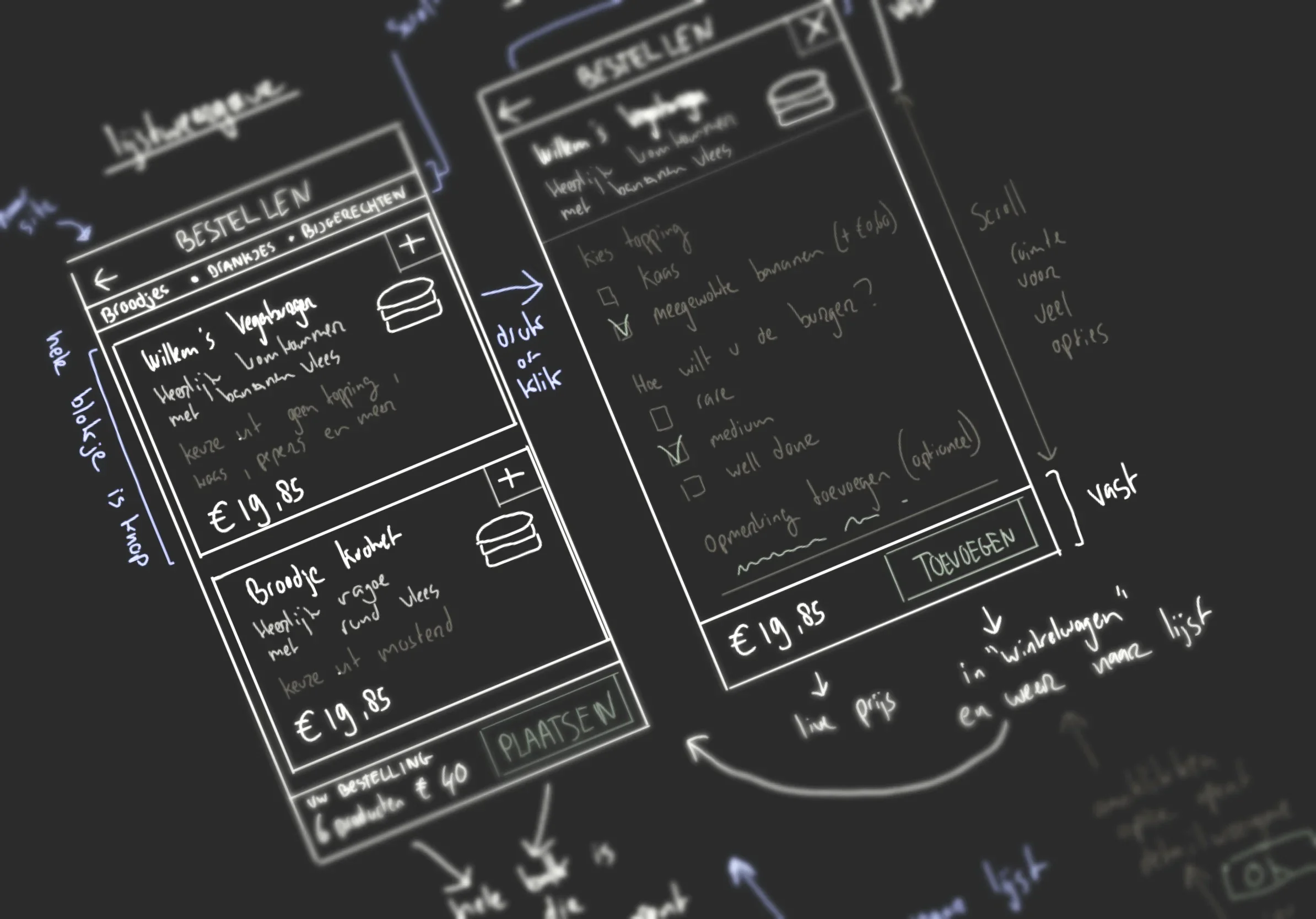
smartphone, food ordering app, menu, nokia phone, wooden table(Designing an interface for a food ordering page) - image A dark wireframe sketch showing two mobile app screens for ordering food, with handwritten Dutch annotations describing menu items, options and interaction flow arrows. (machine-described) text in image:
BESTELLEN Broodjes - Drankjes - Bijgerechten Willem's Vegaburger Heerlijk tomaten met bananen vlees keuze uit: geen topping, kaas, pepers en meer € 19,85 Broodje kroket Heerlijk vraege rund vlees met mosterd keuze uit mosterd € 19,85 uw bestelling 6 producten € 40 PLAATSEN BESTELLEN Willem's ... Hee
wireframe, sketch, app design, food ordering, handwritten notes, dutch text(Designing an interface for a food ordering page) - image A Nokia Android smartphone on a wooden table displays a food ordering app screen named Funky Flamingo, listing menu items with prices in euros. (machine-described) text in image:
Funky Flamingo Vlammetjes 6 stuks inclusief chilisaus € 3,95 Pulled chicken, Indian style € 3,75 Saus geen saus Broodje met wit broodje (+ € 0,75) 1 € 3,75 Toevoegen Gehaktbal uit de jus Keuze uit: Mayonaise, Brander mayonaise, Ketchup (Bio) Kies een product 09:11 NOKIA
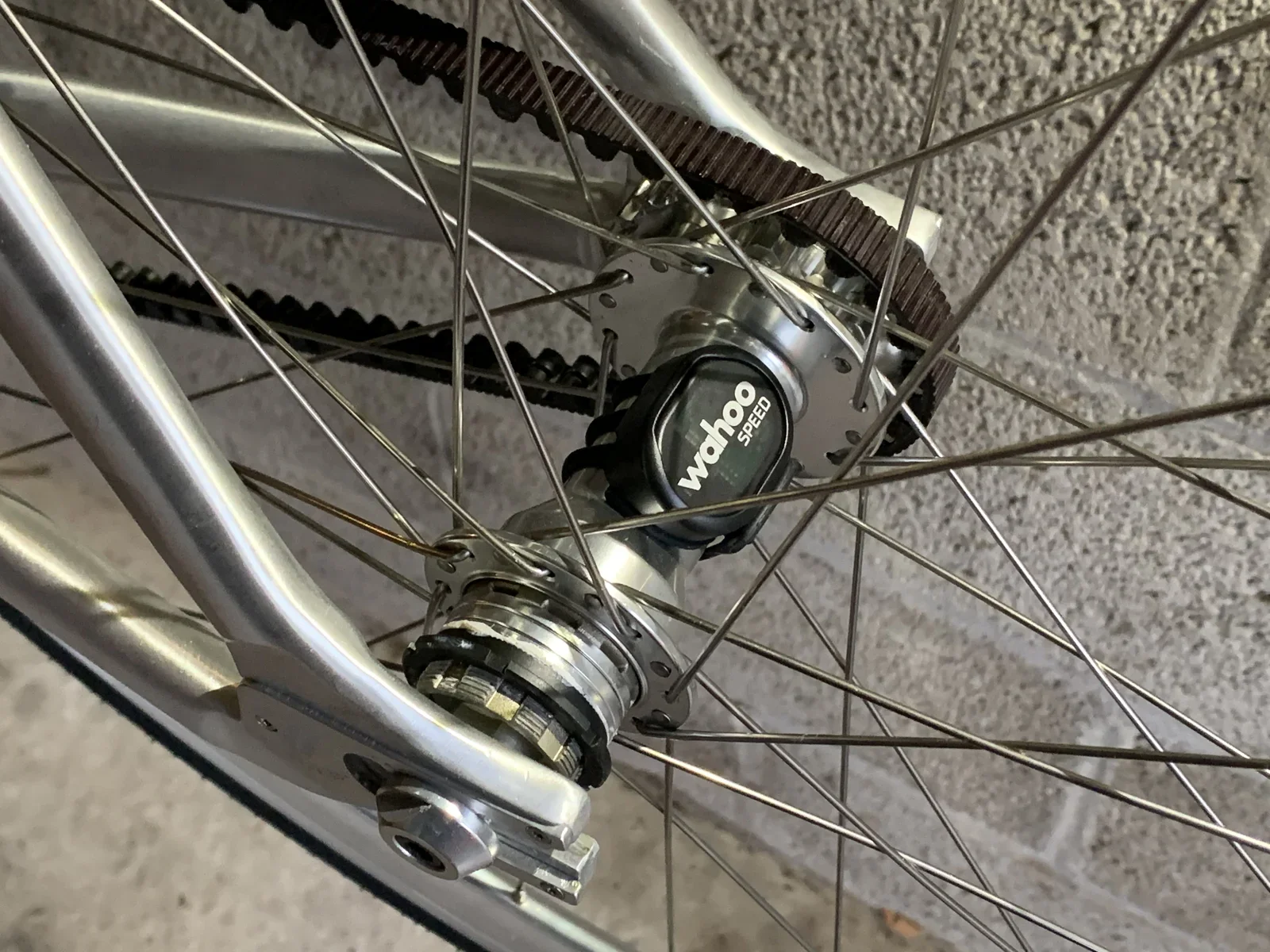
smartphone, food ordering app, menu, nokia phone, wooden table(Designing an interface for a food ordering page) - image The Wahoo Speed sensor installed on the flip-flop rear hub Close-up of a bicycle rear wheel hub with a carbon belt drive and a black Wahoo Speed sensor clipped onto the spokes. (machine-described) text in image:
wahoo SPEED
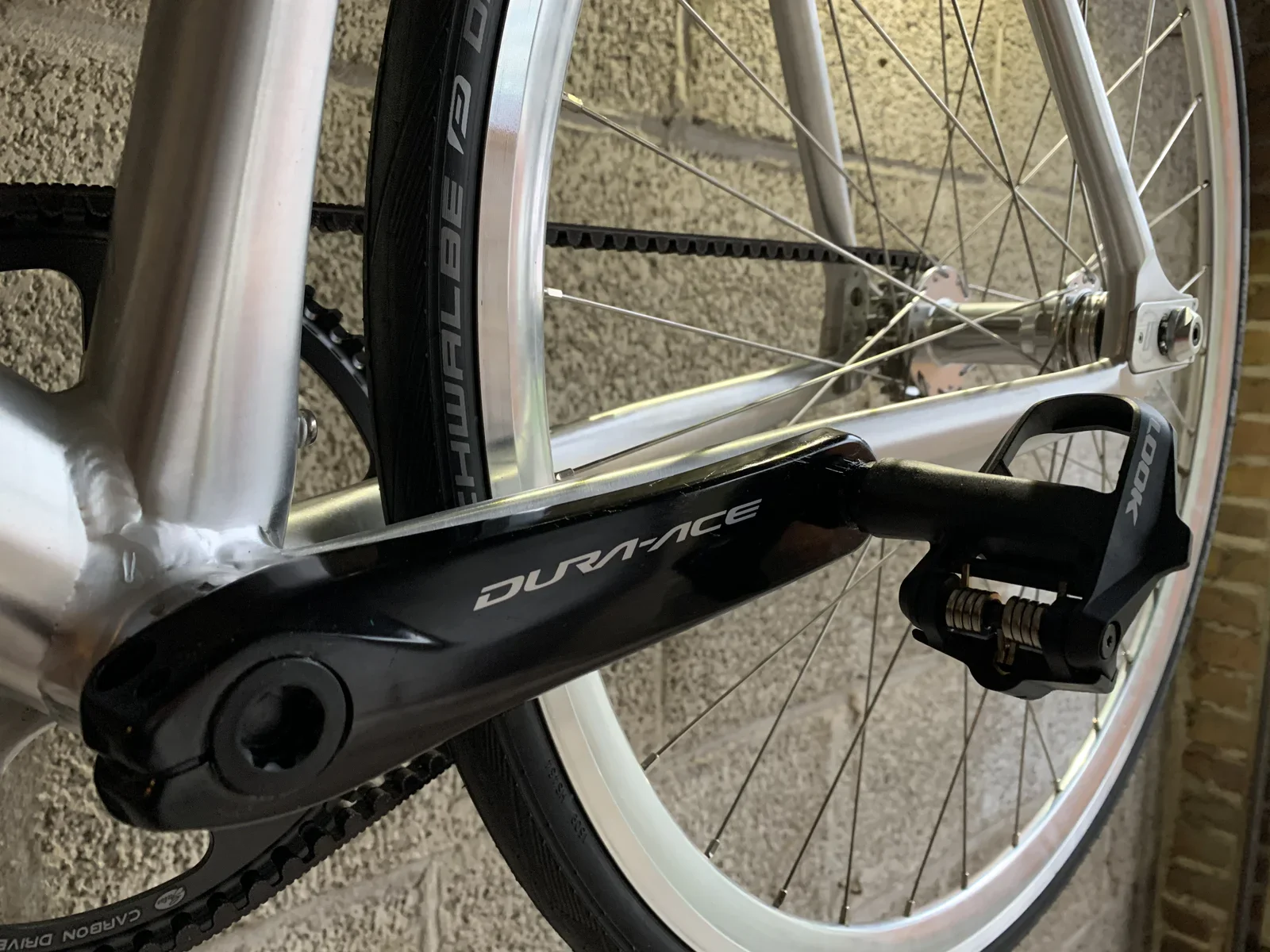
bicycle, wheel, hub, belt drive, sensor, spokes(Minimalistic road bike with Gates carbon drive) - image One day I might remove the paint from the crank, but it's better for your warrantee to leave things in their original condition Close-up of a black bicycle crank arm and pedal against the front wheel, showing the tyre and belt drive branding. (machine-described) text in image:
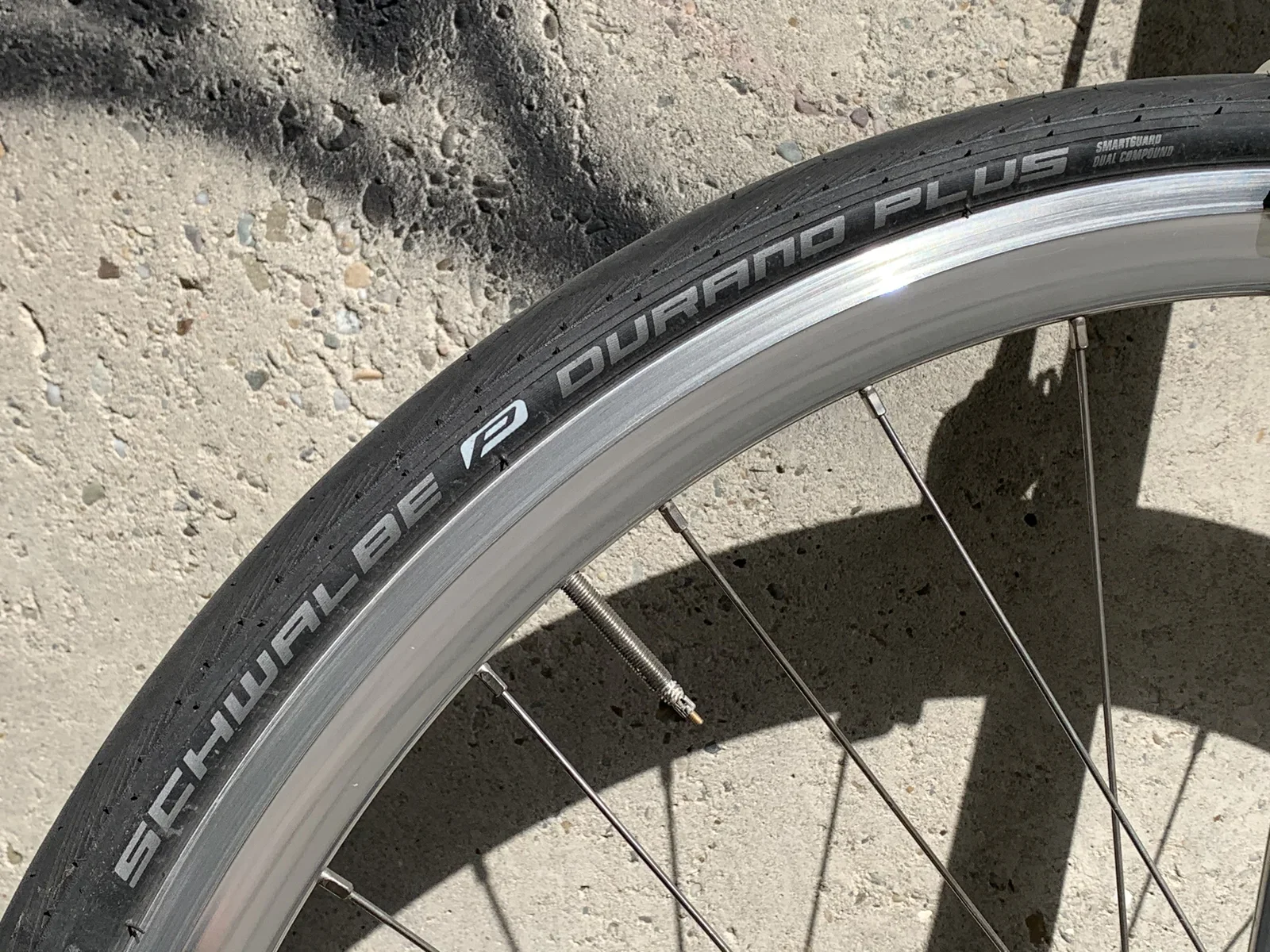
DURA-ACE LOOK SCHWALBE CARBON DRIVE
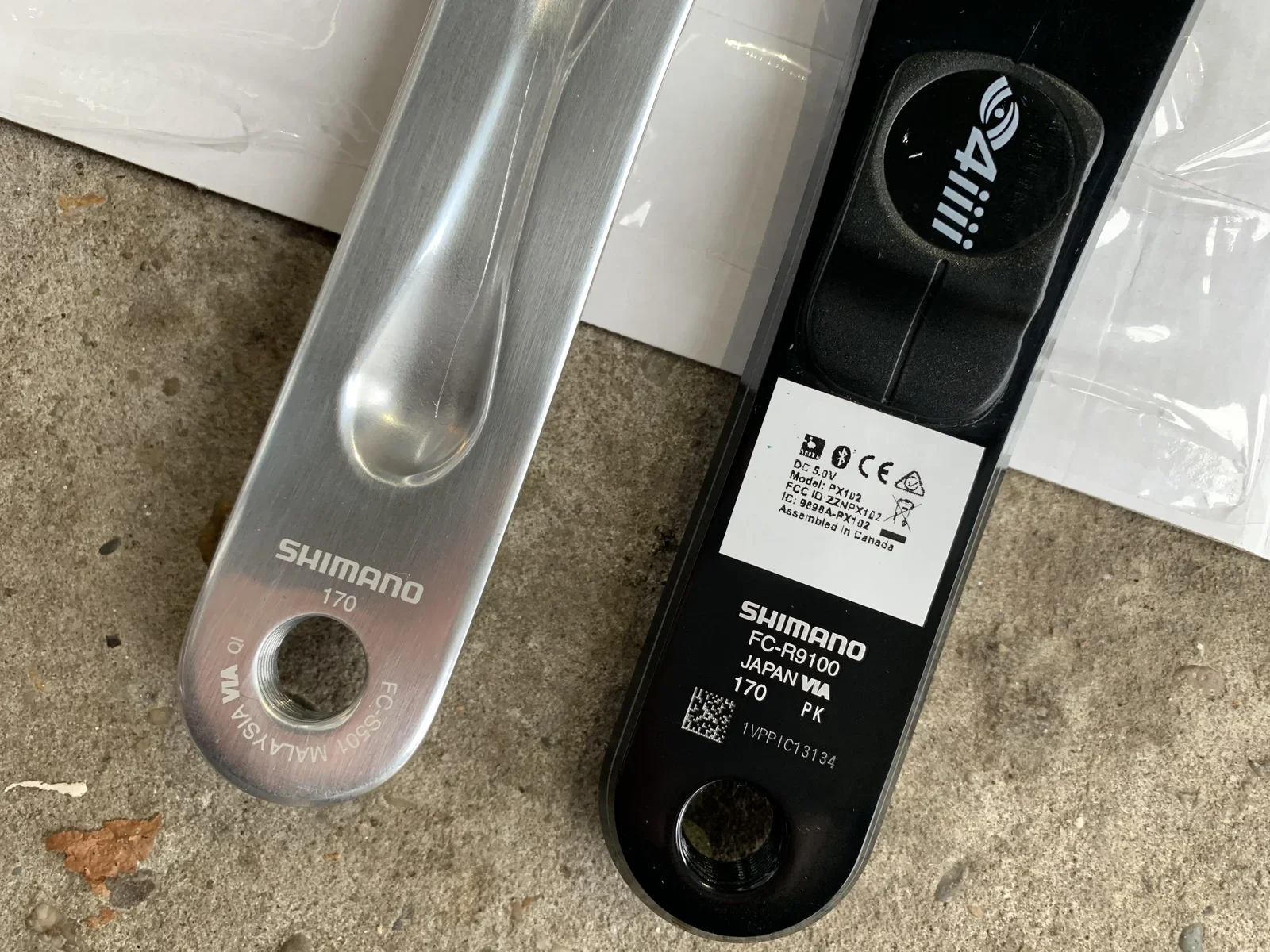
bicycle, crank, pedal, tyre, belt drive, dura-ace(Minimalistic road bike with Gates carbon drive) - image The Shimano FC-R9100 Dura Ace power meter by 4iiii fits perfectly Two bicycle crank arms lie side by side on concrete, a plain silver Shimano crank and a black Shimano power meter crank arm with a 4iiii sensor and regulatory label. (machine-described) text in image:
SHIMANO 170 FC-S501 MALAYSIA 4iiii DC 5.0V Model: PX1D2 FCC ID: ZZNPX102 IC: 9898A-PX102 Assembled in Canada SHIMANO FC-R9100 JAPAN VIA 170 PK 1VPPIC13134
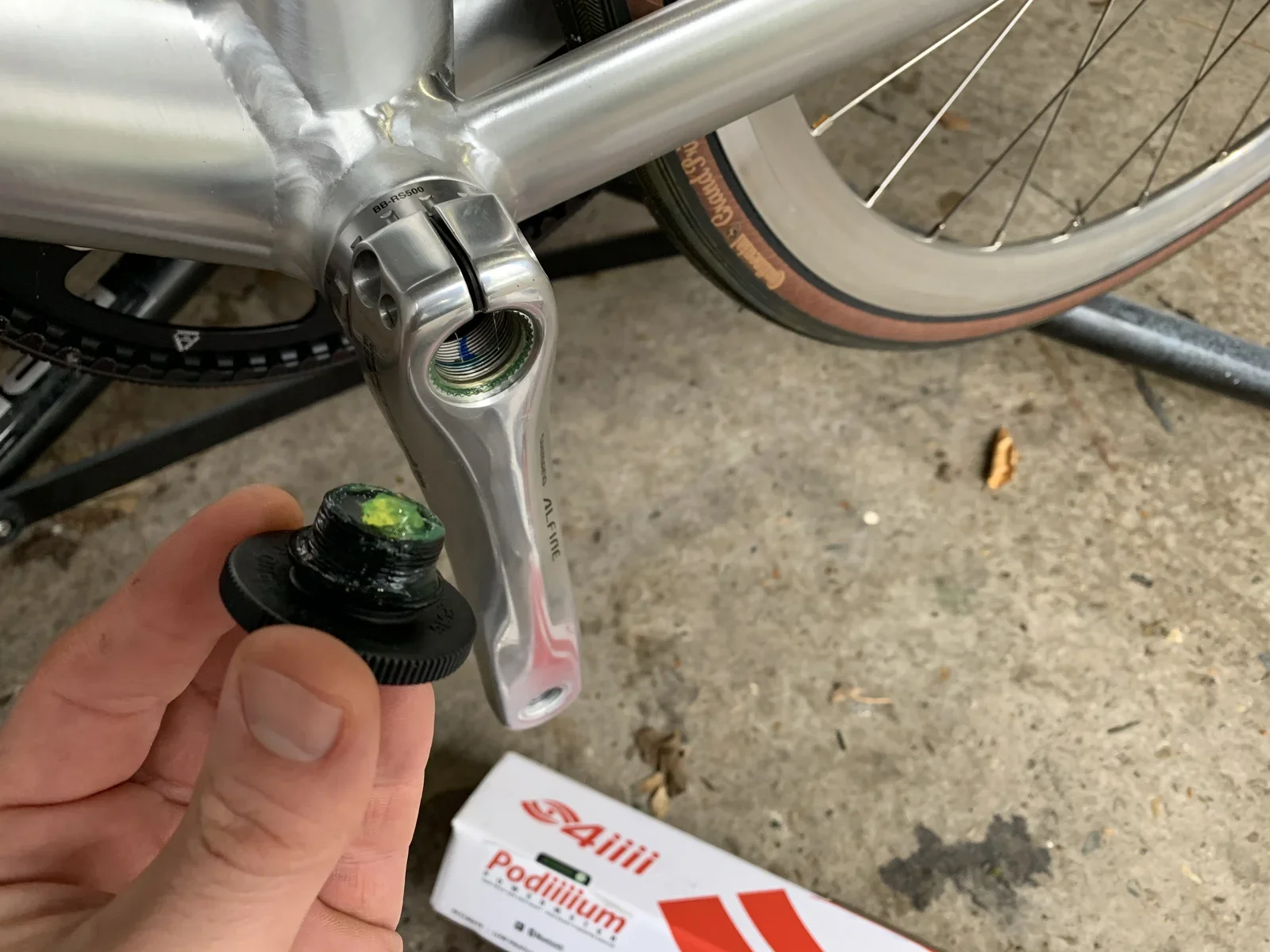
crank arm, shimano, power meter, 4iiii, bicycle parts, label(Minimalistic road bike with Gates carbon drive) - image Removing the Alfine, Hollowtech II crank A hand holds a small crank bolt cap next to a bicycle bottom bracket and crank arm, with a 4iiii Podiiiium product box and a Continental tyre visible on the ground. (machine-described) text in image:
BB-RS500 ALFINE Continental 4iiii Podiiiium
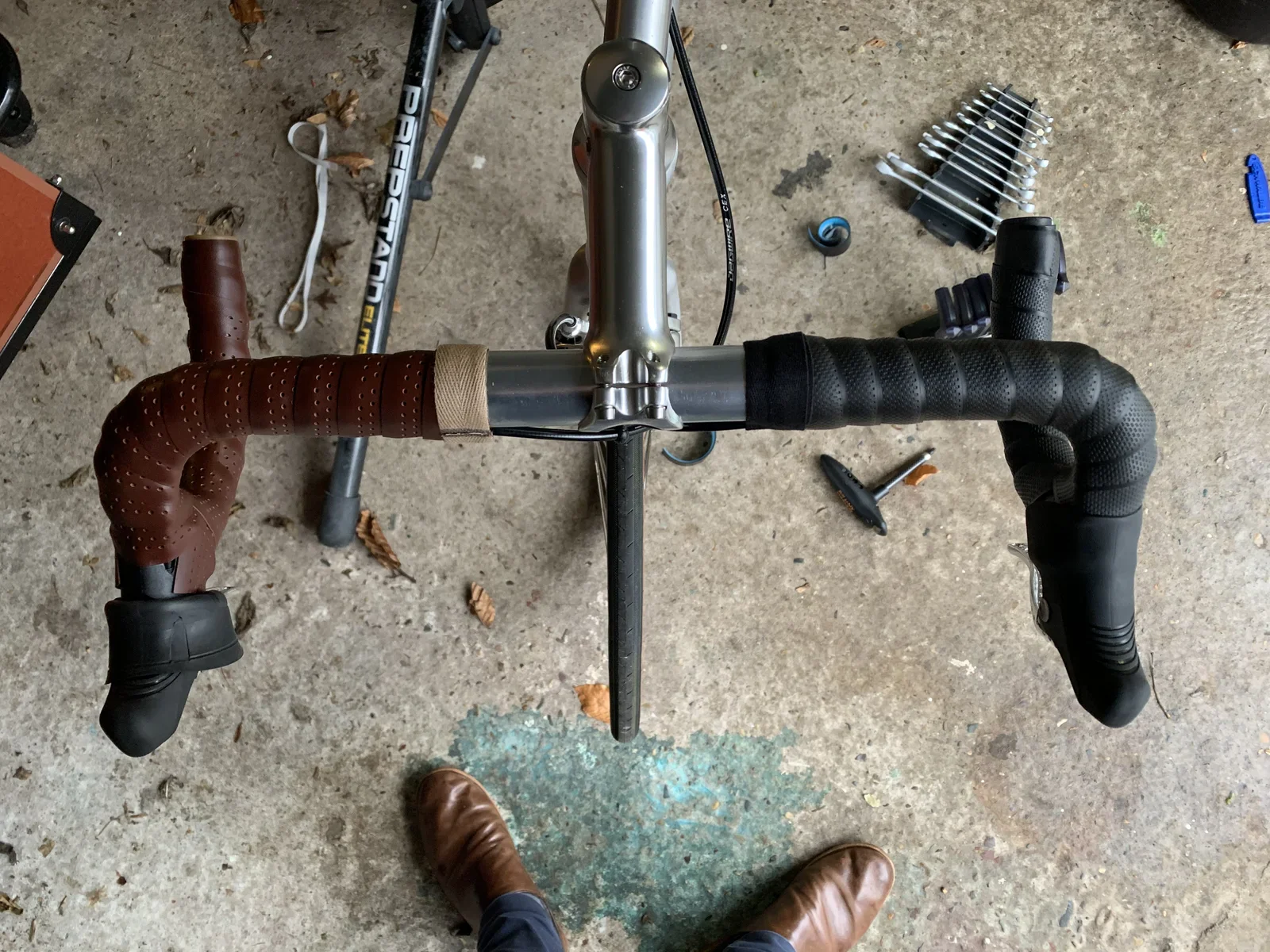
bicycle, crank, bottom bracket, bolt, 4iiii, continental tyre(Minimalistic road bike with Gates carbon drive) - image Replacing the brown leather with black rubber bar tape (from Brooks) Overhead view of a bicycle handlebar with brown and black bar tape being fitted, standing on a bike repair stand with tools scattered on the concrete floor and a person's brown boots visible below. (machine-described) text in image:
PREPSTAND ELITE
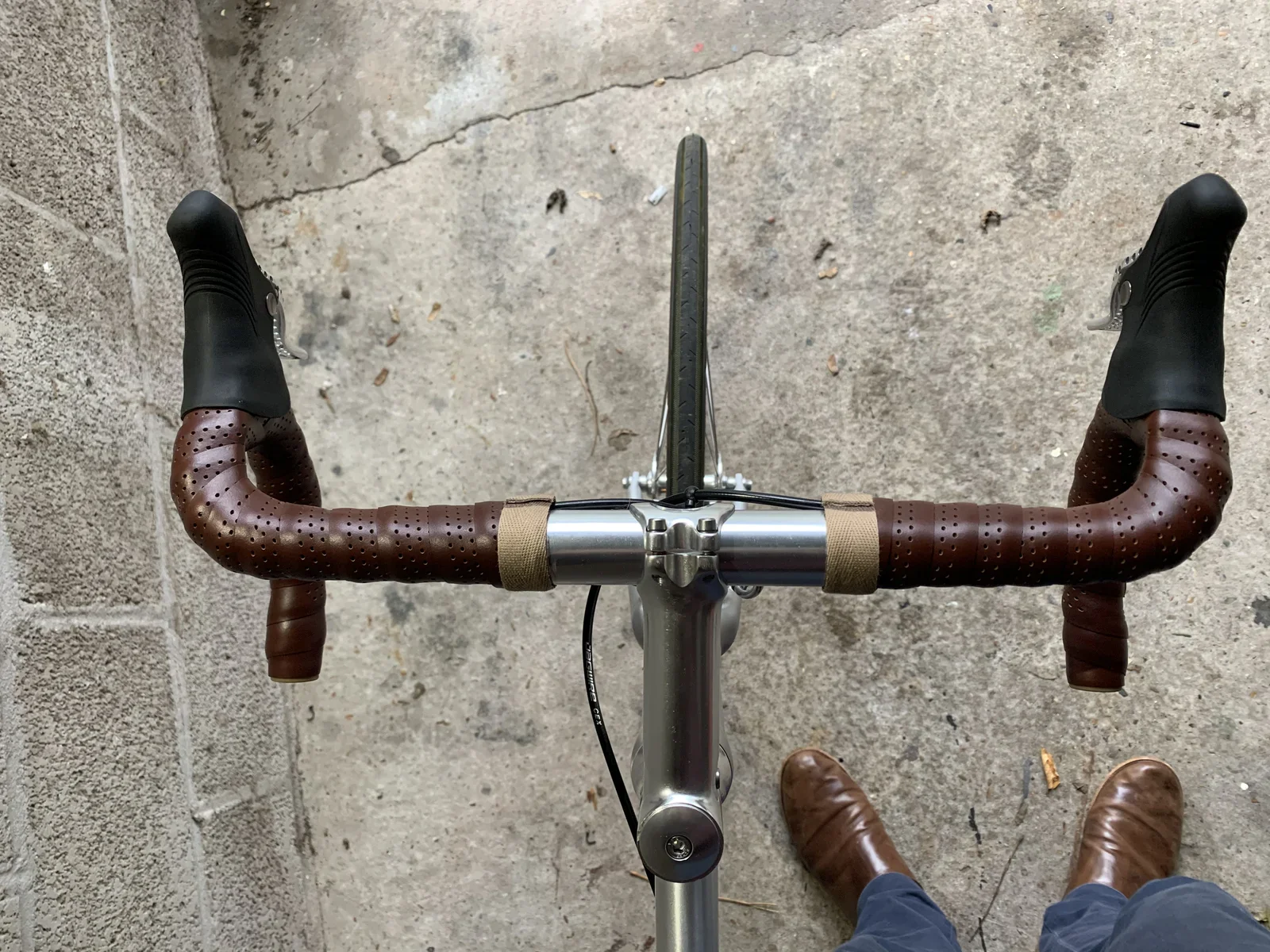
handlebar, bar tape, bike repair stand, tools, concrete floor, boots(Minimalistic road bike with Gates carbon drive) - image If you've got the shoes to match, brown bar tape looks magnificent Overhead view of a bicycle handlebar with brown perforated leather-style bar tape and black brake hoods, with a person's brown boots visible on cracked concrete below. (machine-described)
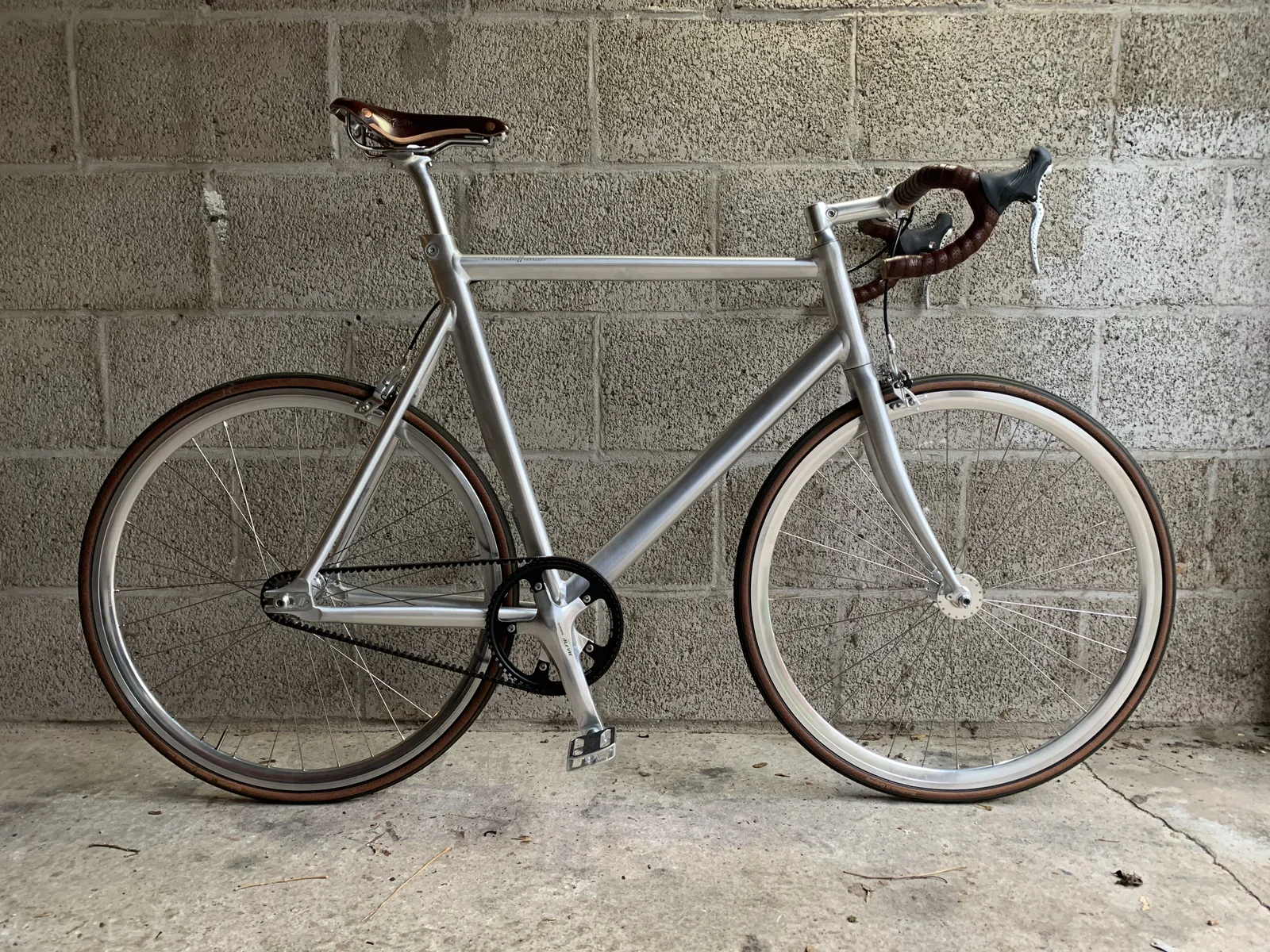
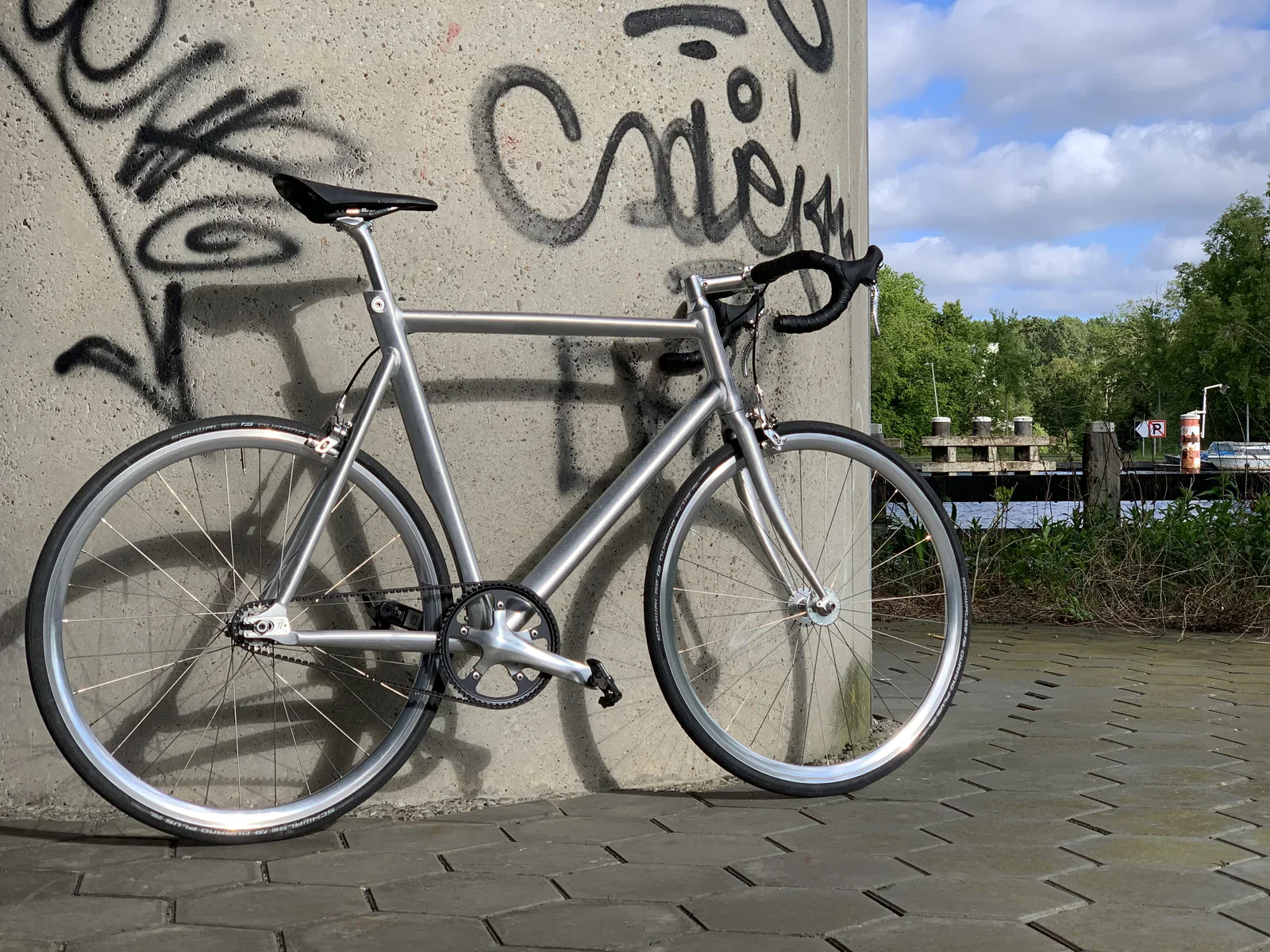
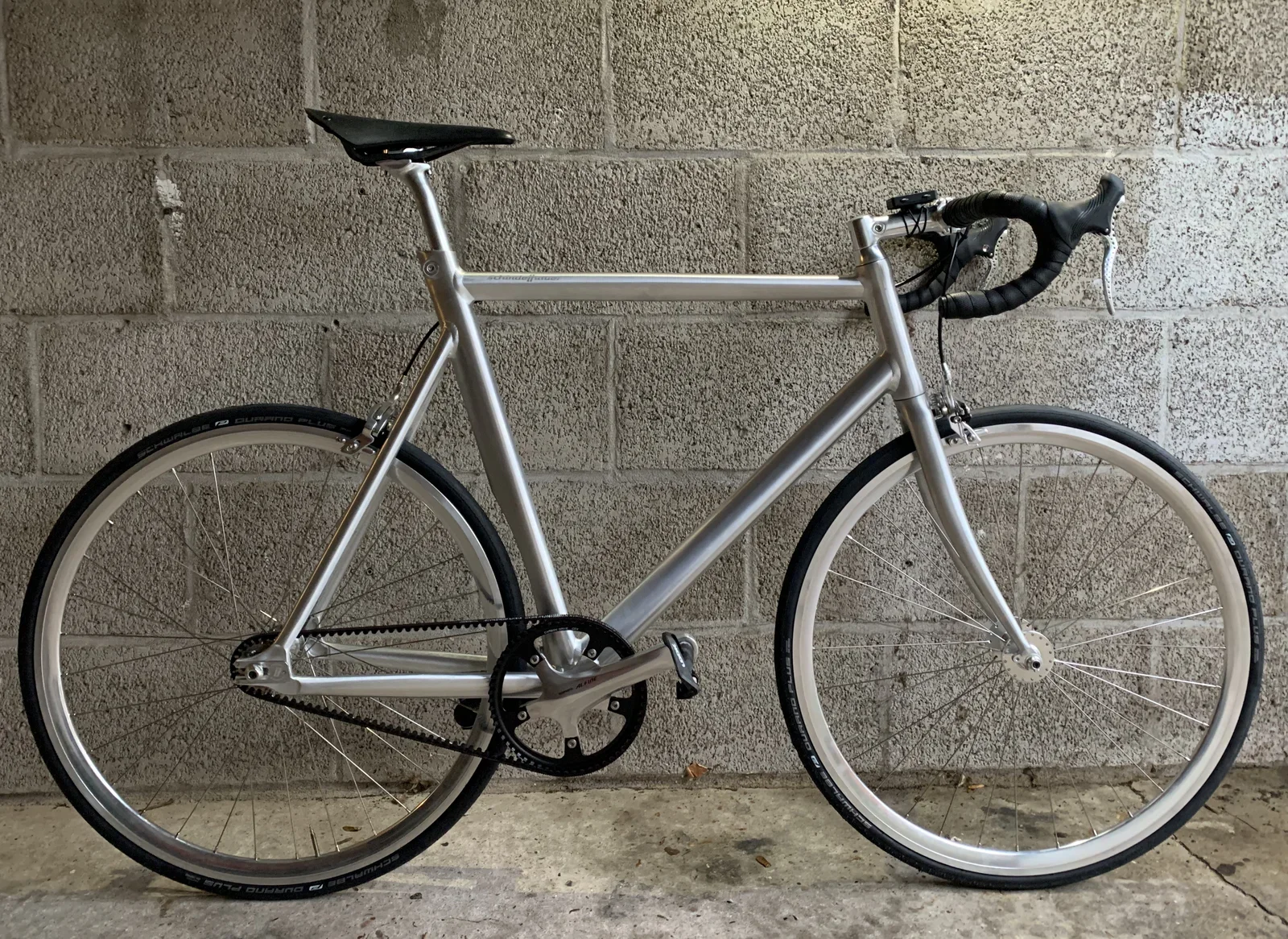
handlebar, bar tape, brake hoods, bicycle, boots, concrete(Minimalistic road bike with Gates carbon drive) - image Siegfried Road as I got it from the bike shop - with a brown Brooks Swift saddle and matching Continental tires Side view of a minimalist silver road bike with a brown leather saddle, brown-wall tyres, a carbon belt drive and brown drop-bar tape, leaning against a breeze-block wall. (machine-described)
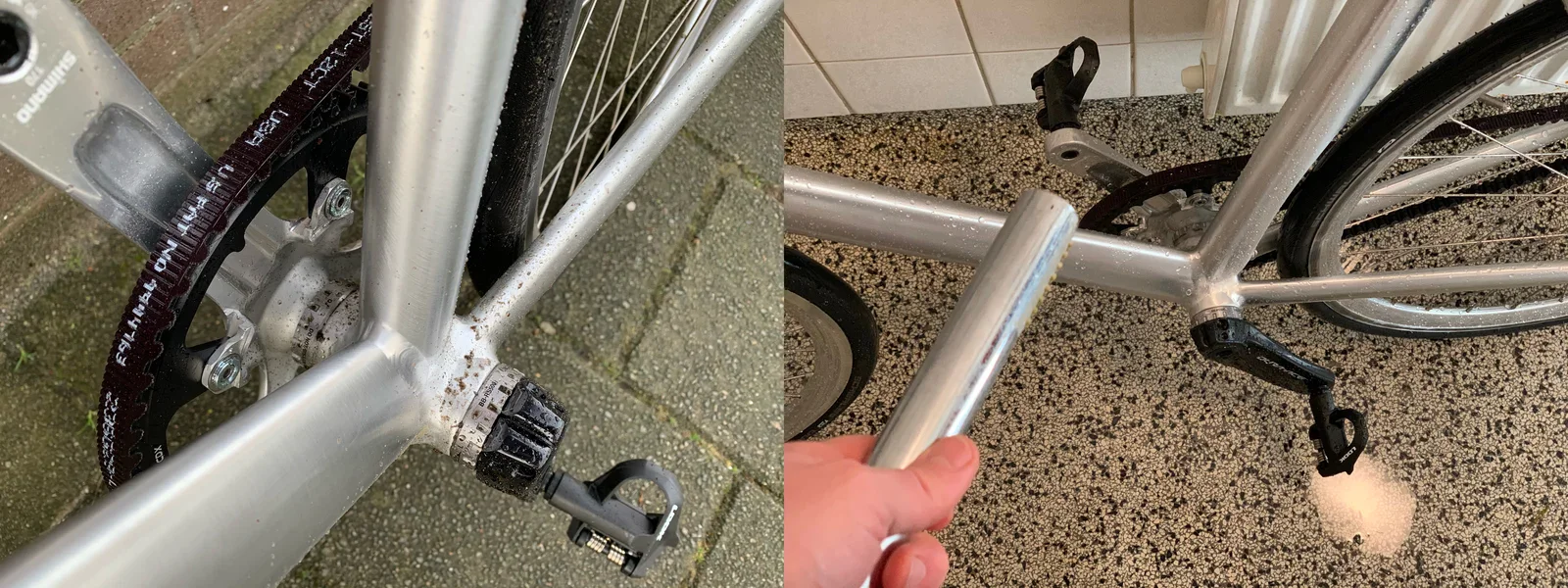
road bike, belt drive, leather saddle, drop bars, minimalist, silver frame(Minimalistic road bike with Gates carbon drive) - image No degreasing and oil required - simply rinse off your bike after a wet ride Two close-up photos of bicycle maintenance: a Shimano crank and belt drive cog near a paved driveway, and a hand holding a pedal near the rear dropout on a tiled floor. (machine-described) text in image:
SHIMANO
bicycle, crank, belt drive, pedal, maintenance, close-up(Minimalistic road bike with Gates carbon drive) - image You, the bike, the road, nothing else: cycling in optima forma Overhead view while cycling of a hand in a green sleeve gripping black handlebar tape, with a yellow cycling shoe visible near the pedal on the road below. (machine-described)
handlebar, cycling, hand, road, bar tape, cycling shoe(Minimalistic road bike with Gates carbon drive) - image Happy chap riding a bike on an empty road A smiling man wearing a helmet and a white and green cycling jersey with a crest logo and the name Willem takes a selfie while riding, casting a shadow on the road beside a canal and houses. (machine-described) text in image:
WILLEM
cyclist, selfie, helmet, jersey, road, shadow(Minimalistic road bike with Gates carbon drive) - image Out in the wild: Siegfried Road x Willem A silver road bike with black drop bars leans against a concrete pillar covered in graffiti tags, with a canal, trees and a parking sign in the background. (machine-described)
road bike, graffiti, concrete, canal, parking sign, silver frame(Minimalistic road bike with Gates carbon drive) - image The Schwalbe Durano Plus tire is the most puncture resistant road bike tire available Close-up of a black bicycle tyre mounted on a silver rim, showing the tyre's printed branding. (machine-described) text in image:
SCHWALBE DURANO PLUS SMARTGUARD DUAL COMPOUND
tyre, schwalbe, rim, close-up, bicycle, branding(Minimalistic road bike with Gates carbon drive) - image The beautifully spoked wheel is nothing short of harmonious, simple yet beautiful Extreme close-up of a bicycle front wheel hub and fork dropout with spokes radiating outward, on a paved path. (machine-described)
hub, spokes, fork, close-up, bicycle, dropout(Minimalistic road bike with Gates carbon drive) - image Siegried Road delivered through Kaptein Tweewielers Amsterdam A silver road bike stands against a wooden counter inside a bicycle shop, with other bikes, cycling apparel including Kaptein Amsterdam branded t-shirts and caps, and a Wahoo Kickr trainer visible in the background. (machine-described) text in image:
KAPTEIN AMSTERDAM wahoo KICKR
bicycle shop, apparel, kaptein amsterdam, wahoo kickr, trainer, road bike(Minimalistic road bike with Gates carbon drive) - image The Alexrims CX30 silver high polished wheels have high quality hubs ensuring a smooth ride Extreme close-up of a polished silver bicycle wheel hub between fork blades, with spokes radiating outward on a paved path. (machine-described)
hub, spokes, fork, close-up, bicycle, polished metal(Minimalistic road bike with Gates carbon drive) - image Siegfried Road features simple, yet very functional Tektro R539 / TRP - RRL brakes Close-up of a polished silver side-pull brake caliper gripping the front tyre of a bicycle against a concrete wall, showing the brake pad's branding. (machine-described) text in image:
TEKTRO FORWARD
brake caliper, bicycle, close-up, tektro, silver frame(Minimalistic road bike with Gates carbon drive) - image Without the conventional derailleurs the drive train is rather straightforward (60T/22T gear ratio) Close-up of a bicycle's rear hub, crank arm and toothed carbon belt drive against a paved surface, with a pedal visible on the right. (machine-described) text in image:
CARBON DRIVE CD SCHINDELHAUER
belt drive, crank, hub, pedal, close-up, bicycle(Minimalistic road bike with Gates carbon drive) - image Kleo Carbon pedals (by Look) on the front crank on the BSA bottom bracket Close-up of a black toothed belt drive chainring labelled Carbon Drive CDX mounted on a silver Shimano Alfine crank arm, with a pedal and tyre visible behind. (machine-described) text in image:
CARBON DRIVE CDX SHIMANO ALFINE CT1160
belt drive, crank, shimano alfine, chainring, close-up, bicycle(Minimalistic road bike with Gates carbon drive) - image The rear wheel is fixed using a 'crocodile' belt tensioning system Close-up of a bicycle rear dropout with a toothed carbon belt drive cog and an engraved metal plate reading Schindelhauer and a model name. (machine-described) text in image:
CARBON DRIVE CD SCHINDELHAUER "SIEGFRIED" PATENT PENDING
belt drive, dropout, schindelhauer, close-up, bicycle, engraving(Minimalistic road bike with Gates carbon drive) - image The seatpost clamp is integrated in the minimal AL6061-T6 aluminium, triple butted aero tubing frame Close-up of a silver bicycle frame's top tube and head tube junction against a concrete wall, showing the engraved Schindelhauer brand name and an Allen bolt. (machine-described) text in image:
schindelhauer
bicycle frame, schindelhauer, close-up, head tube, engraving, concrete(Minimalistic road bike with Gates carbon drive) - image Siegfried Road with a touch of Willem Side view of a silver minimalist road bike with brown-wall Schwalbe tyres and drop bars leaning against a breeze-block wall. (machine-described) text in image:
schindelhauer SCHWALBE DURANO PLUS
road bike, schindelhauer, belt drive, silver frame, drop bars, tyres(Minimalistic road bike with Gates carbon drive) - image The CDX rear sprocket is designed to last Extreme close-up of a rear wheel's Carbon Drive CDX cog and axle nut, showing tooth count markings and a patent pending inscription. (machine-described) text in image:
CARBON DRIVE CDX 22T PATENT PENDING
belt drive, cog, close-up, bicycle, carbon drive(Minimalistic road bike with Gates carbon drive) - image Loosen the rear axle to create just enough clearance to take the belt from the sprockets Close-up of a bicycle rear hub and dropout with belt drive, a wrench set lying on the concrete floor and another bike with a pedal visible in the background. (machine-described)
hub, dropout, belt drive, wrench, workshop, bicycle(Minimalistic road bike with Gates carbon drive) - image The Continental Grand Prix Classic tires are beautiful, if you like brown retro vibes Close-up of a brown-sidewall bicycle tyre mounted on a silver rim, showing the tyre's Continental branding. (machine-described) text in image:
Continental Grand Prix Classic 25mm
tyre, continental, rim, close-up, bicycle, branding(Minimalistic road bike with Gates carbon drive) - image Schindelhauer Bikes designs belt drive bikes since 2009 (photos: schindelhauerbikes.com) Split image showing a hand sketching a bicycle frame design on paper with drafting tools on the left, and a man using a clamp tool to work on a metal bicycle frame joint in a workshop on the right. (machine-described)
sketch, design, workshop, frame, tools, bicycle(Minimalistic road bike with Gates carbon drive) - image A minimalist silver road bike with drop handlebars and a belt drive leans against a graffiti-covered concrete pillar beside a waterway with trees and a docked boat in the background. (machine-described)
road bike, belt drive, graffiti, concrete pillar, waterway(Minimalistic road bike with Gates carbon drive) - image Close-up of a bicycle front wheel hub with radiating steel spokes and a quick-release axle, against a paved background. (machine-described)
wheel hub, spokes, bicycle wheel, axle, close-up(Minimalistic road bike with Gates carbon drive) - image A minimalist silver road bike with drop handlebars and a belt drive leans against a graffiti-covered concrete pillar beside a waterway with trees and a docked boat in the background. (machine-described)
road bike, belt drive, graffiti, concrete pillar, waterway(Minimalistic road bike with Gates carbon drive) - image The Surface Slim Pen is about the same size as a conventional pen, slightly smaller then Apple Pencil Three styluses lie side by side on a wooden table: a promotional ballpoint pen, an Apple Pencil, and a Microsoft Surface Pen. (machine-described) text in image:
CORPUS reis door de mens www.corpusexperience.nl Pencil
stylus, pen, apple pencil, surface pen, branding, comparison(Talking tablets: what makes a great tablet?) - image The Slim Pen is always ready, charged, within reach, above the function row of keys Close-up of a black Microsoft Surface Pen resting in the pen slot of a keyboard cover next to the keyboard keys. (machine-described) text in image:
PrtScn F8 F7 F6 F5 F4 8 7 6 Y & *
stylus, surface pen, keyboard, close-up, microsoft(Talking tablets: what makes a great tablet?) - image Surface Pro X with its keyboard is just like a laptop A Microsoft Surface Pro tablet with its keyboard cover attached stands on a wooden table showing a browser loading screen. (machine-described) text in image:
Just a moment....
tablet, surface pro, keyboard, loading screen, laptop(Talking tablets: what makes a great tablet?) - image Alcantara covered keyboard Macro close-up of the rounded corner of a dark grey fabric tablet sleeve or case on a wooden table. (machine-described)
case, sleeve, fabric, close-up, corner(Talking tablets: what makes a great tablet?) - image Disconnected keyboards have their advantages, too... :-) A smiling man holds a baby on his lap at a desk, both with hands on a wireless keyboard, with a MacBook and an iPad in a keyboard case visible in the background. (machine-described)
man, baby, desk, keyboard, laptop, ipad(Talking tablets: what makes a great tablet?) - image The keys are 'real' and there is a nice multi touch glass trackpad Macro close-up of a black Surface keyboard cover showing the Z, X, C, V, D, F, G, Windows and Alt keys next to the trackpad. (machine-described)
keyboard, keys, close-up, windows key, trackpad(Talking tablets: what makes a great tablet?) - image The keyboard connects using a magnetic connector that also provides power and connectivity (no separate battery or connection setup required) Macro close-up of the connector ports on the edge of a tablet and the matching magnetic pins on its keyboard cover, with a wooden table in the background. (machine-described)
port, connector, close-up, keyboard cover, tablet(Talking tablets: what makes a great tablet?) - image Surface Pro X does many things very well - it makes the perfect case to be your only computer A Surface Pro X tablet on a table shows a browser with a personal website, a file explorer window and a command prompt, with a handwritten note reading Surface Pro X beneath it, next to its detached dark blue keyboard. (machine-described) text in image:
Surface Pro X WILLEM.com drs. ing. Willem L. Middelkoop IT ondernemer, investeerder, hacker en software ontwikkelaar BEL +31645080320 UPLOAD MAIL@WILLEM.COM BLOG File Explorer Quick access Desktop This PC Downloads This PC Documents Pictures Music This PC OneDrive This PC Network Recent files (0) Af
opened(Talking tablets: what makes a great tablet?) - image Surface Pro X Signature Keyboard with the Slim Pen A dark Surface Pro X tablet lies face down on a wooden table next to its folded dark blue keyboard cover with a pen tucked into its holder. (machine-described)
surface pro x, tablet, keyboard cover, pen, wooden table(Talking tablets: what makes a great tablet?) - image Intuitive interfaces don't require a manual Overhead view of a toddler sitting on a wooden floor touching the screen of a white iPad that displays a colourful mechanical building app. (machine-described)
toddler, ipad, tablet, app, wooden floor, child(Talking tablets: what makes a great tablet?) - image Directly manipulating the interface with your fingers is a perfect example of integrating hardware with software Close-up of a finger tapping an email inbox list on a tablet screen, showing several newsletter and notification subjects. (machine-described) text in image:
Let's Encrypt Expiry Bot Let's Encrypt certificate expiration notice for domain "res... Jon from Coda Platform Voodoo dominates this week's top 30 hyper casual game... colocationmailing@list.xs4all.nl [Colocation] Storing Dc2 opgelost Node Weekly Revisiting a vast collection of Node.js best practice
email, inbox, tablet, finger, newsletter, touchscreen(Talking tablets: what makes a great tablet?) - image Different tablets, different software: iPadOS, Windows and "WillemOS" Three tablets lie on a wooden table each with handwritten notes on screen naming the device and operating system, an iPad Pro with Apple Pencil, a Surface Go, and a Surface Pro X with its stylus. (machine-described) text in image:
iPad Pro 11" iPad OS Surface GO Debian GNU/Linux "Willem OS" Surface Pro X Windows 10
ipad pro, surface go, surface pro x, stylus, comparison, handwriting(Talking tablets: what makes a great tablet?) - image Use the pen to draw, write and design Overhead close-up of a Surface Pro X tablet with a handwritten note on its drawing app screen and its dark Surface Pen resting above it on the wooden table. (machine-described) text in image:
Surface Pro X Windows 10
surface pro x, stylus, drawing app, tablet, handwriting(Talking tablets: what makes a great tablet?) - image Coding on Surface Pro X is a dream thanks to the spacious screen and gorgeous keyboard - I do this over SSH with tmux on a dedicated, powerful development VPS A Surface tablet with its keyboard attached stands on a wooden table showing a code editor with JavaScript on the left and a scrolling terminal log on the right. (machine-described) text in image:
willem@base: ~ index.js 1:Transfer.js //h/PaymentHandler.js httpClient.get(url, function(response) { Transfer.prototype.makeSureDirectoryExists = function(path, callback) { willem@base:~$ tail -f .forever/* 79RW.log Hz_h.log pids/ Q9RW.log Bd6m.log _mg0.log pXyv.log wGh5.log config.json M1E8.log Q80
laptop, code, terminal, javascript, vim, log(Talking tablets: what makes a great tablet?) - image "Look ma, no Putty" - SSH into anything, natively on Windows Close-up of the corner of a tablet screen showing a Windows command prompt with an SSH command typed at the prompt. (machine-described) text in image:
Command Prompt Microsoft Windows [Version 10.0.18363.693] (c) 2019 Microsoft Corporation. All rights reserved. C:\Users\mail>ssh willem@server-5.lemmid.com 08:58 09/03/2020 ENG
command prompt, ssh, windows, terminal, close-up(Talking tablets: what makes a great tablet?) - image Manipulating high resolution images using GIMP, working with multiple layers - works great on Surface Pro X A Surface tablet with keyboard on a wooden table shows GIMP open with a navy blue advertisement image of three wristwatches and the text Precision Watches. (machine-described) text in image:
banner-precisionwatches-square) (imported)-1.0 (RGB color 8-bit gamma integer, GIMP built-in sRGB, 1 layer) 1500x1500 - GIMP File Edit Select View Image Layer Colors Tools Filters Windows Help PRECISION WATCHES exclusive watches Crop Current layer only Allow growing Expand from center Fixed Aspect 1
gimp, tablet, keyboard, watches, advertisement, image editing(Talking tablets: what makes a great tablet?) - image Imprecise ruler in Microsoft Whiteboard hampers the experience Close-up of a tablet screen showing a dark stylus lying above a handwritten note reading Ruler at 0 degree, yet not entirely straight, with a digital ruler tool at 0 degrees below. (machine-described) text in image:
Ruler at 0 degree, yet not entirely straight!
stylus, ruler, tablet screen, handwriting, drawing app(Talking tablets: what makes a great tablet?) - image Pen responsiveness is great Close-up of a hand holding a stylus writing the word great in blue cursive script on a tablet screen. (machine-described) text in image:
great
stylus, handwriting, cursive, tablet screen, hand(Talking tablets: what makes a great tablet?) - image Handling the Suface Slim Pen Close-up of a hand holding a black stylus pen with a small Windows logo near its top. (machine-described)
stylus, pen, windows logo, hand, close-up(Talking tablets: what makes a great tablet?) - image Unpacking Surface Pro X Two photos side by side: an open cardboard shipping box with a bubble-wrapped item inside, and retail boxes for a Microsoft Surface Pro X tablet and its Signature Keyboard with Slim Pen. (machine-described) text in image:
Microsoft Surface Pro X Microsoft Surface Pro X Signature Keyboard with Slim Pen Signatur-Tastatur mit Slim Pen Clavier Signature avec stylet fin Slim Surface Pro X
unboxing, surface pro x, retail box, keyboard, packaging(Talking tablets: what makes a great tablet?) - image A Microsoft Surface Pro X tablet stands on a wooden desk showing a personal website, file explorer and command prompt windows plus a handwritten note, with its stylus pen and detached blue keyboard beside it. (machine-described) text in image:
WILLEM.com drs. ing. Willem L. Middelkoop IT ondernemer, investeerder, hacker en software ontwikkelaar Microsoft BEL +31645080320 UPLOAD MAIL@WILLEM.COM BLOG Surface Pro X File Explorer Quick access Frequent folders (6) Desktop Downloads Documents Pictures Music Videos This PC Network Recent f
surface pro x, tablet, website, file explorer, command prompt, keyboard(Talking tablets: what makes a great tablet?) - image Black and white close-up of a stylus pen with a Windows logo resting in the recessed pen groove of a laptop keyboard, next to function keys. (machine-described) text in image:
PrtScn F8 F7 F6 F5 F4 % 7 & 6 8 *
stylus pen, keyboard, windows logo, function keys, black and white(Talking tablets: what makes a great tablet?) - image A Microsoft Surface Pro X tablet stands on a wooden desk showing a personal website, file explorer and command prompt windows plus a handwritten note, with its stylus pen and detached blue keyboard beside it. (machine-described) text in image:
WILLEM.com drs. ing. Willem L. Middelkoop IT ondernemer, investeerder, hacker en software ontwikkelaar Microsoft BEL +31645080320 UPLOAD MAIL@WILLEM.COM BLOG Surface Pro X File Explorer Quick access Frequent folders (6) Desktop Downloads Documents Pictures Music Videos This PC Network Recent f
surface pro x, tablet, website, file explorer, command prompt, keyboard(Talking tablets: what makes a great tablet?) - image Sample traffic shaping script Screenshot of a bash shell script for traffic shaping with tc and iptables, annotated with red handwritten notes explaining default bandwidth, per-IP policy and firewall rules for enforcement. (machine-described) text in image:
#!/bin/bash | NETCARD=eth0 | MAXBANDWIDTH=100000 # choose a number that is high enough for non-shaped traffic | # reinit | tc qdisc del dev $NETCARD root handle 1 | tc qdisc add dev $NETCARD root handle 1: htb default 9999 | # create the default class, this is "all the other traffic" | tc class add
bash, script, tc, iptables, trafficshaping, screenshot(Traffic shaping using iptables and tc) - image Traffic must wait for tokens to become available when the maximum number of tokens is given away, enforcing the maximum concurrent traffic Hand drawn diagram comparing a queue of people waiting for tokens at a start gate marked sold out, with two people already riding a cart labelled traffic along a road. (machine-described) text in image:
QUEUE FOR TOKENS | START | TOKENS | "sold out" | TRAFFIC | T
diagram, illustration, traffic, tokens, queue, analogy(Traffic shaping using iptables and tc) - image Using tokens to control traffic - only passengers (or data packets) with a valid token are allowed. Tokens are returned as traffic reaches its destination. Hand drawn diagram showing traffic passing through a start gate with tokens and an end gate that returns used tokens back to the start, illustrating a token bucket rate limiting concept. (machine-described) text in image:
START | TOKENS | END | return TOKEN | RETURN USED TOKENS | TRAFFIC | ONLY allow traffic with valid token | T
diagram, tokenbucket, trafficshaping, illustration, ratelimiting(Traffic shaping using iptables and tc) - image Bugs in Microsoft Outlook cause it to keep synchronising IMAP folders, a problem experienced by many people (see the number of views!) Screenshot of a Microsoft Answers forum web page showing a question about Outlook 2016 hanging while synchronizing IMAP folders, with view and reply counts circled in red. (machine-described) text in image:
https://answers.microsoft.com/en-us/msoffice/forum/all/outlook-2016-hangs-fo... | AN AndyT | Created on October 25, 2016 | Outlook 2016 hangs forever synchronizing subscribed IMAP folders | I\x27m trying to help a user migrate to a new PC running Outlook 2016. On the the user\x27s old PC, running Ou
forum, outlook, screenshot, microsoft, imap(Traffic shaping using iptables and tc) - image Using the iftop tool to see bandwidth usage per connected IP-address Terminal bandwidth monitor showing live upload and download traffic per remote host connecting to online.lemmid.com, with most hostnames blurred except the domain names and provider suffixes. (machine-described) text in image:
online.lemmid.com | 109.3... | 52.12... | nscac....nl | 185.5... | 45.14... | ip4da....t-adsl.nl | 112.8... | old-n....nsip.net | 92.63... | ip-21....ip.prioritytelecom.net | 124-1....glasoperator.nl | 83-85....able.dynamic.v4.ziggo.nl | 129-2....dynamic.caiway.nl | userx.... | 125.1... | TX: cum: 1
terminal, bandwidth, networkmonitor, lemmid, screenshot(Traffic shaping using iptables and tc) - image Bandwidth graph with unusual spike indicating that something is wrong - you don't need to be Sherlock Holmes to find it Line graph showing two traffic metrics over several months with a sustained spike in the blue series from mid March to early April. (machine-described) text in image:
19:00 | 31-12 09-01 18-01 27-01 05-02 14-02 23-02 03-03 12-03 21-03 30-03 08-04 17-04 26-04
graph, traffic, chart, statistics, linegraph(Traffic shaping using iptables and tc) - image Bandwidth graph of AMS-IX shows a predictable pattern - notice the wave-like pattern AMS-IX Amsterdam internet exchange dashboard showing a total monthly traffic graph with regular daily peaks and troughs through April. (machine-described) text in image:
amsix Amsterdam | TOTAL MONTHLY | CUR 7.252 Tb/s | PEAK 8.148 Tb/s | ASNS 875 | 01-04 05-04 09-04 13-04 17-04 21-04 25-04 29-04 03-05 | Input Output
amsix, internetexchange, traffic, graph, dashboard(Traffic shaping using iptables and tc) - image A hand-drawn illustration of two figures riding a cart labelled traffic past a booth with a sold-out tokens sign, overlaid on a network traffic graph with spiky blue and orange lines. (machine-described) text in image:
START TOKENS "sold out" TRAFFIC
illustration, traffic graph, tokens, sold out, cart, sketch(Traffic shaping using iptables and tc) - image A grayscale line graph showing network traffic over time from late December through late April, with a low steady baseline that jumps to a much higher, volatile range in mid-March through early April. (machine-described) text in image:
50 45 40 35 30 25 20 15 10 5 0 19:00 31-12 09-01 18-01 27-01 05-02 14-02 23-02 03-03 12-03 21-03 30-03 08-04 17-04 26-04
line graph, traffic chart, grayscale, dates, spike(Traffic shaping using iptables and tc) - image A hand-drawn illustration of two figures riding a cart labelled traffic past a booth with a sold-out tokens sign, overlaid on a network traffic graph with spiky blue and orange lines. (machine-described) text in image:
START TOKENS "sold out" TRAFFIC
illustration, traffic graph, tokens, sold out, cart, sketch(Traffic shaping using iptables and tc) - image Handling payment status updates Hand drawn diagram illustrating a payment flow between a payment provider, a Node.js backend server and an owners office, showing webhook calls, status checks, email notification and goods delivery. (machine-described) text in image:
PAYMENT PROVIDER | PAYMENT WAS DONE BY USER | CALL WEBHOOK | SECURE LOOKUP API | REQUEST STATUS | PAYMENT SUCCESFULL or PENDING or FAILED | OUR BACKEND | NODE JS SERVER | UPDATE PAYMENT STATUS | HANDLE NEW STATUS | SEND EMAIL | DELIVER goods | OWNER\x27S OFFICE | EMAIL NOTIFICATION | goods
diagram, payment, webhook, illustration, backend, nodejs(Designing and implementing a (micro) payment system) - image Calling Mollie from NodeJS using promise based JavaScript Screenshot of JavaScript code creating a Mollie payment with amount, method and redirect and webhook URLs, above a payment table row showing a paid ten euro credit card transaction. (machine-described) text in image:
const payment = await mollieClient.payments.create({ amount: { currency: \x27EUR\x27, value: \x2710.00\x27, }, method: \x27creditcard\x27, description: \x27My first payment\x27, redirectUrl: \x27https://shop.org/order/12345/\x27, webhookUrl: \x27https://shop.org/payments/webhook/\x27, }); // Redirec
code, mollie, payment, javascript, screenshot, api(Designing and implementing a (micro) payment system) - image Mollie is a payment provider that supports many different payment methods, including credit cards, PayPal, iDEAL, Sofort, Giropay, SEPA, various bank apps and Apple Pay Banner showing the Mollie wordmark logo centred over a faded grid of various payment method and bank icons. (machine-described) text in image:
mollie
mollie, logo, payment, banner, icons(Designing and implementing a (micro) payment system) - image Sketched sequence diagram of payment process Hand drawn diagram of an online checkout flow from a user through a frontend website, a Node.js backend server and a payment provider, showing buy button, checkout request, payment session and redirect steps. (machine-described) text in image:
USER | FRONTEND WEBSITE | BUY BUTTON | REQUEST CHECKOUT | CHOOSE METHOD | THANKS | PERFORMS PAYMENT | REDIRECT TO PAYMENT URL | BACKEND | NODE JS SERVER | CALCULATE AMOUNT | PREPARE PAYMENT SESSION | CREATE PAYMENT | PAYMENT URL | PAYMENT PROVIDER | PRELOAD AMOUNT + OPTIONS
diagram, checkout, payment, illustration, frontend, backend(Designing and implementing a (micro) payment system) - image Developing the user interface using Blink and Inspect Browser on iPad An iPad on a keyboard stand shows a code editor and a website preview titled Buy Willem a coffee next to a cup of coffee, a Philips Avent baby monitor and an AirPods case on a wooden desk. (machine-described) text in image:
20:38 | Monolithic vs Micros... | WILLEM.com | Buy Willem a coffee | [coffee] x 5 1 3 5 | Message (optional) | SUPPORT € 10 | 1/Publisher.js post.detail.js a/ShopCart.js FormHandler.js st.detail.html /c/r/cart.html style.blog.css | function setCoffeeCountButtonActive(count){ var countButtons = docum
ipad, codeeditor, coffee, babymonitor, desk, javascript(Designing and implementing a (micro) payment system) - image Designing the coffee cup using Picta Graphic for iPad A digital drawing app on a tablet shows an illustrated paper coffee cup labelled two euros, with a layers panel listing cap, price, handle, cup and shade layers, and an Apple Pencil resting on the screen. (machine-described) text in image:
coffee | Path Object - 45% | €2 | Layers | Cap | Price | Handle | Cup | Shade | Normal | Width 10,0 | Smoothing 25%
ipad, illustration, drawingapp, coffee, layers, applepencil(Designing and implementing a (micro) payment system) - image Translating the design sketch (left) into a prototype (right) on iPad An iPad on a keyboard stand shows a handwritten note titled Ontwerp Transfer betaling next to a code editor with HTML for a Buy Willem a coffee support button. (machine-described) text in image:
18:04 | Ontwerp Transfer betaling... Gereed | Implementatie | Shopcard als component, een kijken hoe we de buy koppeling met FormHandler doen. | "mini" winkeltje maken op Willem.com: | Did you enjoy this post? | If you found this content useful, consider showing your appreciation by buying me a coff
ipad, handwriting, codeeditor, html, coffee, notes(Designing and implementing a (micro) payment system) - image Interface concept sketches, exploring different options to leave a message and buying multiple cups of coffee Two hand drawn sketches showing the design of a Buy Willem a coffee widget, with a compact coffee quantity selector on the left and the expanded support form with price, count buttons and message field on the right. (machine-described) text in image:
coffee | [coffee] x 1 [+] | message | expanding | Buy me a coffee | Buy Willem a coffee: | €2 x 1 1 3 5 | Message (optional) | Support €xx | mollie sessie
sketch, coffee, widget, design, illustration(Designing and implementing a (micro) payment system) - image Time to drink coffee A tablet propped up next to a decorated coffee mug on a wooden desk shows a Buy Willem a coffee support widget with a quantity selector and support button. (machine-described) text in image:
08:53 | willem.com | Did you enjoy this post? | If you found this content useful, consider showing your appreciation by buying me a coffee | Buy Willem a coffee | €2 x 1 1 3 5 | Message (optional) | SUPPORT € 2
ipad, coffee, widget, mug, website, support(Designing and implementing a (micro) payment system) - image Connecting frontend with backend technology, simple as 1-2-3 Four sequential screenshots illustrating a support flow: a small integrated button on a blog post, an expanded form offering coffee quantity options, an Apple Pay checkout screen, and a thank you page with a coffee cup illustration. (machine-described) text in image:
WILLEM.com | Did you enjoy this post? | If you found this content useful, consider showing your appreciation by buying me a coffee | Buy me a coffee | Or help me by sharing this post with your friends: | Buy Willem a coffee | €2 x 5 1 3 5 | Message (optional) | SUPPORT € 10 | mollie.com | WILLEM.com
coffeewidget, payment, applepay, mockup, ux, illustration(Designing and implementing a (micro) payment system) - image Steve Jobs announcing the Keynote app at MacWorld 2003, joking that it was build for himself, him being an underpaid beta tester A dark, blurry photo of a presentation stage with two illuminated Apple logos flanking a large screen displaying text, taken from a distance. (machine-described) text in image:
Built for me
apple, keynote, stage, presentation, screenshot(Designing and implementing a (micro) payment system) - image An iPad on a wooden table displays a willem.com support prompt asking for a coffee donation, next to a mug with a nautical illustration filled with coffee. (machine-described) text in image:
08:53 willem.com Did you enjoy this post? If you found this content useful, consider showing your appreciation by buying me a coffee: Buy Willem a coffee E2 x 1 1 3 5 Message (optional) SUPPORT E2
ipad, donation page, coffee mug, wooden table, willem.com(Designing and implementing a (micro) payment system) - image A dark hand-drawn diagram over faded payment-app icons illustrating a checkout flow from a website buy button through a Node.js backend to a payment provider. (machine-described) text in image:
FRONT... WEBSITE Buy Button Request Checkout Node JS... Calculate Amount Prepare Payment Session Payment Provider Preload Amount + Options Create Payment
diagram, checkout flow, payment provider, sketch, app icons, flowchart(Designing and implementing a (micro) payment system) - image An iPad on a wooden table displays a willem.com support prompt asking for a coffee donation, next to a mug with a nautical illustration filled with coffee. (machine-described) text in image:
08:53 willem.com Did you enjoy this post? If you found this content useful, consider showing your appreciation by buying me a coffee: Buy Willem a coffee E2 x 1 1 3 5 Message (optional) SUPPORT E2
ipad, donation page, coffee mug, wooden table, willem.com(Designing and implementing a (micro) payment system) - image Choose "Linpus Lite" to boot the installer A Windows boot device selection screen on a laptop display, photographed at an angle showing a reflection of a hand. (machine-described) text in image:
Use a device | EFI USB Device | EFI Network | Linpus lite
windows, bootmenu, screenshot, laptop, uefi(Making my own tablet OS) - image "Advanced Startup Options" from Windows Settings allows you to use a USB drive as boot medium A Windows 10 recovery options screen on a laptop display, photographed showing a hand near the trackpad. (machine-described) text in image:
Choose an option | Continue | Exit and continue to Windows 10 | Turn off your PC | Use a device | Use a USB drive, network connection or Windows recovery DVD | Troubleshoot | Reset your PC or see advanced options
windows, recoverymenu, screenshot, laptop, troubleshoot(Making my own tablet OS) - image Connecting the bootable USB drive to the Surface tablet using the USB-C to USB 3.0 and ethernet dongle A hand holds a looped blue ethernet cable connected through a black USB-C dongle, alongside a black Lexar USB 3.0 flash drive, plugged into a tablet with a keyboard case on a wooden desk. (machine-described) text in image:
Lexar USB 3.0
usb, ethernet, cable, dongle, tablet, flashdrive(Making my own tablet OS) - image You can use another computer to create a bootable USB stick, I used my ThinkPad X1 A black and yellow Lexar USB 3.0 flash drive lying next to a metal ThinkPad logo badge on a dark textured surface. (machine-described) text in image:
Lexar USB 3.0 16G | ThinkPad
usbdrive, lexar, thinkpad, logo, flashdrive(Making my own tablet OS) - image Debian GNU/Linux - The universal operating system Banner with the Debian logo swirl and tagline on a dark blue background. (machine-described) text in image:
debian | The universal operating system
debian, linux, logo, banner, operatingsystem(Making my own tablet OS) - image It might take some time, be patient or take photos :-) A Windows update progress screen reflected on a laptop display, with a hand holding up a white iPhone in front of it. (machine-described) text in image:
Please wait while we install a system update
windows, update, screenshot, iphone, reflection(Making my own tablet OS) - image Note the many firmware updates, you can only install them from Windows Close-up photograph of a Windows update history list on a screen, showing multiple pending driver and firmware update entries. (machine-described) text in image:
Microsoft .NET Fram... | Status: Pending download | Qualcomm Atheros Communications - Bluetooth - 4/17/2019 12:00:00 AM - 10.0... | Status: Pending download | Elantech Ltd. - Firmware - 1/8/2019 12:00:00 AM - 61.26.0.0 | Status: Pending download | Surface - Firmware - 12/12/2018 12:00:00 AM - 1.0.14
windows, updatehistory, screenshot, drivers, firmware(Making my own tablet OS) - image Check for updates manually using Windows Update Photograph of a Windows Update settings screen on a laptop showing a list of available and pending updates, with a hand visible behind the display. (machine-described) text in image:
Windows Update | Updates available | Last checked: Today, 14:05 | Your device is missing important security and quality fixes. | Security Intelligence Update for Windows Defender Antivirus - KB2267602 (Version 1.311.635.0) | Status: Installing - 62% | Realtek - Net - 10.35.1030.2019 | Status: Pendin
windows, windowsupdate, screenshot, laptop, settings(Making my own tablet OS) - image Using the customised Surface Go (right) for programming, similar to how I work using an iPad Pro (left) Two tablets with keyboard cases stand side by side on a wooden desk, each showing a code editor with JavaScript source code next to a handwritten sketch of a website object model, and the right hand tablet also shows an email application. (machine-described) text in image:
Relocation Plus: object model | Onwerp Relocation | File Edit View Message | Reply Group Reply Forward | Created by W.L. Middelkoop on 05-mar-2020 WLM/1PP/UIT | Created by W.L. Middelkoop on 06-mar-2020 WLM/1PP/UIT | var request = require(request); var fs = require(fs); var https = require(https); v
tablet, codeeditor, javascript, sketch, email, ipad(Making my own tablet OS) - image Reading an article on my tablet in portrait mode A hand holds a tablet displaying a willem.com blog article in a web browser, with a photo of clouds from an aircraft window at the top of the page. (machine-described) text in image:
WILLEM.com | Monolithic vs Microservices software architecture | CHOOSING THE RIGHT DESIGN FOR YOUR APP DEVELOPMENT | MAR. 3, 2020 - WILLEM L. MIDDELKOOP | This week I flew to Gothenburg to meet people from a large international shipping company, talking about the development of enterprise level sof
tablet, blog, website, article, browser, ipad(Making my own tablet OS) - image Using the customised operating system on tablet to create content for this blog A tablet lies flat on a wooden desk beside a stylus, displaying a drawing app with the same four box business logic diagram linking planning, sales, staff and finances. (machine-described) text in image:
PLANNING | SALES | STAFF | FINANCES | BUSINESS LOGIC | Complexity increases as structures and relations grow | Sans 12
tablet, diagram, drawingapp, stylus, businesslogic(Making my own tablet OS) - image Pen input works using my custom linux kernel and the Xournal app A tablet lies flat on a wooden desk beside a stylus, displaying a drawing app with a handwritten note about building a custom Linux based tablet operating system. (machine-described) text in image:
Surface GO | Debian GNU/Linux | "Willem OS" | Sans 12
tablet, drawingapp, stylus, handwriting, linux, debian(Making my own tablet OS) - image The 'onboard' virtual keyboard A tablet on-screen keyboard is shown overlaid on a news website displaying a Science and Technology section with two article thumbnail images. (machine-described) text in image:
Self-Care March 5 | illusion born from her lively, ever-evolving practice. | T Magazine March 2 | Science & Technology | 1 2 3 4 5 6 7 8 9 0 - = | q w e r t y u i o p [ ] | a s d f g h j k l ; \x27 \\ | z x c v b n m , . / | Ctrl Win Alt Alt Gr | Abc 123
tablet, onscreenkeyboard, website, newssite, ipad(Making my own tablet OS) - image Compiling the Linux kernel on a Surface Go takes some hours A tablet screen shows a terminal window with kernel compilation output scrolling, reflecting a hand holding a phone to take the photo. (machine-described) text in image:
willem@WillemSurfa... | "dpkg-source: unrep... | willem@WillemSurface: ~ | CC crypto/kpp.o | CC arch/x86/kernel/apic/hw_nmi.o | CC kernel/cgroup/legacy_freezer.o | CC block/blk-mq-tag.o | CC kernel/cgroup/pids.o | CC mm/mremap.o | CC arch/x86/kernel/apic/io_apic.o | CC mm/msync.o | CC [M] fs/afs/mis
terminal, linuxkernel, compiling, tablet, screenshot(Making my own tablet OS) - image Compiling my customised Linux kernel Close-up terminal output showing Linux kernel configuration prompts for certificate and keyring settings followed by the start of a kernel Debian package build. (machine-described) text in image:
HOSTCC scripts/kconfig/... | HOSTLD scripts/kconfig/conf --oldconfig | * Restart config... | * Certificates for signature checking | * File name or PKCS#11 URI of module signing key (MODULE_SIG_KEY) [] | Provide system-wide ring of trusted keys (SYSTEM_TRUSTED_KEYS) [] (NEW) | Additional X.509 keys
terminal, linuxkernel, configuration, build, screenshot(Making my own tablet OS) - image Installation in progress - note the connected network cable A tablet with keyboard case and stylus stands on an outdoor table on a balcony, its screen showing a blue GRUB boot loader installation progress bar at 50 percent. (machine-described) text in image:
Installing GRUB boot loader | 50% | Running "grub-install dummy"....
tablet, grub, bootloader, installation, balcony, linux(Making my own tablet OS) - image Missing firmware renders hardware unusable during installation A close-up photo of a Debian installer screen titled Detect network hardware, listing missing non-free firmware files and asking whether to load missing firmware from removable media. (machine-described) text in image:
[!] Detect network hardware | Some of your hardware needs non-free firmware files to operate. The firmware can be loaded from removable media, such as a USB stick or floppy. | The missing firmware files are: ath10k/pre-cal-pci-0000:01:00.0.bin ath10k/cal-pci-0000:01:00.0.bin ath10k/QCA6174/hw3.0/fir
debian, installer, firmware, screenshot, linux(Making my own tablet OS) - image Debian GNU/Linux Installer Menu on Surface Go - happy me A screen shows the Debian GNU/Linux UEFI installer boot menu with Graphical install highlighted, reflecting a man giving a thumbs up while photographing the screen with a phone. (machine-described) text in image:
Debian GNU/Linux 10.3.0 | Debian GNU/Linux UEFI Installer menu | Graphical install | Install | Advanced options ... | Accessible dark contrast installer menu .. | Install with speech synthesis | Enter: Select | E: Edit Selection | C: GRUB Command line
debian, installer, bootmenu, linux, screenshot, selfie(Making my own tablet OS) - image Microsoft Surface Go - an ultra portable 10" touch screen tablet computer (with type cover, pen and USB-C to ethernet and USB 3.0 adapter) Unboxed Microsoft Surface Go tablet packaging laid out on a wooden desk alongside its Type Cover keyboard box, a stylus pen box and a USB-C to Ethernet and USB 3.0 adapter box. (machine-described) text in image:
Microsoft Surface Go | 6.18 Monday, 8 June | Microsoft Surface Go | Type Cover | Microsoft Surface | Pen Stift Stylet | Microsoft Surface | USB-C to Ethernet and USB 3.0 Adapter | USB-C-zu-Ethernet und -USB 3.0-Adapter | Adaptateur USB-C vers Ethernet et USB 3.0
microsoft, surfacego, unboxing, packaging, tablet, accessories(Making my own tablet OS) - image A Microsoft Surface Go tablet lies on a wooden desk displaying a drawing app with handwritten blue text, next to its stylus pen. (machine-described) text in image:
Surface GO Debian GNU/Linux "Willem OS" Sans 12
surface go, tablet, stylus, handwriting, drawing app, wooden desk(Making my own tablet OS) - image A man photographs a tablet screen showing a Debian Linux installer boot menu with his phone, his reflection and raised thumbs-up hand visible in the glossy screen. (machine-described) text in image:
Deb... Graphical install Install Advanced options ... Accessible dark contrast installer menu ... Install with speech synthesis
debian installer, boot menu, reflection, smartphone, thumbs up, screen(Making my own tablet OS) - image A Microsoft Surface Go tablet lies on a wooden desk displaying a drawing app with handwritten blue text, next to its stylus pen. (machine-described) text in image:
Surface GO Debian GNU/Linux "Willem OS" Sans 12
surface go, tablet, stylus, handwriting, drawing app, wooden desk(Making my own tablet OS) - image “The sky is the limit” if you master the architecture you have chosen (just don’t change it during flight!) View from an aircraft window of a blue sky above a layer of clouds. (machine-described)
sky, clouds, aircraft, aerial, horizon(Monolithic vs Microservices software architecture) - image Microservices Software Architecture Hand drawn diagram of a microservice software architecture showing four independent microservices A to D each with a presentation layer, business logic module, data access layer, database and filesystem, connected via APIs for inter service communication. (machine-described) text in image:
INTER SERVICE COMMUNICATION THROUGH (WEB/REST) APIs | API | PRESENTATION LAYER | MODULE A | MODULE B | MODULE C | MODULE D | BUSINESS LOGIC | DATA OBJECT ACCESS LAYER | DATABASE | FILESYSTEM | MICROSERVICE A | MICROSERVICE B | MICROSERVICE C | MICROSERVICE D | MICROSERVICE SOFTWARE ARCHITECTURE | EA
diagram, microservices, architecture, api, illustration, software(Monolithic vs Microservices software architecture) - image Monolithic software architecture Hand drawn diagram of a monolithic software architecture showing a single presentation layer, four business logic modules, a data object access layer, a database and a filesystem all in one block. (machine-described) text in image:
PRESENTATION LAYER | USER INTERFACE | MODULE A | MODULE B | MODULE C | MODULE D | BUSINESS LOGIC | DATA OBJECT ACCESS LAYER | DATABASE | DYNAMIC RECORDS | FILESYSTEM | STATIC ASSETS | MONOLITHIC SOFTWARE ARCHITECTURE | one "big block", functioning as one app
diagram, monolithic, architecture, software, illustration(Monolithic vs Microservices software architecture) - image Increased complexity as the number of structures (and their relations) grows Hand drawn diagram showing four connected business departments: planning, sales, staff and finances, with double headed arrows linking each pair. (machine-described) text in image:
PLANNING | SALES | STAFF | FINANCES | BUSINESS LOGIC | Complexity increases as structures and relations grow
diagram, business, illustration, planning, sales, finance(Monolithic vs Microservices software architecture) - image Simple software architecture example - different structures composing a system with different relations between them Hand drawn diagram showing a mobile app and website connecting through an API and logic layer to a database and file system, with icons for user, network and backend cloud service. (machine-described) text in image:
APP mobile | WEBSITE | API | LOGIC | DATABASE | FILE SYSTEM | USER | NETWORK | BACKEND CLOUD SERVICE
diagram, api, architecture, illustration, cloud, database(Monolithic vs Microservices software architecture) - image Visiting a large international shipping company to talk about enterprise software A hand holds a plastic visitor badge on a lanyard clip in an office corridor lined with glass display cases containing model ships. (machine-described) text in image:
S Stena | Visitor | Willem Middelkoop | 03 Mar 2020 | *604170*
visitorbadge, stena, officecorridor, modelships, identitycard(Monolithic vs Microservices software architecture) - image A hand holds up a Stena visitor identification badge with a photo ID clip, in a lobby lined with glass display cases containing scale models of ships. (machine-described) text in image:
Stena Visitor Willem Middelkoop 03 Mar 2020 *604170*
visitor badge, id card, ship models, display case, lobby, hand(Monolithic vs Microservices software architecture) - image View from an aircraft window looking out over a flat layer of white clouds under a clear blue sky. (machine-described)
clouds, sky, aerial view, horizon, aircraft window(Monolithic vs Microservices software architecture) - image A hand holds up a Stena visitor identification badge with a photo ID clip, in a lobby lined with glass display cases containing scale models of ships. (machine-described) text in image:
Stena Visitor Willem Middelkoop 03 Mar 2020 *604170*
visitor badge, id card, ship models, display case, lobby, hand(Monolithic vs Microservices software architecture) - image CardDAV/CalDAV server connecting with devices and apps Hand drawn diagram on a dark background illustrating a CardDAV CalDAV server syncing contacts and calendar data between a phone and a PC. (machine-described) text in image:
Card DAV / CalDAV SERVER | PHONE | PC | sync | 1 | 2 | SAVES VCARD CONTACTS AND iCALENDER AGENDA DATA
diagram, carddav, caldav, sync, illustration, server(Your own addressbook and calendar cloud) - image A dark illustration with a radial arrangement of hand-drawn calendar and contact-card icons in white, yellow and red, numbered 1, 2, 4, 5 and 30, fading toward the edges of the frame. (machine-described) text in image:
1 2 4 5 30
illustration, calendar icons, contact icons, dark background, sketch(Your own addressbook and calendar cloud) - image A dark hand-drawn diagram showing a phone and a PC laptop syncing contact and calendar icons with a central box labelled as a CardDAV/CalDAV server. (machine-described) text in image:
PHONE sync Card DAV / CalDAV SERVER SAVES VCARD CONTACTS AND iCALENDER AGENDA DATA sync PC 1 2
diagram, carddav, caldav, phone, laptop, sync illustration(Your own addressbook and calendar cloud) - image A dark hand-drawn diagram showing a phone and a PC laptop syncing contact and calendar icons with a central box labelled as a CardDAV/CalDAV server. (machine-described) text in image:
PHONE sync Card DAV / CalDAV SERVER SAVES VCARD CONTACTS AND iCALENDER AGENDA DATA sync PC 1 2
diagram, carddav, caldav, phone, laptop, sync illustration(Your own addressbook and calendar cloud) - image Enjoying a little 'up and down' in the hilly countryside A red sports car with a black roof is parked on the shoulder of a rural road overlooking green hills and forest. (machine-described)
car, red, road, countryside, sports car, convertible(The day I sold my car) - image Twisty mountain roads - pure fun in a Roadster! (near the French/Spanish border) A view from inside a car shows a steering wheel, dual gauges reading up to 200, and a mountain road winding through a forested valley with another car ahead. (machine-described) text in image:
0 20 40 60 80 100 120 140 160 180 200 1045
car, dashboard, speedometer, road, mountain, driving(The day I sold my car) - image Driving my Smart Roadster in the Pyrenees mountains (France) A red convertible sports car is parked on a mountain roadside with a coach bus and truck parked further down the grassy valley below a forested peak. (machine-described)
car, red, mountain, valley, bus, convertible(The day I sold my car) - image The car's interior is quite spacious - even if you're tall The grey leather interior of a Smart Roadster shows the steering wheel, twin gauges, manual gear shifter, and dashboard with the ignition key inserted. (machine-described) text in image:
smart SRS AIRBAG
car, interior, dashboard, smart, steering wheel, gearshift(The day I sold my car) - image Extra sporty gauges on the dashboard: turbo pressure and engine temperature Two auxiliary gauges on a car dashboard display oil pressure in bar and coolant temperature in Celsius, next to hazard light and seat heater buttons. (machine-described) text in image:
bar 0.5 1.0 1.5 2.0 -0.5 -1.0 120 110 100 90 80 70 °C
car, dashboard, gauges, pressure, temperature, buttons(The day I sold my car) - image Smart Roadster steer - notice the F1-style gear flaps A close-up of a Smart branded steering wheel shows the speedometer and rev counter gauges behind it along with the two auxiliary gauges and stereo on the dashboard. (machine-described) text in image:
smart SRS AIRBAG 0 20 40 60 80 100 120 140 160 180 200 km/h
car, steering wheel, smart, speedometer, dashboard, gauges(The day I sold my car) - image Grippy tires provide plenty of contact with the tarmac A red and black Smart Roadster sports car with a yellow Dutch license plate is parked in front of a building with dark green framed windows numbered 63. (machine-described) text in image:
13-NG-FP NL 63
car, smart roadster, license plate, building, red, convertible(The day I sold my car) - image Mercedes-Benz SLK55 AMG V8 5.5L Silver Mercedes-Benz SLK convertible with red interior parked on gravel in front of trees. (machine-described) text in image:
BB.197.S
car, mercedes, convertible, licenseplate, slk(The day I sold my car) - image Smart Roadster - all black Black Smart Roadster parked on a paved area in front of a modern concrete building. (machine-described) text in image:
62-LS-ZH
car, smart, roadster, licenseplate, convertible(The day I sold my car) - image Opel Kadett Cabrio 1.6i Bertone Blue grey Opel Kadett convertible parked on an asphalt lot. (machine-described) text in image:
94-HJ-SG
car, opel, kadett, convertible, licenseplate(The day I sold my car) - image The arrival of the family car... Dacia Duster SUV and a black Smart Roadster parked at dusk in front of a house with solar panels, beneath a street sign. (machine-described) text in image:
Van Deysseilaan
street, cars, house, solarpanels, dusk, streetsign(The day I sold my car) - image Mercedes-Benz 3-cylinder Suprex engine Close-up of a Smart car engine bay showing the valve cover and oil filler cap. (machine-described) text in image:
smart Engineered by Mercedes-Benz | Bei Ölstand über max Gefahr von Motorschäden | To avoid damage to engine oil must not exceed max
engine, smart, mercedesbenz, enginebay, oilcap(The day I sold my car) - image The Smart Roadster fits in a shoe box, keep it under your bed or next to your lawn mower Black Smart Roadster parked in a home garage alongside two bicycles hanging on the wall and various tools and storage boxes. (machine-described) text in image:
62-LS-ZH
garage, smart, roadster, bicycle, licenseplate, tools(The day I sold my car) - image Parking garage full? Think again! Black Smart Roadster and a silver Peugeot hatchback parked nose to tail in an underground car park, with a red car in an adjacent bay. (machine-described) text in image:
LET OP HOOGTE 1.30M | PEUGEOT
parkinggarage, smart, peugeot, cars, signage(The day I sold my car) - image The open roof doubles as an ergonomic cargo hatch Close-up of a man in a dark suit passing a bouquet of pink, orange and white flowers to a woman seated in a convertible car. (machine-described)
wedding, bouquet, flowers, car, bride, groom(The day I sold my car) - image If you use the appropriate flowers, you might even find yourself a nice bride! A man smiling from the driver seat of a black convertible car holds a bouquet up to a woman in a white wedding dress standing beside the car. (machine-described)
wedding, bride, groom, car, convertible, dress(The day I sold my car) - image Who needs a boat trailer anyway? Black Smart Roadster with a long wooden oar or spar strapped to its roof rack, parked on a gravel driveway in front of houses. (machine-described)
smart, roadster, car, oar, roofrack, driveway(The day I sold my car) - image Leave your girlfriend at home when you need to transport larger, more important stuff, like this HP DL380 Gen8 server A silver rack-mount server unit sits on the passenger seat of a black Smart Roadster with the door open, on a paved driveway. (machine-described)
server, rackmount, smart, roadster, car, hardware(The day I sold my car) - image With three straps and some cardboard, you can easily transport paintings of all sizes Black Smart Roadster with a white board and orange straps strapped to its roof, parked on a brick pavement near a Dutch end-of-zone traffic sign. (machine-described)
smart, roadster, car, roofrack, trafficsign, street(The day I sold my car) - image The spacious trunk is big enough for a laptop or two An unboxed silver laptop and its white retail box lie in the open trunk of a red car, with the trunk lid open showing the taillight. (machine-described) text in image:
MacBook Air
macbookair, laptop, trunk, car, unboxing, apple(The day I sold my car) - image Open the cabrio roof and enjoy the weather, it's like playing outside for grown-ups (admit it: there is a child in all of us!) View through a car side window and side mirror of a foggy green mountainside, with a hand resting on the door frame and a steering wheel visible. (machine-described)
mountain, fog, car, window, mirror, landscape(The day I sold my car) - image Make sure to skip the highway, take the country roads (in Spain, near Alicante) Red Smart Roadster parked on a dirt track in front of a yellow walled building, with hills and power lines in the background. (machine-described) text in image:
13-NG-FP
smart, roadster, car, licenseplate, landscape, building(The day I sold my car) - image Smart Roadster - spice red Red and black Smart Roadster parked on gravel against a plain blue sky, side profile view. (machine-described)
smart, roadster, car, convertible, sideview(The day I sold my car) - image A black Smart Roadster sports car with a Dutch license plate parked on a paved area in front of a concrete and glass building. (machine-described) text in image:
62-LS-ZH NL
smart roadster, car, license plate, convertible, parking area(The day I sold my car) - image Close-up of a car dashboard with two round aftermarket gauges, one showing oil pressure in bar and one showing coolant temperature in Celsius, above heated-seat and hazard-light buttons. (machine-described) text in image:
0.5 1.0 1.5 2.0 0 -0.5 -1.0 bar 70 80 90 100 110 120 C
dashboard, gauges, pressure gauge, temperature gauge, buttons, car interior(The day I sold my car) - image A black Smart Roadster sports car with a Dutch license plate parked on a paved area in front of a concrete and glass building. (machine-described) text in image:
62-LS-ZH NL
smart roadster, car, license plate, convertible, parking area(The day I sold my car) - image Before and after changing my lifestyle - two different Willem's A two panel photo shows a smiling bald man raising a beer glass beside a pizza slice at an outdoor cafe under a Romerquelle branded umbrella, and the same man smiling at a restaurant table with wasabi and chopsticks next to a baby stroller. (machine-described) text in image:
RÖMERQUELLE ...sumo GRILL RESTAURANT
man, restaurant, beer, pizza, sushi, stroller(Measuring cholesterol levels in blood) - image Results from my cholesterol blood test A handwritten dark themed chart titled Blood Test Results WLM lists cholesterol and glucose values for January 2020 in a table with total, HDL, LDL, ratio, and triglyceride columns. (machine-described) text in image:
BLOOD TEST RESULTS: WLM JAN 2020 TOTAL mmol/l HDL mmol/l LDL mmol/l RATIO TRI CHL mmol/l Cholesterol 5.3 1.3 3.7 4.1 0.7 glucose 4.9
chart, blood test, cholesterol, glucose, handwritten, health(Measuring cholesterol levels in blood) - image Patch after having my blood drawn for the cholesterol test A close-up of a forearm shows a white gauze pad taped over the crook of the elbow after a blood draw. (machine-described)
arm, bandage, blood draw, tape, gauze, medical(Measuring cholesterol levels in blood) - image Chemical structure of Cholesterol A black and white skeletal chemical structure diagram shows the cholesterol molecule with hydroxyl and hydrogen groups labeled. (machine-described) text in image:
HO H
chemistry, cholesterol, molecule, diagram, structure, chemical(Measuring cholesterol levels in blood) - image Close-up of an inner forearm with an adhesive bandage and gauze pad taped over a blood draw site, with metal railings and a sign in the blurred background. (machine-described)
arm, bandage, blood draw, gauze, adhesive tape(Measuring cholesterol levels in blood) - image Close-up of an inner forearm with an adhesive bandage and gauze pad taped over a blood draw site, with metal railings and a sign in the blurred background. (machine-described)
arm, bandage, blood draw, gauze, adhesive tape(Measuring cholesterol levels in blood) - image Close-up of an inner forearm with an adhesive bandage and gauze pad taped over a blood draw site, with metal railings and a sign in the blurred background. (machine-described)
arm, bandage, blood draw, gauze, adhesive tape(Measuring cholesterol levels in blood) - image Average heart rate variability (HRV) during the same night shows a steady increase (and recovery) A scatter plot titled Hourly HR Variability shows heart rate readings during sleep from 9 PM to 5 AM with a rising trend line, alongside tabs for week, month, and year views. (machine-described) text in image:
HOURLY HR VARIABILITY JAN 13 WEEK MONTH YEAR Sleeping Recovery Rate Daytime Jan 13 9 PM 10 PM 11 PM 1 AM 2 AM 3 AM 4 AM 5 AM
chart, heart rate, sleep, whoop, graph, variability(Improve your sleep by blocking light) - image Heart rate graph shows a near flat line, very close to my minimum rate (collected with Biostrap) A scatter plot titled Heart Rate Readings shows sleeping and daytime heart rate dots from 9 PM to 5 AM with a tooltip highlighting 51.1 BPM at 2:00 AM. (machine-described) text in image:
HEART RATE READINGS JAN 13 WEEK MONTH YEAR Sleeping Daytime Jan 13 2:00 AM 51.1 BPM 9 PM 10 PM 11 PM 12 AM 1 AM 2 AM 3 AM 4 AM 5 AM
chart, heart rate, sleep, graph, whoop, bpm(Improve your sleep by blocking light) - image Pavlovian response: my body knows it's time to sleep when I put my mask on - zzzzz A bald bearded man wearing a white shirt sits at a desk with a Mindfold branded sleep mask over his eyes, an iPad and a Mindfold pouch visible on the table behind him. (machine-described) text in image:
MINDFOLD
man, sleep mask, mindfold, desk, ipad, bedroom(Improve your sleep by blocking light) - image Wearing a sleep mask, you can see the mask takes the shape of my head A bald bearded man in a white shirt tilts his head back while wearing a black Mindfold sleep mask branded on the front panel. (machine-described) text in image:
MINDFOLD
man, sleep mask, mindfold, face, eyewear, portrait(Improve your sleep by blocking light) - image The mask is flexible, enabling a comfortable fit A hand holds a black Mindfold sleep mask sideways, showing its curved nose bridge, foam padding, elastic strap, and printed logo. (machine-described) text in image:
MINDFOLD
sleep mask, mindfold, foam, strap, product, closeup(Improve your sleep by blocking light) - image The soft foam conforms to your face for maximum comfort and darkness A hand holds the inside of a black Mindfold sleep mask, revealing two deep eye cups and a partly visible reference number printed near the edge. (machine-described) text in image:
705-3805
sleep mask, mindfold, eye cups, foam, product, interior(Improve your sleep by blocking light) - image The sleep mask has open spaces covering your eyes, allowing your eyes to open freely (while maintaining darkness): this is a mayor difference with many other masks that sit right on your eye lids A Mindfold sleep mask instruction card and two orange foam earplugs lie next to a black eye mask with an adjustable strap on a bed sheet. (machine-described) text in image:
Comfortably Blocks All Light. Relax Anywhere! 1. Foam conforms to your face for maximum comfort. Allows air to circulate and eliminates the passage of light. 2. Flexible Opaque Masks mean TOTAL DARKNESS even in bright light. 3. Unique eye cutouts let you keep your eyes open and experience TOTAL DARK
sleep mask, mindfold, earplugs, instructions, packaging, bedding(Improve your sleep by blocking light) - image Maybe it's the font, maybe it's her haircut, but somehow I get a 80s vibe from the Mindfold's packaging :-) Sealed Mindfold sleep mask packaging with promotional stickers lies next to a printed box showing a smiling woman wearing the mask and product feature bullet points. (machine-described) text in image:
MINDFOLD Total Darkness With Your Eyes Open! I'M NEW Try Me! MINDFOLD Relaxation Mask TOTAL DARKNESS WITH YOUR EYES OPEN! Great for Traveling Comfortably Blocks all Light Won't Smudge Eye Makeup Aids in Relaxation and Sleep NEW Adjustable Velcro Strap www.mindfold.com 6 11206 12345 7
sleep mask, mindfold, packaging, box, product, branding(Improve your sleep by blocking light) - image Effects of a nap during the day: around 2pm you'll notice a steady decline in heart rate A heart rate line graph over one day shows sleep at 83 percent for 7:08, a cycling session of 7.9, and a rest period of 2:10, plotted against time from 10:00pm to 6:00pm. (machine-described) text in image:
83% 7:08 7.9 2:10 10:00pm 2:00am 6:00am 10:00am 2:00pm 6:00pm
chart, heart rate, sleep, cycling, graph, activity(Improve your sleep by blocking light) - image The Mindfold sleep mask: total darkness with your eyes open A close-up of the sealed Mindfold sleep mask package shows the black mask, its logo, and two promotional stickers on the plastic bag. (machine-described) text in image:
MINDFOLD Total Darkness With Your Eyes Open! I'M NEW Try Me!
sleep mask, mindfold, packaging, plastic, product, sticker(Improve your sleep by blocking light) - image A bearded man wearing a white t-shirt has his head tilted back, wearing a black contoured Mindfold sleep mask over his eyes against a beige wall. (machine-described) text in image:
MINDFOLD
sleep mask, man, beard, eye mask, mindfold(Improve your sleep by blocking light) - image A hand holds a black contoured sleep mask with deep foam eye cups and a hook-and-loop strap on a grey fabric surface, showing a small printed code on the inner shell. (machine-described) text in image:
705-3805
sleep mask, eye cups, hand, velcro strap, product(Improve your sleep by blocking light) - image A bearded man wearing a white t-shirt has his head tilted back, wearing a black contoured Mindfold sleep mask over his eyes against a beige wall. (machine-described) text in image:
MINDFOLD
sleep mask, man, beard, eye mask, mindfold(Improve your sleep by blocking light) - image The "trick" is to balance recovery with strain - if you do this well, you'll gain fitness A Whoop fitness app screenshot shows a weekly strain and recovery line graph from Thursday to Wednesday with a recovery percentage scale and an explanatory text block above it. (machine-described) text in image:
NOV 28 - DEC 4 Multiple days below optimal Strain targets will promote Recovery. To maintain fitness, take advantage of high Recovery days by building sufficient Strain. 100% 66% 33% 0% Thu 28 Fri 29 Sat 30 Sun 1 Mon 2 Tue 3 Wed 4
whoop, app, graph, fitness, strain, recovery(Whoop strap review: 24/7 wearable sensor) - image You can attach the WHOOP strap to your watch in a similar fashion that NATO-straps are folded through the lugs A silver watch with its black woven strap threaded through, lying face down on a wooden table next to a black WHOOP fitness tracker module with a red LED ring. (machine-described) text in image:
3.0 STRAIN RECOVERY SLEEP ALWAYS ON WATERPROOF WHOOP
whoop, fitness tracker, watch, strap, wood, closeup(Whoop strap review: 24/7 wearable sensor) - image Seiko 5 mechanical watch with WHOOP strap 3.0 sensor attached A two panel photo shows a Seiko 5 Sports automatic watch with a black dial and canvas strap worn on a wrist, front and side view. (machine-described) text in image:
SEIKO 5 SPORTS AUTOMATIC 21 JEWELS 100M SUN 14
watch, seiko, wristwatch, wrist, strap, timepiece(Whoop strap review: 24/7 wearable sensor) - image Wearing the sensor higher up the arm allows it to be hidden under your clothing A person reclines on a striped rug with one arm outstretched wearing a grey fitness band and a wristwatch, and a bare foot resting on a green cushion. (machine-described)
arm, wristband, foot, cushion, rug, relaxing(Whoop strap review: 24/7 wearable sensor) - image Different strap styles and lengths Several Whoop fitness band straps in black, white, and grey fabric are laid out on a wooden table alongside black and white plastic buckle clasps, all printed with the Whoop logo. (machine-described) text in image:
WHOOP
whoop, strap, band, clasp, fabric, wearable(Whoop strap review: 24/7 wearable sensor) - image The ProKnit strap is made of fabric, it is comfortable, stretchy yet sturdy and dries quickly A close-up of a grey woven Whoop fitness band worn on a wrist with a garden path blurred in the background. (machine-described) text in image:
WHOOP
whoop, wristband, strap, garden, wearable, fabric(Whoop strap review: 24/7 wearable sensor) - image WHOOP is about the same size as a regular watch (Tudor Black Bay 36MM) A Tudor wristwatch with a black dial and steel bracelet lies next to a grey Whoop fitness band on a wooden table. (machine-described) text in image:
TUDOR GENEVE ROTOR SELF-WINDING WHOOP
watch, tudor, whoop, wristband, steel, timepiece(Whoop strap review: 24/7 wearable sensor) - image WHOOP Strap 3.0 sensors A close-up of the black Whoop sensor module on a wooden table shows two green LED lights glowing through its window. (machine-described) text in image:
STRAIN RECOVERY SLEEP 3.0 WATERPROOF
whoop, sensor, led, wearable, device, closeup(Whoop strap review: 24/7 wearable sensor) - image Connecting with other WHOOP users through Facebook and Teams Three stacked phone screenshots show a private WHOOP Athletes Facebook group page, a member post about recovery after alcohol with a recovery bar chart, and a cycling strain leaderboard listing first names and scores. (machine-described) text in image:
12:59 facebook.com WHOOP Athletes Group WHOOP Athletes Group Private group This group is for WHOOP users, by WHOOP users and is presently not officially affiliated with WHOOP the business. It was established to support the expanding and diverse user base of WHOOP athletes. Here you can quickly boots
whoop, screenshot, facebook, leaderboard, strain, recovery(Whoop strap review: 24/7 wearable sensor) - image Beyond individual metrics: WHOOP provides a complete insight, including recovery, strain and sleep A smartphone displaying the Whoop app strain and recovery line graph for December 12 to 18 lies on a wooden table next to a hand wearing a grey Whoop band. (machine-described) text in image:
11:05 DEC 12 - DEC 18 Multiple days below optimal Strain targets will promote Recovery. To maintain fitness, take advantage of high Recovery days by building sufficient Strain. 100% 66% 33% 0% Thu 12 Fri 13 Sat 14 Sun 15 Mon 16 Tue 17 Wed 18 DAY STRAIN RECOVERY 10.1- 14.1- 18.1- 10.0 14.0 18.0 21.0
whoop, iphone, app, graph, strain, hand(Whoop strap review: 24/7 wearable sensor) - image WHOOP Strap 3.0 can broadcast your heart rate to any Bluetooth device A Whoop app screen shows a heart rate broadcast toggle switched on, a heart rate reading of 71, and full battery, overlaid on a photo of the grey woven wristband. (machine-described) text in image:
HR Broadcast On Off 71 100% WHOOP
whoop, app, heart rate, battery, wristband, screenshot(Whoop strap review: 24/7 wearable sensor) - image WHOOP data on a day when I went out I went out for a ride on my bike A Whoop app overview graph plots heart rate over a day, marking a sleep period at 95 percent and a cycling activity, with recovery and strain percentages labeled. (machine-described) text in image:
OVERVIEW HR | Today 95% 7:15 29% RECOVERY 19.8 19.9 STRAIN 200 160 120 80 40 2:00am 4:00am 6:00am 8:00am 10:00am 12:00pm 2:00pm 4:00pm 6:00pm 8:00pm
whoop, app, heart rate, graph, strain, recovery(Whoop strap review: 24/7 wearable sensor) - image Battery pack attached to the WHOOP strap A close-up of a black Whoop fitness sensor worn on the underside of a wrist shows three small status LED lights and the WHOOP logo embossed on the casing. (machine-described) text in image:
WHOOP
whoop, wristband, sensor, wearable, led, closeup(Whoop strap review: 24/7 wearable sensor) - image The WHOOP Strap is charged using a slide-on battery pack, allowing you to wear it continuously A hand rests on a wooden table wearing a grey Whoop band while a separate black Whoop sensor unit lies unclipped beside it. (machine-described) text in image:
WHOOP
whoop, wristband, sensor, hand, wearable, module(Whoop strap review: 24/7 wearable sensor) - image Recovery declined when I became ill, WHOOP data detected the decline earlier than I felt ill! A bar chart shows daily recovery percentages from Friday the 15th through Thursday the 21st, colored green, yellow, and red according to the recovery scale. (machine-described) text in image:
100% 66% 33% 0% Fri 15 Sat 16 Sun 17 Mon 18 Tue 19 Wed 20 Thu 21
chart, recovery, whoop, graph, percentage, bar chart(Whoop strap review: 24/7 wearable sensor) - image WHOOP Strap 3.0 on the wrist, no buttons, no display A hand rests on a wooden table wearing a grey Whoop fitness band with the WHOOP logo visible on the clasp. (machine-described) text in image:
WHOOP
whoop, wristband, hand, wearable, strap, table(Whoop strap review: 24/7 wearable sensor) - image A hand wearing a grey fabric Whoop fitness strap rests on a wooden table next to a smartphone displaying a strain and recovery chart app. (machine-described) text in image:
11:05 DEC 12 - DEC 18 Multiple days below optimal Strain targets will promote Recovery. To maintain fitness, take advantage of high Recovery days by building sufficient Strain. 100% 66% 33% 0% 21 16 14 12 10 6 0 Thu 12 Fri 13 Sat 14 Sun 15 Mon 16 Tue 17 Wed 18 DAY STRAIN RECOVERY 0 - 33% 34 -
whoop strap, smartphone, fitness app, chart, wrist, wooden table(Whoop strap review: 24/7 wearable sensor) - image Close-up product photo of a black Whoop fitness tracker module clipped into a coiled black fabric strap on a wooden surface. (machine-described) text in image:
WHOOP STRAIN RECOVERY SLEEP SLEEP ON WATERPROOF 3.0
whoop strap, fitness tracker, wearable, fabric band, sensor(Whoop strap review: 24/7 wearable sensor) - image A hand wearing a grey fabric Whoop fitness strap rests on a wooden table next to a smartphone displaying a strain and recovery chart app. (machine-described) text in image:
11:05 DEC 12 - DEC 18 Multiple days below optimal Strain targets will promote Recovery. To maintain fitness, take advantage of high Recovery days by building sufficient Strain. 100% 66% 33% 0% 21 16 14 12 10 6 0 Thu 12 Fri 13 Sat 14 Sun 15 Mon 16 Tue 17 Wed 18 DAY STRAIN RECOVERY 0 - 33% 34 -
whoop strap, smartphone, fitness app, chart, wrist, wooden table(Whoop strap review: 24/7 wearable sensor) - image Turning people into birds using computer vision A video still shows a large projected black silhouette of a bird with outstretched wings next to a person raising both arms in front of an interactive display, with a partial watermark reading the creators in the corner. (machine-described) text in image:
the creators
silhouette, bird, projection, interactive, art, pose recognition(Realtime human pose recognition through computer vision) - image PomPom faux puff mirror by Daniel Rozin A bearded man in a black t-shirt reaches toward a wall mounted woven yarn artwork depicting a silhouette figure, with a motion sensor camera mounted above it. (machine-described)
man, art, yarn, silhouette, sensor, interactive(Realtime human pose recognition through computer vision) - image MobileNet-SSD algorithm (image: hey-yahei.cn) A technical diagram illustrates the MobileNet-SSD neural network architecture with labeled convolutional layers and feature map dimensions, overlaid with a watermark. (machine-described) text in image:
Hey~YaHei! MobileNet-SSD Input 300x300x3 Conv0 150x150x32 Conv1 150x150x64 Conv2/3 75x75x128 Conv4/5 38x38x256 Conv6/7/8/9/10/11 19x19x512 Conv12/13 10x10x1024 Conv14_1 10x10x256 Conv14_2 5x5x512 Conv15_1 5x5x128 Conv15_2 3x3x256 Conv16_1 3x3x128 Conv16_2 2x2x256 Conv17_1 2x2x64 Conv17_2 1x1x128 1x1
diagram, neural network, mobilenet, architecture, machine learning, layers(Realtime human pose recognition through computer vision) - image Me and mini-me being recognised by the PoseNet model A bald man smiles while holding a baby in an orange top, with a computer vision overlay drawing red bounding boxes and cyan facial and body tracking points over both faces, plus a frame rate readout in the corner. (machine-described) text in image:
38 FPS (0-42)
man, baby, face tracking, pose recognition, overlay, webcam(Realtime human pose recognition through computer vision) - image ReCaptcha: you've been training Google's AI for years! A reCAPTCHA image challenge asks the user to select all squares containing traffic lights, shown next to the reCAPTCHA logo and two I am not a robot checkboxes. (machine-described) text in image:
Select all squares with traffic lights If there are none, click skip SKIP reCAPTCHA I'm not a robot
captcha, recaptcha, verification, traffic lights, puzzle, security(Realtime human pose recognition through computer vision) - image A smiling bald man holds a laughing baby in an orange romper indoors, overlaid with computer-vision pose-estimation markers, skeleton lines and bounding boxes on their faces and arms, plus an on-screen frame-rate readout. (machine-described) text in image:
38 FPS (0-42)
pose estimation, computer vision overlay, man, baby, bounding box, keypoints(Realtime human pose recognition through computer vision) - image A smiling bald man holds a laughing baby in an orange romper indoors, overlaid with computer-vision pose-estimation markers, skeleton lines and bounding boxes on their faces and arms, cropped tighter than the related image without the frame-rate readout visible. (machine-described)
pose estimation, computer vision overlay, man, baby, bounding box, keypoints(Realtime human pose recognition through computer vision) - image A smiling bald man holds a laughing baby in an orange romper indoors, overlaid with computer-vision pose-estimation markers, skeleton lines and bounding boxes on their faces and arms, plus an on-screen frame-rate readout. (machine-described) text in image:
38 FPS (0-42)
pose estimation, computer vision overlay, man, baby, bounding box, keypoints(Realtime human pose recognition through computer vision) - image Voila! Pulling the cable worked like charm A hand holds two soldered wire splices, one blue and one orange, next to the underside of a bicycle frame near the bottom bracket and pedal gear. (machine-described)
bicycle, wiring, solder, repair, frame, gear(Supernova E3 Pro 2 dynamo powered headlight) - image New cable soldered to the old one, allowing it to pull the new one through the bike frame A close-up of a blue and an orange wire soldered together and routed through a hole in a bicycle frame tube, illuminated by sunlight. (machine-described)
bicycle, wiring, solder, frame, cable(Supernova E3 Pro 2 dynamo powered headlight) - image Soldering the existing cables on my bike required a little creativity using clamps A bicycle front wheel and disc brake caliper are shown with a black Stanley Fatmax tool resting against the frame. (machine-described) text in image:
STANLEY FATMAX
bicycle, wheel, brake, tool, frame, spokes(Supernova E3 Pro 2 dynamo powered headlight) - image Connector used by my Shimano hub dynamo A hand connects a wire terminal to a Shimano branded hub on a bicycle wheel with a disc brake rotor. (machine-described) text in image:
SHIMANO
bicycle, wheel, hub, shimano, disc brake, wiring(Supernova E3 Pro 2 dynamo powered headlight) - image The Supernova E3 PRO comes with cables attached to it A hand holds a silver Supernova bicycle headlight with red and blue wires attached, next to a coiled black cable with a yellow label reading DYNAMO. (machine-described) text in image:
SUPERNOVA K730 DYNAMO
bicycle, headlight, supernova, dynamo, wiring, cable(Supernova E3 Pro 2 dynamo powered headlight) - image The light comes in a metal box that you can reuse for something else afterwards. The anti-theft bolts came in a separate bag Unboxed Supernova E3 Pro 2 bicycle headlight packaging sits on pavement, showing a cardboard box, a black tin case with the Supernova logo, and a plastic bag of mounting screws with an instruction card. (machine-described) text in image:
SUPERNOVA E3 PRO 2 HELL. VERLASSLICH. JAHRELANG. BRIGHT. RELIABLE. FOR YEARS. LUMINEUX. FIABLE. PENDANT DES ANNEES. HELDER. BETROUWBAAR. JAREN LANG.
bicycle, headlight, supernova, packaging, box, unboxing(Supernova E3 Pro 2 dynamo powered headlight) - image Supernova E3 Pro: bright, reliable, for years A hand holds the Supernova E3 Pro 2 headlight box, showing the side panel with certification icons and product description text in four languages. (machine-described) text in image:
SUPERNOVA E3 PRO 2 HELL. VERLASSLICH. JAHRELANG. BRIGHT. RELIABLE. FOR YEARS. LUMINEUX. FIABLE. PENDANT DES ANNEES. HELDER. BETROUWBAAR. JAREN LANG. DYNAMO StVZO polished silver VSF NACHHALTIGE HERSTELLUNG E3 PRO 2 SUPERNOVA-DESIGN GmbH & Co. KG
bicycle, headlight, supernova, packaging, box, label(Supernova E3 Pro 2 dynamo powered headlight) - image Supernova E3 PRO 2 Box, no plastic - just recyclable cardboard An opened cardboard shipping box reveals a small kraft box embossed with the Supernova logo, wrapped in brown paper padding. (machine-described) text in image:
SUPERNOVA
box, packaging, unboxing, supernova, cardboard(Supernova E3 Pro 2 dynamo powered headlight) - image Supernova E3 PRO2 fitted to my bike A Supernova headlight is mounted on the front fork of a bicycle above a mudguard, next to a brick wall. (machine-described) text in image:
SUPERNOVA
bicycle, headlight, supernova, fork, mudguard, mount(Supernova E3 Pro 2 dynamo powered headlight) - image Tie wrapping the electric wire to the sturdier shifter cable A close-up of a dusty carbon belt drive sprocket on a bicycle bottom bracket, with cable ties securing wires to the frame. (machine-described) text in image:
50T SI-401B PATENT PEND. CARBON DRIVE CDX
bicycle, sprocket, belt drive, carbon, dust, frame(Supernova E3 Pro 2 dynamo powered headlight) - image After heating the shrink wraps, they'll provide a protective layer against the elements A hand holds a wire connector near a bicycle bottom bracket with a carbon belt drive sprocket and cardboard boxes visible in the background workshop. (machine-described)
bicycle, sprocket, belt drive, wiring, workshop, repair(Supernova E3 Pro 2 dynamo powered headlight) - image Connecting the rear light to the head light, protecting the joint with shrink wraps A close-up of a dusty carbon belt drive sprocket at the bicycle bottom bracket with two wires taped together above it. (machine-described) text in image:
50T CARBON DRIVE CDX
bicycle, sprocket, belt drive, carbon, wiring, dust(Supernova E3 Pro 2 dynamo powered headlight) - image Supernova E3 Pro 2 A studio product photo shows a silver and black Supernova E3 Pro bicycle headlight with its mounting bracket on a white background. (machine-described) text in image:
SUPERNOVA E3 PRO
bicycle, headlight, supernova, product, studio, mount(Supernova E3 Pro 2 dynamo powered headlight) - image Close-up of a cylindrical bicycle dynamo headlight mounted on the front fork above the wheel, with a concrete wall in the background. (machine-described) text in image:
SUPERNOVA
bicycle headlight, dynamo light, front fork, wheel, fender(Supernova E3 Pro 2 dynamo powered headlight) - image A hand holds a cardboard retail box for a Supernova bicycle dynamo headlight, showing product text and a product photo, outdoors on a paved street. (machine-described) text in image:
SUPERNOVA E3 PRO 2 HELL. VERLASSLICH. JAHRELANG BRIGHT. RELIABLE. FOR YEARS LUMINEUX. FIABLE. PENDANT DES ANNEES HELDER. BETROUWBAAR. JAREN LANG DYNAMO StVZO polished silver 5 VSF NACHHALTIGE HERSTELLUNG SUPERNOVA E3 PRO 2 SUPERNOVA DESIGNS GMBH & CO. KG www.supernova-lights.de
product box, bicycle light, packaging, hand, supernova(Supernova E3 Pro 2 dynamo powered headlight) - image Close-up of a cylindrical bicycle dynamo headlight mounted on the front fork above the wheel, with a concrete wall in the background. (machine-described) text in image:
SUPERNOVA
bicycle headlight, dynamo light, front fork, wheel, fender(Supernova E3 Pro 2 dynamo powered headlight) - image Never underestimate the bandwidth of a car with 72TB in its trunk (72TB in my Smart Roadster) A smiling man in a pink knitted sweater takes a selfie in the back seat of a car next to a flat cardboard package resting on the rear parcel shelf. (machine-described)
selfie, portrait, car interior, package, sweater, smile(Building a professional 72TB NAS) - image Driving to the internet: visiting XS4ALL / KPN in Amsterdam A view from the drivers seat of a Smart car with a smart-branded steering wheel, looking out at a KPN branded van and a blue XS4ALL visitor parking sign among parked cars in a city street. (machine-described) text in image:
smart Combineer Thuis en Mobiel met KPN Compleet P XS4ALL bezoekers XS4ALL 99-1
car interior, dashboard, steering wheel, parking sign, street, smart car(Building a professional 72TB NAS) - image iLO: "sea of sensors" enabling an extensive remote insight in the server A laptop screen showing an HP iLO web interface with a 3D temperature graph and a sensor data table for a ProLiant server. (machine-described) text in image:
iLO: amsterdam2.BY2.exmgmt... https://192.168.1.49 Hewlett Packard Enterprise iLO 4 ProLiant DL380p Gen8 System Information - Temperature Information Summary Fans Temperatures Power Processors Memory Network Device Inventory Storage Firmware Software Temperature Graph Front View Back View
ilo, server, dashboard, temperature, hewlett packard enterprise, admin panel(Building a professional 72TB NAS) - image MacBook acting as monitor and keyboard of the server A MacBook on a wooden table shows a dark terminal boot screen listing VMware ESXi files being loaded. (machine-described) text in image:
Loading VMware ESXI Loading /tboot.b00 Loading /b.b00 Loading /jumpstrt.gz Loading /useropts.gz Loading /features.gz Loading /k.b00 Loading /chardevs.b00 Loading /a.b00 Loading /user.b00 Loading /uc_intel.b00 Loading /uc_amd.b00 Loading /sb.v00 MacBook
macbook, terminal, esxi, boot screen, vmware, laptop(Building a professional 72TB NAS) - image Computers on my desk powering the installation from left to right: ThinkPad X1, iPad Pro and MacBook A red office chair in front of a wooden standing desk with three screens showing terminal and text editor windows, next to a window with a radiator below. (machine-described)
home office, desk, laptop, chair, radiator, workspace(Building a professional 72TB NAS) - image Server (top left) connected to the computers on my desk (lower right) during installation inside my office A home office corner with a red chair at a desk holding two laptops, a wall mounted television showing a blue and yellow striped screen, a NAS unit, and a planted fish tank beneath a cabinet. (machine-described)
home office, fish tank, desk, television, nas, workspace(Building a professional 72TB NAS) - image HPE ProLiant DL380p server powered on, green lights indicate the drives are working, monitor is connected and showing the boot process An Acer monitor mounted above an HP ProLiant server rack displays a dark blue and orange screen with faint terminal text. (machine-described) text in image:
acer HP ProLiant DL380p Gen8 NIC PSU 1 2 PROCS 1 2 DIMM 4-8 FANS USB
server, rack, monitor, terminal, datacenter, acer(Building a professional 72TB NAS) - image Inside a HPE ProLiant DL380p Gen8 server (LFF) The open top of a server chassis shows the motherboard, fan cage, and instructional stickers for maintenance. (machine-described) text in image:
HP Align with fan cage handle Fan Cage Handle System Board Removal Handle Power Backplane Removal CAUTION PCI Module Removal PCI Module Replacement NIC Module Removal Drive Bay ID
server, motherboard, chassis, fans, maintenance, hp(Building a professional 72TB NAS) - image MacBook connected to the server in the datacenter through VMWare ESXi - installing GRUB boot loader on a virtual Debian GNU/Linux server A MacBook on a wooden table displays a VMware ESXi web interface with a Debian GRUB bootloader installation prompt in a virtual machine console window. (machine-described) text in image:
amsterdam2.lemmid.com - VM... https://amsterdam2.lemmid.com/ui/#/host/vms/1 vmware ESXi Navigator Host Manage Monitor Virtual Machines store.willem.com Monitor More VMs... Storage Networking store.willem.com [!] Install the GRUB boot loader on a hard disk It seems that this new installation is the o
macbook, laptop, vmware, esxi, virtualization, linux(Building a professional 72TB NAS) - image Server connected and online inside the datacenter The front of an HP ProLiant server rack unit shows drive bays with green activity lights and a printed contact label. (machine-described) text in image:
HP ProLiant DL380p Gen8 Intel Xeon colowill - willem.com - ☎ +31645080320 24 28 29 32
server, rack, drivebay, hp, label, datacenter(Building a professional 72TB NAS) - image Servers in a datacenter: the black racks are like closets for the grey server computers, each rack fits multiple servers (photo: HPE). A row of tall HPE branded server and storage racks stands in a raised floor data center under an overhead cable tray. (machine-described)
datacenter, server, rack, hpe, storage, cabling(Building a professional 72TB NAS) - image Dark, close-up photograph of a rack-mounted server chassis with rows of glowing green circular status LEDs reflected on its glossy black surface. (machine-described)
server rack, led lights, hard drive bays, nas, dark room(Building a professional 72TB NAS) - image Dark, close-up photograph of a rack-mounted server chassis with rows of glowing green circular status LEDs reflected on its glossy black surface. (machine-described)
server rack, led lights, hard drive bays, nas, dark room(Building a professional 72TB NAS) - image Dark, close-up photograph of a rack-mounted server chassis with rows of glowing green circular status LEDs reflected on its glossy black surface. (machine-described)
server rack, led lights, hard drive bays, nas, dark room(Building a professional 72TB NAS) - image Pratt & Whitney R-1830 Twin Wasp radial aero engine on display at the Imperial War Museum Duxford (photo: Nimbus227) A vintage radial aircraft engine on display indoors with a small information placard behind it. (machine-described)
radial engine, aircraft engine, museum, exhibit, machinery(Flying in a C47-A (DC-3) classic plane) - image Volunteers preparing the Pratt & Whitney R-1830 Twin Wasp aircraft engines for ignition A vintage silver and red DC-3 propeller aircraft parked on an airport tarmac with three ground crew in high visibility vests standing near the nose, and an air traffic control tower in the background. (machine-described)
dc-3, propeller plane, airport, tarmac, ground crew, aviation(Flying in a C47-A (DC-3) classic plane) - image Lelystad Airport terminal building near the hangar where the PH-PBA is stationed Lelystad Airport terminal building exterior with large lettering on the glass facade, a hedge and trees in front. (machine-described) text in image:
LELYSTAD AIRPORT
airport, terminal, building, signage, exterior, lelystad(Flying in a C47-A (DC-3) classic plane) - image DDA Classic Airlines ticket boarding pass A hand holds a DDA Classic Airlines ticket and boarding pass for a DC-3 flight over the Friese Meren and Markerwadden, with a seat sticker marked 2-A. (machine-described) text in image:
2-A ticket boarding pass DDA CLASSIC AIRLINES Middelkoop, W.L. Naam: Middelkoop, W.L. Nr.: 12 Datum: 19-10-2019 Tijd: 13:00 LT Operated by: DDA FLIGHT SUPPORT 2 A Vertrek: Lelystad Airport Bestemming: b. Friese Meren/Markerwadden Datum: 19-10-2019 Ticketnr.: 12 Registratie: PH-PBA Vertrektijd: 13:00
boarding pass, ticket, dc-3, dda classic airlines, travel document(Flying in a C47-A (DC-3) classic plane) - image PH-PBA "Prinses Amalia" being prepared for takeoff by DDA volunteers at Lelystad Airport (October 2019) The nose and engine of a vintage silver and white DC-3 named Prinses Amalia on a wet airport tarmac, with a ground crew member in a high visibility vest standing beside it. (machine-described) text in image:
Prinses Amalia
dc-3, propeller plane, aviation, tarmac, vintage aircraft, crew(Flying in a C47-A (DC-3) classic plane) - image The PH-PBA taking Queen Juliana and Prince Bernhard to Belgium, May 1960 (Ministerie van Infrastructuur en Waterstaat) An archival black and white photograph of a royal couple and military officers walking on an airport tarmac after disembarking a DC-3 aircraft with tail number PH-PBA, greeted by a line of guards. (machine-described) text in image:
PH-PBA 210097
archival photo, royalty, dc-3, tarmac, military uniform, historical(Flying in a C47-A (DC-3) classic plane) - image Paratroop C-47, 12th Air Force Troop Carrier Wing, during the invasion of southern France (August, 1944) An archival black and white photograph of two military DC-3 transport aircraft marked U5 flying in formation over mountainous terrain. (machine-described) text in image:
X 315661 U5 F
archival photo, military aircraft, dc-3, formation flight, wwii, historical(Flying in a C47-A (DC-3) classic plane) - image Flying over the Zuidermeerdijk near Urk, with the Ketelbrug visible crossing the water A view from inside a DC-3 aircraft window over the wing and engine cowling, looking down on farmland, a lake with wind turbines and a bridge. (machine-described)
dc-3, aerial view, engine cowling, windmills, lake, farmland(Flying in a C47-A (DC-3) classic plane) - image Terherne visible at the "Snitser Mar", Friesland A view from a DC-3 window over the wing and engine looking down on a lake with sailboats and surrounding green fields and a coastal town. (machine-described)
dc-3, aerial view, lake, sailboats, farmland, wing(Flying in a C47-A (DC-3) classic plane) - image U.S. Army Pathfinders and USAAF flight crew prior to D-Day (June, 1944, RAF North Witham, public domain) An archival black and white photograph of a large group of paratroopers in helmets and gear posing in front of a military transport aircraft. (machine-described)
archival photo, paratroopers, military, soldiers, aircraft, wwii(Flying in a C47-A (DC-3) classic plane) - image Frisian lakes visible from the C47-A PH-PBA cockpit Two pilots in uniform fly a DC-3 cockpit registered PH-PBA over green polder farmland and water, with instrument panels and control yokes visible. (machine-described) text in image:
PH-PBA PH-PBA NO SMOKING FASTEN SEATBELT PITOT HEAT STORM LIGHT DEICE CARB HEAT PROP DEICE WINDSHIELD OVERHEAD LIGHTS ENGINE INSTR FEATHER LANDING LIGHT NAV LIGHTS COCKPIT LIGHT STEADY 7000 CAUTION FLIGHT IN KNOWN OR FORECAST ICING CONDITIONS IS PROHIBITED
cockpit, dc-3, pilots, instruments, aviation, flight deck(Flying in a C47-A (DC-3) classic plane) - image Flying over the village of Heeg with IJlst en Sneek visible on the horizon A view from a DC-3 window over the propeller and engine cowling looking down on an industrial area, harbor, greenhouses and farmland. (machine-described)
dc-3, aerial view, propeller, industrial area, harbor, farmland(Flying in a C47-A (DC-3) classic plane) - image PH-PBA wing over Friesland, the Markermeer on the horizon A view from a DC-3 window over the wing looking down on coastal farmland, a small village and marina, with the sea and a sunlit horizon beyond. (machine-described)
dc-3, aerial view, coastline, farmland, village, marina(Flying in a C47-A (DC-3) classic plane) - image KLM Captain flying the C47-A PH-PBA over the Markermeer A pilot wearing headphones and epaulettes with four gold stripes looks out of the DC-3 cockpit window past instrument panels labelled PH-PBA. (machine-described) text in image:
PH-PBA PH-PBA LANDING LIGHT NAV LIGHTS ANTI COLL COCKPIT LIGHTS STEADY FLASH OFF ELT DISARM ARM EMERGENCY LIGHTS INSTR 1 LIGHTS INSTR 2 LIGHTS BOTH NAV SELECT FIRE WARNING NO AUX TANKS AVAILABLE CAUTION 7000 CYL HEAD TEMP CARB AIR OIL TEMP
cockpit, pilot, dc-3, headset, instruments, aviation(Flying in a C47-A (DC-3) classic plane) - image The R-1830 Twin Wasp piston engine at work - it feels alive! A close view through a rain streaked cabin window of a DC-3 engine cowling and spinning propeller in flight over farmland. (machine-described)
dc-3, propeller, engine, window, aerial view, farmland(Flying in a C47-A (DC-3) classic plane) - image Inside the cabin you have a clear view into the cockpit as there is no door separating the pilots from the passengers The interior aisle of a DC-3 cabin looking toward the open cockpit door where a pilot in uniform is seated, with an informational placard mounted on the cabin wall. (machine-described) text in image:
PH-PBA EMERGENCY EXIT History of 316th Troop Carrier Group C-47A 32-32097C during D-Day
dc-3, cabin interior, cockpit door, pilot, placard, aviation(Flying in a C47-A (DC-3) classic plane) - image The tail wheel of the C-47-A PH-PBA is quite close to the ground when parked on the platform A close view of a DC-3 main landing gear wheel and strut on a wet airport tarmac, with a blue and gold fuselage stripe and terminal buildings in the background. (machine-described)
dc-3, landing gear, wheel, tarmac, fuselage, aviation(Flying in a C47-A (DC-3) classic plane) - image Riveted by the Rosies, the C-47-A PH-PBA "Prinses Amalia" remains a beauty at her 75th year anniversary A close up of the nose of a DC-3 aircraft named Prinses Amalia with a pilot visible in the cockpit window and a crest of a lion on a blue and orange shield. (machine-described) text in image:
BA Prinses Amalia
dc-3, aircraft nose, cockpit, livery, crest, aviation(Flying in a C47-A (DC-3) classic plane) - image Electrical generator control panel inside the platform car An open access panel on the side of a DC-3 revealing an auxiliary power unit generator with gauges, switches and an engine. (machine-described)
auxiliary power unit, generator, engine, access panel, aviation, maintenance(Flying in a C47-A (DC-3) classic plane)